Google Vehicle Ads for Small Dealers: What It Takes in 2026
Google vehicle ads for car dealers: free car listings on Google are gone. What the paid route needs (feed, domain, Business Profile) and how to judge it.
Part of the Listings, photos & merchandising guide: Where to list your cars for leads — and how to be on every site at once
Switching from another DMS? Compare DealerVLO to DealerCenter, Frazer, or Lot Wizard.
For years a car on your website could show up in Google's car results for nothing. You put the right markup on the vehicle page, or sent Google a feed, and your inventory sat next to the big stores' for free. That's over. Google has shut both down, and when dealers ask "how do I get my cars on Google now," they're usually hoping there's a new free trick. There isn't.
What's left is a paid format called vehicle ads. I just built a Google vehicle ads feed into DealerVLO, so I've been through every Google help page on it line by line. This is what it actually takes for a small independent lot: the accounts, the feed, the vehicle page rules, the cars that can't run, and how to tell whether it's worth the money.
14-day free trial, then $29/mo · Cancel anytime
The short answer
Google has no free vehicle listings. Cars get into Google's vehicle results through vehicle ads, which you pay for in Google Ads. To run them you need a Merchant Center account with your website verified and claimed, a linked Google Ads account, a linked Google Business Profile, your website on a domain you own, and a vehicle feed that Merchant Center pulls every day.
None of it is hard, but it's more moving parts than most small lots expect, and the ad spend is yours. DealerVLO handles the feed and the vehicle pages; the campaign and the bill stay with you and Google.
What Google shut down
Two free routes closed.
The first was markup. Google announced on June 12, 2025 that Vehicle Listing structured data was among the result types being phased out. From September 9, 2025 it was gone from rich result reporting and the Rich Results Test, and Search Console support was removed starting January 2026.
The second was the separate organic feed program. Google's vehicle listings page now says the Organic Search Auto Listings feature won't appear anymore, and Google stopped processing those feeds.
Google hasn't called vehicle ads a replacement for either one. It's simply what's left, and it's paid.
DealerVLO car pages still carry Car structured data (VIN, mileage, price, specs), which still describes the car to anything that reads it. It just doesn't put your cars in Google's vehicle listings anymore. No website markup does.
What Google vehicle ads actually are
Google describes vehicle ads as a paid, lower-funnel ad format: an ad for a specific car from your inventory, aimed at people close to buying, that sends the click to that car's page on your site. They run in the United States, Canada, Australia and Japan, with a beta in some EU countries and the UK. And Google's vehicle ads policy says Free Listings aren't supported for vehicle sales, so there's no free tier hiding behind the paid one.
The split is simple. Merchant Center holds your cars. Google Ads spends the money, through a Performance Max or Standard Shopping campaign that uses your vehicle data source.
What you need before you start
Google's before-you-begin list is short but strict: verify and claim your website, link Google Ads, link your Google Business Profile, then turn on the Vehicle ads add-on under Settings > Add-ons.
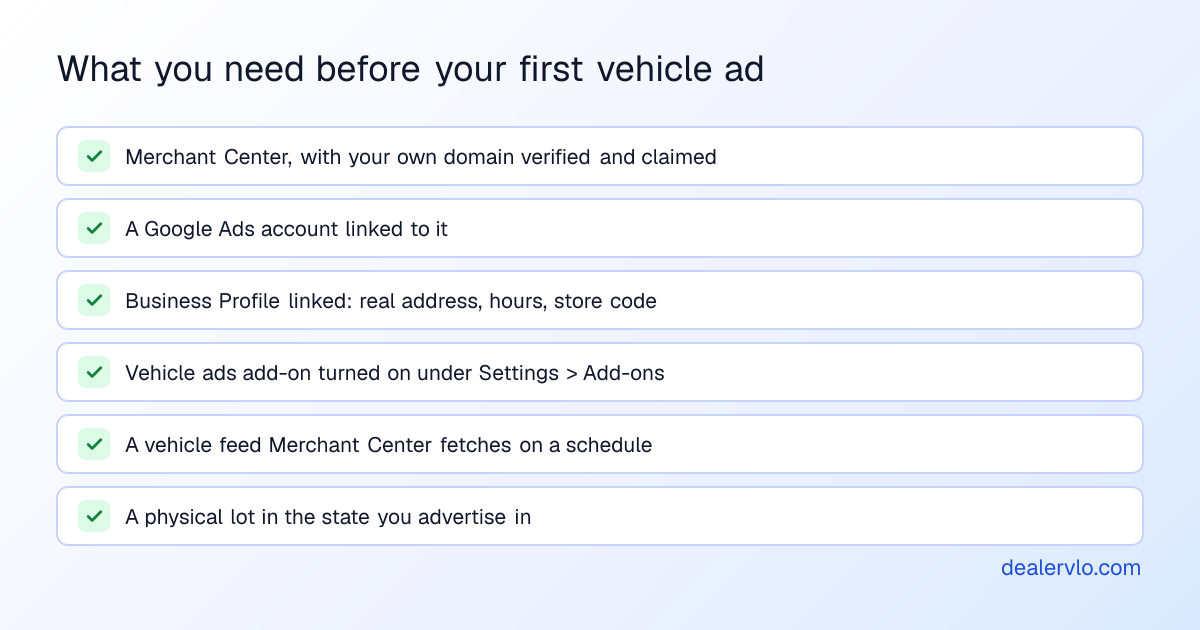
The Business Profile matters more than people expect. Google wants it at a valid physical address, marked open, with accurate hours, and it's where your store code lives. The store code is a unique, case-sensitive identifier for your location, and the one in your feed has to match the profile exactly. You'll find it at business.google.com under Business Profile settings > Advanced settings > Store code (Google's steps). If your profile is a husk Google auto-created years ago, set it up properly first; it's free and worth it either way.
Got lots in more than one state? Google's help pages describe a separate Merchant Center account for each country and state or province you target. Read that before you build anything.
The domain problem most small lots hit
Merchant Center makes you verify and claim your website, and a URL can only be claimed by one account. If another account has claimed example.com, you can't claim shop.example.com either. That rules out any shared platform address, because somebody else owns the root.
That includes DealerVLO. The dealer website included with DealerVLO lives on dealervlo.com unless you connect your own domain, and you can't claim dealervlo.com, so for vehicle ads you need your own domain. DealerVLO dealer websites support custom domains, and the Google vehicle ads card under Settings → Syndication feeds warns you if you haven't connected one. If you don't own a domain yet, it's one of the cheaper line items in what a dealer website costs.
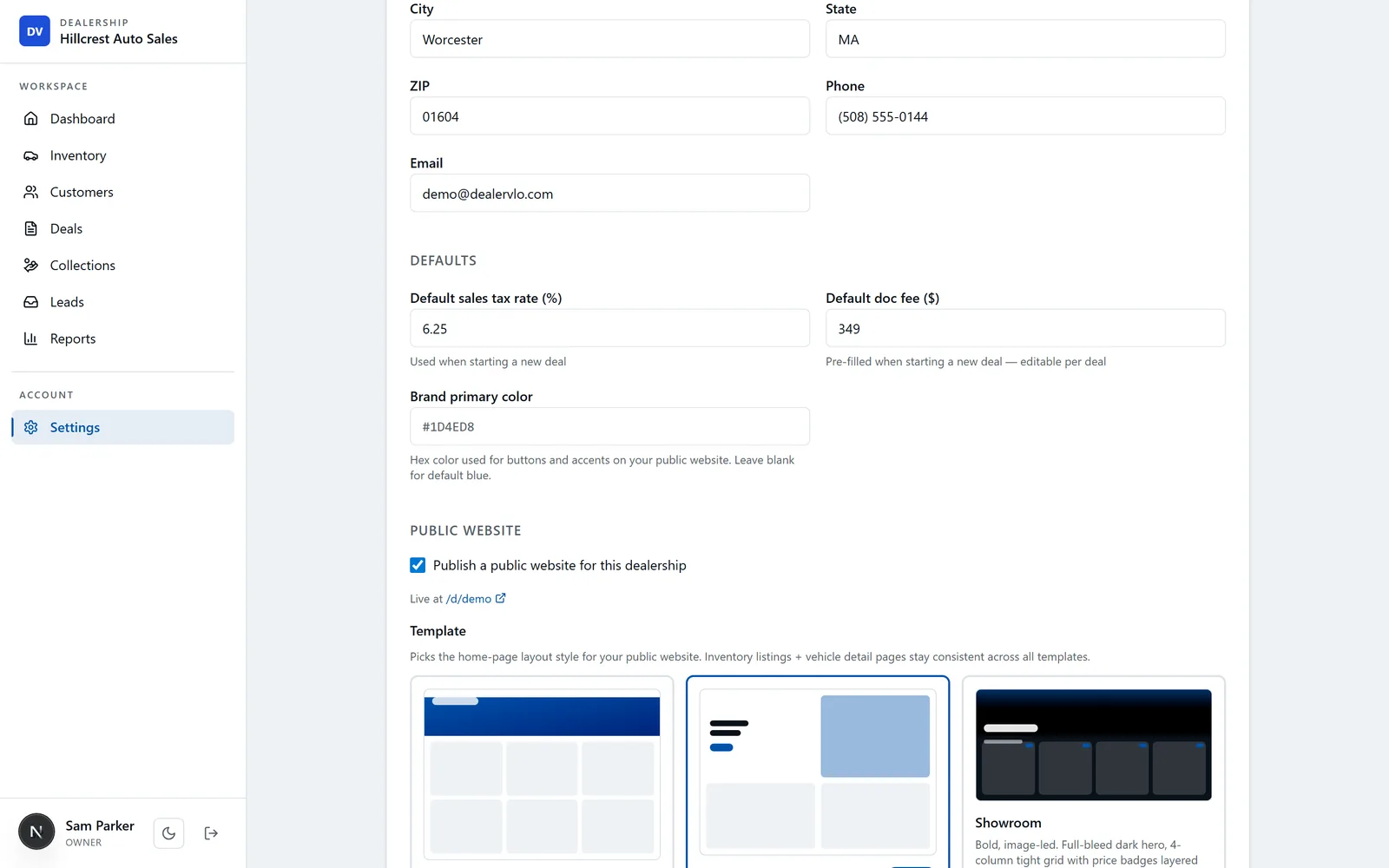
For verification, Merchant Center offers an HTML tag, a file upload, Tag Manager, Analytics and email. The HTML tag is the easy one: paste Google's site-verification meta tag (or just its code) into Settings → Dealership & website, and DealerVLO serves it on your custom-domain site. If your email address is on that same domain, the email method works too.
The feed: what Google needs for every car
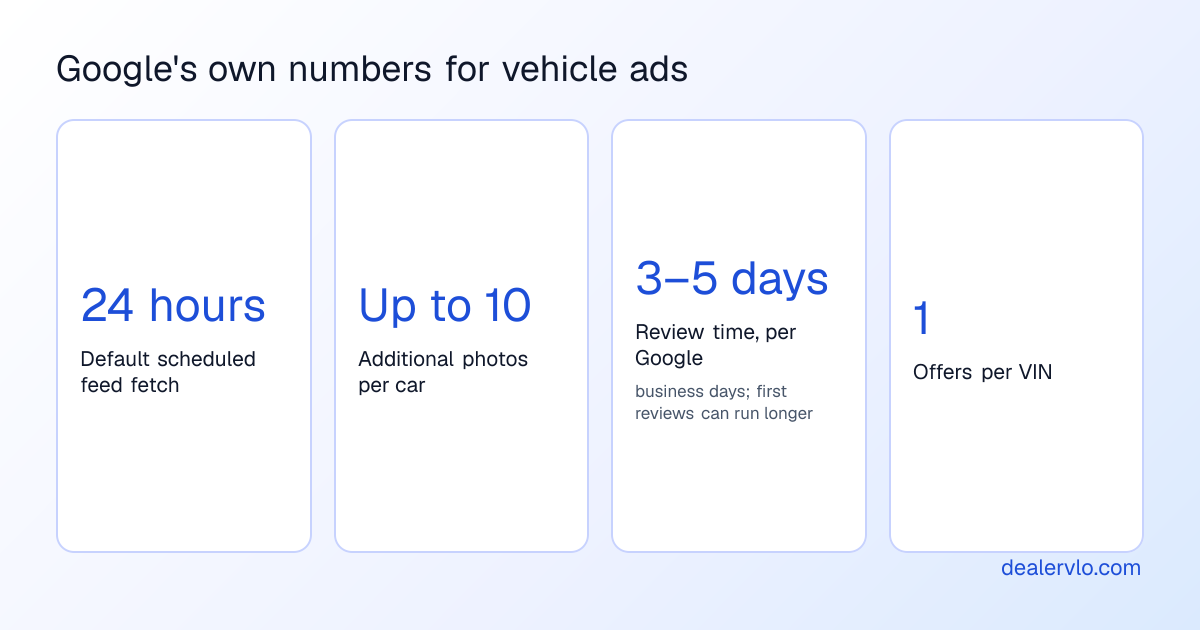
Merchant Center won't build your vehicle ads by crawling your site; website crawls aren't supported for vehicle ads. You give it a feed, either a delimited text file (Google's recommendation) or XML, and it fetches on a schedule, every 24 hours by default. If feeds are new to you, what a vehicle inventory feed is covers the basics.
Here's what Google's vehicle ads spec requires for each car:
| Attribute | What Google wants |
|---|---|
| id, VIN | One offer per VIN |
| google_product_category | The vehicle category |
| condition | New or used |
| brand, model, year | Model is the base model, no trim |
| mileage | Must match the vehicle page |
| color | The car's color |
| price | Exactly what the vehicle page says |
| image_link | The main photo |
| vehicle_fulfillment | How the buyer gets the car |
| store_code, link_template | Required for in-store offers |
Title is optional because Google generates it. Description, trim, body style and up to 10 additional photos are optional and worth sending. Online fulfillment is a beta for build-to-order sellers with national delivery. An independent lot is in-store.
DealerVLO's feed is built to that spec. Each available, priced car goes out with the required fields (category 916, in-store fulfillment at your store code) plus trim, body style, engine, description and up to 10 extra photos. No title, no online fulfillment. You type your store code into the Google vehicle ads card under Settings → Syndication feeds and it builds the feed URL; you add that in Merchant Center as a data source from a file link (not an upload), and Google fetches it daily. Keep trim out of the model field when you enter a car, since Google wants it in its own column.
Why price and mileage have to match
Since mid-April 2026, Google disapproves cars whose feed condition, price, mileage, VIN, brand or model don't match the vehicle page. The classic way to break this is two systems: you drop the website price and the feed still says yesterday's.
In DealerVLO the website and the Google feed read the same online price from each car, so a price change lands in both places. Mark a car sold and it comes off the website right away and drops out of the feed, so Google's next daily fetch picks that up.
Doc fees deserve a careful look. Google's policy says the US price is the actual price any consumer can buy the car for, excluding required government charges. Google's page doesn't spell out how dealer doc fees are treated in the US, so check the current spec and your state's advertising rules before deciding what your online price includes. DealerVLO's website shows whatever price you enter and doesn't add fees on top, and the feed sends that same number.
14-day free trial, then $29/mo · Cancel anytime
The vehicle page check
The ad sends the shopper to your vehicle page, and Google has rules for that page. For a used car it must show the dealership name, dealership location, price, VIN and mileage, visible when the page loads without the shopper clicking anything. Pages for sold, unavailable or incoming cars aren't permitted.
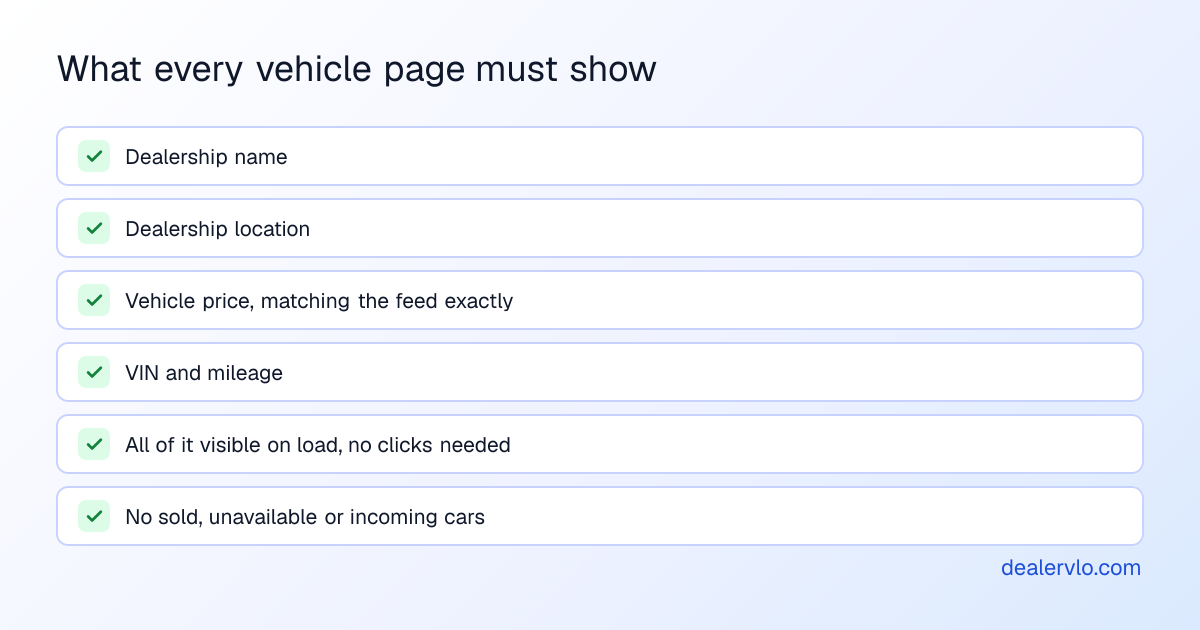
DealerVLO vehicle pages show the dealership name, location, price, VIN and mileage. What's left is on you: price every car you want advertised (cars without a price stay out of the feed) and give it real photos. The DealerVLO dashboard's "Needs attention" list flags cars with no price and cars with no photos, which is the pre-flight check for this. Mark cars sold the day they sell. When a car isn't showing somewhere, the listing-site fix-it guide walks the usual causes.
Which cars can't run
Google's vehicle ads policy shuts out a real slice of independent inventory:
- Title defects. Any title defect makes a vehicle ineligible. Google's examples include salvage and lien titles. If you sell salvage and rebuilt cars, those units can't run.
- No lot, no ads. You need a brick-and-mortar location in the state you list for.
- Brokers and auctions. Brokers aren't allowed, and auctions aren't supported.
DealerVLO has no title-brand field, so its feed can't tell a branded car from a clean one. Today the only way to keep a car out of the Google feed is "Hide from public website" on the car, which also takes it off your own site and your other listing feeds. If you carry branded-title units, decide which you'd rather give up before you launch, not after a disapproval.
Setting it up, in order
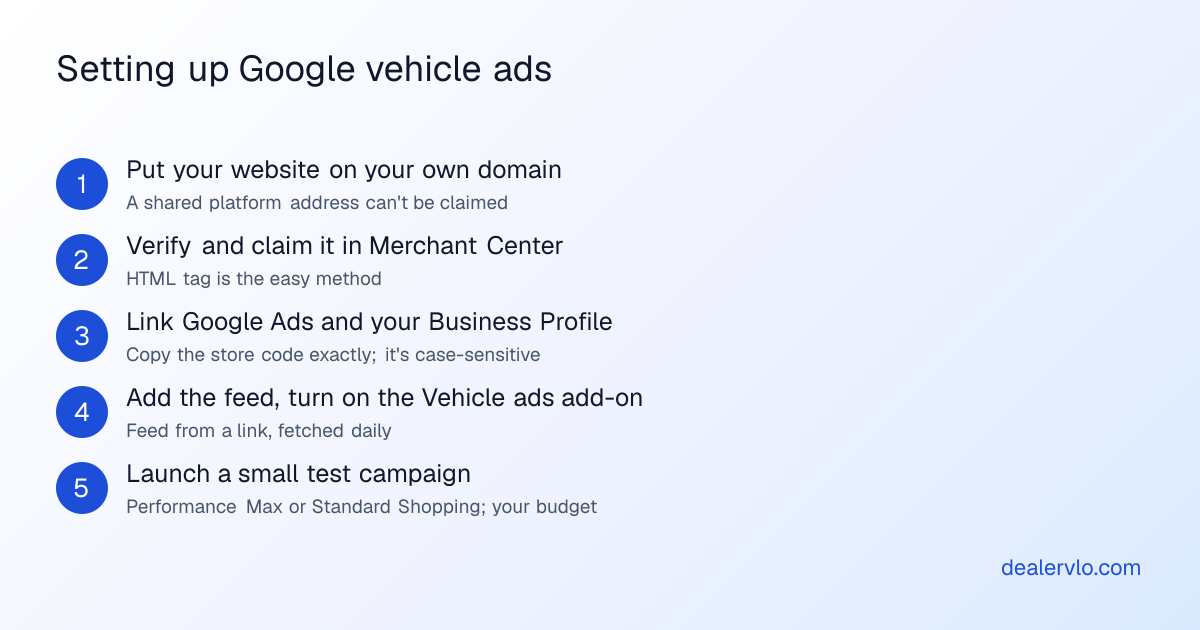
Do the domain first; everything waits on the claim. Then budget patience for review: Google says it can take up to 3-5 business days, and first-time program reviews can run longer.
On the DealerVLO side it's three settings: connect your domain, paste the verification tag, and type your store code into the Google vehicle ads card to get the feed URL. Everything else happens in your own Merchant Center, Business Profile and Google Ads accounts.
Is it worth it for a small lot?
I can't tell you what a click costs in your market. Google bills Shopping campaigns per click, and Performance Max on performance such as clicks or impressions. You set the budget. So the honest answer comes from a test with your own money.
The number that matters is cost per car sold:
Cost per car sold = what you spent on vehicle ads ÷ cars that sold from those ads
An illustrative example, with numbers you'd swap for your own: say the cars you'd advertise pencil to about $2,000 front gross. If your test month's spend divided by the cars it sold comes out well under that, the channel is paying. If it comes out near the gross, you worked the month for free. If no car sold, the answer is in, cheaply.
Ask every buyer where they found the car and write it on the deal, or the math is guesswork. Then compare the result against the free channels: a paid channel has to beat their cost per car sold to keep its budget. Here's how to track cost per car sold across every channel.
Turn your ad spend into a cost per car sold and a real ROI — and see how many units the spend has to produce just to break even.
Open the Marketing ROI CalculatorWhere DealerVLO fits (and where it doesn't)
What DealerVLO does: builds the Google vehicle ads feed from your inventory (same online price as your website, in-store fulfillment at your store code, sold cars dropping out), hosts the vehicle pages the ads link to, and serves your site-verification tag on your custom domain. All in the $29 a month flat, for every user.
What it doesn't do: set up or manage your Google Ads campaign, pay for ads, or get your cars on Google for free. You need your website on your own domain, a Business Profile with a store code, and your own Google Ads account, billed by Google. The feed works the same whether you, a freelancer or an agency runs the ads.
Frequently asked questions
Can you list cars on Google for free?
No. Google phased out vehicle-listing markup in 2025 and ended its organic auto listings feed, and Free Listings don't support vehicle sales. Vehicle ads are paid. Your free Google surface is the Business Profile.
How much do Google vehicle ads cost?
There's no fixed price. You set the budget; Shopping bills per click and Performance Max on performance such as clicks or impressions. Judge it by cost per car sold against your gross.
What do I need to run Google vehicle ads?
Merchant Center with your own domain verified and claimed, linked Google Ads and Business Profile accounts, the Vehicle ads add-on, a vehicle feed, and vehicle pages showing dealership name, location, price, VIN and mileage.
Does my website's structured data still get cars on Google?
Not into Google's vehicle listings. Google phased out Vehicle Listing structured data in 2025 and removed its Search Console support starting January 2026.
Can I run vehicle ads on salvage title cars?
No. Any title defect makes a vehicle ineligible; salvage and lien titles are Google's examples.
Does DealerVLO run Google vehicle ads for me?
No. DealerVLO builds the feed and gives you the URL. You run and pay for the campaign in your own Google Ads account, on your own domain.
Bottom line
Free car listings on Google are over. What's left is a paid ad format that asks a lot of setup from a small lot: your own domain, a claimed website, a linked Business Profile with a store code, a Google Ads account and a clean daily feed whose prices match your pages. Do the free Google work first, run a small test, and let cost per car sold decide whether it stays.
If the feed is the part holding you back, DealerVLO builds it from the same inventory that runs your website. Start the free 14-day trial and see it with your own cars.
14-day free trial, then $29/mo · Cancel anytime