Google Business Profile for a used-car lot: the 1-hour setup that outworks paid ads
A dealership Google Business Profile (formerly Google My Business) playbook: the 1-hour setup, the photos that matter, the review link, and the weekly routine.
Part of the Marketing, leads & your website guide: Used Car Dealer Marketing: What a Small Lot Should Do First — and What to Skip
Switching from another DMS? Compare DealerVLO to DealerCenter, Frazer, or Lot Wizard.
There's a marketing channel where the customer has already decided to buy a car, is already near your lot, and Google shows them a shortlist of dealers — and being on that shortlist costs nothing. That's the map pack, and your Google Business Profile is the only thing that decides how you look in it.
Most independent lots have a profile because Google auto-created one years ago — back when the product was called Google My Business, which is still what half of us call it. Almost none run it. That's the opportunity: this is a one-hour setup and a fifteen-minute weekly habit, and it's the rare marketing job where the free version is the good version. Here's the build, in order.
14-day free trial, then $29/mo · Cancel anytime
Why the profile outworks paid ads for a small lot
Think about who sees each. An ad interrupts someone who may or may not be shopping. The map pack appears when someone within driving distance types "used car dealer near me" or "used trucks [your town]" — the highest-intent local search that exists in this business. You're not creating demand, you're catching it.
And the profile is what they judge you on before they ever see your inventory: the star rating, the photos, whether the hours look right, whether the last review got a response. A profile that looks abandoned reads like a lot that might be, too. The good news is the bar is low — most competing dealers' profiles are auto-generated husks, so a genuinely maintained one stands out fast.
Hour one: the build
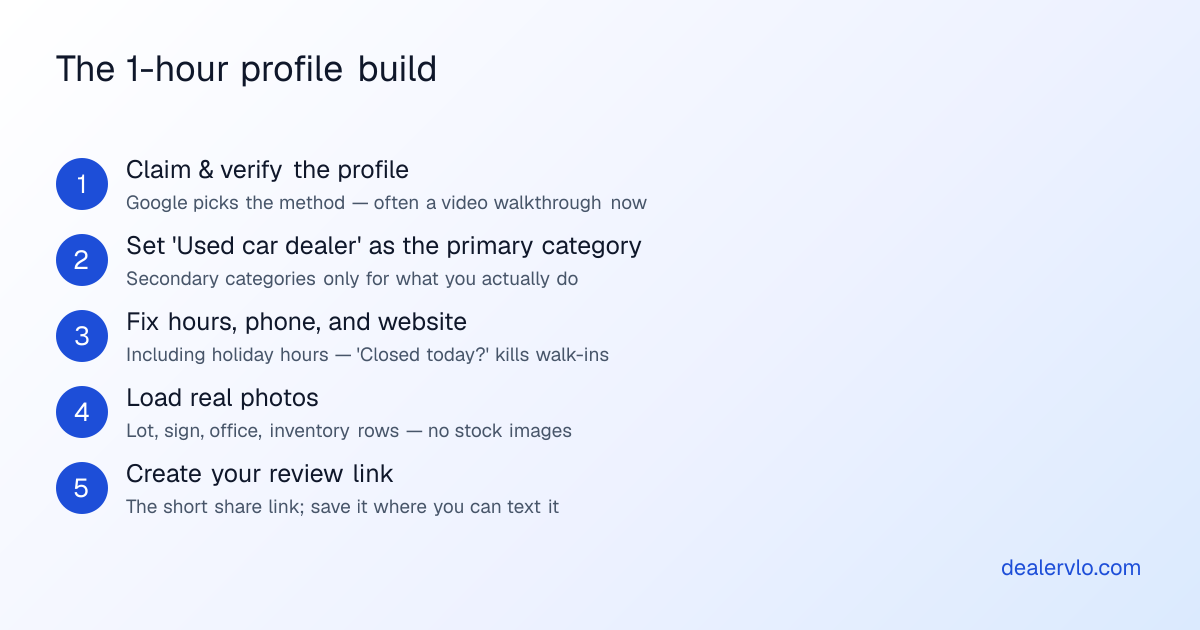
1. Claim and verify. Search your dealership's name, claim the profile, and go through verification. Google chooses the method — lately that's often a video walkthrough where you show the sign, the lot, and something proving it's your business. Don't overthink it; just have the lot presentable when you record.
2. Set the primary category: "Used car dealer." This is the single most consequential field on the profile — Google leans on the primary category to decide which searches you show for. Add secondaries only for what you actually do: a service bay earns "Auto repair shop," in-house financing earns a finance category. Stacking categories you don't really serve dilutes the profile.
3. Fix the basics like a customer reads them. Phone number that gets answered, website link, and hours — including holiday hours. An "Open" profile at a locked gate produces exactly the kind of review you don't want, and a "Closed today?" question mark costs walk-ins. If you're a one-person lot with by-appointment Sundays, say that.
4. Load real photos. This is the highest-return ten minutes of the hour:
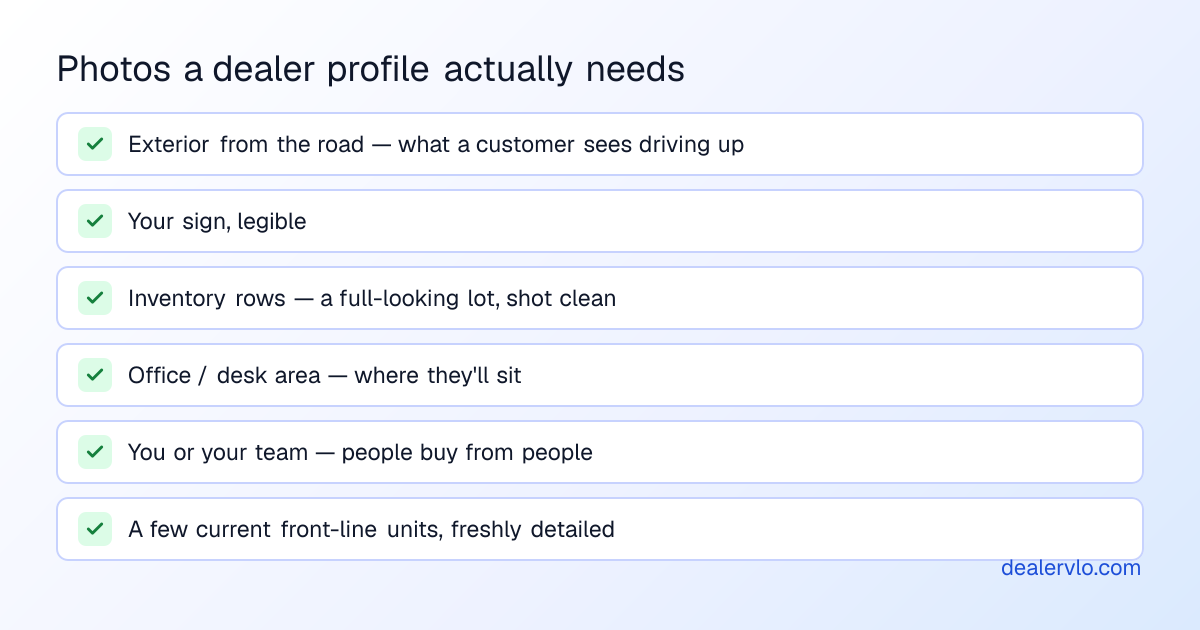
No stock images, ever — shoppers can smell them, and your actual lot on a clean day is more convincing than any graphic. If your unit photos need work first, fix that once with the photography guide and every channel benefits.
5. Create the review link. The profile gives you a short share link that drops a customer directly into the "write a review" box. Save it as a text snippet on your phone. This one link powers the whole review engine — the full system is in how to get Google reviews, but the short version is: ask at delivery, when the buyer is standing next to their new car and happy, and make it one tap.
14-day free trial, then $29/mo · Cancel anytime
The weekly fifteen minutes
The setup gets you a complete profile. The routine is what makes it rank and convert, because Google visibly rewards profiles that behave like living businesses — and customers do too.
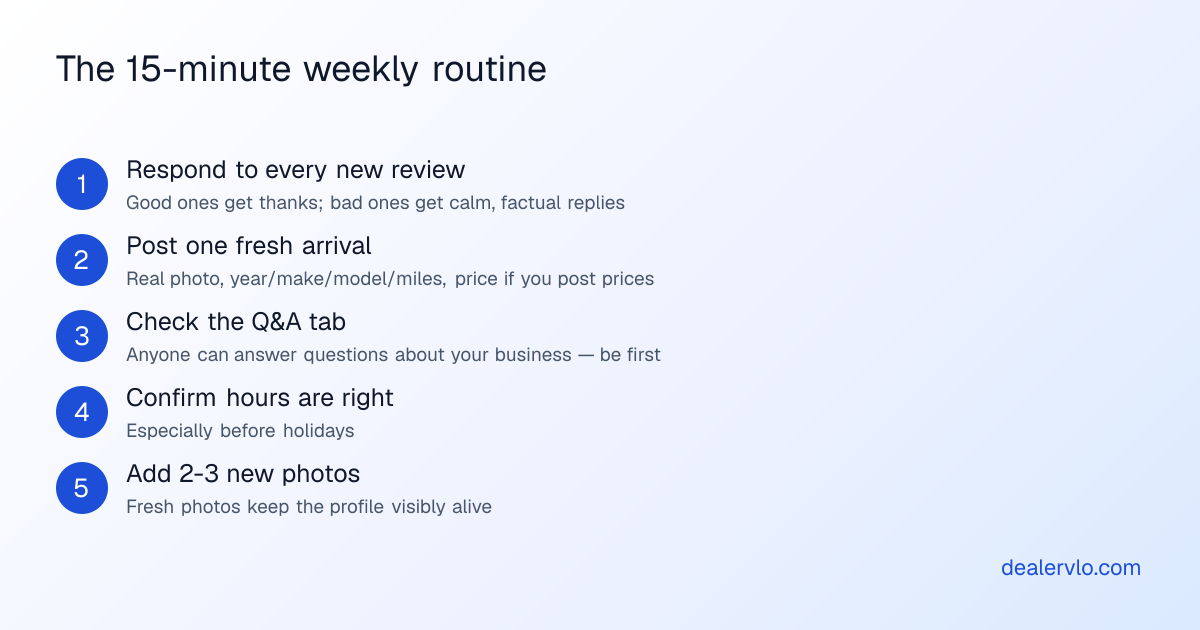
Two of these deserve emphasis:
Respond to every review — especially the bad ones. The reply isn't really for the reviewer; it's for the next hundred shoppers who read it. A calm, factual response to an unfair one-star ("We looked into this — the vehicle was sold as-is with the Buyers Guide reviewed and signed, and we still offered to help with the repair at cost") does more for trust than five unanswered five-stars. Never argue, never share the customer's personal details, never write angry.
Post fresh arrivals. A Google Post with a real photo and three lines — year, make, model, miles, the one thing that makes it interesting — is the native format for a car lot. You're already writing that copy for Marketplace and your listings; reuse it. The lot that posted a fresh unit this week looks open for business in a way no ad budget buys.
Turn your ad spend into a cost per car sold and a real ROI — and see how many units the spend has to produce just to break even.
Open the Marketing ROI CalculatorWhere the profile fits in the bigger local picture
The profile is the front door, but it links to somewhere — and that somewhere matters. A profile pointing at a dead Facebook page or no website at all wastes the click it earned. The profile, your website, and your review base reinforce each other; the full picture of how a small lot gets found locally — including what actually feeds the AI assistants that increasingly answer "best used car dealer near me" — is in the local SEO guide.
One honest note on effort: none of this compounds if it stops. A profile that was active in March and silent since reads worse than one that was never touched. That's why the routine is sized at fifteen minutes — small enough to survive a busy week on a lot where you're also the buyer, the closer, and the person answering leads at night.
Frequently asked questions
Is Google Business Profile free for car dealers?
Yes — claiming, verifying, and running it costs nothing. The only investment is the one-hour setup and the weekly fifteen minutes.
What category should a used-car dealership choose?
"Used car dealer" as primary. Add secondaries only for services you genuinely offer — repair, financing. The primary category heavily influences which searches you appear for.
How long until the profile shows up?
Verification is the gate — often a video walkthrough now. Visibility comes quickly after that, but ranking in the map results for competitive searches builds over weeks and months as reviews, photos, and activity accumulate.
Do Google reviews actually help a dealership rank?
Review quantity, recency, and responses are widely understood to feed local ranking, and they clearly win clicks either way. They're also the one part of your profile a competitor can't copy.
How often should a dealer post?
A short post every week or two — a fresh arrival with a real photo is the natural format. The thing to avoid isn't a slow week; it's the visibly abandoned profile.
Bottom line
One hour to build it right, fifteen minutes a week to keep it alive, zero dollars — and it puts you on the shortlist Google shows the highest-intent car shoppers in your town. Very few line items in dealer marketing have that math.
The profile's job is to earn the click; what catches it is yours. DealerVLO includes a real dealer website with your inventory, photos, and a lead form on your own domain — the thing your profile should be pointing at — in the same flat $29/month as the DMS and the paperwork. No modules, no per-car fees, and a free 14-day trial — no charge until day 14.
14-day free trial, then $29/mo · Cancel anytime