What to look for in a DMS in 2027: what changed for independent dealers
Shopping for a DMS for 2027? The basics still matter, but phones, online deals, listing feeds, new state rules and AI changed what a used-car lot should demand.
Part of the Choosing dealer software guide: The best car dealership software in 2026: 14 DMS options for independent lots, with real prices
Switching from another DMS? Compare DealerVLO to DealerCenter, Frazer, or Lot Wizard, or see what DealerVLO's car dealer management software includes.
If you're shopping for dealer software heading into 2027, the old checklist still applies. Flat pricing beats per-user pricing, the cost to get live matters more than the monthly, the system has to do your state's paperwork, and you need to be able to get your data out. I wrote that version up in how to choose dealer management software, and none of it has changed.
What has changed is where the work happens. Over the last couple of years more of my day moved off the office computer: onto my phone at the auction, into a buyer's inbox for a remote signature, onto listing sites that need the right price before the shopper calls. A DMS that was fine for how a lot ran in 2019 can quietly cost you deals now. Here's what I'd look for if I were picking one for next year.
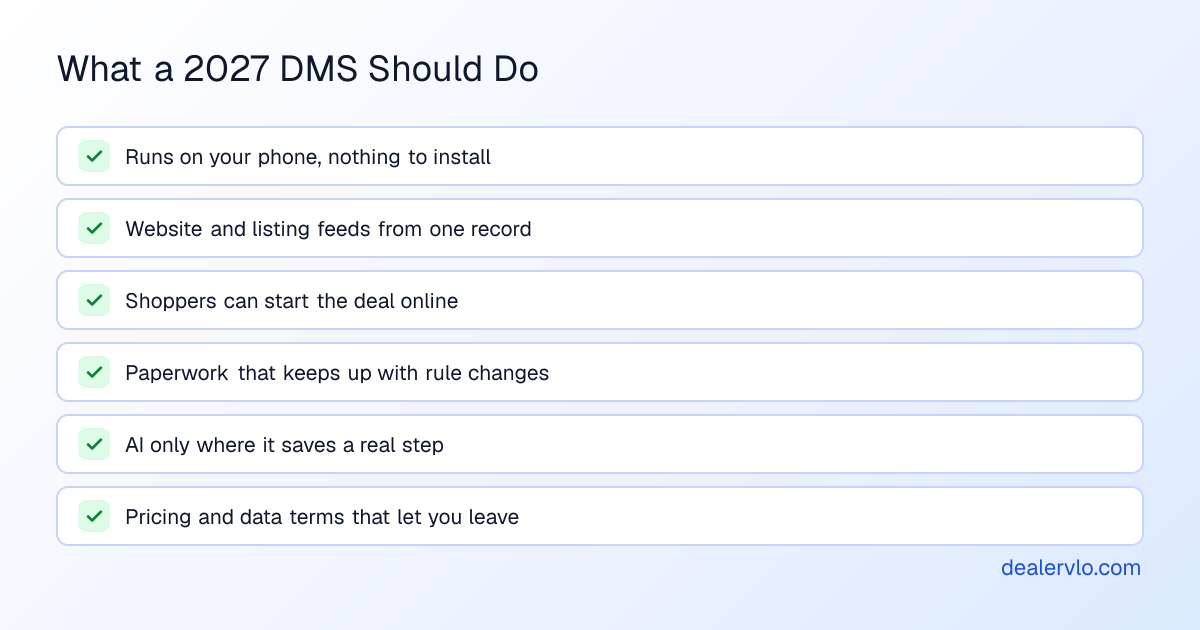
1. It runs on the phone in your pocket
The test is simple: can you add a car while standing next to it? At the auction, on a trade appraisal, walking the lot in the morning. If the answer is "I'll enter it when I get back to the office," that car sits a day longer than it should before it's priced and online, and it happens on every car.
A cloud-based DMS that runs in a web browser solves most of this, but check the details on your own phone, not on the salesperson's laptop. Can you scan the VIN instead of typing 17 characters? Can you take photos and have them land on the car? Can you look up a deal from the lot when a customer calls?
DealerVLO runs in any browser with nothing to install. On the Add vehicle screen, "Scan VIN" reads the barcode on the door-jamb label with your phone's camera and decodes the car, and on a new customer, "Scan driver's license" fills the name, date of birth, address and license number from the barcode on the back. The license image is read on the device and never uploaded.
2. Your website and listings run off one record
Shoppers find your cars on your website, CarGurus, Cars.com, Autotrader, Google and Facebook, often all in the same week. The worst version of this is a different price in each place and a sold car still showing on two of them. A buyer who drives an hour for a car you sold Tuesday doesn't come back.
What to look for: one record per car that feeds everything. Change the price once and it changes everywhere; mark it sold and it comes down. Ask exactly how each feed updates and how often, because "real time" means different things to different vendors.
In DealerVLO, the included dealer website and the listing feeds read the same price from each car. A sold car drops off the website right away and off CarGurus, Cars.com and Autotrader with the next daily feed. You still enroll with each site and pay its fees; DealerVLO sends the feed. It also builds a feed for Google vehicle ads and a Facebook vehicle catalog feed for Meta's paid inventory ads. Free Facebook Marketplace listings are still posted by hand, and the per-car "Post to marketplace" kit gets the photos and copy ready for that.
Your website also has to load fast on a phone, because that's where most shoppers will see it first.
Paste one car page: see its mobile speed against Google's published lines, and whether shoppers can find and reach you.
Open the Dealer Website Check3. Shoppers start the deal before they show up
More buyers want to do part of the deal from their couch: see a payment, apply for financing, ask about a specific car. If your system can't take that information in, it ends up in an email you retype, or it never comes in at all.
Look for a payment estimate on each car page, a financing page you control and an online credit application. Ask hard questions about how applications are stored and who can see them, because customer financial data is exactly what the FTC Safeguards Rule is about.
DealerVLO's dealer website shows a monthly payment estimator (labeled as an estimate) on every priced car, with a button to your Financing page. You can turn on an online credit application that deliberately doesn't collect a Social Security number; you collect that in person or by phone before you pull credit. Applications are encrypted, only owners, admins and finance managers can open them, and every view is logged. Website leads land in a lead inbox with their source and the car they asked about.
14-day free trial, then $29/mo · Cancel anytime
4. The paperwork keeps up when the rules change
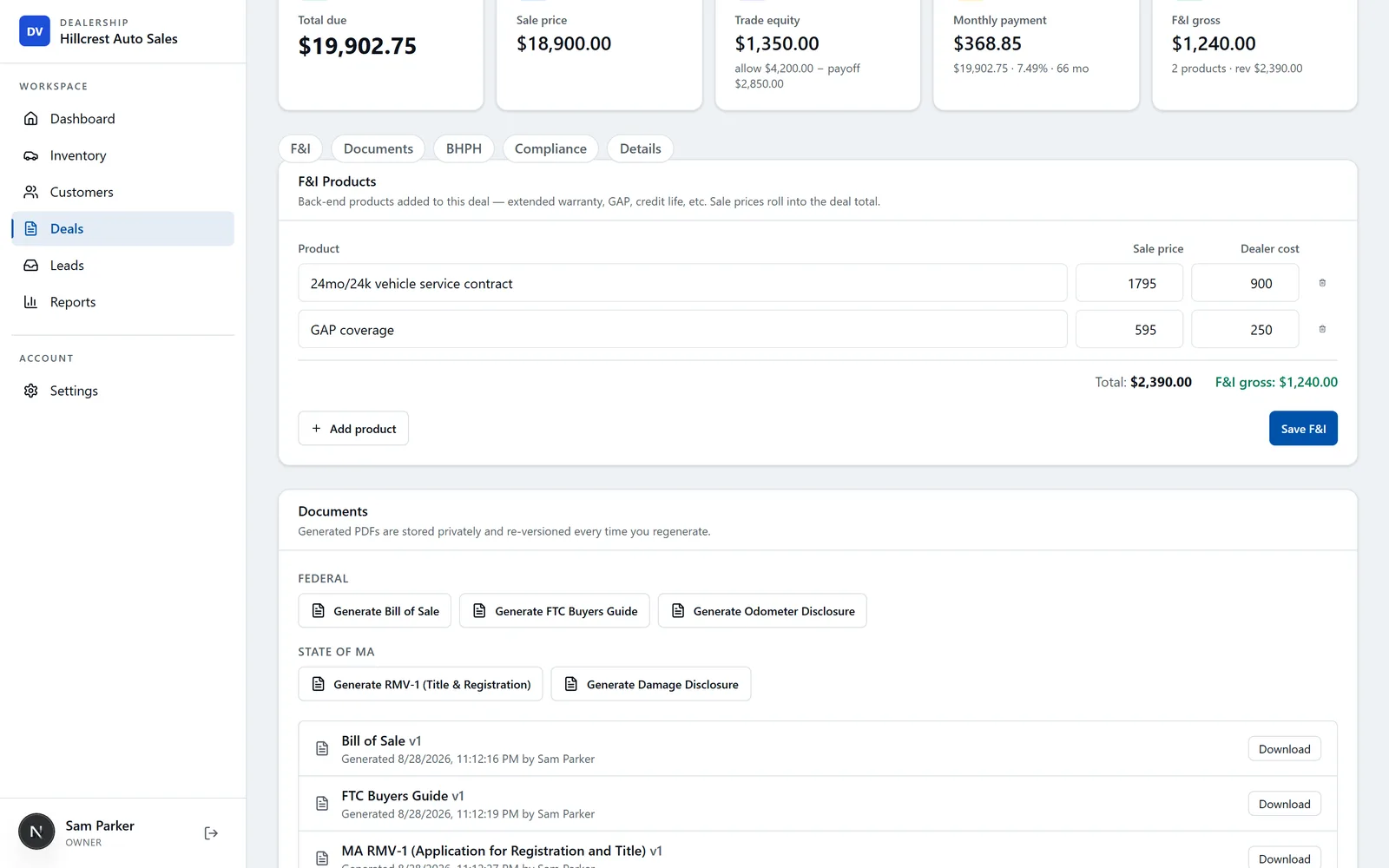
Rules move. California's CARS Act took effect October 1, 2026 and added a new three-day cancellation disclosure on many used-car sales (here's the dealer breakdown). States revise title and registration forms. If your system prints a generic bill of sale and leaves the state forms to you, every change means more handwriting and more chances to get a deal kicked back.
The questions to ask: does it fill your state's actual forms from the deal? When a form changes or a new rule lands, who updates it, how fast, and does it cost extra? Can the buyer sign remotely when they can't come back in?
DealerVLO fills the FTC Buyers Guide and title and registration paperwork for all 50 states from the deal: the official state form where the state publishes a fillable PDF, and a print-ready worksheet where the state uses a portal or controlled paper. Since October 1, California deals on used cars priced $50,000 or less generate the 3-Day Right to Cancel disclosure filled with that deal's dates and limits. Buyers, co-buyers and the dealer can e-sign in person or from a link emailed to each signer.
5. AI where it saves a real step
Every vendor will have "AI" on the box in 2027. Most of it won't matter to you. Judge it by the job: does it save you a step you do every day, and can you check its work?
Three places it earns its keep on a lot: a price range built from live comparable listings, photo cleanup, and a first draft of a listing description. The one to be careful with is photos. A tool that regenerates the car can smooth out a scratch or change a wheel, and then the buyer shows up to a car that doesn't match the pictures. Ask whether the tool alters the car itself. More on sorting tools by job in the best AI tools for used-car dealers.
In DealerVLO, the AI price suggestion shows a range from live comparable listings plus a target price for selling in about 30 days. AI Enhance cuts the car out and puts it on a clean backdrop without altering the car, saves the result as a new photo marked "Enhanced," and keeps the original. The marketplace kit has an optional AI rewrite of the description. All three are suggestions you edit, not decisions it makes for you.
6. You can see your numbers without a spreadsheet
The question I wish I'd asked earlier: after a deal closes, can I see what I actually made on that car? That means the buy price, every recon and transport line, and the gross on the deal, front and back. On a lot that's the difference between knowing which cars pay and guessing.
Look for per-car costs that roll into gross, an aging view so cars don't quietly hit 90 days (see inventory aging and markdown strategy), and a P&L that includes your overhead.
DealerVLO tracks recon and other costs line by line on each car and rolls them into that car's all-in cost and gross. The sales report shows front- and back-end gross per deal, and the Reports page buckets inventory by age (0–30, 31–60, 61–90, 90+). Cars on the lot 60+ days show up in the dashboard's "Needs attention" list. Expenses go in by category so the P&L shows gross profit minus overhead.
7. Pricing and data terms that let you leave
This part hasn't changed, but it's still where most dealers get burned. Per-user pricing punishes you for hiring. Setup and migration fees turn a cheap monthly into an expensive first year. Auto-renewing term contracts lock you in. And some systems make getting your own data out slow or costly. The details are in DMS contract red flags and flat fee vs per-user pricing.
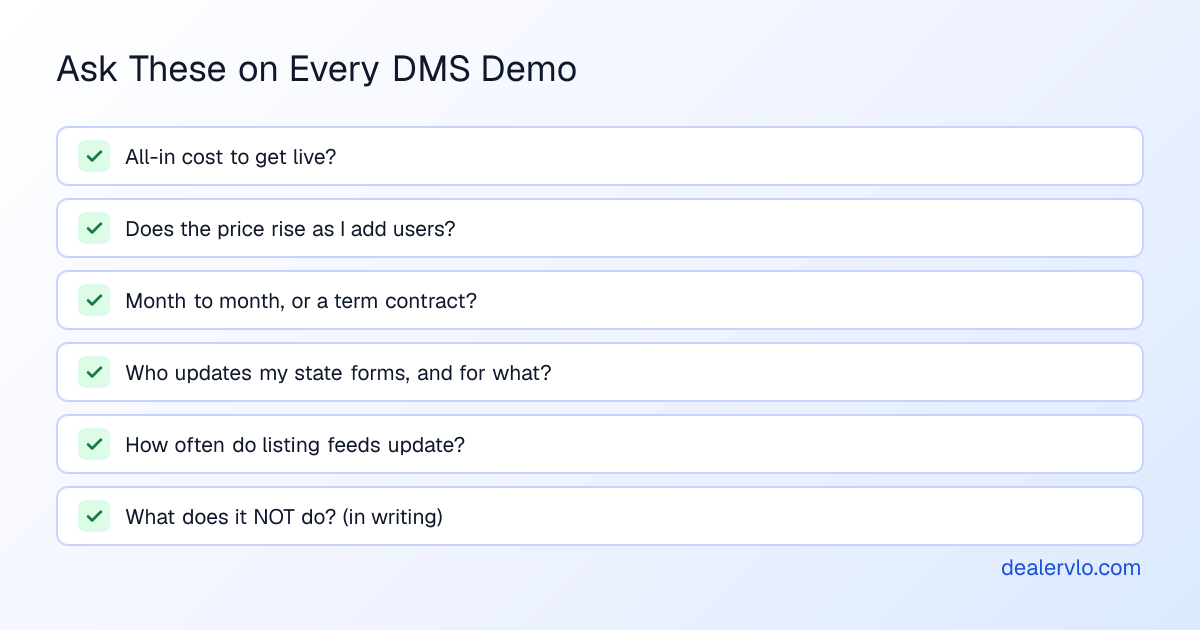
DealerVLO is $29 a month flat with unlimited users, no setup fee and no contract. Inventory, customers and deal sales data export to CSV from inside the app any time, free.
Be honest about what it doesn't do
Every system has gaps, and the vendor should tell you what they are before you find them. Ask for it in writing. For DealerVLO, here's the short list a lot of dealers ask about: it doesn't text or call customers, it doesn't connect to QuickBooks, and the lead inbox only takes leads from your website, so walk-ins and phone shoppers aren't in it. It isn't a lender and doesn't pull credit. If one of those is the core of how you sell, weigh it before you switch.
How to test a DMS before 2027
A demo shows you the vendor's best path. A trial shows you yours. Use it to run one real deal from start to finish, on your phone and your computer, with your state's paperwork.
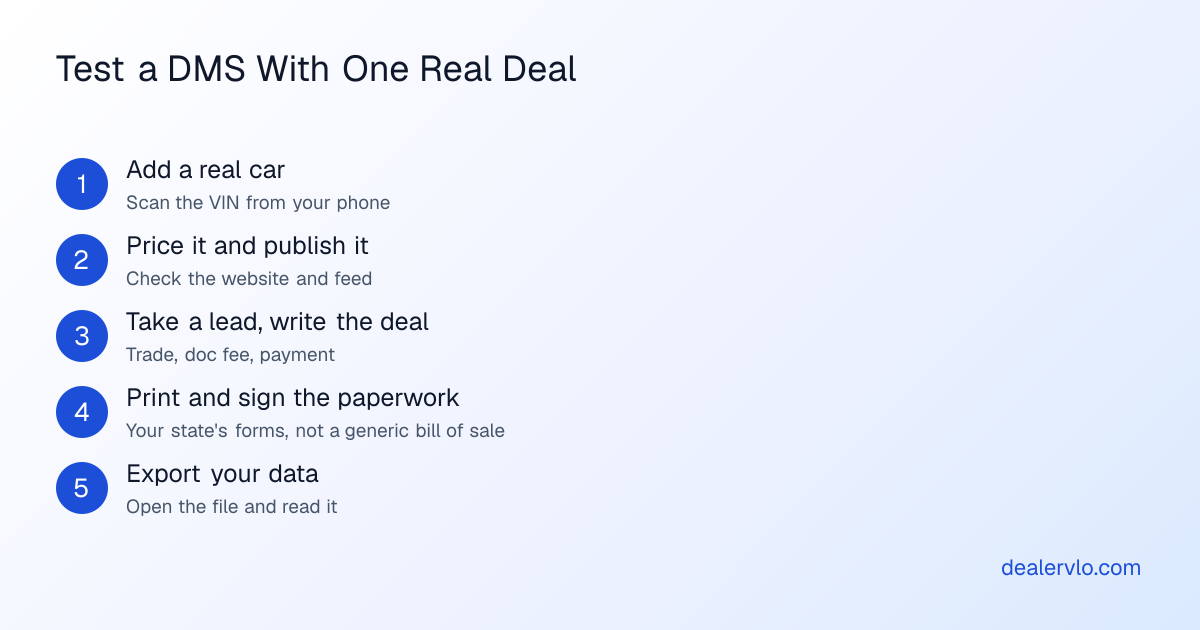
If any step needs a phone call to support or an add-on you weren't quoted, that's your answer. And export your data before the trial ends. If you can't read the file, you won't be able to read it when you want to leave either.
14-day free trial, then $29/mo · Cancel anytime
Frequently asked questions
What should a used-car dealer look for in a DMS in 2027?
Start with the basics: a pricing model that doesn't charge per user, a low cost to get live, your state's title forms, and a clean data export. Then check what changed: it should run on a phone with nothing to install, feed your website and listing sites from one record, let shoppers start the deal online, keep paperwork current as rules change, and use AI only where it saves a real step.
Is a desktop DMS still OK in 2027?
It can still write a deal, but more of the work now happens away from the office PC: scanning a VIN at the auction, answering a lead from the lot, signing a buyer remotely. If your system only works on one machine in the office, you'll feel it every week. Ask any vendor whether it runs in a browser on a phone, and try it on yours before you sign.
Do I need AI in my dealer software?
Not as a feature to check off. AI is worth having where it saves a real step, like a price range from live comparable listings, a cleaner photo background or a first-draft description. Ask what the AI changes: a photo tool that regenerates the car instead of cutting it out can show a buyer something that isn't on your lot.
How do I test a DMS before switching?
Use the trial to run one real deal from start to finish: add a car by scanning its VIN, price it, put it on your website, take a lead, write the deal, print your state's paperwork and sign it. Then export your data and check you can read the file. Anything you can't do on the trial, don't assume you'll be able to do after you pay.
What questions should I ask a DMS vendor in 2027?
Ask what it costs all-in to get live and whether the price rises as you add people. Ask whether the contract is month to month and what the export looks like. Ask who updates your state's forms when they change and whether that costs extra. Ask how listing feeds update and how often. And ask, in writing, what the system does not do, so you aren't surprised after the first month.
Bottom line
The 2027 DMS question isn't "does it have the features." Most systems check the same boxes on a comparison chart. The question is whether it fits how your lot actually works now: from your phone, across your website and listing sites, with buyers who start online, under rules that keep moving. Pick the one that passes a real deal on your trial, and keep the one whose contract lets you leave.
If you want to see how DealerVLO handles it, start a free 14-day trial at dealervlo.com/signup and run your next car through it.