How to choose dealer management software for a small used-car lot
A buyer's checklist for an independent used-car lot choosing a DMS: pricing model, cost to get live, state title forms, data export, and fit to your model.
Part of the Choosing dealer software guide: The best car dealership software in 2026: 14 DMS options for independent lots, with real prices
Switching from another DMS? Compare DealerVLO to DealerCenter, Frazer, or Lot Wizard, or see what DealerVLO's car dealer management software includes.
Search "best dealer management software" and you'll get a ranked list — usually of franchise systems priced for a rooftop with a service department and a controller, which is not your lot. The more useful question for an independent used-car dealer isn't which DMS is best; it's what should I evaluate for a small lot like mine — because the right answer depends on your model, not on a listicle's ranking.
So here's the checklist I'd hand a dealer shopping for software, and the exact questions to ask on every demo. It's built around how a small independent lot actually makes money, and it'll tell you whether a system is a fit or a mismatch faster than any feature comparison.
14-day free trial, then $29/mo · Cancel anytime
The checklist
Six things decide it for a small lot. Everything else is a tiebreaker:
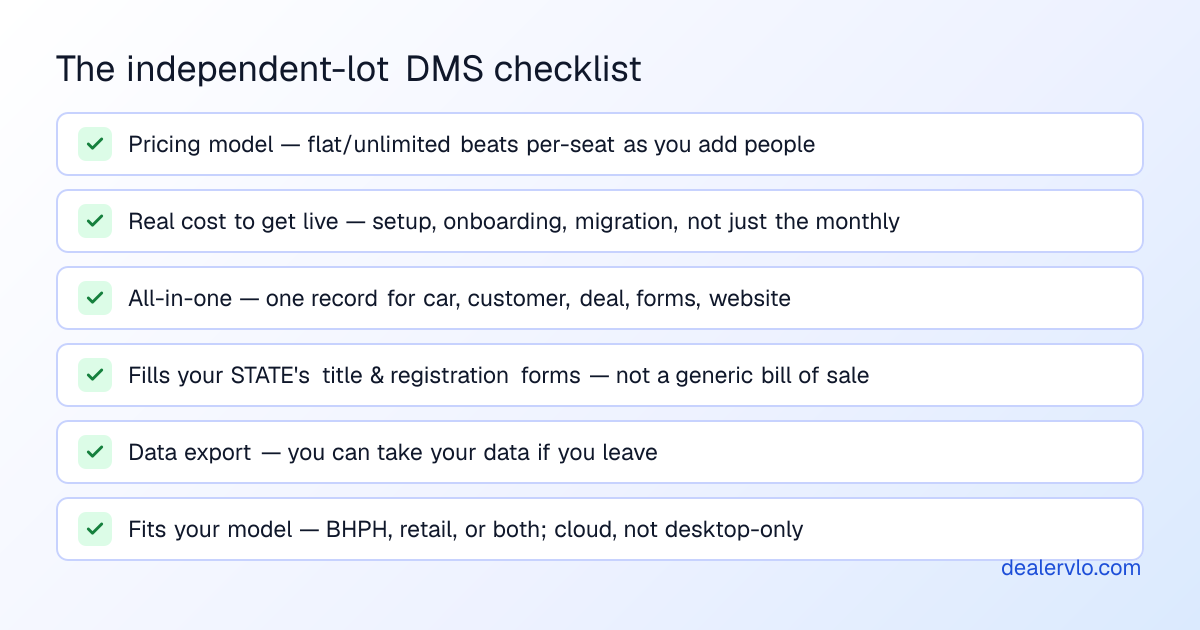
The order matters — the first two items sink more deals than any missing feature.
Start with the pricing model, not the price
The monthly number on the pricing page is the least important number. What matters is how it scales with your team. Per-seat pricing looks cheap for a one-person shop and quietly punishes you the day you hire a second salesperson — every login is another line on the bill. A flat price with unlimited users means adding people costs nothing, which is the position you want to be in when you grow. This is the whole flat-fee vs per-user question, and it's worth settling before you look at a single feature.
For reference, DealerVLO is $29/month flat, unlimited users, everything included — that's the model to compare others against, not because cheapest wins, but because flat-and-unlimited is the structure that doesn't tax growth.
Then ask what it really costs to get live
The second deal-sinker is the cost that isn't on the pricing page: setup fees, onboarding fees, and data migration. A "$X/month" system that needs a $1,500 onboarding and three weeks of setup is a different purchase than one you can start the same afternoon by importing a CSV. Ask flat out: what's the total cost to get live, and how long does it take? Then add the cost of your own time to learn it. The best software fails if the team never fully adopts it.
One system, or a stack you sync
Decide whether you want one record for everything or a set of tools you'll keep in sync by hand. For a small lot, all-in-one usually wins: the car, the customer, the deal, the paperwork, and the website share one record, so nothing gets re-typed and nothing drifts. Separate best-of-breed tools have their place once a specific need outgrows the bundle — but you pay for it in multiple bills, per-seat multipliers, and manual syncing, which is the un-bundling tax.
Punch in cost, recon, holding days, and sale price to see your true net gross and margin.
Open the Profit Margin CalculatorThe test generic DMS reviews skip: does it do your paperwork?
Here's the criterion the franchise-focused "best DMS" lists never check, and the one that matters most for a used lot: does it fill your state's title and registration forms, or does it just print a generic bill of sale and leave the DMV paperwork to you? Filling the real forms — your state's title application, odometer statement, tax and reg forms — from the deal is the difference between software that runs your lot and software that's a fancy spreadsheet. It's why DealerVLO fills federal and all-50-state paperwork from the deal; make any system you evaluate prove it does the same for your state. If you're a brand-new dealer, here's the full list of what your software has to print on every deal.
14-day free trial, then $29/mo · Cancel anytime
Can you get your data out?
Ask whether you can export your inventory and customer data on your way out the door. A system that makes it hard to leave is a system betting you won't shop it again. It's a fair question to ask on a demo, and a telling one — DealerVLO has CSV import to get you in and data export so your data is never hostage. No lock-in is a feature.
Fit to your model — and what to double-check
Two last fits: cloud vs desktop (you want to work from home, the auction, anywhere — desktop-only is a 2010 answer), and your business model — buy-here-pay-here, retail, or both. A BHPH lot needs payment tracking the system actually supports; a straight retail lot doesn't want to pay for BHPH it'll never use. DealerVLO is cloud-based and handles both retail and BHPH.
And the honest part most vendor checklists skip: check what a lean small-lot tool might NOT do. If you need full general-ledger accounting, live OEM/franchise integrations, or new-car F&I e-contracting, a bundled independent DMS (DealerVLO included) probably isn't enough on its own, and a heavier, pricier system may earn its cost. Know which camp you're in before you buy.
The red flags
If a system trips several of these, it's built for a different dealer than you:
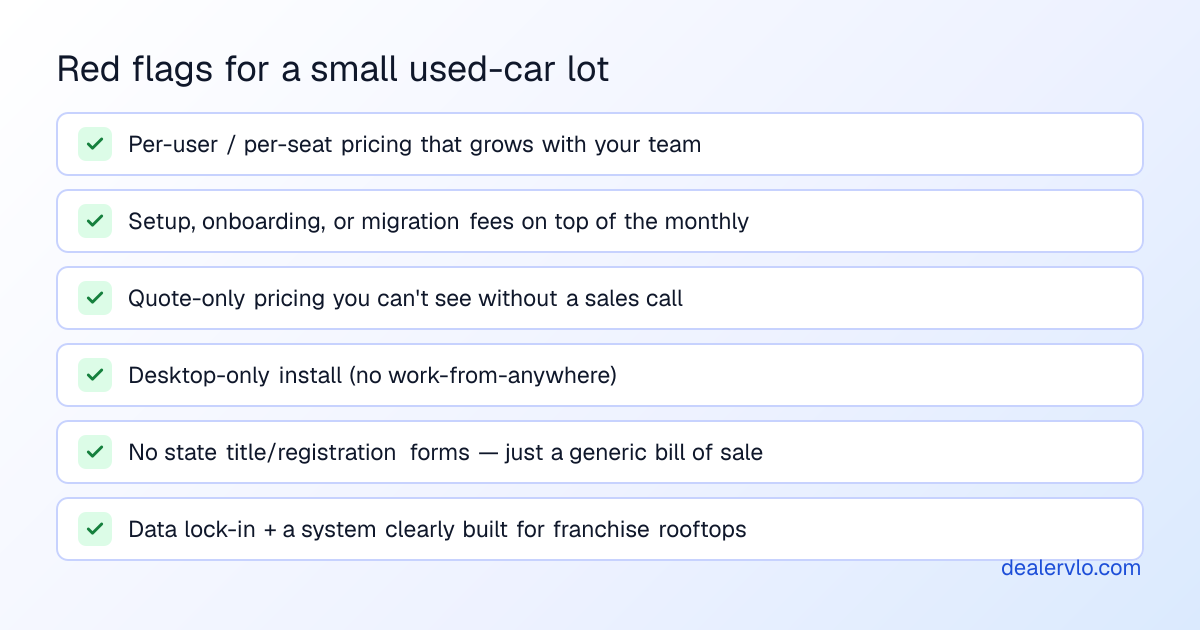
None of these is automatically disqualifying — but each one is a cost or a constraint the pricing page won't tell you about, so surface them on the demo, not after you've migrated your inventory.
Frequently asked questions
What should a small used-car dealer look for in a DMS?
A pricing model that doesn't punish adding users, a low real cost to get live, genuine all-in-one coverage, that it fills your state's title/registration forms, data export, fit to your model (BHPH/retail), and cloud access.
What questions should I ask on a demo?
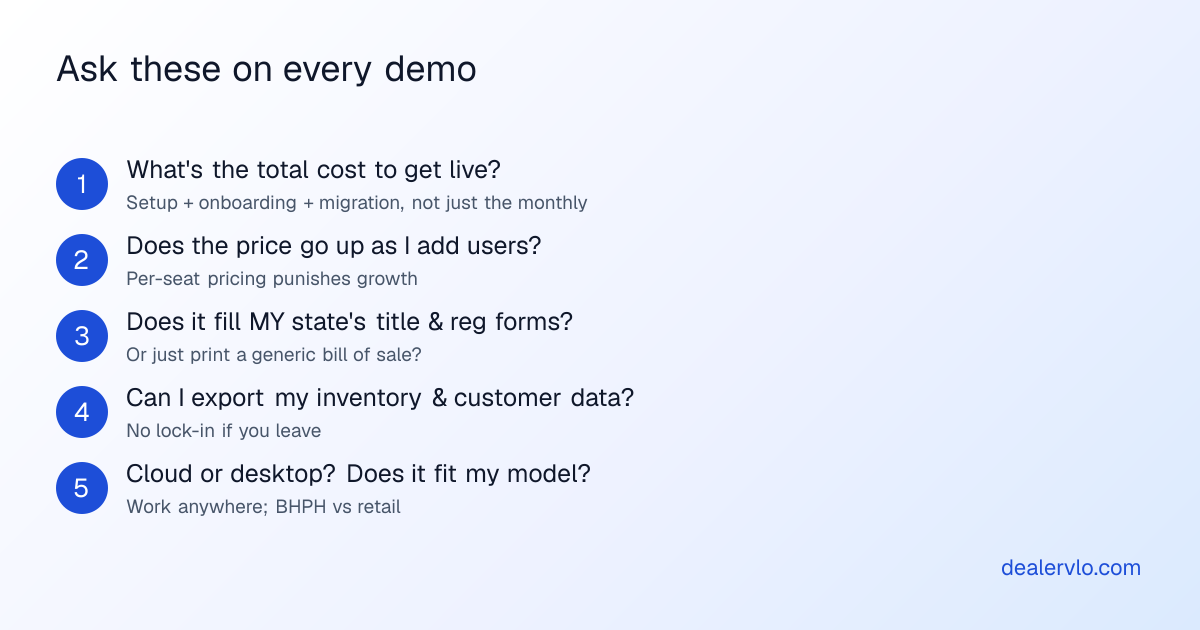
Total cost to get live? Does the price rise as I add users? Does it fill my state's forms? Can I export my data? Cloud or desktop? Does it fit my model? Those six answers decide it.
How much should a DMS cost for a small lot?
It's about the model more than the number — many independents run flat/unlimited (DealerVLO is $29/mo flat); franchise systems are quote-based and pricier, often per-seat with setup fees. Watch per-seat pricing and one-time fees, not the monthly.
All-in-one or separate tools?
All-in-one usually wins for a small lot — one record, no syncing. Separate tools cost more in bills, per-seat multipliers, and manual work.
Is DealerVLO a fit?
Yes for an independent used lot wanting flat pricing, unlimited users, and the paperwork done. Not if you need GL accounting, OEM integrations, or new-car F&I e-contracting.
Bottom line
Don't shop a DMS by a "best of" ranking built for franchise rooftops. Shop it by the model of your lot: a flat price that doesn't tax growth, a real cost to get live you can see, one record instead of a synced stack, software that fills your state's actual forms, data you can take with you, and a fit to how you sell. Ask the six demo questions, watch for the red flags, and the right system for your lot picks itself.
That checklist is, not coincidentally, how DealerVLO is built — flat $29/month, unlimited users, all-in-one, all-50-state paperwork filled from the deal, CSV import and data export, cloud, retail and BHPH — with a free 14-day trial, no charge until day 14. Hold it (and everyone else) to the checklist, and buy the one that fits.
14-day free trial, then $29/mo · Cancel anytime