What is DMS software for used-car dealers? A plain-English explainer
What a dealer management system does for an independent used-car lot, how it differs from a CRM or a franchise DMS, when you need one, and what it costs.
Part of the Choosing dealer software guide: The best DMS for independent used-car dealers in 2026 — an honest list from a dealer
If you've searched "DMS software" and landed on a page about manufacturer integrations, service bays and parts counters, you found a franchise DMS. Those are real products, but they're built for a new-car store with a service department, not a 30-car independent lot. Most of what's written about dealer management systems assumes the franchise version, which makes the category look more complicated, and more expensive, than it is for an independent dealer.
So here's the plain-English version: what a DMS actually does for a used-car lot, how it's different from a CRM or a franchise system, when you need one, and what it costs. Full disclosure: I run a used-car lot in Tewksbury, Massachusetts, and I built DealerVLO, the DMS my lot runs on. Weigh my take accordingly. Competitor prices are as listed on each vendor's pricing page in late September 2026.
The short answer
A dealer management system (DMS) is the software that runs a car lot's business from one record per car and one record per deal. Everything else (the paperwork, the website, the reports) reads from those two records, so nobody types the same VIN or buyer name twice.
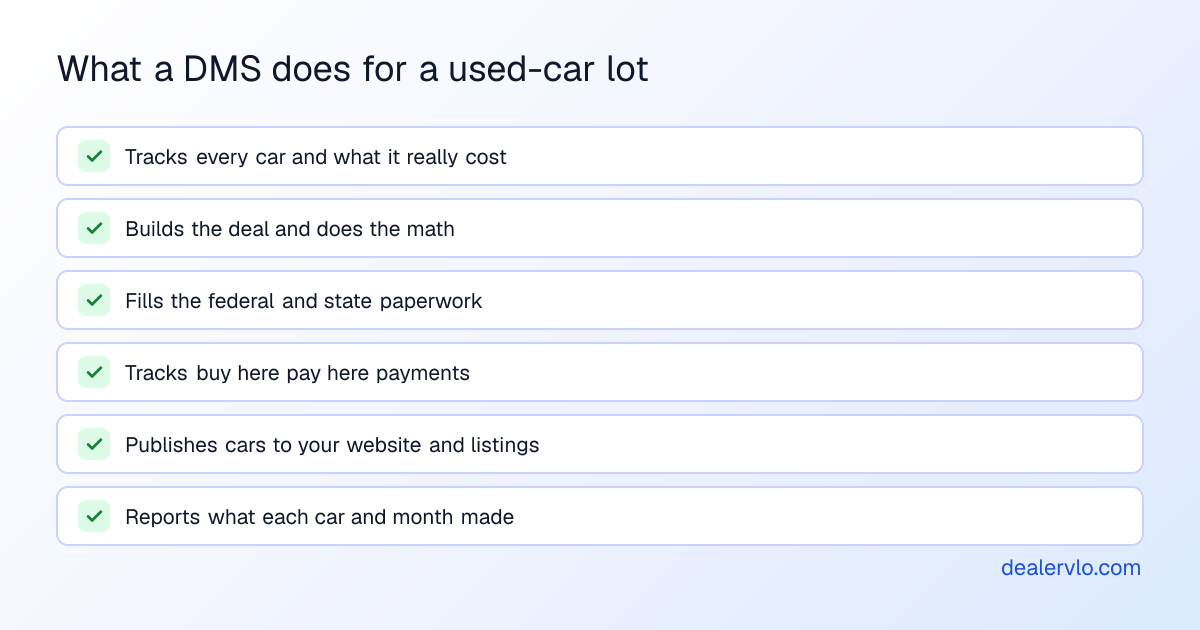
For an independent used-car dealer, a DMS covers six jobs:
If a product does some of those but can't produce a complete deal with your state's title paperwork, it's a piece of the stack (a CRM, an inventory tool, a website builder), not a DMS.
What a DMS does, following one car
The easiest way to understand a DMS is to follow one car through it.
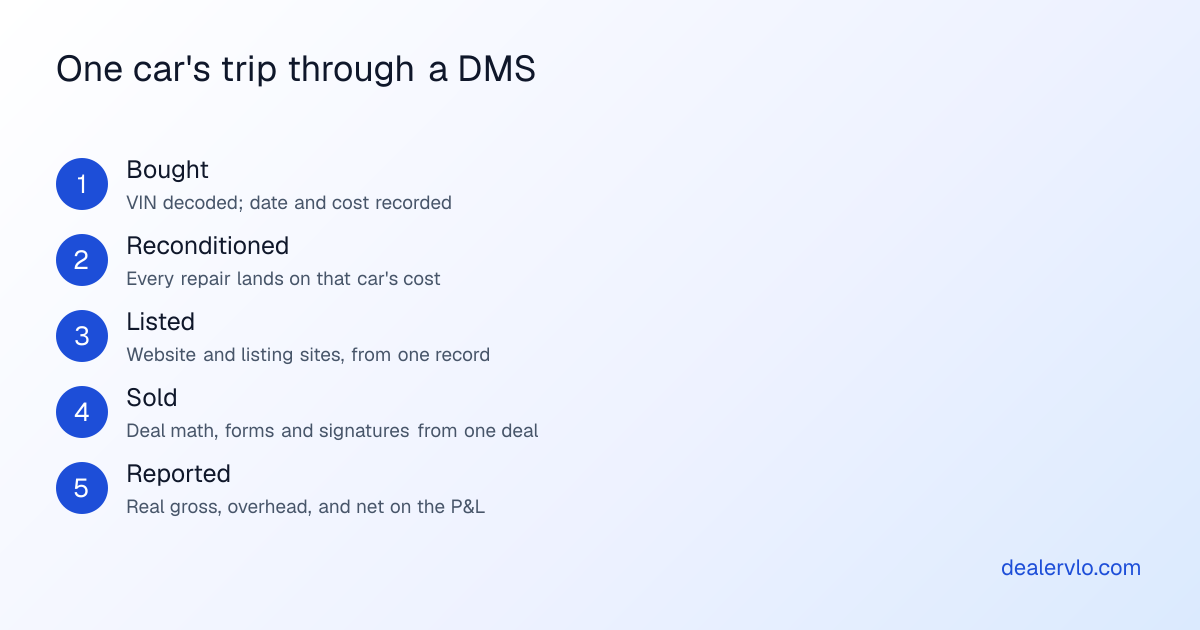
Bought. You win a car at auction. It goes into the DMS with the purchase date and what you paid, and the VIN decodes the year, make, model and specs so you're not typing them. In DealerVLO, you paste the VIN and the vehicle fills in from NHTSA data.
Reconditioned. Tires, a detail, a brake job. Each bill goes on that car, so its all-in cost is real. Without this step, every gross number you look at later is too high. DealerVLO tracks recon line by line on each car and rolls it into the car's cost and margin.
Listed. Photos, a price, a description, and then the car shows up on your website and the listing sites from the same record. When it sells, it comes down. DealerVLO posts inventory to your dealer website automatically and feeds CarGurus, Cars.com and Autotrader once you enroll with each (you still pay their fees). Every car also shows its days in inventory, with a flag at 60 days. My guide to inventory management software goes deeper on this stage.
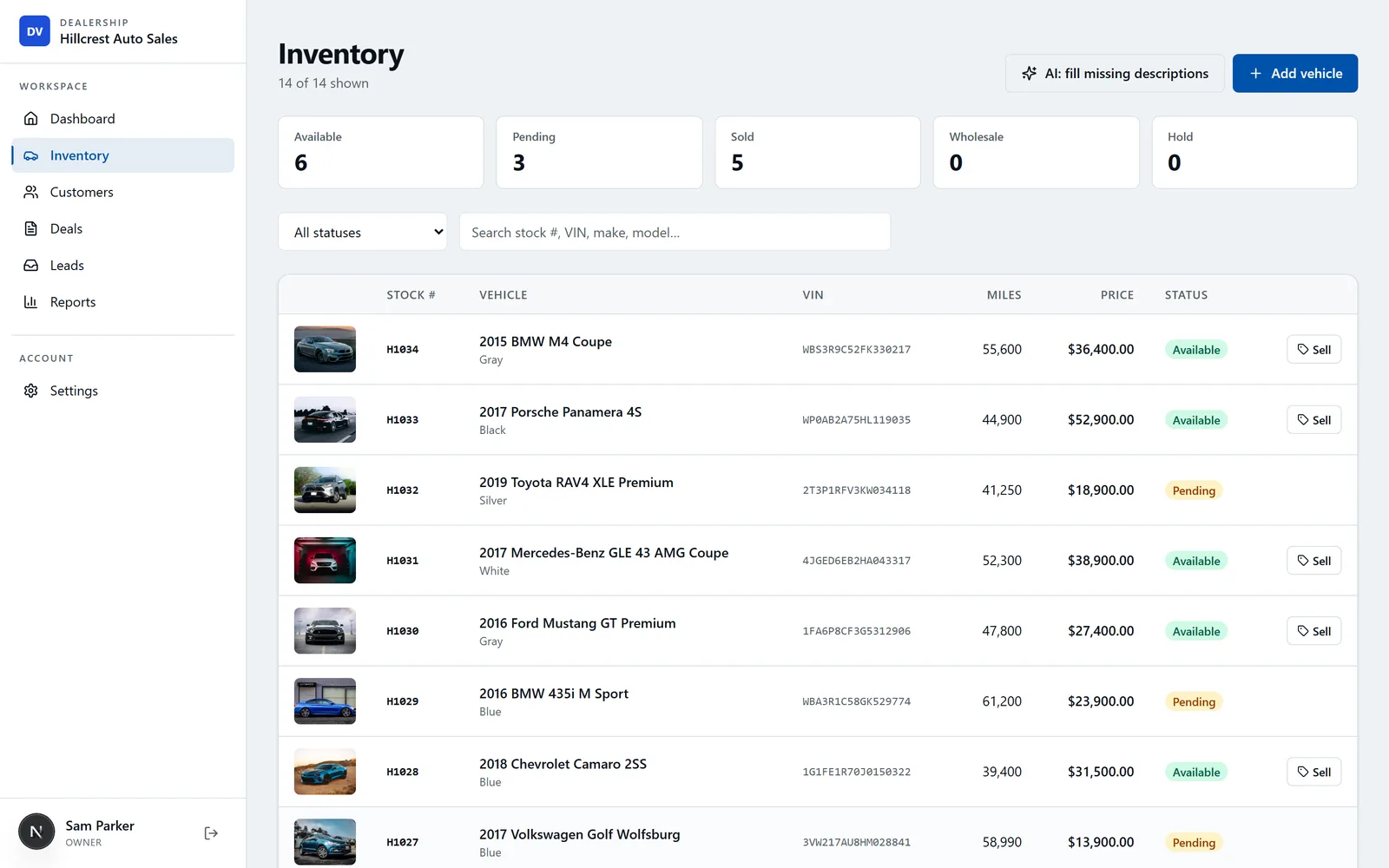
Sold. This is the part a DMS exists for. You build the deal once: buyer, trade, price, fees, tax, financing. The math runs as you type, and every document comes out of that one deal: the FTC Buyers Guide, the bill of sale, the odometer disclosure, the retail installment contract on a financed deal, and your state's title and registration application. In DealerVLO the deal jacket computes totals, trade equity, payment and front-end and F&I gross live. It fills your state's paperwork for all 50 states (the official state PDF where DealerVLO fills it, a print-ready worksheet where your state issues the form through a portal), and the buyer signs in person or by email. More on that in what deal jacket software should do.
If you carry the paper yourself, the deal also becomes a note. The DMS builds the payment schedule and tracks every payment. DealerVLO does that with a collections view of the whole book; my buy here pay here software comparison covers what different systems do there.
Reported. At the end of the month, the DMS knows what every car cost, what it sold for, and what the deal made on the front and back end. Add your overhead and you have a real P&L. DealerVLO's sales report shows front- and back-end gross per deal and a salesperson leaderboard, and the P&L takes your recorded overhead out of gross profit.
14-day free trial, then $29/mo · Cancel anytime
DMS vs. CRM vs. website vs. accounting software
A lot of confusion in this category comes from vendors calling one piece of the stack a DMS. Here's how the pieces fit:
| Software | Its job | Is it a DMS? |
|---|---|---|
| DMS | Inventory, deals, paperwork, BHPH, reporting | Yes, it's the system of record |
| CRM | Leads, follow-ups, calls and texts before the sale | No. Many DMSs include a basic one |
| Dealer website | Your storefront, showing your inventory | No. Some DMSs include it, others sell it separately |
| Listing sites (CarGurus, Cars.com, Autotrader) | Where shoppers find your cars | No. A DMS feeds them |
| Accounting software | General ledger, bills, payroll, taxes | No. Some DMSs include full accounting, some only a P&L |
The question to ask any vendor is which of those pieces their price includes. My post on all-in-one dealer software vs. separate tools does the math on what a stack of separate subscriptions costs.
Franchise DMS vs. independent DMS
This is the difference that confuses most searches. Franchise DMS platforms (CDK Global, Dealertrack, Tekion and similar) are built for new-car stores: service departments and repair orders, parts inventory, manufacturer integrations, big F&I offices, and accounting for a multi-department business. They don't publish prices; you get a quote after a sales call.
Independent DMS platforms are built for a used-car lot: inventory and recon, deals, your state's title paperwork, buy here pay here, a website and listing feeds. Most publish their prices. If you're running an independent lot, you almost certainly don't need a franchise system. CDK vs. Dealertrack covers the enterprise side if you're curious.
When you need one
A spreadsheet and a folder can run a handful of cars run by one person. These are the signs you've outgrown that:
- A second person touches the books. Two people editing one spreadsheet is how cars get sold twice.
- You're typing the same VIN and buyer into four forms per deal. That's where title rejections come from.
- You can't say what a car really cost you once recon is in.
- Cars sit without anyone noticing until they've cost more to hold than they'll make.
- Your website and listings drift out of sync with what's actually on the lot.
If two or more of those sound familiar, when to switch from a spreadsheet to a DMS walks through the tipping point.
What a DMS costs
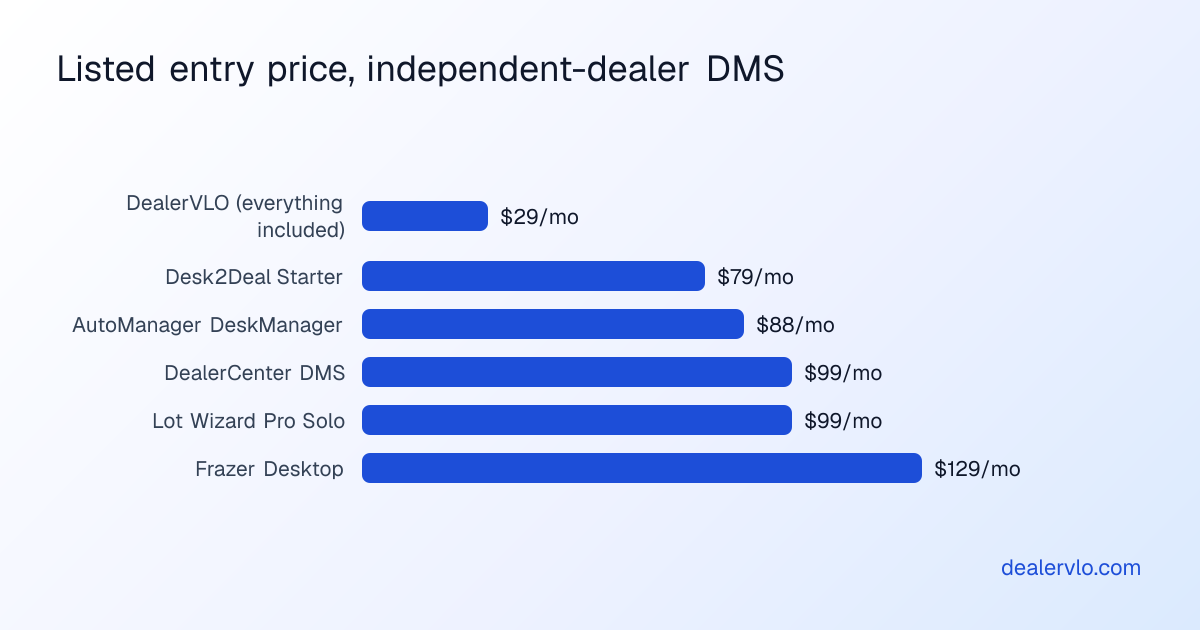
Independent-dealer DMS entry prices, as listed on each vendor's pricing page in late September 2026: DealerVLO $29, Desk2Deal Starter $79 (3 users, 50 deals a month), AutoManager DeskManager from $88, DealerCenter $99, Lot Wizard Pro Solo $99 (one user), and Frazer Desktop $129. Desk2Deal also has a Free plan capped at 1 user, 10 deals and 10 cars a month.
The entry price is only the start. Websites, listing feeds, buy here pay here, accounting and extra users are add-ons on several of these systems, so the working price can be two or three times the entry price. How much dealer management software costs breaks down the pricing models and every vendor's add-ons, and how to choose dealer management software has the checklist for a trial.
Where DealerVLO fits
DealerVLO is an independent-dealer DMS. I built it to run my own lot, and it does all six jobs above on one plan: $29 a month, unlimited users, with the website, listing feeds, BHPH tracking, recon cost per car and the P&L included. It's web-based, so there's nothing to install, and you can bring your inventory and customers over by CSV.
What it isn't: a franchise DMS. It doesn't handle service repair orders or parts, doesn't send applications to lenders or pull credit, doesn't text or call customers, and doesn't connect to outside accounting software. If those are core to how your store runs, look at a system built for them.
14-day free trial, then $29/mo · Cancel anytime
Frequently asked questions
What is DMS software for a used-car dealer?
A dealer management system (DMS) is the software that runs a car lot's business from one record per car and one record per deal. For an independent used-car dealer that means inventory (what you bought, what you spent on it, what it's listed at), the deal (price, trade, tax, financing), the paperwork (Buyers Guide, bill of sale, odometer disclosure, your state's title application), buy here pay here notes if you carry them, your website and listings, and reports on what you actually made.
What's the difference between a DMS and a CRM?
A CRM runs the pipeline before the sale: leads, follow-ups, calls and texts. A DMS runs the transaction and the business around it: inventory, the deal, the paperwork, the money and the reports. Many products combine both, but if a system can't produce a complete deal with your state's title paperwork, it's a CRM or an inventory tool, not a DMS.
Do independent used-car dealers need the same DMS as franchise dealers?
No. Franchise DMS platforms such as CDK Global and Dealertrack are built for new-car stores with service departments, parts counters, manufacturer integrations and big F&I offices, and they're quoted after a sales call. An independent lot needs inventory, deals, state paperwork, possibly buy here pay here, a website and listing feeds. Independent-focused systems publish prices from $0 (Desk2Deal's capped Free plan) and $29 (DealerVLO) to $129 a month (Frazer Desktop) as listed in September 2026.
When does a used-car lot need a DMS?
Usually when one of these happens: a second person starts touching the books, you're typing the same VIN and buyer into several forms per deal, you can't say what a car really cost you with recon, cars sit without anyone noticing, or the website and listings drift out of sync with the lot. A spreadsheet can carry a handful of cars run by one person. Past that, the errors cost more than the software.
What does DealerVLO include for $29 a month?
Everything, on one plan with unlimited users: inventory with VIN decode and photos, per-car reconditioning cost and margin, days in inventory and an aging report, the deal jacket with live deal math, the FTC Buyers Guide and your state's title and registration paperwork filled from the deal, e-signatures, BHPH payment tracking with a collections view, a dealer website, listing feeds to CarGurus, Cars.com and Autotrader once you enroll with each, a lead inbox, and a sales report and P&L. There's a 14-day free trial.
Bottom line
A DMS is one record per car and one record per deal, with everything else (paperwork, website, BHPH, reports) reading from them. For an independent used-car lot, you don't need a franchise system with service bays and quote-only pricing. You need one that tracks real cost, builds the deal and your state's paperwork, and tells you what you made. DealerVLO does that for $29 a month flat.
Want to see it with your own cars? Start a free 14-day DealerVLO trial and run one car from auction to sold.