Running your lot on a spreadsheet: when it's fine — and the five points where it breaks
An honest take on running a used-car lot from Excel or Google Sheets: the columns that make a spreadsheet genuinely work, and the five breaking points to watch for.
Part of the Choosing dealer software guide: The best DMS for independent used-car dealers in 2026 — an honest list from a dealer
Switching from another DMS? Compare DealerVLO to DealerCenter, Frazer, or Lot Wizard.
There's a version of this article every software company writes, and it's a sales pitch wearing a how-to hat: spreadsheets bad, buy our thing. I sell the thing, so let me write the other version — because I ran my lot's side-math on spreadsheets for years, and for a certain size of operation a good sheet is not a compromise. It's the right tool.
The useful question isn't "spreadsheet or software?" — it's "where's the line, and which side of it am I on?" Here's both halves, honestly.
14-day free trial, then $29/mo · Cancel anytime
When the spreadsheet is genuinely the right call
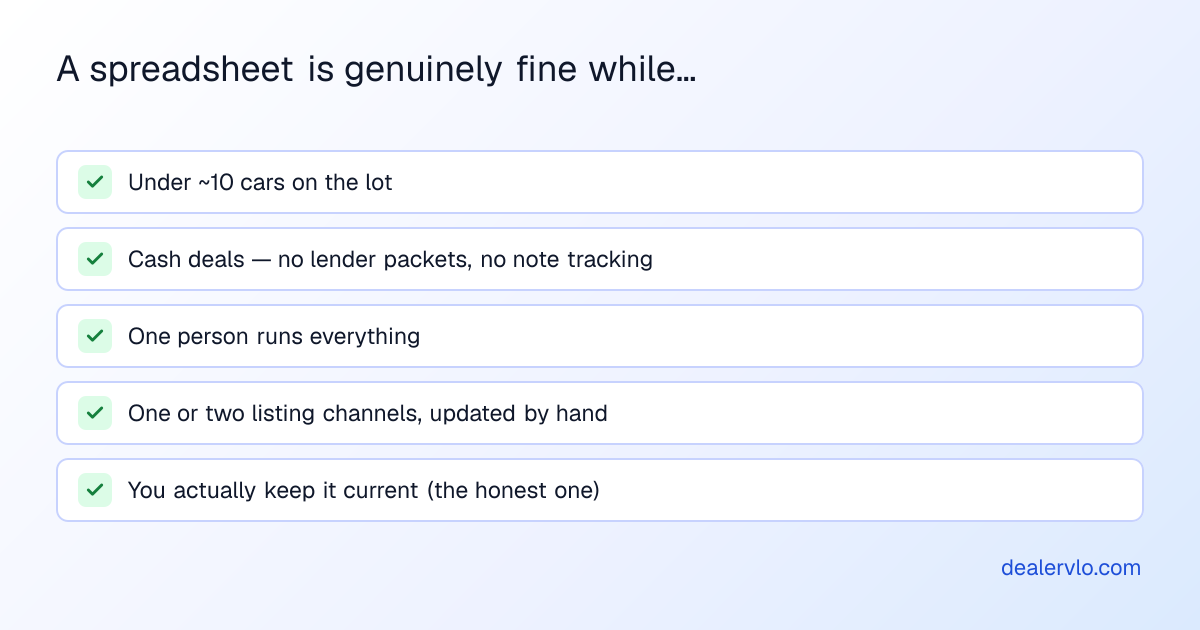
A one-person lot flipping eight cash cars doesn't have a data problem a $200/month suite solves. What it has is a discipline problem to avoid: the sheet only works if it's kept current, and the sheet that's three weeks stale is worse than no sheet — it's wrong numbers with confidence. If that list above describes your lot and you'll actually maintain the file, skip the software pitch for now and just build the sheet right.
Build it right: the columns that matter
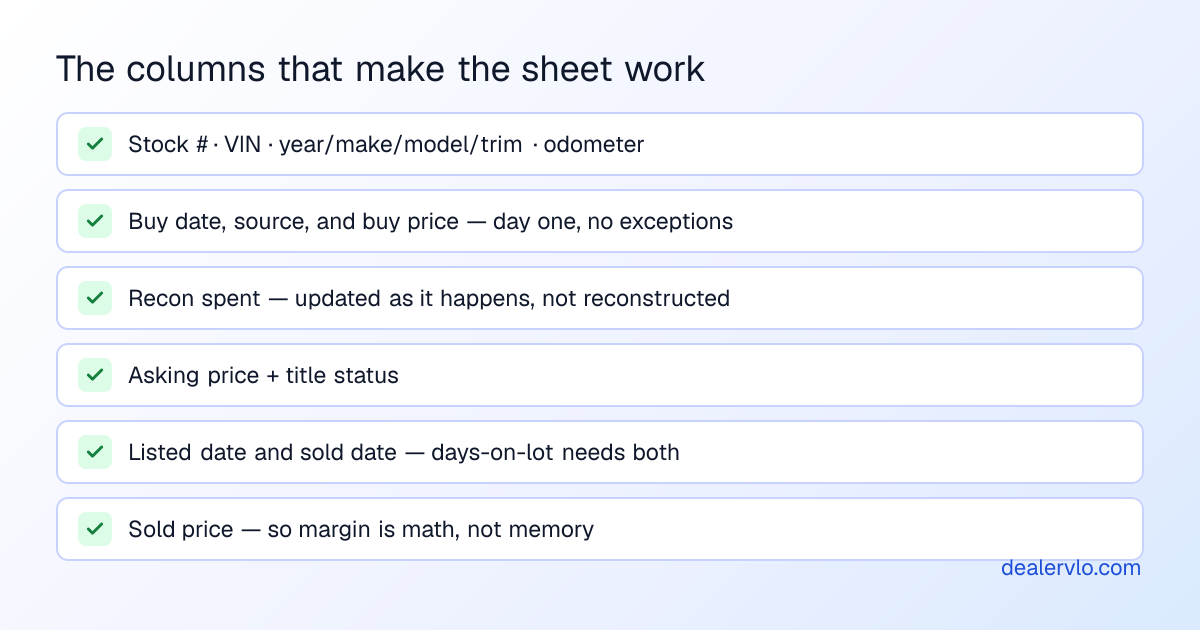
Most inventory sheets fail the same way: they're a list of cars when they need to be a ledger of positions. The difference is the money-and-time columns — buy price on day one (the intake habit that makes every later number possible), recon as it's spent, listed and sold dates. With those, one column of arithmetic gives you real per-unit margin, real days-on-lot, and eventually which auction actually makes you money. Without them, your turn rate is a feeling.
Sheets versus Excel barely matters; Sheets wins on a small lot because it's on your phone in the auction lane and two people can read it at once. The format was never the constraint.
14-day free trial, then $29/mo · Cancel anytime
The five points where it breaks
Here's the honest other half. The sheet doesn't fail gradually — it fails at specific, predictable points, each one the moment a ledger gets asked to do a workflow's job:
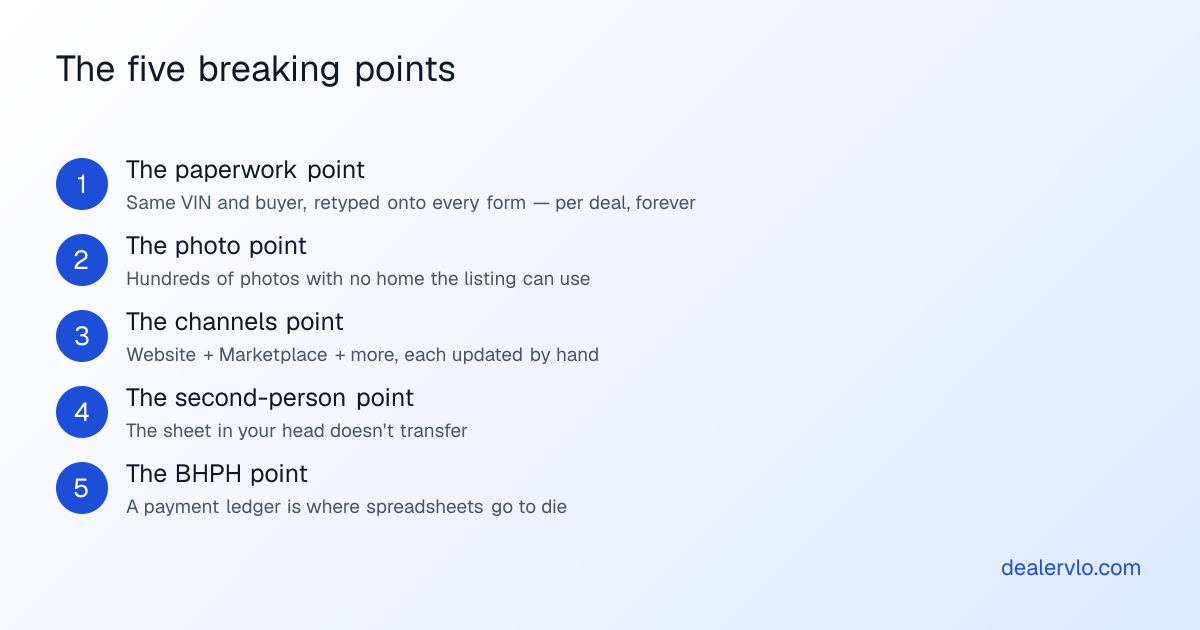
1. The paperwork point. The sheet knows the VIN, the buyer's in your texts, and the deal math is in your head — and now the buyer's order, the Buyers Guide, the odometer statement, the title application, and maybe a lender packet each want the same data typed again. Forty-five minutes a deal, and every retype is a shot at the typo that bounces at the registry. This is the point that broke me — it's the reason DealerVLO exists.
2. The photo point. Twenty photos per car times twenty cars is four hundred files, and the sheet can't hold one of them. Folder schemes rot; the listing needs the photos where the inventory record is.
3. The channels point. The moment you're on more than one channel — your website, Marketplace, anywhere else — every arrival, sale, and price drop becomes multi-platform manual labor. This is the quiet one that eats Saturdays.
4. The second-person point. The day you hire help or take a partner, you discover how much of "the system" was actually in your head. A shared sheet helps; a system where the keys, title status, photos, and deal history hang off one stock number transfers a lot better.
5. The BHPH point. If you start carrying notes, you now need a payment ledger per deal, running balances, and payoff math with per-diem interest. Spreadsheets can do this, the way a pocketknife can dress a deer — it's the point where everyone who's tried it eventually stops.
Hit any two of those and the free spreadsheet has quietly become the most expensive tool on the lot — priced in your evenings.
Crossing over without losing your history
Two practical notes for the day you switch, whichever software you pick:
Your sheet is an asset — bring it. A well-kept sheet's columns are exactly what imports into a real system, and your buy-price history is irreplaceable. (This is also the argument for building the sheet right now, even if you switch later.)
Judge the software by the five points. Whatever broke the sheet is the job to demo: does the deal paperwork fill from one record? Do photos live on the unit? Does the website feed itself? The DMS comparison covers the field with real prices — and per the usual disclosure, DealerVLO's on that list and it's mine.
Frequently asked questions
Can you run a dealership on a spreadsheet?
Under ~10 cars, cash deals, one person — yes, genuinely, if you keep it current. The line is where workflows (paperwork, photos, channels, staff, BHPH) start, because a sheet is a ledger.
What columns should the sheet have?
Stock #, VIN, vehicle, odometer, buy date/source/price, recon spent, all-in, asking, title status, listed date, sold date, sold price. The money-and-dates columns are the point.
When does it stop being enough?
At five points: deal-paperwork retyping, photo volume, multi-channel listings, a second person, and BHPH note tracking. Any two and you've crossed.
Sheets or Excel?
Equivalent — Sheets wins on phone access at the lane. The format was never the constraint.
What does software cost by comparison?
From $29/month flat (DealerVLO, with paperwork and website included) to several hundred for module-priced suites. The real comparison is against the hours the sheet's retyping costs.
Bottom line
Run the spreadsheet proudly while you're on the right side of the line — but build it like a ledger, keep it current, and watch for the five breaking points. When two of them are part of your normal week, the math has already changed.
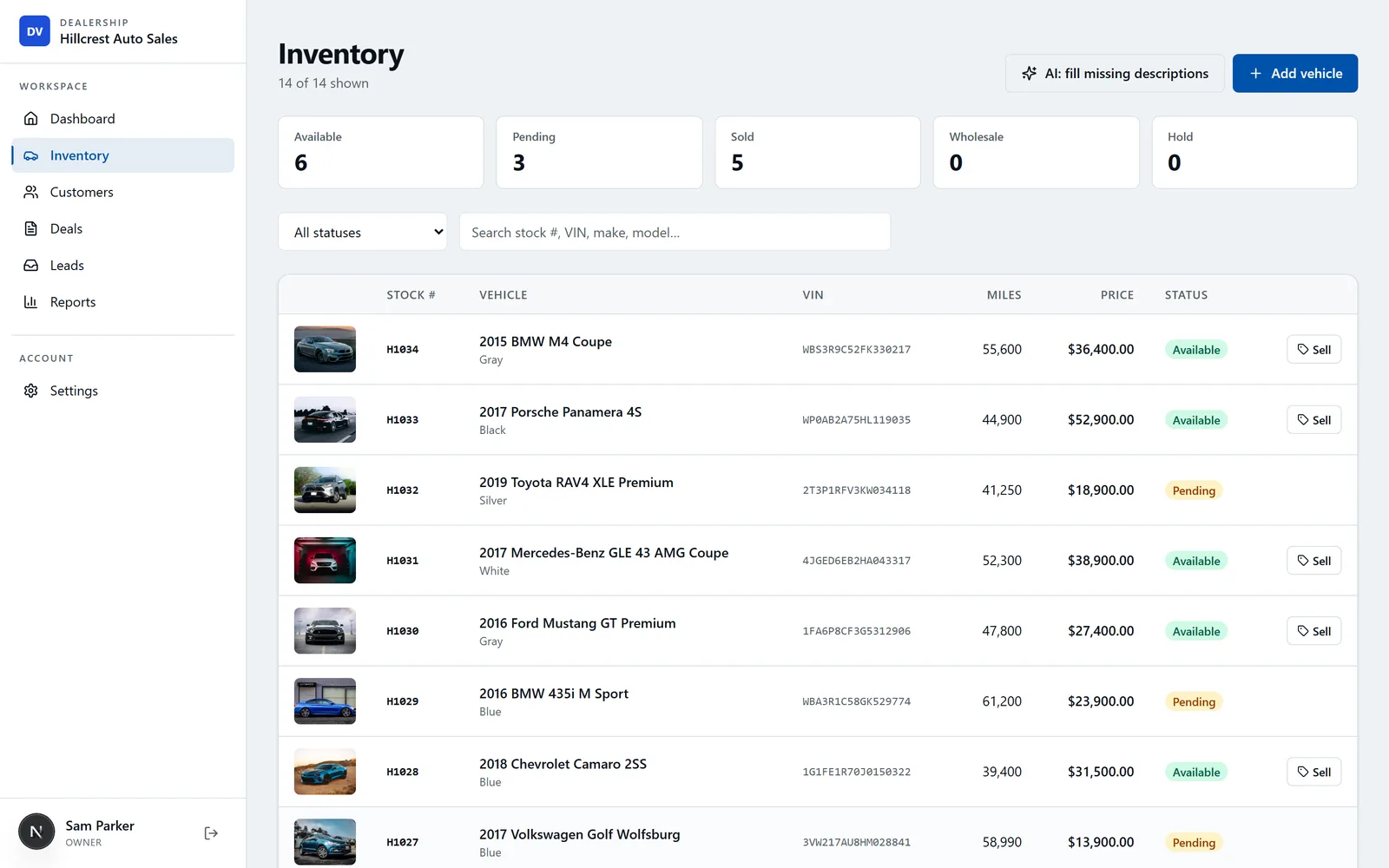
And when it does: DealerVLO is the crossing built for exactly this lot — the sheet's ledger, plus the workflows it can't do: VIN-decoded inventory, the deal jacket that fills every form, photos on the record, and your website fed automatically. $29/month flat, free for 14 days — bring your spreadsheet.
14-day free trial, then $29/mo · Cancel anytime