Switching from Frazer: What to Export, What Moves, and How to Cut Over
Export data from Frazer, move inventory and customers to a new DMS, and cut over in about a week—a practical migration playbook for independent dealers.
Part of the Choosing dealer software guide: The best DMS for independent used-car dealers in 2026 — an honest list from a dealer
What to Expect When You Leave Frazer
Frazer is a full-featured DMS built for cash, finance, and buy-here-pay-here lots: inventory, sales processing, unlimited forms printing, a full accounting suite, and integrations with over 200 industry partners. Its Desktop DMS starts at $129/month.
Dealers still move off it. On G2 and Capterra, reviewers mention a learning curve for new staff and an interface that feels dated. If you're leaving Frazer for a browser-based system, whether that's DealerVLO or another platform, this guide covers what to export, what moves by CSV, what doesn't, and how to cut over in about a week without stopping sales.
A quick compliance note: This article covers software migration, not legal, tax, or regulatory compliance. Your contract terms, data-retention obligations, and record-keeping deadlines vary by state and by your Frazer agreement. Confirm those with your attorney or accountant before you cancel.
Step One: Review Your Frazer Contract and Cancellation Terms
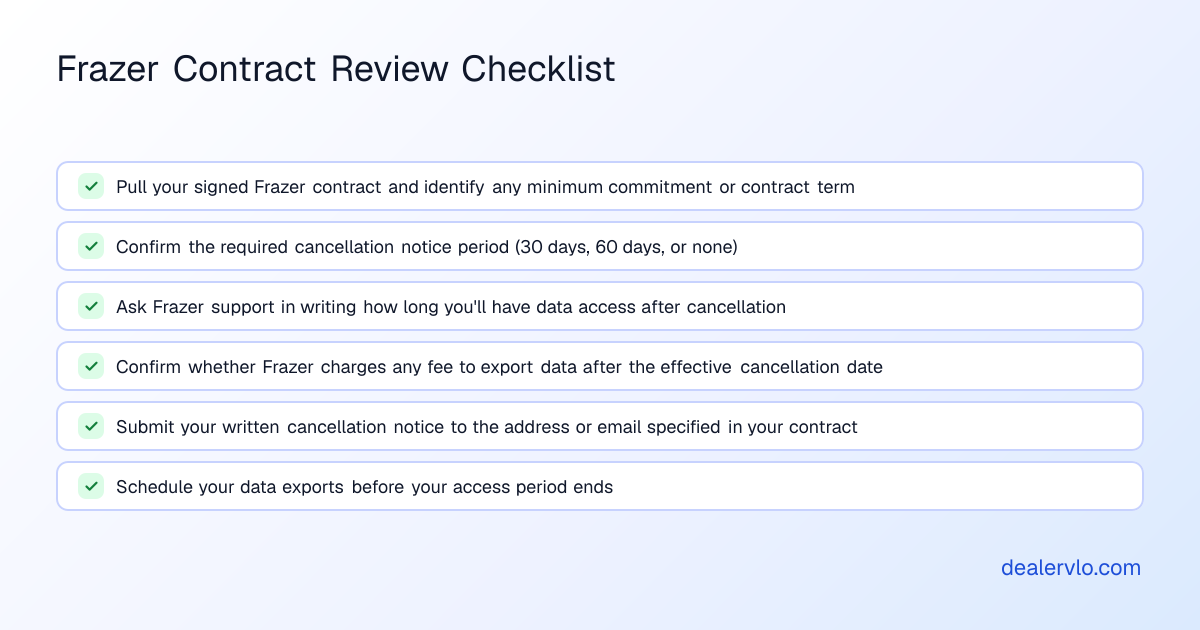
Before you export anything, pull your Frazer contract and look for:
- Minimum commitment or contract term. Frazer's public website and pricing page don't state a required contract length, but your signed agreement may.
- Cancellation notice period. Frazer's documentation doesn't publish one, but many vendor contracts require written notice. If yours does, send it in writing to the email or address the contract specifies.
- Data access after cancellation. Frazer's website and help documentation don't say how long your records stay accessible once you cancel. Ask Frazer support to confirm in writing how long you'll have access, and whether there's any fee to extract data after the effective cancellation date.
Step Two: Export Your Data from Frazer Before You Cancel
Frazer's "Export Data" program creates .csv or .txt files you can open in Excel or import into another system. Per Frazer's help manual:
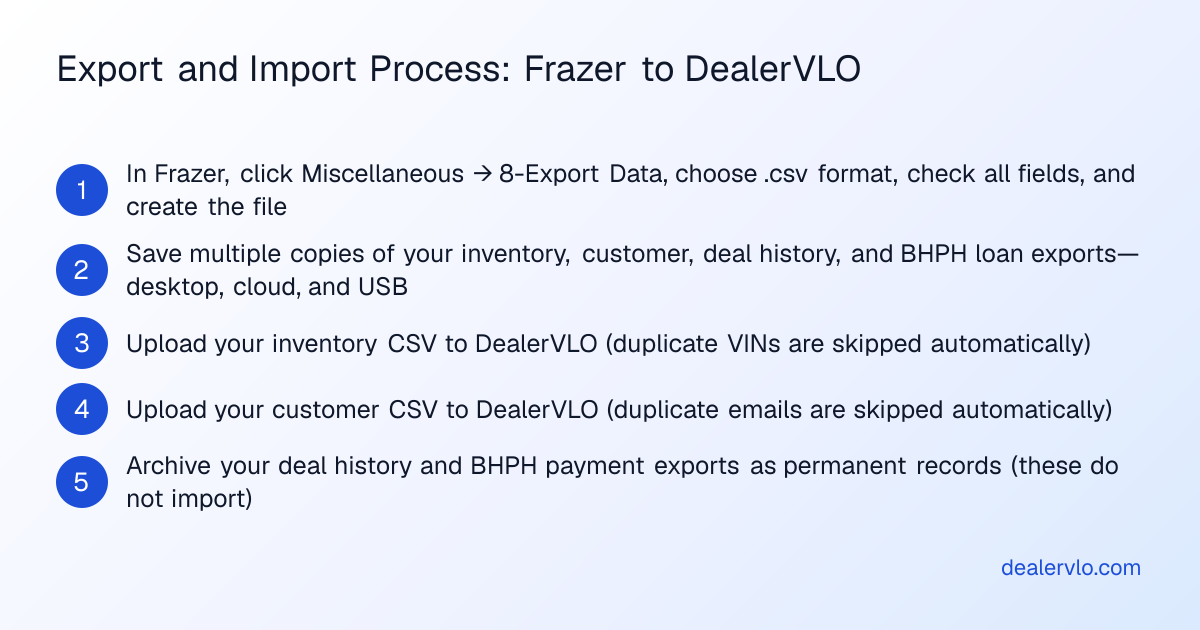
- In Frazer, click Miscellaneous, then 8-Export Data.
- Choose a file name and where to save it.
- Select .csv, the safest format for importing elsewhere.
- Optionally set a date range (leave it blank to pull everything).
- Check the boxes for every field you want across the tabs: inventory, customers, deals, BHPH accounts.
- Click Create File.
Frazer doesn't publish a full field list, so open each .csv right away and confirm the columns you need (VIN, stock number, year, make, model, cost, asking price, customer name, address, phone, email) actually came through.
What to export:
- Inventory. Every car in stock: VIN, stock number, year, make, model, trim, mileage, cost, asking price, and date acquired. Export reconditioning costs too, though you may need to re-enter line-item detail by hand.
- Customer contacts. Name, phone, email, address.
- Historical deals. Every closed sale: date, customer, VIN, sale price, trade-in, financing terms, gross profit. DealerVLO imports inventory and customer CSVs only, so past deals don't import, but you need the records for tax prep, audits, and year-over-year reporting.
- BHPH loan balances and payment history. Current principal, payment schedule, and every payment received for each active loan. DealerVLO doesn't import BHPH balances or payment history, so keep Frazer open read-only for lookups or archive these exports permanently.
Save multiple copies: desktop, cloud storage, and a USB drive in the safe. These files hold customer names, addresses, and loan balances, so treat them as sensitive data. For what the FTC Safeguards Rule expects, see our guide to the Safeguards Rule and dealer software.
Step Three: Understand What Imports Into Your New DMS
Not every DMS accepts CSV imports, and the ones that do rarely import everything.
Inventory: DealerVLO takes a CSV of your current stock, recognizes common column names from other systems automatically, and skips duplicate VINs.
Customer contacts: DealerVLO also imports a customer CSV (name, phone, email, address) and skips duplicate email addresses.
Past deals, BHPH balances, and payment history: DealerVLO doesn't import these. To look up an old deal or a past payment, either keep read-only access to Frazer for a transition period (if your contract allows it) or keep the .csv archives as permanent records.
Ask any new vendor exactly which tables import before you commit, and get the migration path in writing if historical reporting or BHPH lookups are business-critical.
14-day free trial, then $29/mo · Cancel anytime
Step Four: Run Both Systems in Parallel for About a Week
The cleanest cut-over isn't a hard cut-over. Overlap both systems for five to seven business days:
- Keep writing deals in Frazer for any sale that starts before your cut-over date. Don't split a deal across two systems.
- Add new inventory to both. Frazer keeps your old reports accurate; the new DMS puts the car on your new website and feeds.
- Route new leads to the new system. If your new DMS includes a dealer website and lead inbox (DealerVLO does), turn the site on at the start of the overlap week.
Running both lets you compare inventory counts and catch missing data. If you do high volume and finance most deals, shorten the overlap to two or three business days so you're not keeping two deal jackets for every sale.
Step Five: Cut Over and Update Every Integration
Pick a Monday morning, not a Friday afternoon, so you have a full business week to fix anything that breaks:
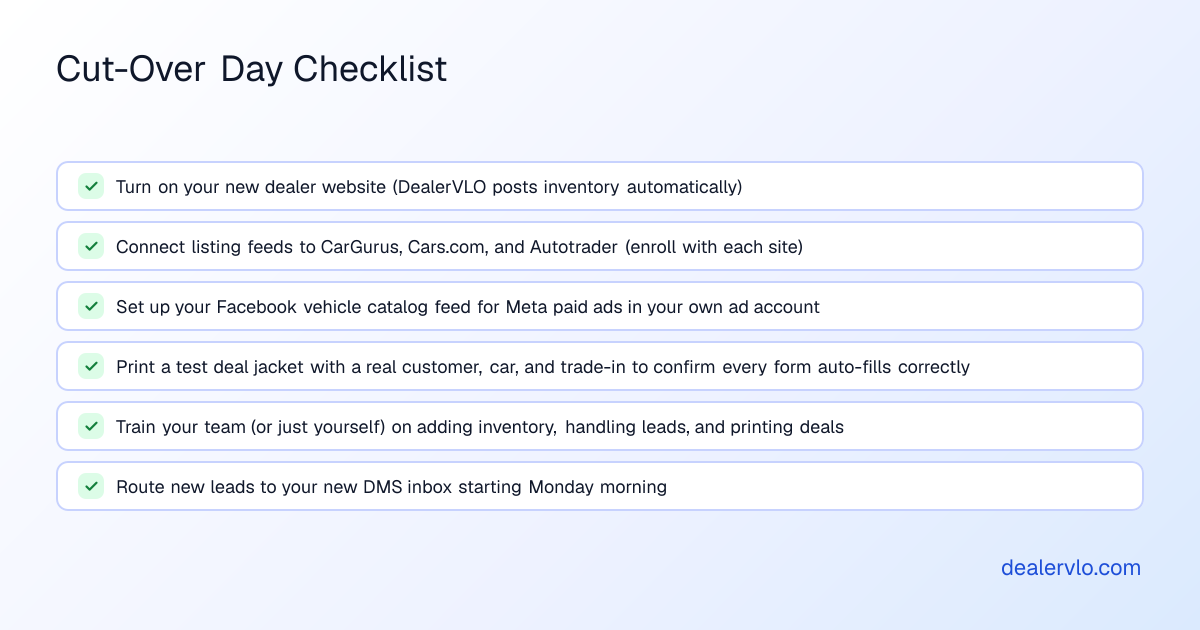
- Turn on your new dealer website. In DealerVLO, inventory posts to your site automatically once it's imported, and every priced car shows a monthly payment estimator.
- Update your listing feeds. DealerVLO sends inventory to CarGurus, Cars.com, and Autotrader once you enroll with each site (you still pay their fees), plus a Facebook vehicle catalog feed for Meta's paid automotive inventory ads. Free Facebook Marketplace listings are posted by hand, one car at a time, since Meta ended dealer partner feeds in 2021; DealerVLO's per-car "Post to marketplace" kit gives you all photos as one download, every field ready to copy, and a written description. More in our guide to vehicle inventory feeds.
- Decide where your books live. DealerVLO doesn't connect to QuickBooks or any outside accounting software. Its P&L records overhead as one-time or recurring monthly expenses by category and shows gross profit minus overhead; if you keep QuickBooks, you'll enter figures there by hand.
- Print a test deal jacket. Load a real customer, car, and trade-in, and print every form a retail sale needs in your state. DealerVLO fills federal forms like the FTC Buyers Guide and state title and registration paperwork for all 50 states from the deal. Where DealerVLO fills the official state PDF, you print that form; where the state issues its form through a portal or as controlled paper, DealerVLO prints a worksheet of the deal's values. You can also upload your own fillable PDFs, and DealerVLO maps the fields and fills them from the deal.
- Train your team, or just yourself. If you have salespeople or a finance manager, block an hour to walk through adding inventory, handling a lead, and printing a deal. DealerVLO runs in a web browser, with nothing to install and no USB dongle.
For when a small lot should move off spreadsheets or legacy software, see our guide to choosing dealer management software.
What DealerVLO Handles Once You're In
- VIN decode fills the vehicle details when you enter a VIN. See our VIN auto-decoding guide.
- Days in inventory on every car, a "consider repricing" flag at 60+ days, and a dashboard count of aged units. See our inventory aging policy guide.
- AI price suggestion: a price range from live comparable listings plus a target price for selling in about 30 days. You still set the price.
- Recon cost roll-up: every expense line by line, rolled into the car's all-in cost and margin.
- Deal math computed live: totals, trade equity, payment, and front-end and F&I gross as you type.
- E-signatures on deal documents.
DealerVLO costs $29 a month, flat, with no per-user, per-deal, or per-form fees, unlimited users, and a 14-day free trial. Frazer lists its Desktop DMS at $129/month or $1,299/year prepaid, and its Hosted DMS from $199/month. For more, see DealerCenter vs. Frazer vs. DealerVLO and our Frazer pricing guide.
14-day free trial, then $29/mo · Cancel anytime
When Frazer Is the Better Fit
Frazer may still be the right choice if:
- You run a large BHPH portfolio and rely on Frazer's servicing workflow every day. DealerVLO offers BHPH payment tracking with a collections view, but it doesn't import loan balances or payment history. With hundreds of active notes, migrating may cost more than you save.
- You use one of Frazer's 200-plus integrations daily, such as a lender portal or credit-pull provider. Confirm your new DMS supports the same connection first. DealerVLO connects to listing sites and Meta's vehicle catalog feed, but not to QuickBooks, and it doesn't provide floor-plan financing, lending, or credit decisions.
- Your staff knows Frazer cold and you're not hiring. Reviewers mention a learning curve, but once learned, Frazer's feature coverage is broad. The switching cost may outweigh the monthly savings, especially if you're on the $1,299 annual prepaid plan with months left.
Your First Week on the New System
- Day 1: Import your CSVs, set up your website details, and connect your listing feeds.
- Day 2: Add photos for every car. DealerVLO's optional AI photo enhance puts the car on a clean backdrop without altering the car itself.
- Day 3: Recreate a real recent sale and print the Buyers Guide, title application, bill of sale, and your state's required disclosures. Confirm every field filled correctly before a real customer is sitting across the desk.
- Days 4–5: Write your first live deal in the new system. The first will be slower than your Frazer routine; by the fifth you'll have it down.
- Days 6–7: Check your first week in the sales report (front- and back-end gross per deal and a salesperson leaderboard) against your own records. If the numbers don't reconcile, look for missing deals or double-entered inventory.
Bottom Line
Switching from Frazer takes planning, but it's about a week of overlap, not a month-long ordeal. Export inventory, customers, deal history, and BHPH records before you cancel; import what you can; keep the archives for what doesn't import; run both systems for a few days to a week; and cut over on a Monday.
DealerVLO imports your inventory and customer list by CSV, fills your state's title and registration paperwork, tracks days on the lot and recon per car, and costs $29/month with no per-deal or per-user fees. I read every message to hello@dealervlo.com, and I run my own lot on the same system. Start your free 14-day trial.
Frequently Asked Questions
Can I import my Frazer inventory and customers into DealerVLO?
Yes. DealerVLO accepts CSV uploads for inventory and customer contacts, recognizes common column names automatically, and skips duplicate VINs and duplicate emails. Export both from Frazer as .csv files, then upload them in DealerVLO's import tool.
Does DealerVLO import my past deals or BHPH loan balances from Frazer?
No. DealerVLO imports inventory and customer CSVs only; past deals, BHPH loan balances, and payment history don't import. Export your deal history and BHPH records from Frazer as permanent .csv archives, and keep read-only access to Frazer for a transition period if your contract allows it.
How long does Frazer keep my data accessible after I cancel?
Frazer's public website and help documentation don't state a data-retention or access period after cancellation. Ask Frazer support in writing how long you'll keep login access and whether there's any fee to export data after your cancellation date.
What's the difference between Frazer's Desktop DMS and Hosted DMS, and does it matter when switching?
Frazer's Desktop DMS starts at $129/month and installs on a local Windows machine; the Hosted DMS starts at $199/month and runs in the cloud. Either way, the export is the same: Miscellaneous, 8-Export Data, choose .csv. On the desktop edition, run it before you uninstall the software.
How long should I run Frazer and my new DMS in parallel?
Five to seven business days is typical for a small independent lot. Keep writing deals in Frazer for any sale that starts before cut-over, add new inventory to both systems, and route new leads to the new DMS. At high volume, shorten the overlap to two or three days.
Does switching from Frazer to DealerVLO mean I lose my listing-site feeds or have to re-enroll?
You'll connect DealerVLO's feeds to CarGurus, Cars.com, and Autotrader; once you enroll with each, your inventory posts automatically, and you still pay those sites' fees. You also get a Facebook vehicle catalog feed for Meta's paid inventory ads and a per-car kit for posting free Marketplace listings by hand.