Switching from ProMax: How to Move Your Inventory, Customers and Deals Without Losing a Week
How to export data from ProMax, what moves by CSV, contract terms to check, and a practical cut-over checklist for independent dealers.
Part of the Choosing dealer software guide: The best DMS for independent used-car dealers in 2026 — an honest list from a dealer
Why dealers look at switching from ProMax
ProMax serves dealerships in the special-finance and buy-here-pay-here space, with tools built around lender-heavy deal structuring. If you run a small independent lot that doesn't use most of that, you may want a simpler system that keeps inventory, deals, title paperwork, BHPH tracking, and your website in one place.
14-day free trial, then $29/mo · Cancel anytime
What to know before you cancel ProMax
Your signed agreement controls the terms that apply to you. Pull it and read the termination section before you tell anyone you're leaving.
Look for:
- Notice period. How much written notice does your agreement require, and where does it go?
- Minimum contract term and auto-renewal. Is your agreement month-to-month, or does it lock you into twelve or thirty-six months?
- Data retention after cancellation. How long will you have read-only access after your contract ends? Ask your account representative in writing and keep the reply.
What data you can export from ProMax
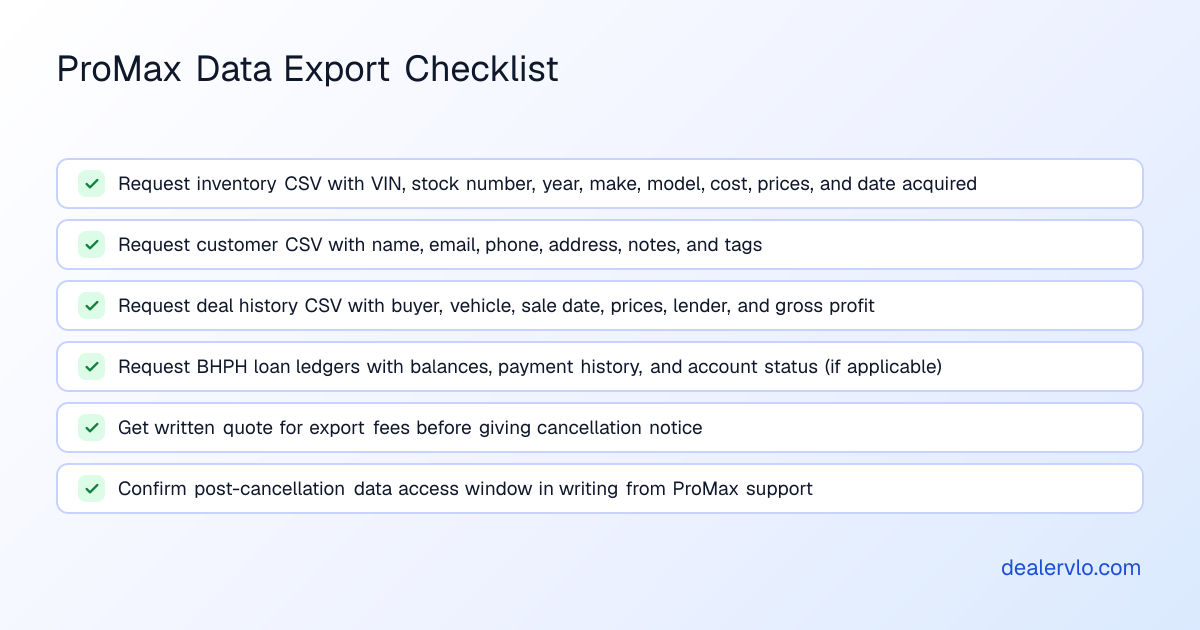
Work with ProMax support to request exports in CSV format, and ask which fields each export includes.
At minimum, request exports for:
- Customer records: name, email, phone, address, and any notes or tags.
- Inventory: VIN, stock number, year, make, model, trim, body style, color, mileage, asking price, internet price, cost, and status. The cost field is important—if it's missing, you'll have to key it back in by hand.
- Deal history: buyer details, vehicle sold, sale date, sale price, trade details, and gross.
- Buy-here-pay-here loan ledgers (if applicable): original loan amount, interest rate, payment schedule, payments received, current balance, and account status.
Save every export file with a clear filename and today's date.
What moves into DealerVLO and what doesn't
DealerVLO imports inventory and customer contact records from a CSV file. It does not import past deals, deal documents, or buy-here-pay-here loan balances and payment histories.
Inventory import
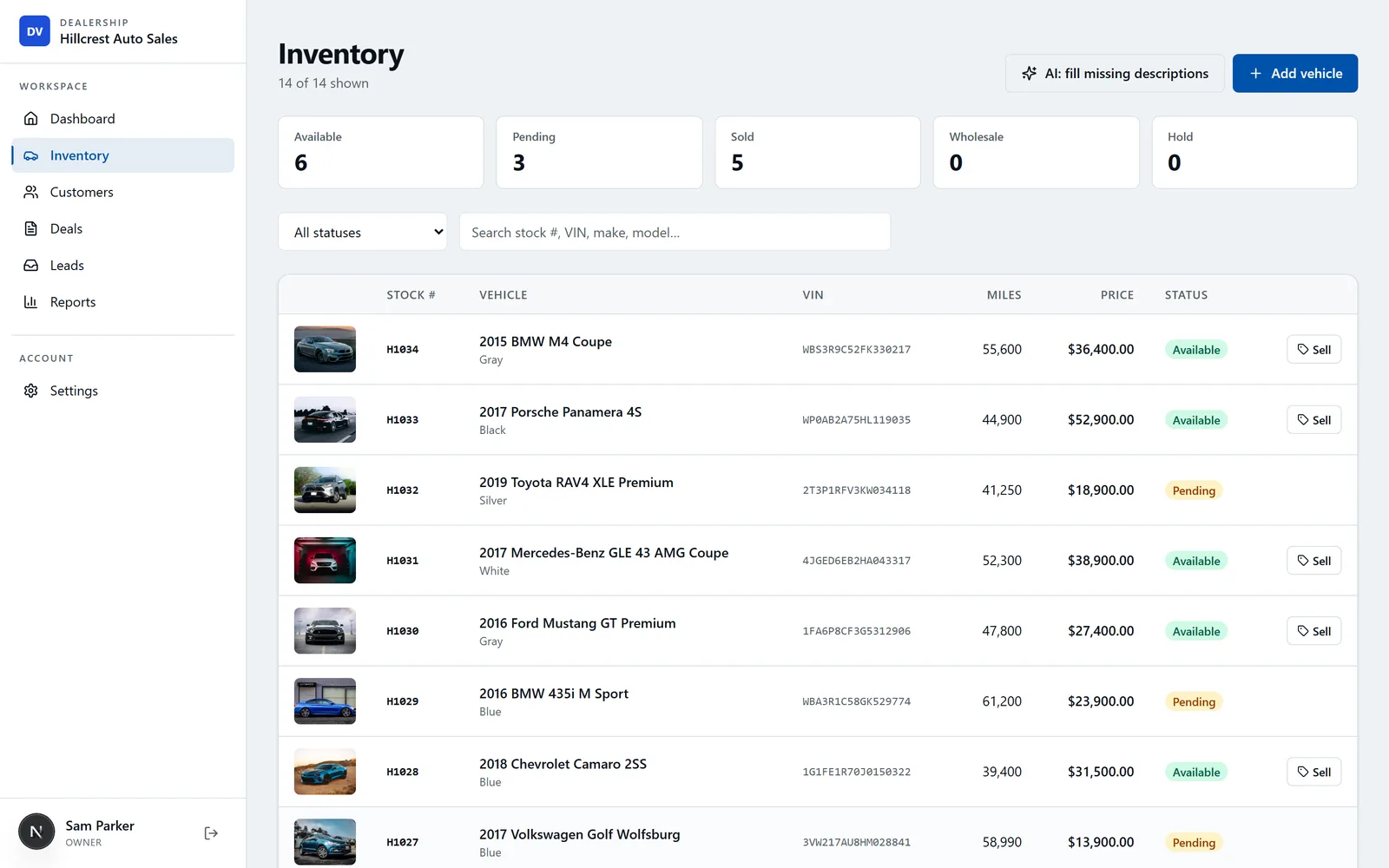
You can import inventory on the Inventory page (the "Import CSV" button). Each file can hold up to 1,000 rows. Every row needs a valid seventeen-character VIN; the import reads stock number, year, make, model, trim, body style, color, mileage, transmission, drivetrain, fuel type, asking price, internet price, cost, and status. Duplicate VINs are skipped automatically.
An imported car starts counting days in inventory from the import date. If you imported a car that's been on your lot for ninety days, it will show as zero days until it ages naturally.
Photos do not import—you'll upload them after the cars are in.
Customer import
You can import customer contacts in Settings → Import data (up to 500 rows per file). Customer rows need at least a first or last name; duplicate email addresses are skipped. The import brings in name, email, phone, and address; it does not carry over deal history, BHPH account balances, or payment records.
If you run buy-here-pay-here and need the full ledger (who owes what, payment history, next due date), export every BHPH ledger before you cancel and archive it outside the system, and ask ProMax in writing whether you can keep access to look accounts up afterward.
Deal history and documents
Past deals do not import into DealerVLO. If you need a record of last year's sales for tax filing or warranty lookups, export your deal history from ProMax as a CSV and keep it in a spreadsheet.
14-day free trial, then $29/mo · Cancel anytime
Run both systems during the overlap
The safest way to switch is to start using DealerVLO while your ProMax account is still active. Import your inventory and customers, set up your deal jacket template and state forms, and write one or two deals in the new system before you fully cut over.
One way to sequence it: request all your data exports first, import inventory and customers, run a few new deals in DealerVLO, and give ProMax the notice your agreement requires once you're confident.
Set up DealerVLO before you import
Before you bring in hundreds of cars and customers, configure a few settings so the data lands cleanly and your first deal prints correctly.
Dealership profile (Settings → Dealership & website): Your legal name, DBA, address, phone, dealer license number, and hours. This information prints on every deal jacket, title application, and Buyers Guide.
Default doc fee (Settings → Dealership & website): Set your documentation fee once; it pre-fills every new deal.
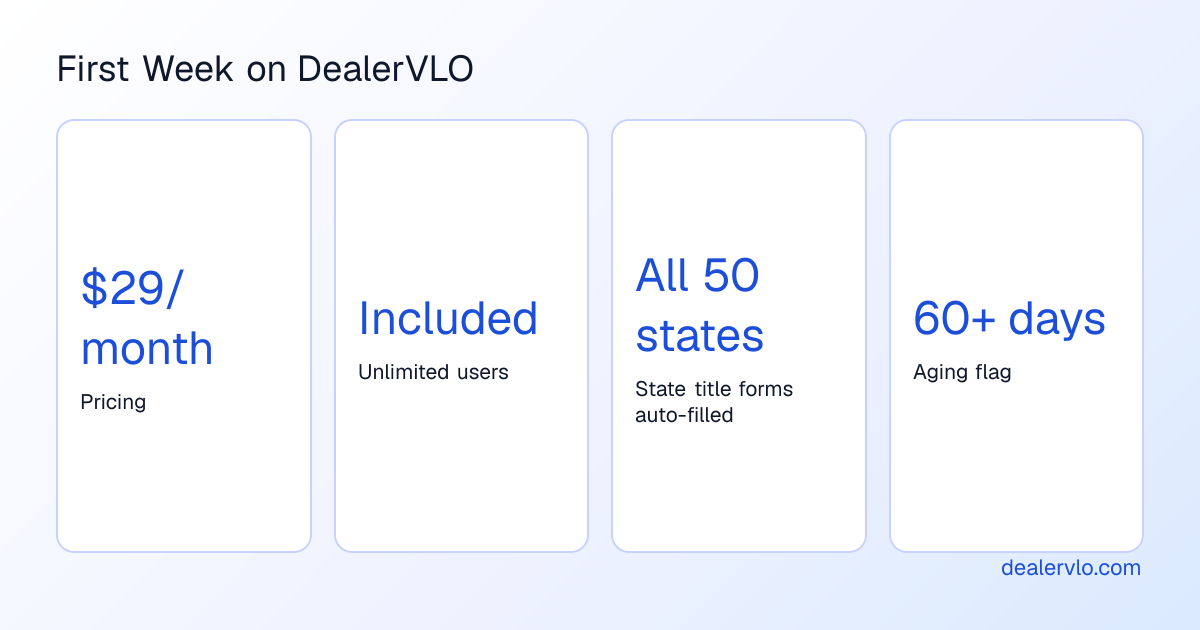
State title forms: DealerVLO auto-fills title and registration paperwork for all fifty states from the deal data. If you use a contract or addendum that isn't built in, upload the fillable PDF in Settings → Your forms.
Listing feeds (Settings → Syndication feeds): If you advertise on CarGurus, Cars.com, or Autotrader, enroll with each site, then enter your Dealer ID for each and opt in. DealerVLO sends the three sites one combined feed once a day.
The cut-over checklist
If you prepare the exports and settings ahead of time, the switch itself goes quickly. Here's the step-by-step:
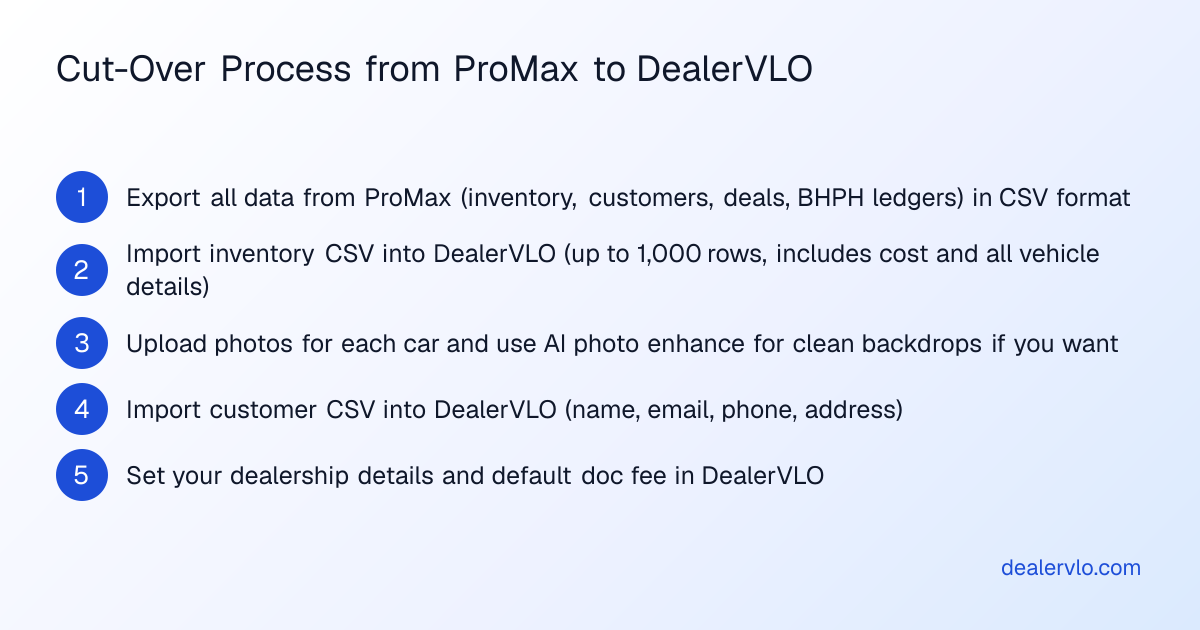
1. Export all data from ProMax. Request and download inventory, customers, deal history, and BHPH ledgers in CSV format. Confirm that the inventory export includes cost, and that customer records include email and phone.
2. Import inventory into DealerVLO. Go to Inventory → Import CSV, upload your ProMax inventory export, and let DealerVLO match the columns. Cars with duplicate VINs or missing required fields are skipped and listed in the import summary.
3. Upload photos. For each car, open its detail page and upload its photos. If you want a clean backdrop, use DealerVLO's included AI photo enhance: pick White, Dark, or Showroom, and the car is cut out and placed on the new backdrop.
4. Import customers. Go to Settings → Import data, upload your ProMax customer export, and confirm.
5. Print a test Buyers Guide and a test deal jacket. Pick any car in inventory, print its FTC Buyers Guide, then create a test deal for that car and fill in buyer details, price, trade, and payment. Print the deal jacket and your state's title application to confirm everything flows correctly.
6. Turn on your dealer website and listing feeds. Your DealerVLO website is included, and inventory posts to it automatically. Opt in to the listing feeds under Settings → Syndication feeds, then ask each site to stop the ProMax feed once your cars show up.
7. Write your first real deal in DealerVLO. Walk through a live sale from lead to signed paperwork.
8. Stop entering new data in ProMax. Once the first DealerVLO deal prints and signs without a hitch, make DealerVLO your system of record.
The first week on DealerVLO
Expect the first few days to feel slower as your team learns where things live. Any new system has a learning curve.
Dashboard: When you log in, you see available inventory count, new leads this week, active deals, and units sold this month with total revenue. Below that, a "Needs attention" list shows only the items that matter right now: new leads awaiting contact, deals missing a price or odometer, cars without a price, cars without photos, and units aged sixty days or more. If you carry BHPH notes, the dashboard also shows active notes, outstanding balance, payments due today, and past-due accounts.
Inventory aging: Every car shows its days in inventory on the car's page and in the inventory list. At sixty days, DealerVLO flags the car with an "aging, consider repricing" notice.
Lead inbox: New leads from your dealer website log in the DealerVLO inbox with the car the buyer asked about. You reply by email from the inbox, and every reply attaches to that lead's record so the whole conversation is on one screen.
The deal jacket calculates totals and gross live, state forms auto-fill from the deal, and e-signatures let you email a signing link to a buyer.
14-day free trial, then $29/mo · Cancel anytime
When ProMax is still the better fit
ProMax is built for special-finance and buy-here-pay-here dealers who structure deals around lenders. If your operation depends on sending deals to multiple lenders in real time through ProMax's lender connections, staying may be worth it: DealerVLO is not a lender, and it doesn't send credit applications to lenders or connect to lending networks.
Plan for the time, not the surprises
By our rough estimate, the migration itself (export, import, upload photos, configure settings, print a test deal) can fit in an afternoon for a lot under a hundred units with a clean ProMax export.
The real time cost is in the lead-up: reading your ProMax contract, requesting and reviewing the export files, and confirming post-cancellation access. Start that process well before you want to cut over.
Frequently asked questions
How do I export my data from ProMax before I cancel?
Contact ProMax support and request CSV exports for inventory (including cost), customers (with email and phone), deal history, and BHPH payment ledgers if applicable. Ask for a written quote for any export fees before you proceed.
What's the best ProMax alternative for a small independent lot?
If you're looking for a simpler system that runs in any web browser and handles inventory, deals, title paperwork, and BHPH tracking, DealerVLO is built for exactly that. It's $29 a month flat with unlimited users, imports inventory and customers by CSV, auto-fills state title forms, and includes a dealer website and listing feeds.
Can I migrate from ProMax without losing my buy-here-pay-here payment history?
DealerVLO imports inventory and customer contact records, but it does not import past BHPH loan balances and payment histories. Export every BHPH ledger before you cancel and archive it, and ask ProMax in writing whether you can keep access to look up those accounts afterward.
How long does it take to switch from ProMax to DealerVLO?
By our rough estimate, the import and cut-over can fit in an afternoon for a lot under a hundred units with a clean ProMax export. The lead time (reading your contract, requesting the export, and reviewing the files) is usually the longer part, so start it early.
Does DealerVLO integrate with other dealer management systems or lender networks?
No. DealerVLO doesn't sync with other dealer management systems or outside accounting software, and it doesn't send credit applications to lenders. It is a standalone platform for independent used-car dealers.
Bottom line
Switching from ProMax is straightforward if you prepare the exports and understand your contract terms before you give notice. Request CSV exports for inventory (with cost), customers, deal history, and BHPH ledgers, and confirm in writing how long you'll have post-cancellation access. Import inventory and customers into DealerVLO, upload photos, configure your state forms and doc fee, and write a test deal. Run both systems during the notice period so you catch any gaps while ProMax is still active.
14-day free trial, then $29/mo · Cancel anytime
Paste a VIN, the buyer, and the price — see the title & registration form filled in for 50 states, free, no signup.
Open the State Form Auto-Fill