Switching from Wayne Reaves: How to Move Your Inventory, Customers and Deals Without Losing a Week
A practical migration playbook for leaving Wayne Reaves: what to export, contract terms to check, what moves by CSV, and your first week on a new DMS.
Part of the Choosing dealer software guide: The best DMS for independent used-car dealers in 2026 — an honest list from a dealer
What switching from Wayne Reaves actually involves
Wayne Reaves doesn't publish data export procedures, contract cancellation terms, or data retention policies on its website, so dealers planning a switch need to get those answers in writing directly from Wayne Reaves before committing to a timeline.
Inventory and customer records can move into DealerVLO by CSV. Buy-here-pay-here loan balances, payment histories, and past deal archives require advance planning.
A compliance note: If Wayne Reaves currently stores customer credit application data, Social Security numbers, or BHPH payment information for you, confirm in writing how long that data remains accessible after cancellation and how you can securely retrieve or delete it. The FTC Safeguards Rule expects you to oversee the service providers that handle your customers' information, so a vendor's retention and deletion practices are part of your plan. See our guide to the Safeguards Rule and dealer software.
Get your contract terms and data export policies in writing
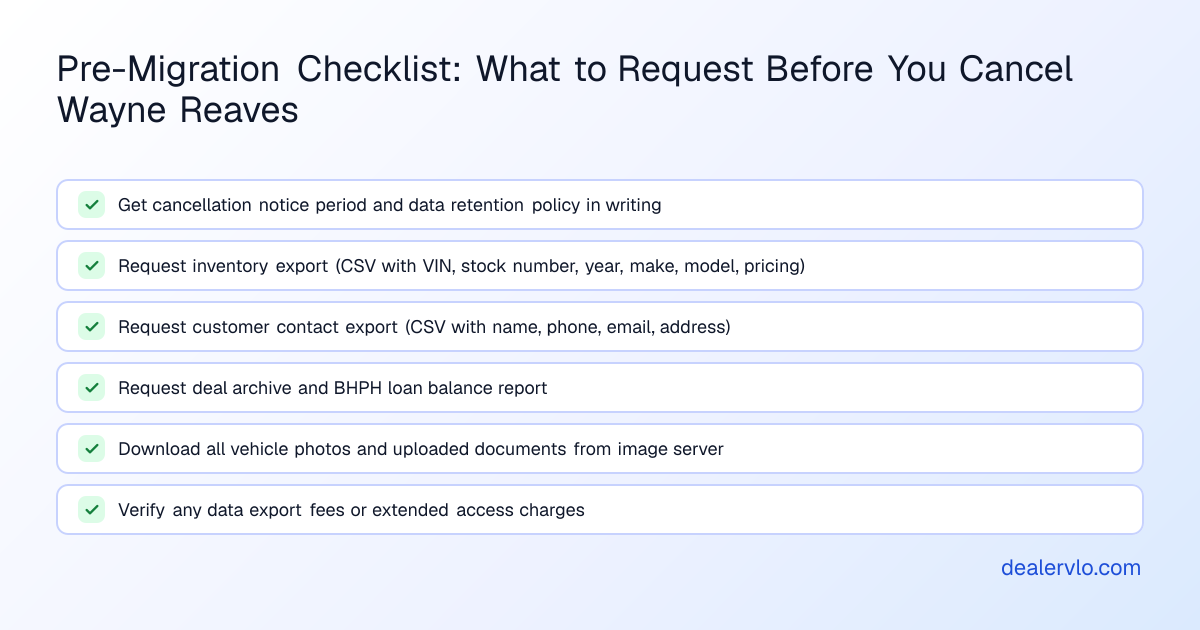
Before you schedule a cutover date or sign up for another platform, you need written answers to these questions from Wayne Reaves:
- What is the required cancellation notice period? Your signed service agreement controls, but it's not publicly posted.
- How long do you retain access to the system after cancellation?
- What data can be exported, in what format? Specifically: inventory records, customer contact lists, deal archives, BHPH loan balances and payment histories, and any uploaded documents or forms.
- Are there fees for data export or extended access?
Send these questions to Wayne Reaves in an email — not a phone call — so you have a written record.
What data you can move — and what stays behind
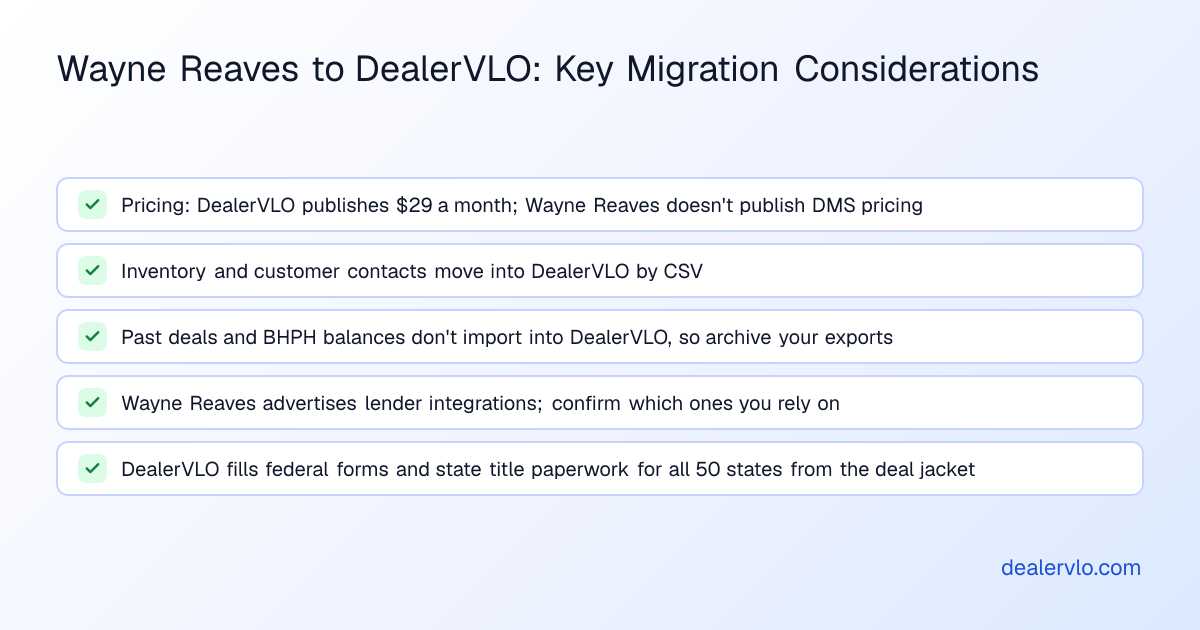
DealerVLO accepts CSV imports for inventory and customer contact records. Those two data sets move cleanly. Everything else requires planning.
Inventory (moves via CSV)
Your vehicle inventory — VIN, year, make, model, mileage, asking price, purchase cost — is the easiest data to migrate. Request a full inventory export from Wayne Reaves as a CSV file. The export should include at least VIN, stock number, year/make/model/trim, mileage, purchase date and cost, asking price, and status (available, sold, pending).
DealerVLO's CSV import accepts up to 500 rows at a time and reads year, make, model, and the other details from your file's columns. It doesn't decode VINs during import, so make sure the export includes them. Use Import CSV on the Inventory page, which also maps a cost column. Duplicate VINs are skipped, and days on the lot count from the import date. If your inventory includes photos stored on Wayne Reaves's image server, download those separately before you cancel — a CSV won't carry image files.
Once your inventory is in DealerVLO, it flows automatically to your dealer website, and once you enroll with CarGurus, Cars.com, and Autotrader, DealerVLO sends it to them too (you still pay each site's fees).
Customer contacts (moves via CSV)
Your customer list — names, phone numbers, email addresses, and any notes — should also export as CSV. Request a customer export from Wayne Reaves that includes first and last name, phone number(s), email address, mailing address, and any custom fields.
DealerVLO's customer CSV import accepts up to 500 rows per file and skips duplicate email addresses.
Past deals and BHPH loan data (do NOT move automatically)
This is the biggest migration pain point: DealerVLO does not import historical deal records, BHPH loan balances, or payment histories from another system. You can import inventory and contacts by CSV, but past deals and active loans stay in Wayne Reaves (or in an export file you archive).
If you have active BHPH contracts, request from Wayne Reaves:
- A deal archive export (ideally one row per deal, with buyer name, vehicle VIN, sale date, sale price, down payment, amount financed, terms, and front-end and back-end gross)
- A BHPH loan balance report showing contract date, original amount financed, current principal balance, interest rate, payment due, next due date, and total paid to date
- A payment history export for each active loan
Ask for these as CSV if possible, or at minimum as Excel or PDF. Once you have them, store them securely — you'll reference them for collections, for any disputes, and if a borrower requests a payment history or payoff quote.
Going forward, you'll enter any new BHPH deals into DealerVLO's deal jacket and payment-tracking module. Historical data from Wayne Reaves stays in an archive file, not in your live DMS.
14-day free trial, then $29/mo · Cancel anytime
Pricing: what you're paying now versus what you'll pay next
Wayne Reaves does not publish DMS pricing on its website. DealerVLO is $29 a month, flat — no per-user fees, no per-deal charges, no per-form fees. You get unlimited users, and the fourteen-day free trial lets you import your inventory and test the deal flow during the trial.
Running both systems during the transition
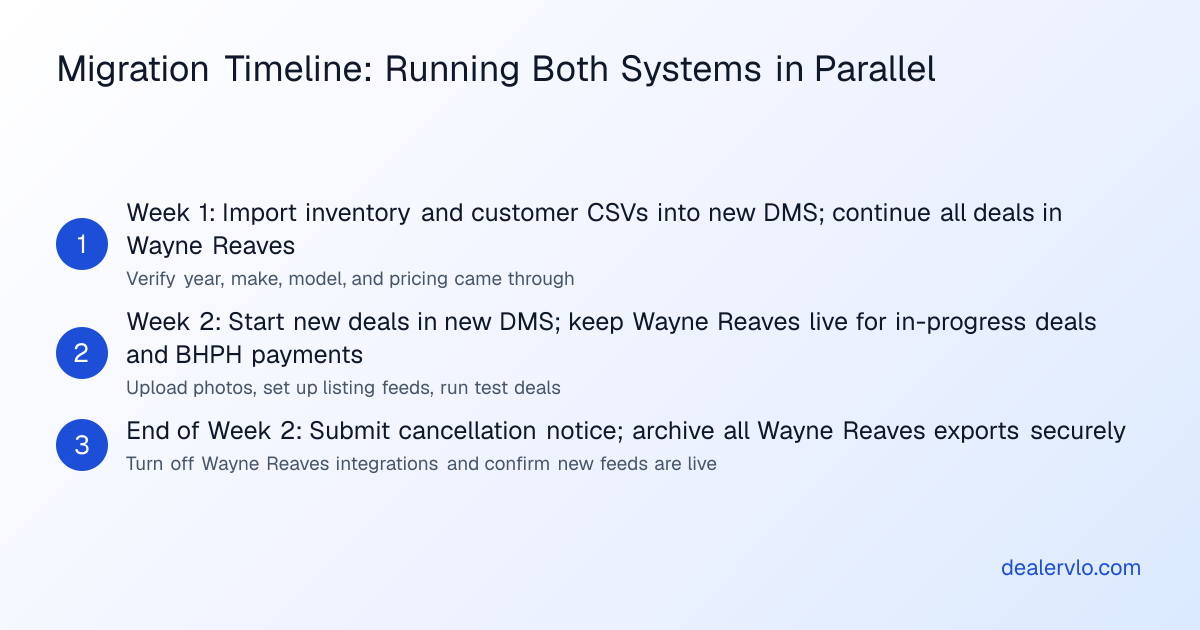
The smoothest migration runs both systems in parallel for one to two weeks. This overlap lets you verify that your inventory, photos, and customer contacts moved completely, close any in-progress deals in Wayne Reaves while starting new deals in the new DMS, and train your team on the new system without the pressure of a hard cutover date.
Week one (both systems running):
- Export inventory and customers from Wayne Reaves; import CSVs into DealerVLO
- Check that year, make, model, prices, and costs came through; upload fresh photos if needed
- Continue using Wayne Reaves for any deals already in progress and for recording payments on older BHPH loans
Week two:
- Start every new deal in DealerVLO: the deal jacket computes totals, trade equity, payment, and gross profit live
- Print and e-sign documents from DealerVLO (federal forms like the Buyers Guide and state title forms for all fifty states auto-fill from the deal)
- Download any remaining vehicle photos or uploaded documents from Wayne Reaves
End of week two:
- Submit cancellation notice to Wayne Reaves
- Archive your Wayne Reaves data exports in a secure location
- Confirm your DealerVLO inventory feed is live on CarGurus, Cars.com, Autotrader, and your dealer website
The cut-over checklist: what to do in order
Here's the step-by-step sequence that minimizes downtime and data loss:
- Request and download all data exports while you still have full access: inventory CSV, customer CSV, deal archive, BHPH loan balances and payment histories, and any uploaded documents or images.
- Sign up for your DealerVLO free trial and import inventory and customer CSVs. Check that year, make, model, prices, and costs match your records.
- Upload fresh vehicle photos (or download and re-upload photos from Wayne Reaves if you want to keep the same shots).
- Set up your listing feeds: enroll with CarGurus, Cars.com, and Autotrader, and DealerVLO sends your inventory to each one automatically (you still pay each site's fees).
- Run one test deal end-to-end in DealerVLO: enter buyer and co-buyer details, add the vehicle, enter trade-in if applicable, select financing type (cash, bank, BHPH), and review the computed totals.
- Begin the overlap period: keep Wayne Reaves live for in-progress deals and historical BHPH payments; start all new deals in DealerVLO.
- Submit cancellation notice to Wayne Reaves once you've verified all data is exported and the new system is handling daily operations.
14-day free trial, then $29/mo · Cancel anytime
Your first week writing deals in DealerVLO: what to expect
The first few deals on any new system feel slower because you're learning where the buttons are.
Day one: Your imported inventory is already on your dealer website, and listing feeds are set up for the sites you've enrolled with.
Day two or three: Your first deal in DealerVLO. The deal jacket computes the math live — you enter sale price, down payment, trade allowance and payoff, and the system shows trade equity, amount financed, payment (if BHPH), and front-end and back-end gross. You print the Buyers Guide and your state's title application, both auto-filled from the deal.
Day four or five: You add a fresh acquisition to inventory from your phone's web browser. You enter the VIN, and year, make, model, body, engine, and transmission decode automatically. You upload photos, enter purchase cost and any recon line items, and set your asking price. The car appears on your website and goes out to the listing sites you've enrolled with.
End of the week: You've written a few deals, added a few cars to inventory, and maybe recorded a BHPH payment in the collections view. The system feels less foreign, and you open Wayne Reaves only for in-progress deals and older BHPH accounts.
When Wayne Reaves is the better fit
Wayne Reaves includes deep BHPH and lender-integration features, and supports cash, BHPH, lease-here-pay-here, rent-to-own, bank financing, and wholesale from one interface. If your operation runs heavily on lender integrations or loan-sale platforms, and Wayne Reaves already handles those workflows, switching might not gain you much.
Bottom line
Switching from Wayne Reaves to another DMS is straightforward for inventory and customer contacts — both move by CSV — but requires advance planning for past deals, BHPH loan balances, and payment histories, which don't import automatically. Get your cancellation terms and data export policies in writing from Wayne Reaves before you commit to a timeline, and plan a one- to two-week overlap running both systems in parallel.
DealerVLO's fourteen-day free trial gives you time to import your inventory, test the deal flow, and verify that state forms auto-fill correctly before you cancel your old platform. If you're ready to make the move, start your free trial and bring your inventory CSV.
Frequently asked questions
Can I export my BHPH loan balances and payment history from Wayne Reaves?
Wayne Reaves includes BHPH payment tracking, so the data exists in the system — but the company does not publish export formats or procedures on its website. Before you cancel, request in writing a BHPH loan balance report and a payment history export for each active contract. Ask for these as CSV or Excel if possible. DealerVLO does not import historical BHPH loan data, so you'll need to archive these exports and reference them for collections and payoff quotes after you switch.
How long does Wayne Reaves let me access my data after I cancel?
Wayne Reaves does not publish post-cancellation data retention or access policies on its public website. Ask Wayne Reaves in writing how long you'll retain system access after your cancellation date, and whether there's a fee for extended read-only access or for data export. If you don't get a clear answer, assume access ends on the cancellation date and export everything you need beforehand.
What's the cancellation notice period for Wayne Reaves?
Wayne Reaves does not publish contract cancellation terms or required notice periods on its website. Your signed service agreement controls. Contact Wayne Reaves directly and ask in writing: what is the required cancellation notice period, and when does that period start.
Can DealerVLO import my past deals and documents from Wayne Reaves?
No. DealerVLO imports inventory and customer contact records by CSV (up to 500 rows per file), but it does not import historical deal records, BHPH loan balances, payment histories, or deal documents from another system. Export your deal archive and active loan data from Wayne Reaves before you cancel, and store it securely for reference. Going forward, you'll enter new deals into DealerVLO's deal jacket.
How much does it cost to switch from Wayne Reaves to DealerVLO?
DealerVLO is $29 a month with a fourteen-day free trial. The real cost of switching is time: exporting data from Wayne Reaves, importing inventory and customer CSVs into DealerVLO, re-uploading vehicle photos, setting up listing feeds, and running a few test deals to learn the workflow. Inventory and contacts move by CSV, up to 500 rows per file; expect your first few deals to feel slower while you learn where things are.