Car dealer website templates: what the first screen has to do to sell a car
What a car dealer website template must put on the first phone screen to sell cars, plus DealerVLO's new Main Street template and self-building site.
Part of the Marketing, leads & your website guide: Used Car Dealer Marketing: What a Small Lot Should Do First — and What to Skip
Switching from another DMS? Compare DealerVLO to DealerCenter, Frazer, or Lot Wizard.
Most dealer websites look like they were built for someone else
Pull up five independent dealer sites on your phone and you'll see the same thing on most of them: a big slogan, a stock photo of a car that isn't on the lot, and a button that says "View inventory." The actual cars start somewhere below that. The phone number is in the footer. Whether the place is open today is anyone's guess.
That layout came from software companies and got handed to car lots. It doesn't fit how people buy a used car. A shopper on your site wants four answers before they'll call or drive over: is the car still here, what does it cost, can I get financed, and are you open. A good dealer website template answers those on the first screen. This post covers what that first screen needs, why it matters more than how "modern" the site looks, and the new template we just added to DealerVLO for lots that sell on trust.
Why the website still decides whether they call
Listing sites and Marketplace bring shoppers in. Your website is where a lot of them go to decide whether you're a real business worth driving to. I've covered whether you need a website at all; if you're reading this, you probably already have one, or you're about to.
Here's how I think about what the site does in a sale:
- It confirms you're legit. A shopper who found a car on a listing site looks you up. A site with your name, your address, real hours and real cars says "this is a lot that's open and selling." A broken or generic one says "maybe not."
- It answers the questions that would otherwise be phone calls. Is the car still available, what's the price, what are the miles, do you finance. Every one the site answers cleanly is one less reason for the shopper to move on to the next listing.
- It catches the shopper at 10 PM. Most of your lot's hours, you're not on the phone. The site is. A shopper who can ask about a car or start a credit application at night is a lead in your inbox in the morning.
I won't quote you a conversion percentage, because I don't have one that would hold for your lot and I'd be suspicious of anyone who gives you one. What you can check is whether your own site answers those four questions without the shopper hunting. If it takes a pinch, a scroll and a guess, the shopper is already looking at someone else's car.
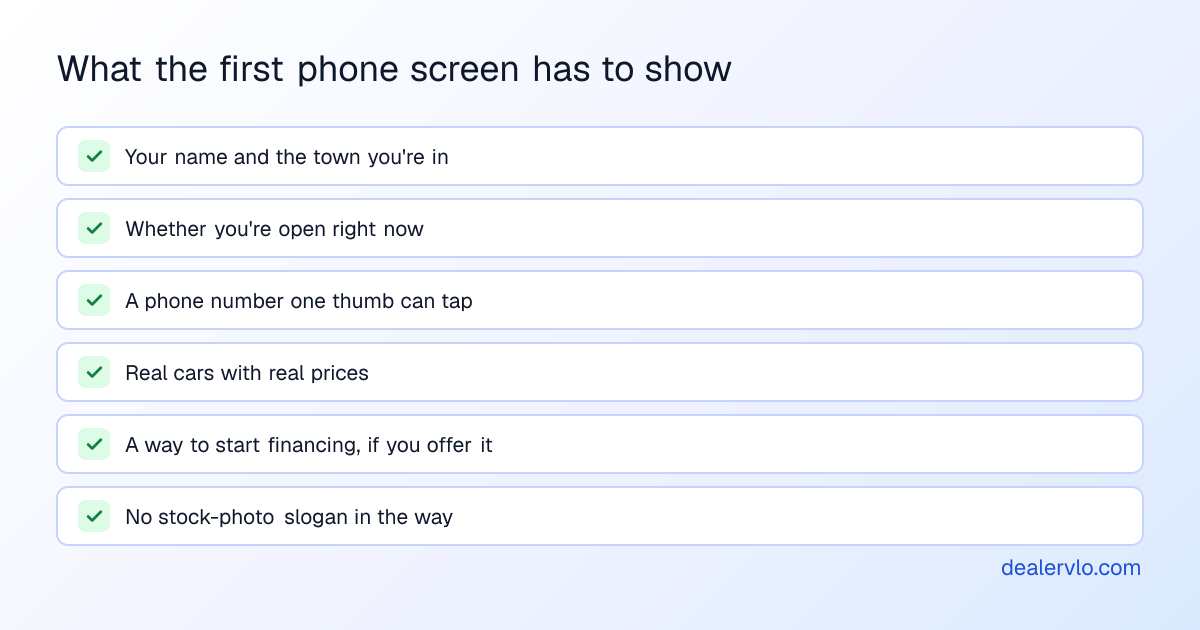
What the first screen of a dealer website has to do
Look at your homepage on your own phone, top to bottom, without scrolling. Here's what should be on that screen and why.
Your name, your town, and whether you're open. "Open now, closes at 6 PM" does more work than any tagline. It tells a shopper they can come today. It's also the first thing a lot of people check before driving across town.
A phone number they can tap. Not in the footer, and not behind a "Contact us" page. On a phone, the easiest next step should be one tap away. Text matters too: plenty of buyers would rather send a text than make a call.
Real cars with real prices. Your inventory is the reason anyone is on the site. A grid of actual cars with the price, the miles and a clear photo beats any hero image. If a car's price is "call for price," expect fewer calls, not more.
A path to financing, if you do it. For a lot that sells on payments, financing isn't a footer link. It belongs next to the "browse cars" button. I wrote about why in putting the credit application at the front of your website.
Nothing that's only there to look nice. Slogans, stock photos, "Welcome to our dealership" paragraphs and auto-playing carousels all push the cars further down. Each one costs you a bit of the shopper's patience.
Below the first screen, the rest of the job is steadier: every car gets its own page with all its photos, specs and a contact form; your hours and a map are easy to find; and your reviews show if you have them. Photos do a lot of the heavy lifting on those car pages, so how many photos a listing needs is worth a read too.
Want to see how a car page on your current site holds up? Paste it into the free checker. It tests mobile speed and looks for a phone link, a form, a price and the mileage.
Paste one car page: see its mobile speed against Google's published lines, and whether shoppers can find and reach you.
Open the Dealer Website Check14-day free trial, then $29/mo · Cancel anytime
In DealerVLO, the website builds itself from your inventory
This is the part most dealers don't expect. In DealerVLO there's no separate website project. The site is on from the day you sign up, and it reads straight from your inventory.
When you add a car, you scan or paste the VIN and the year, make, model and trim fill in from NHTSA's VIN data. You add photos, enter the price and save. Unless you check "Keep this one off my website," the car shows up on your site within about a minute, with its own page, its photos in the order you set, and a contact form that drops leads into your DealerVLO lead inbox. Change the price and the site follows. Mark it sold and it drops off the site.
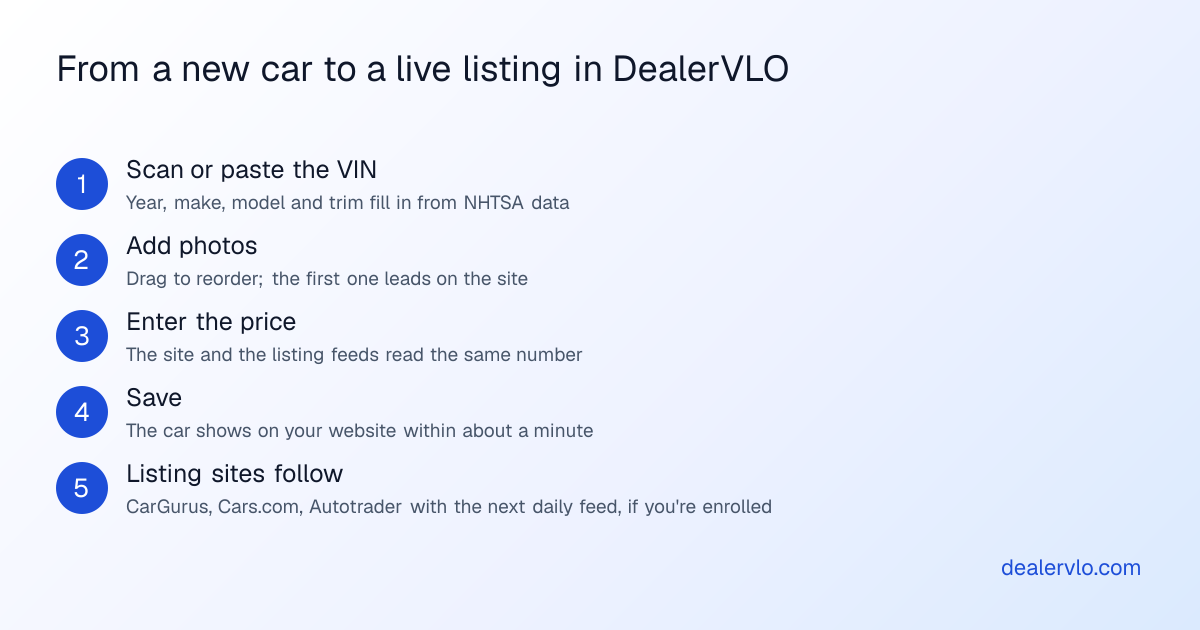
The same car record feeds the rest of your online presence. If you're enrolled with CarGurus, Cars.com or Autotrader and you've opted in, DealerVLO sends your cars to them once a day, reading the same price as your website. Every priced car page on your site also shows a monthly payment estimator, clearly labeled as an estimate, with a button to your Financing page.
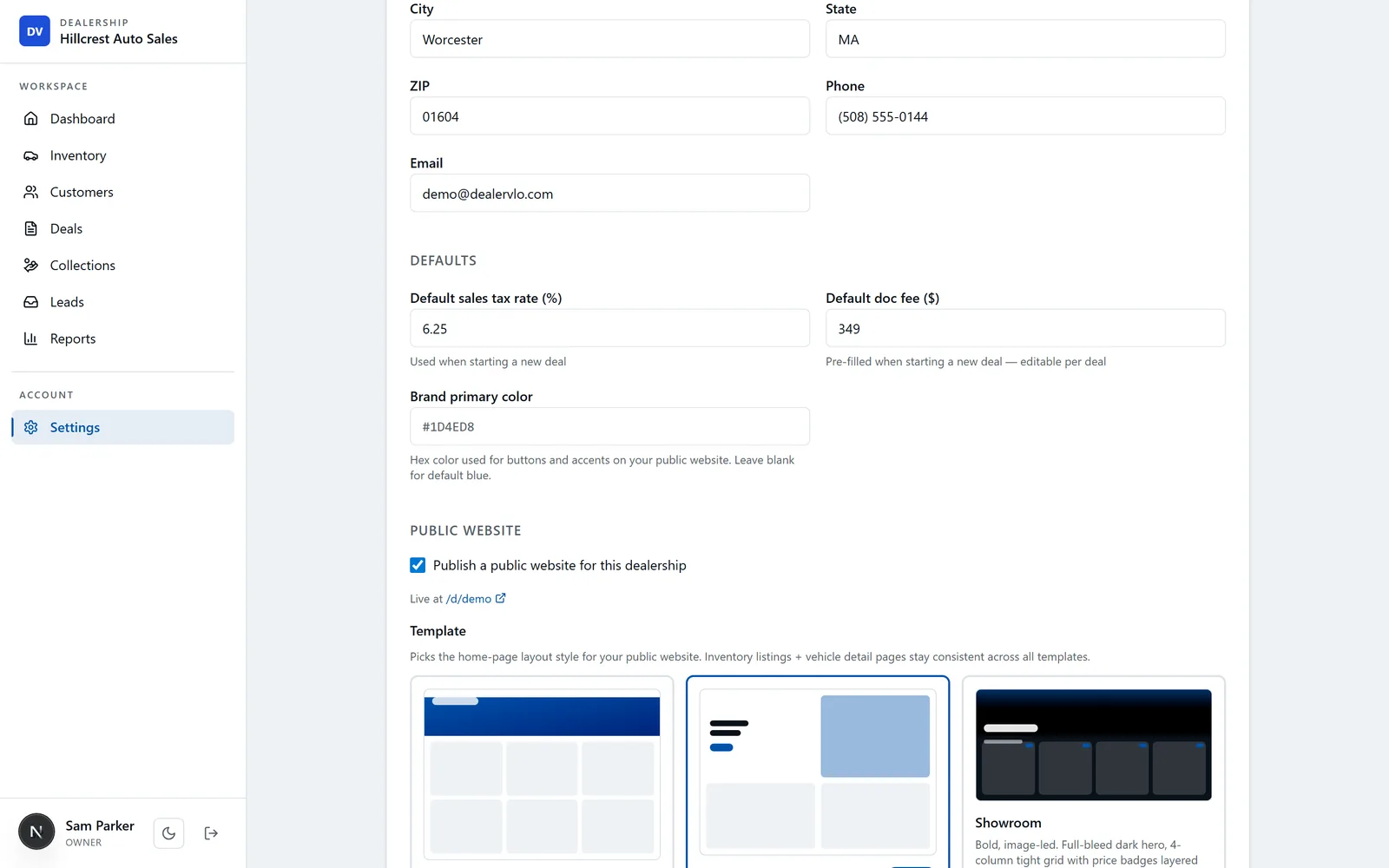
Setup is a few minutes in Settings: upload your logo and a hero photo, add your hours, tagline and a short about blurb, pick a brand color and a template. Your name, address and phone are already there from the rest of the app. The site starts on a DealerVLO address, and you can point your own domain at it when you're ready. The full walkthrough is in the website setup guide. It's included in the $29 a month; there's no separate website fee. If you're comparing that against what other providers charge, see what dealer websites cost.
The new Main Street template
DealerVLO had three templates: Classic, Modern and Showroom. They worked, but they leaned toward the software-company look I described at the top. So we went back to the four questions a shopper has and built a fourth template around them. It's called Main Street, and it's aimed at hometown lots and buy-here-pay-here dealers who sell on trust and on payments.
Here's what's different:
- An open-now bar at the top. "Open now · closes at 6 PM," worked out from the hours you saved in Settings, in your time zone. It's calculated in the shopper's browser when they load the page, so it doesn't go stale.
- Browse and finance side by side. The first screen has your headline, a "Browse our cars" button with your live count, and an "Apply for financing" button when your Financing page is on. If you've turned on the online credit application, it also says you don't need a Social Security number to apply online, because the application doesn't ask for one.
- The newest car, front and center. A "Just arrived" card on the hero photo shows your most recent car and its price.
- Your hours and map on every page. Not just the homepage. A shopper looking at a car page can see when you're open and where you are without backing out.
- A Call / Text bar on phones. It stays pinned to the bottom of the screen while the shopper scrolls, so calling you is always one tap away.
- Your color, not ours. The accent color follows the brand color you set in Settings, so two lots on Main Street still look like two different businesses.
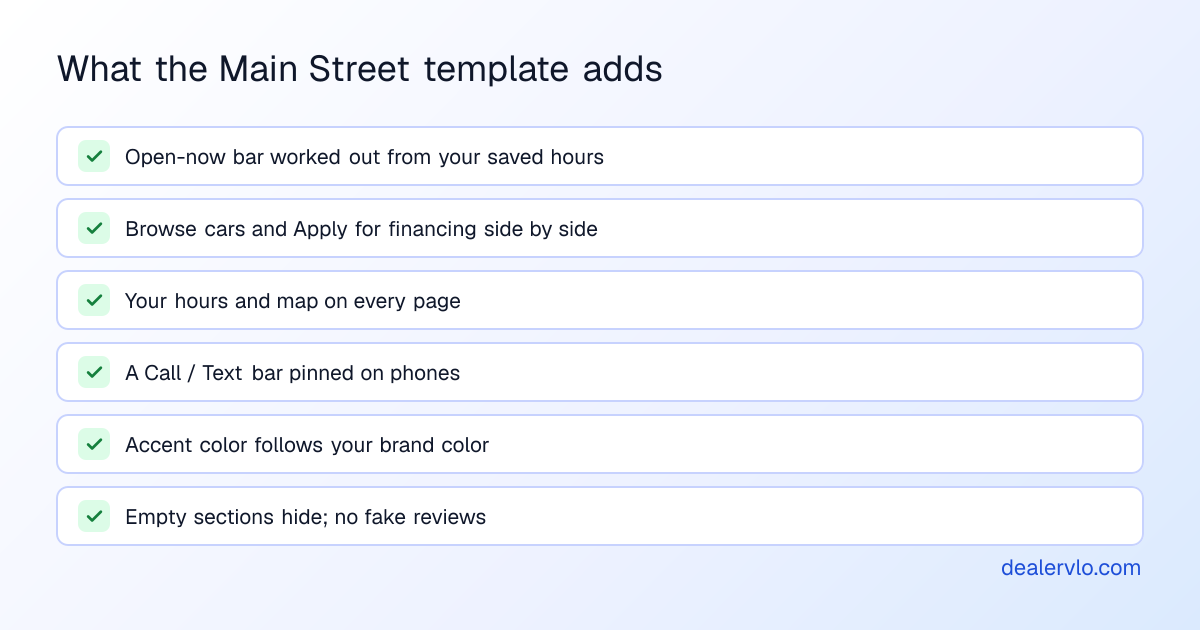
One thing we were strict about: Main Street never fills gaps with made-up content. If you haven't added reviews, there's no reviews section, not three fake five-star quotes. If you haven't written "why buy from us" points, that row doesn't show. "Price on every car" only appears when every car on your site actually has a price. A template that invents trust signals is worse than one that shows none, because the first shopper who notices stops trusting everything else on the page.
That also means Main Street looks best when you feed it. Add your hours, a couple of honest reasons to buy from you, and real reviews from real customers (with their OK). If you're working on reviews, local SEO for used-car dealers covers why they matter on Google too.
Picking a template
You can switch templates any time in Settings, and nothing about your inventory changes when you do. My rough guide:
| Template | Fits a lot that... |
|---|---|
| Classic | wants a traditional, safe dealership look |
| Modern | wants a clean, airy look with larger car cards and plenty of white space |
| Showroom | has strong photography and wants a bold, dark, image-led site |
| Main Street | sells on trust and payments: hometown, family-run, buy-here-pay-here |
If you sell mostly on payments, start with Main Street. If your photos are your best salesperson, try Showroom. Then look at your own homepage on your own phone and run the first-screen test above. That five-second look tells you more than any design opinion, mine included. For a deeper check of speed, indexing and whether your form reaches you, run the ten-minute dealer website audit.
14-day free trial, then $29/mo · Cancel anytime
Frequently asked questions
What should a car dealer website template include?
On the first screen of a phone: your name and town, whether you're open right now, a phone number the shopper can tap, real cars with prices, and a path to financing if you offer it. Below that: every car with its own page, your hours, a map, and your reviews if you have them. A template that opens with a slogan and a stock photo and pushes the cars below the fold is decoration, not a sales tool.
Does the design of a dealer website really affect sales?
It affects whether a shopper calls you, fills out a form or drives over, which is where a sale starts. I can't give you a percentage, and I'd be suspicious of anyone who quotes one for your lot. What you can check yourself is whether your site answers the questions a buyer has before they'll contact you: is the car still here, what does it cost, can I get financed, and are you open.
How do I get a website for my used car lot without hiring a designer?
Use a dealer management system that includes one. In DealerVLO the website is on from the day you sign up, every car you add shows up on it within about a minute, with its photos and price, and you pick one of four templates in Settings. You can switch templates any time without redoing anything.
What is the Main Street template in DealerVLO?
It's the fourth DealerVLO website template, built for hometown and buy-here-pay-here lots. It shows an open-now bar worked out from your saved hours in your time zone, puts browsing and financing side by side at the top, shows your hours and map on every page, and gives phone visitors a Call and Text bar at the bottom of the screen. Sections you haven't filled in, like reviews, stay hidden instead of showing placeholder text.
Can I use my own domain with a DealerVLO website?
Yes. Your site starts on a DealerVLO address, and you can point your own domain at it whenever you're ready. Email support@dealervlo.com and we'll walk you through the DNS settings.
Bottom line
A dealer website doesn't need to be clever. It needs to answer "is it here, what does it cost, can I get financed, are you open" before the shopper loses patience, and then make calling you one tap. In DealerVLO, the site builds itself from your inventory as you add cars, and Main Street is the template built around exactly those questions.
Start your free 14-day DealerVLO trial at /signup, add one car, and look at it live on your phone.