Set up your website
Your inventory can go live on your own DealerVLO website — included in the flat price, with no separate site fee. Every car you add publishes automatically. Here's how to switch it on, screen by screen.
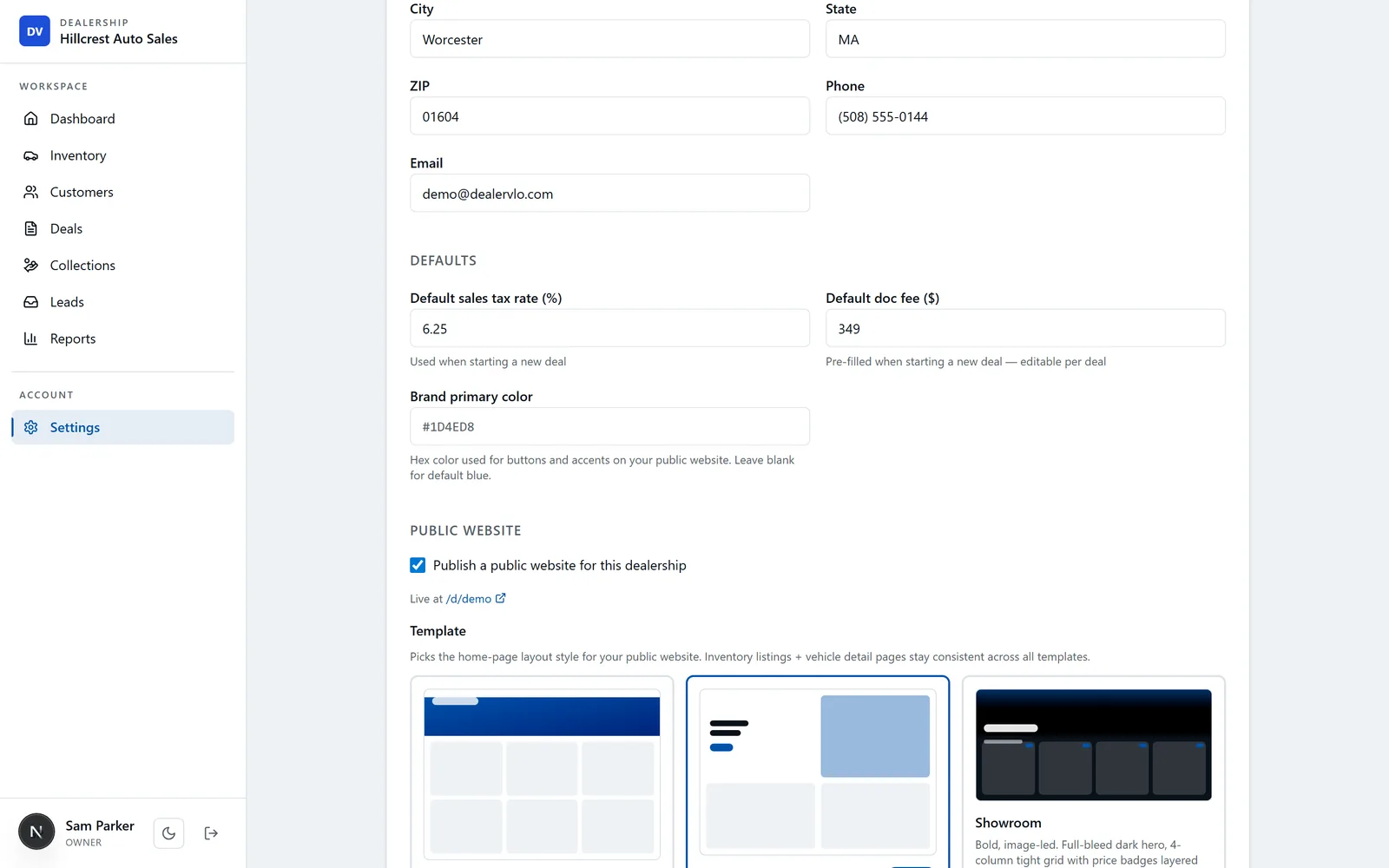
Turn your website on
Open Settings and click the Dealership & website card, then scroll to the Public Website section. Check “Publish a public website for this dealership.” A link appears showing exactly where your site is live (your DealerVLO address, e.g. /d/your-lot) so you can preview it any time.

Pick a template
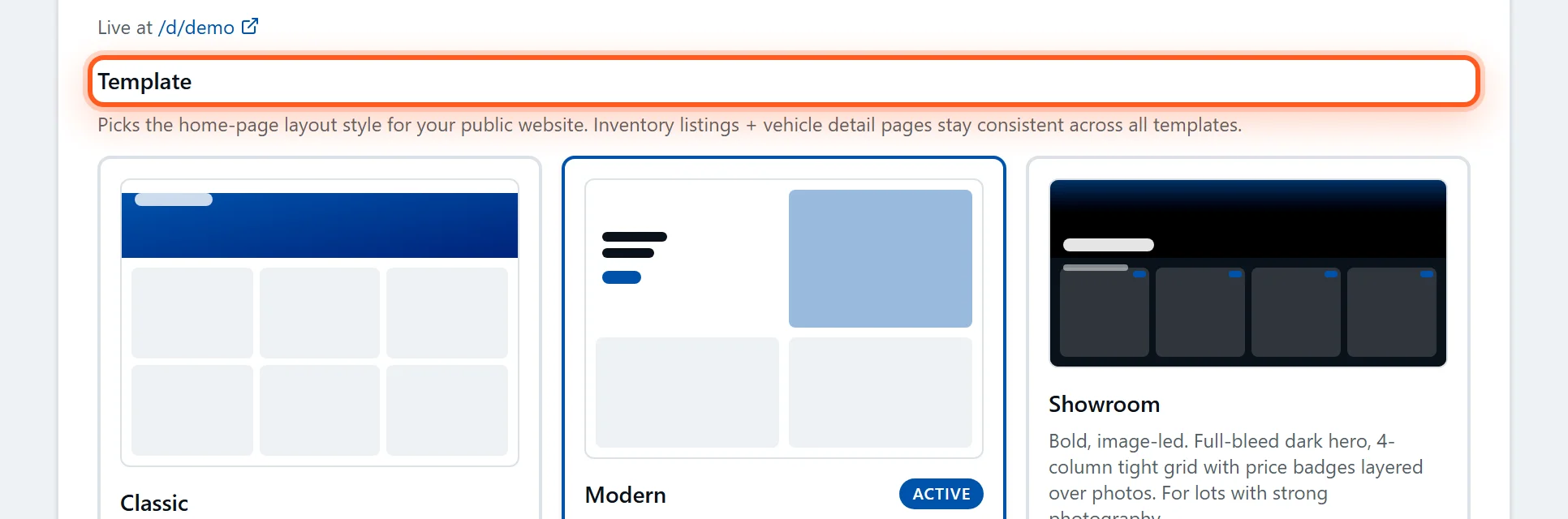
Choose the home-page layout that fits your lot — Classic, Modern, or Showroom. It only changes the look of your home page; your inventory listings and vehicle detail pages stay consistent across all three, so you can't pick wrong.
Add your branding and details
Upload your logo and a hero photo, and add your tagline, hours, and a short about blurb. The same dealership info you already entered — name, address, phone — flows onto the site, so there's little left to fill in.
- Logo and hero image save instantly when you upload them.
- Your address and phone are already used across the site and your paperwork.
Save — your inventory goes live
Click Save settings at the bottom. Your site is live immediately, and from here on every car you add (with its photos and price) publishes automatically — there's nothing separate to keep updated. Point your own domain at it whenever you're ready.

Frequently asked questions
Can I put my inventory on a website with DealerVLO?+
Yes — a public dealer website is included at the flat price, with no separate site fee. Turn it on under Settings → Dealership & website (the Public Website section), pick a template, and your active inventory publishes automatically with photos and pricing.
Can I use my own domain name?+
Yes. You can point your own custom domain at your DealerVLO website, or start on the DealerVLO address and switch later. If you need help with the DNS, email support@dealervlo.com and we'll walk you through it.
Does my inventory update on the website automatically?+
Yes. Your website reads from the same inventory you manage in DealerVLO, so every car you add, price you change, or vehicle you mark sold updates online automatically — there's nothing separate to maintain.
What's the difference between the templates?+
The template sets your home-page layout — Classic is a clean header with a grid, Modern is lighter with a feature area, and Showroom is a bold, image-led dark hero. Your inventory listings and vehicle detail pages look the same across all three, so it's purely a style choice you can change any time.