Switching DMS? How to Move Your CarGurus, Cars.com, Autotrader and Carfax Feeds Without Going Dark
A cutover plan for moving your listing feeds to a new DMS: find every sender, load cars and photos first, switch one site at a time, then stop the old feed.
Part of the Listings, photos & merchandising guide: Where to list your cars for leads — and how to be on every site at once
Switching from another DMS? Compare DealerVLO to DealerCenter, Frazer, or Lot Wizard, or see what DealerVLO's car dealer management software includes.
Switching DMS is mostly paperwork and habits, and you can run two systems side by side for a couple of weeks without hurting anything. Listings are different. Your cars are live on CarGurus, Cars.com, Autotrader and Carfax.com because some piece of software sends them a file every day, and the switch is the one moment that file can stop, or two of them can start fighting.
I run a used-car lot and built DealerVLO, and I've been on the provider side of this: when we connected DealerVLO to CarGurus as a feed provider, its team rejected our first test file because some descriptions had line breaks in them. We fixed it the same day, but it's a good reminder that the first file is a test, not a formality. Here's the cutover plan I'd use for any DMS, and what the four big sites do and don't publish about it, checked November 10, 2026.
The two ways it goes wrong
- Your listings go dark. The old feed stops (you cancelled, or the old vendor turned you off) before the new feed is accepted. Every car drops off for days, and if you're paying a listing site, you're paying for nothing.
- Your listings double up. Both feeds run. Shoppers see the same car twice, maybe at two prices, and the stale copy keeps getting calls after you sell it.
Both have the same fix: switch on the new feed first, check it, and only then stop the old one, one site at a time. If the word "feed" is new, here's what a vehicle inventory feed is.
Step 1: Find every feed sending your cars
Most dealers think their DMS sends their listings. Often something else does too. CarGurus' dealer FAQ (archived copy) lists the usual suspects when cars show up that a dealer didn't send: a dealer-group or OEM feed, inventory or website software "configured to automatically syndicate inventory," and "an old integration between CarGurus and your dealership" that's still running.
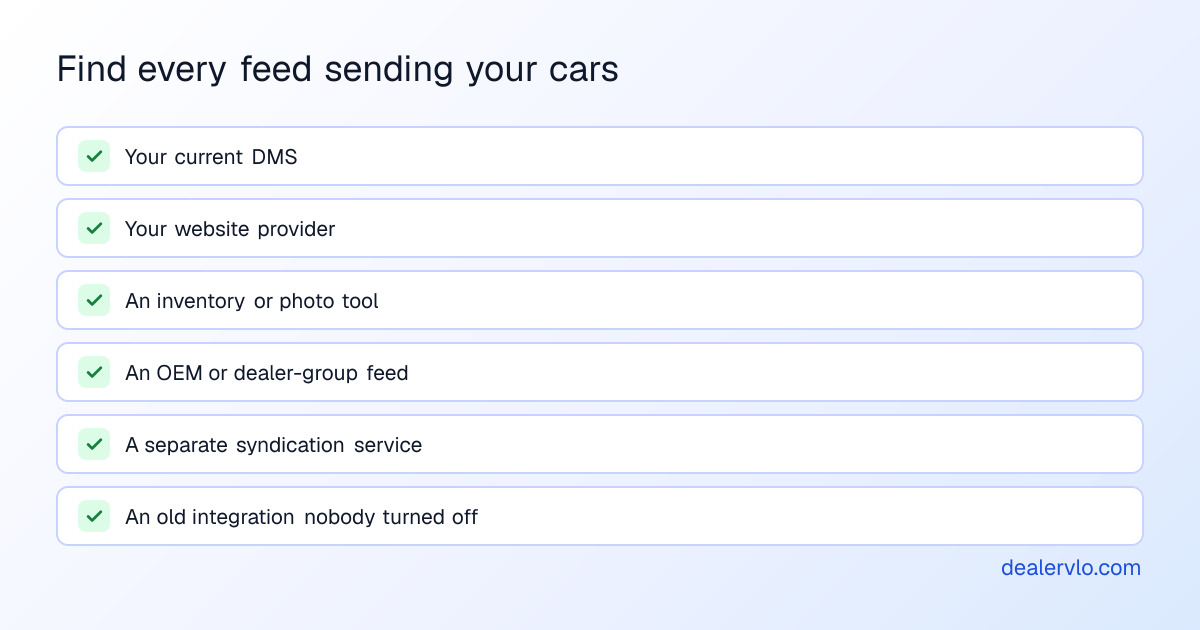
Make a simple table: each listing site down the side, who sends to it today, your dealer ID there, and the rep's name and number. If you don't know who sends to a site, ask the site. That table is the whole cutover plan.
Step 2: Load the cars, and the photos, before you touch a feed
The new feed can only send what's in the new system. Before it goes out, every car needs to be there, complete:
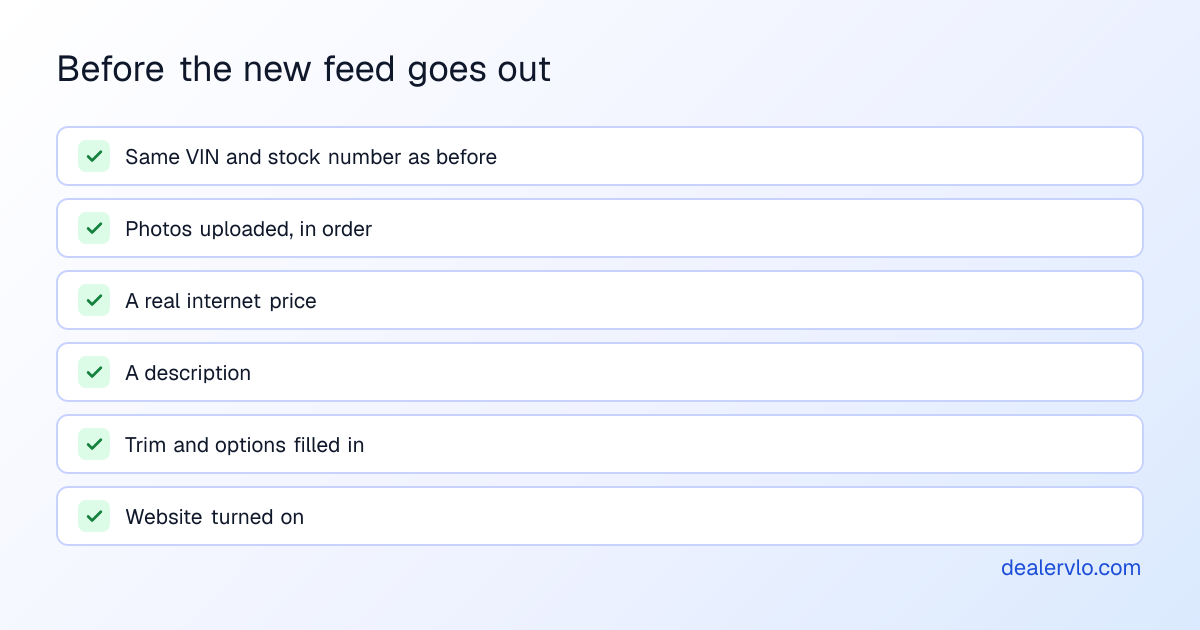
Keep the same stock numbers. None of the four sites publishes how it matches a car from a new feed to the listing it already has, so keep the VIN and stock number identical to give it the best chance. Photos are the trap. A car that arrives with no photos ranks lower; CarGurus says outright that listings missing photos appear lower in its search results. Many exports carry the car data but not the pictures, so budget time to re-upload them (which photos to shoot).
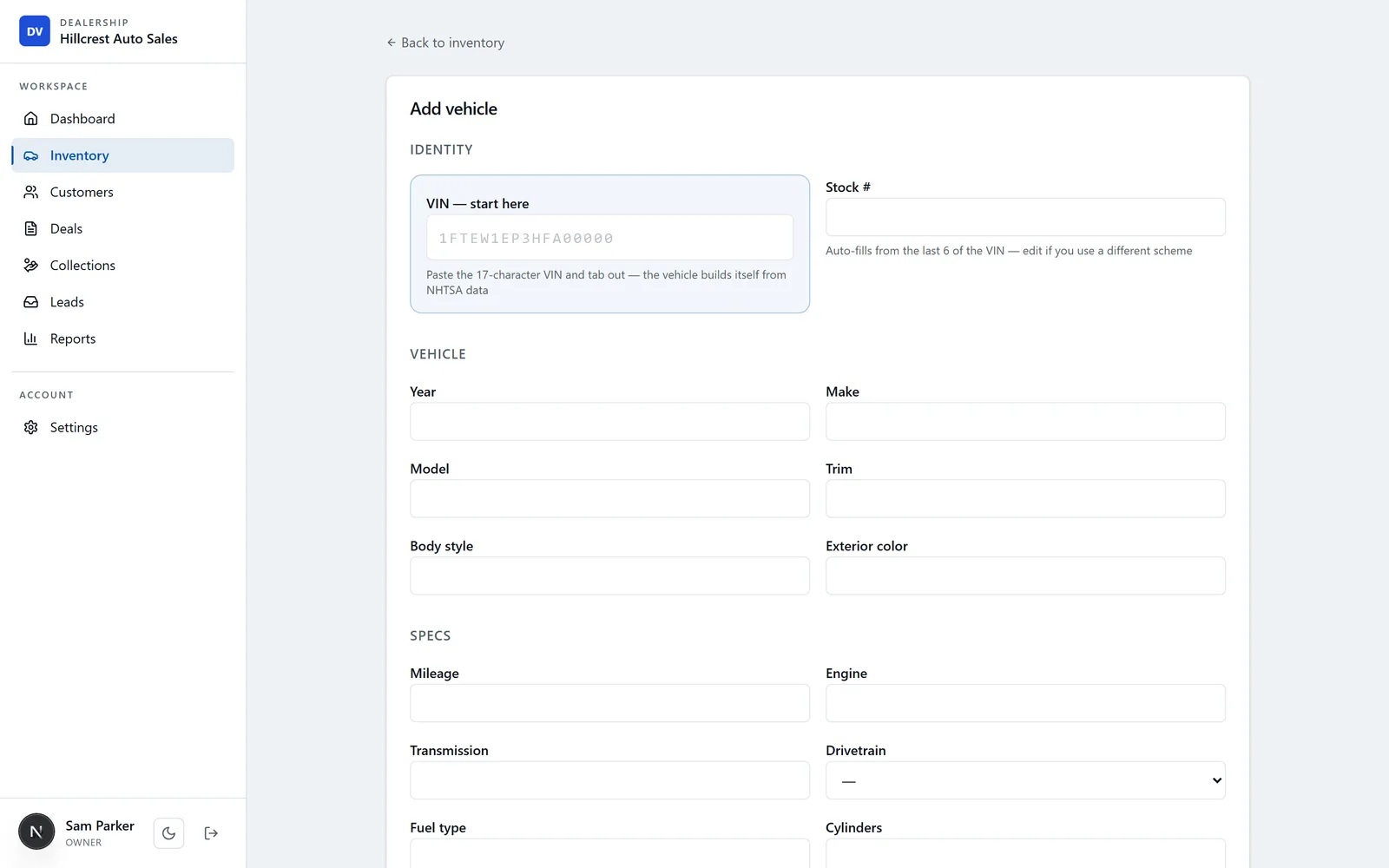
In DealerVLO, "Add many cars at once" on the Inventory page imports up to 1,000 cars from your old system's CSV, with stock number, specs, asking and internet price, cost and status. It doesn't import photos or decode VINs during the import, so add photos to each car after it's in, and make sure the export carries year, make, model and trim. Your old vendor's export is the step to start first, since it's the one you don't control; the data-exit costs vendors charge are in the total cost of switching dealer software.
Step 3: Turn on the new feed, one site at a time
Start with the site that matters least to you, so any surprises happen where they cost the least. For each site:
- Tell the site. Call or email your rep or dealer support with the new provider's name, your dealer ID and the date you're switching. None of the four publishes a self-serve switch process or a turnaround time.
- Turn the feed on in the new DMS. In DealerVLO, that's Settings → List my cars on other sites: tick each site. Cars.com and Autotrader need the Dealer ID they gave you and a rep who accepts the DealerVLO feed; CarGurus and Carfax.com need no ID. The feeds need your DealerVLO website on.
- Match the fee setting on CarGurus. If your new feed sends all-in prices, CarGurus requires the "Fees included in my inventory feed" toggle; otherwise disclose your fees in its Dealer Fee Setup. Get it wrong and used cars lose their deal ratings (how CarGurus rates price).
DealerVLO sends the feed once a day. Prices, new cars and sold cars reach the sites with the next daily file.
14-day free trial, then $29/mo · Cancel anytime
Step 4: Check every listing, then stop the old feed
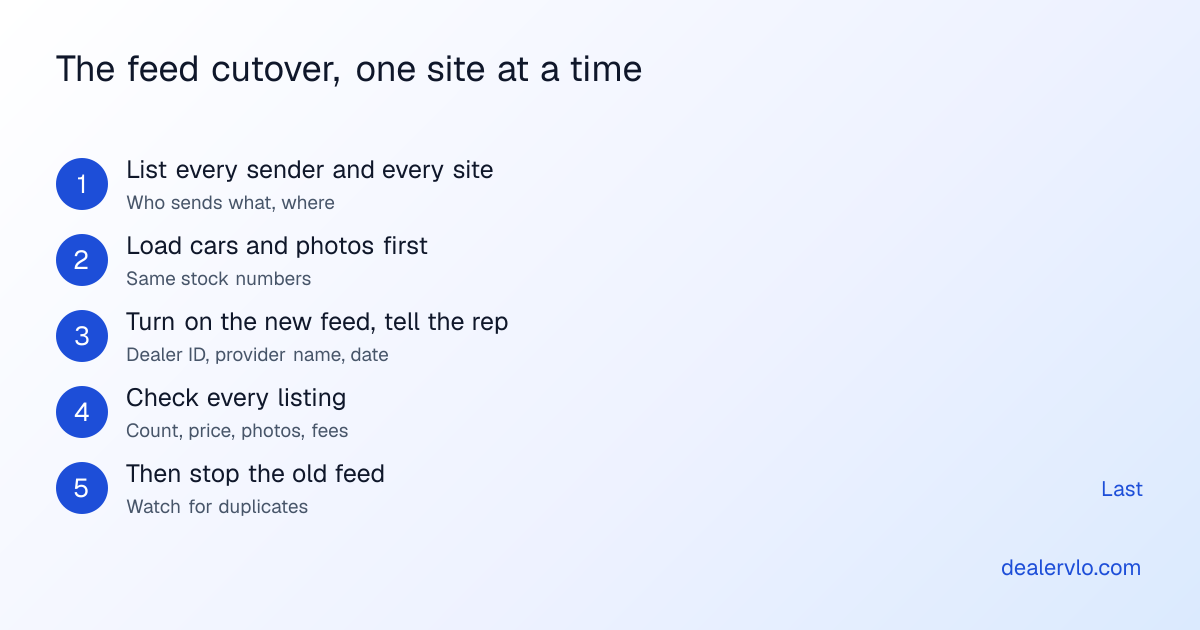
After the first new file lands, check the site, not your DMS:
- Count. Same number of cars as your lot?
- Price, photos, description on a handful of cars, including the newest one.
- Duplicates. Search your own stock: any car showing twice?
- Sold cars. Mark one sold in the new system and confirm it drops off after the next feed.
Only when a site checks out, ask it (and your old vendor) to stop the old feed. Then check again a day or two later; an old integration that kept sending its last snapshot is how duplicates come back. Autotrader's own advertising guidelines say a sold car must come out of the feed within 24 hours and that only one vehicle can be advertised per listing, so duplicates aren't just untidy.
Cars.com has one specific gotcha: locked fields. Its help center says manually editing a field locks it against feed updates, and Price Lock stops price updates. If you ever hand-edited listings in Cars.com's tools, your new feed won't change those fields until you open the vehicle and switch the lock toggle off.
What might reset, and what to ask first
What nobody publishes: whether a car's days-on-site counter, price history, saved-car alerts or deal rating carry over when the feed provider changes. CarGurus shows shoppers both days at the dealership and days on CarGurus, and price history, so it matters. Ask each rep before you switch:
- Will my existing listings match the new feed by VIN or stock number, or be replaced?
- Do days on site and price history carry over?
- How long until the new feed is live, and how do I stop the old one?
- Do I have any manual edits or locks that will block the new feed?
If cars are missing after the switch, the cause is usually the car record, not the feed: a missing price, no photos, or a car not marked available. Here's the checklist for cars that don't show on listing sites.
Getting your data out of the old system
Start the export early and get every file before your access ends: inventory with cost, customers, deals, and anything buy-here-pay-here. A few states regulate this; Arizona's dealer data law, for example, requires DMS vendor agreements to be terminable on 90 days' notice and the data to be handed over in a format the next vendor can use (A.R.S. 28-4654). Whatever your state, read your contract for the notice period before you set a switch date. If you're leaving a specific system, the DealerCenter switching guide walks the whole overlap.
14-day free trial, then $29/mo · Cancel anytime
Frequently asked questions
Will my listings go down when I switch DMS?
They don't have to. Listings go dark when the old feed stops before the new one is accepted, and they double up when both run at once. Load every car with photos into the new system first, turn on the new feed, confirm each site shows the cars, and only then have the old feed stopped.
Who do I contact to change my inventory feed provider?
Your account rep or dealer support at each listing site. None of CarGurus, Cars.com, Autotrader or Carfax publishes a self-serve switch process. Tell them the new provider's name, your dealer ID with them, and the date you want the old feed stopped.
Do I lose my days on lot or price history when I switch feeds?
None of the four sites publishes whether days-on-site counters, price history or saved-car alerts survive a provider change. Keeping the same VIN and stock number on every car gives them the best chance to match. Ask your rep before you switch.
Why aren't my Cars.com listings updating from the new feed?
Probably locked fields. Cars.com's help center says manually editing a field locks it against feed updates, and Price Lock stops price updates. Open the vehicle in Cars.com's inventory tool and switch the lock toggle off so the field updates from your feed again.
How long does it take to switch listing feeds?
Plan on days to a couple of weeks per site, not hours. None of the sites publishes a turnaround, the first file can be rejected for format problems, and you want a few days of overlap to check every listing before the old feed stops.
How does the feed work in DealerVLO?
DealerVLO sends a daily feed to CarGurus, Cars.com, Autotrader and Carfax.com, included in its $29 a month. You opt in under Settings → List my cars on other sites; Cars.com and Autotrader need the Dealer ID they give you, CarGurus and Carfax need none. The feeds need the DealerVLO website turned on.
Bottom line
Moving your listing feeds is a sequence, not a switch: find every sender, load the cars and photos into the new system with the same stock numbers, turn the new feed on one site at a time, check every listing, and only then stop the old feed. Do it in that order and shoppers never notice you changed anything.
DealerVLO sends one daily feed to CarGurus, Cars.com, Autotrader and Carfax.com from the same record that runs your website and your deals, for $29 a month flat. Start the 14-day free trial and load your cars before you touch the old feed.
Paste a VIN, the buyer, and the price — see the title & registration form filled in for 50 states, free, no signup.
Open the State Form Auto-Fill