Facebook Automotive Inventory Ads for Small Dealers: What They Are, What They Need, and When They Pay
Meta's automotive inventory ads for used-car dealers: where they show, the catalog and pixel they need, targeting limits, and how to judge cost per car sold.
Part of the Listings, photos & merchandising guide: Where to list your cars for leads — and how to be on every site at once
Switching from another DMS? Compare DealerVLO to DealerCenter, Frazer, or Lot Wizard, or see what DealerVLO's car dealer management software includes.
Once a dealer learns that Meta ended free dealer feeds to Marketplace, the next thing they hear about is automotive inventory ads: the "official" way to get the whole lot in front of Facebook shoppers without anyone posting cars from a personal profile. That's true. It's also a paid ad product with its own setup, targeting rules and budget, and most small lots go in without knowing what it needs.
This post covers what automotive inventory ads are, where they show, what Meta asks for before they run, the targeting limits that catch dealers who advertise financing, and how to tell whether they're paying for themselves. Everything about Meta's requirements here comes from Meta's own help pages, linked, as of November 2026. For the free side of Facebook, start with how to sell cars on Facebook Marketplace as a dealer.
14-day free trial, then $29/mo · Cancel anytime
What automotive inventory ads are
Meta describes automotive inventory ads as "a catalog-based solution for automotive businesses and dealerships." You give Meta a vehicle catalog, a feed of your cars with photos, prices, mileage and specs, and Meta turns it into ads for individual cars. It picks which car to show which person using the catalog, the Meta Pixel on your website, and how people engage on Meta.
The ads send shoppers one of two places: your website, or a vehicle details page on Facebook where they can message you on Messenger. That choice matters later, because it decides how much setup you need.
Nothing here runs through anyone's personal profile. That's the main difference from free Marketplace listings, and it's why inventory ads are the one automated, sanctioned way to keep your whole lot in front of Facebook shoppers.
Where they show (including Marketplace)
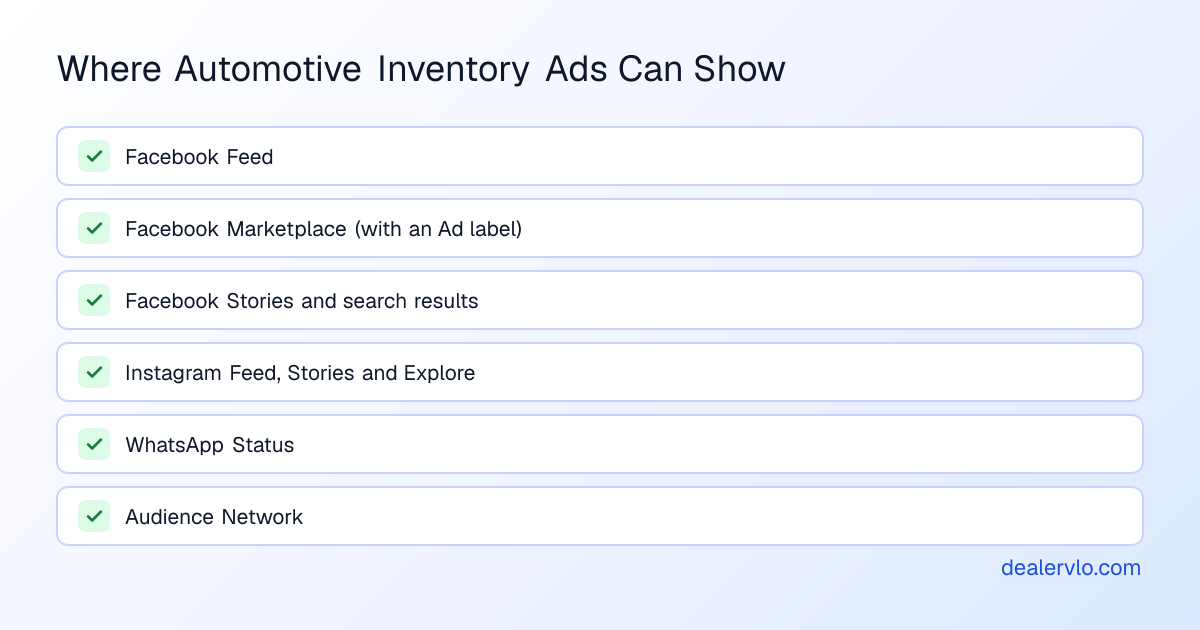
Meta's placement list for automotive inventory ads includes Facebook Feed, Facebook Marketplace, Stories, search results, Instagram Feed, Stories and Explore, WhatsApp Status, and Audience Network.
Two details on Marketplace from Meta's Marketplace ads page that dealers often get wrong:
- An ad isn't a listing. Meta says plainly that "listing an item for sale isn't the same as creating a paid ad." Your ads in Marketplace carry an "Ad" label; they're not free listings that got boosted.
- You can't buy Marketplace alone. Meta says "it's not currently possible for an ad to show only in Marketplace." Your budget gets spread across placements, so a lot that wants "Marketplace ads" is really buying Facebook and Instagram ads that sometimes show in Marketplace.
What you need before they run
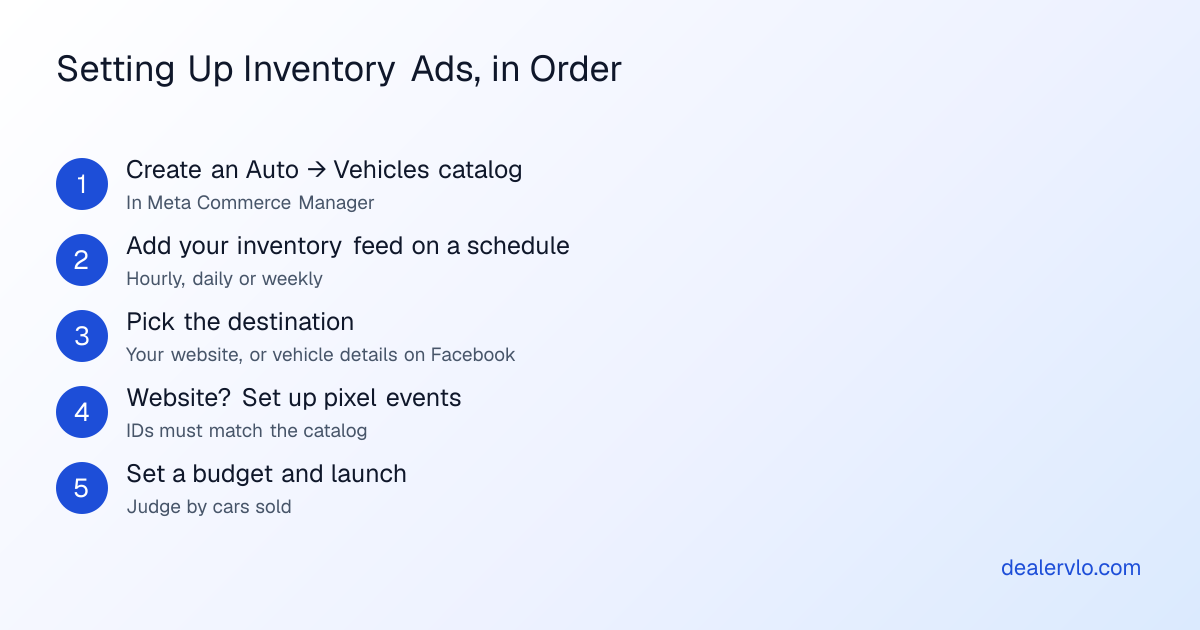
1. A vehicle catalog. In Meta Commerce Manager you create a catalog, choosing Auto as the type and then Vehicles. You fill it from a data feed, uploaded once or fetched on a schedule, hourly, daily or weekly. Meta's vehicle catalog reference lists the fields it expects for each car: an ID (a VIN works), title, description, link, make, model, year, mileage, photos, body style, price, exterior color and whether it's new or used.
That feed is the part that breaks for most small lots. Building it by hand means a spreadsheet you re-upload every time a price changes or a car sells, and a stale catalog means paying for ads on cars you don't have.
In DealerVLO, the catalog feed is generated from your inventory in Meta's vehicle format, with a URL under Settings → List my cars on other sites that you paste into Commerce Manager as a scheduled feed. Each available car goes in with its VIN, price (the same one your website and listing feeds use), mileage, specs, photos and link, and a car you mark sold drops out on Meta's next fetch.
2. A destination, and maybe the pixel. If the ads send shoppers to your website, Meta's setup asks for pixel events on that site: search, vehicle view, add to wishlist and lead. Meta says to "make sure the vehicle_id matches the content_id used in the pixel setup," so the pixel and the catalog agree on which car is which. If the ads send shoppers to vehicle details on Facebook, Meta says that pixel step can be skipped.
In DealerVLO, the website route is covered once you paste your Pixel ID under Settings → Public website. Your dealer website then sends the events Meta lists, each naming the car by its VIN, the same ID the catalog feed uses: a search when a shopper browses or filters your inventory, a vehicle view on each car page, a wishlist event the first time they tap to call or text you or work the payment estimator on a car, and a lead when they send a car's contact form. No name, email or phone number goes to Meta with any of them. The pixel doesn't load for visitors who decline analytics and never runs on your financing page. If you'd rather skip the pixel, ads that send shoppers to vehicle details on Facebook work from the catalog feed alone, and a Messenger conversation about a specific car is a perfectly good lead.
3. An ad account and a budget. The ads run in your own Meta ad account, billed by Meta. More on cost below.
The targeting rules that catch dealers who advertise financing
Since January 21, 2025, Meta has required the financial products and services special ad category for financial products and services campaigns in the US. It replaced the old credit category. In those campaigns:
- Targeting by age, gender and ZIP code is limited or unavailable, along with exclusion targeting, lookalike audiences and saved audiences.
- City and pin-drop targeting expands to a wider radius; Meta's developer documentation puts the US minimum at 15 miles.
- Meta says its catalog ads are subject to the same limits.
Meta's pages don't name used-car inventory ads specifically, and an ad showing a car and its price isn't obviously a financial product. But a buy-here-pay-here lot whose ads say "we finance everyone" or show a monthly payment is advertising credit. If that's your pitch, expect the category to apply and plan your targeting around a radius instead of a ZIP list. When in doubt, Ads Manager asks you to declare the category when you build the campaign.
What they cost, and how to tell if they're paying
There's no rate card. Meta says you decide how much you want to spend, and its ad auction sets what each impression costs. It doesn't publish a single minimum budget; it says minimums vary by country and objective, and Ads Manager warns you if yours is too low.
That makes the only honest test the one you use for every channel: cost per car sold. Set a budget you can afford to lose for 60 to 90 days, then divide what you spent by the cars those ads actually sold. Say you spend $600 a month and the ads sell two cars: that's $300 a car (illustrative numbers, not a benchmark). Compare it to the gross on those cars and to what your listing sites cost per sale. Our post on what dealership marketing costs per car sold sets up the comparison, and the free calculator does the math:
Turn your ad spend into a cost per car sold and a real ROI — and see how many units the spend has to produce just to break even.
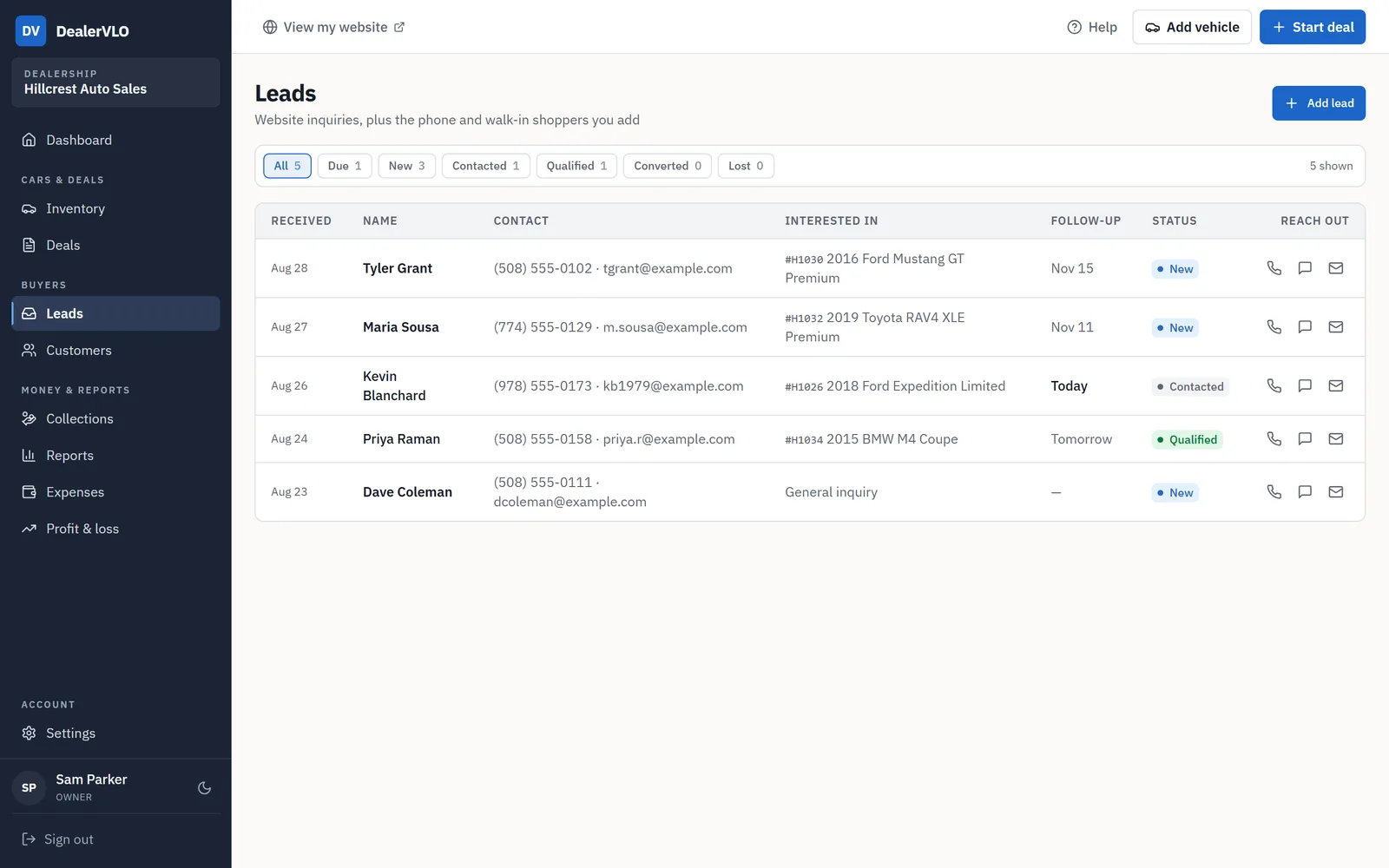
Open the Marketing ROI CalculatorThe hard part is counting the sales. Ads that send shoppers to Facebook start a Messenger conversation, not a form fill on your site, so nothing ties that shopper to the deal automatically. In DealerVLO, add each real conversation as a lead with Add lead and the source Facebook, and mark it Converted when the buyer buys. It takes a minute, and at month end it's the number you divide your ad spend by.
14-day free trial, then $29/mo · Cancel anytime
Inventory ads vs. free Marketplace listings
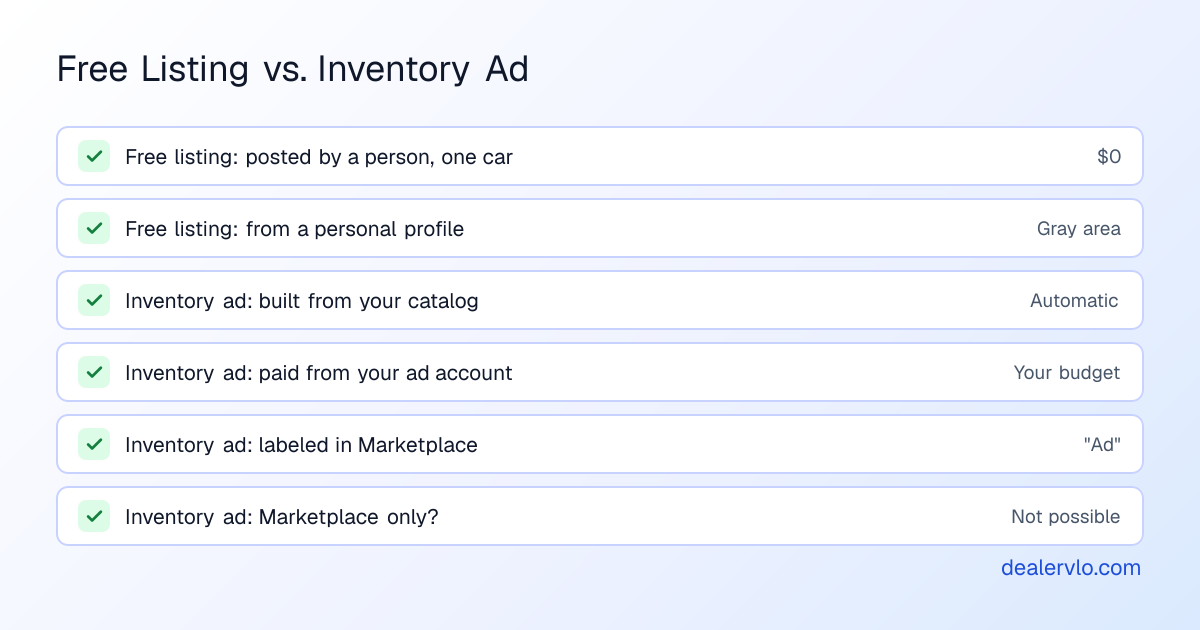
They aren't either-or. Most small lots that use Facebook well do both:
- Free listings cost nothing but time, run from a person's own profile one car at a time, and sit in Marketplace where local shoppers browse. Meta says Marketplace is intended for consumer-to-consumer sales, so a dealer posting from staff profiles is a gray area. Our posts on whether Marketplace is worth it and Marketplace posting tools cover that side.
- Inventory ads run automatically from your catalog, cover the whole lot, reach Facebook and Instagram beyond Marketplace, and don't depend on anyone's personal profile. They cost whatever budget you set.
A reasonable way to start: post your cars free, measure what that sells for a month or two, then add a small inventory ad budget and see whether cost per car sold holds up. If you already run Google vehicle ads, the same catalog-and-budget logic applies, and the same inventory record feeds both.
Where DealerVLO fits
DealerVLO handles the inventory side of inventory ads and leaves the ad buying to you:
- The catalog feed. Your inventory, in Meta's vehicle catalog format, at a URL you schedule in Commerce Manager. Price changes and sold cars flow through on Meta's next fetch, with no spreadsheet.
- Free listings too. Every car has a Post to marketplace kit, and with the free DealerVLO Chrome extension on a computer, a Post to Facebook button fills Facebook's vehicle form for that car. You answer condition and title and click Publish.
- The pixel events. With your Pixel ID added, your dealer website sends search, vehicle view, wishlist and lead events keyed to the same VINs as the catalog.
- Lead tracking. Facebook leads go into the same lead inbox as your website's, with source, follow-up dates and a Converted status.
- The rest of the lot's channels. Your included dealer website, and daily listing feeds to CarGurus, Cars.com, Autotrader and Carfax.com once you enroll with each site.
What it doesn't do: buy, set up or manage your Meta ads, send pixel events from your financing page or with shoppers' personal details, or post to Marketplace automatically. It's $29 a month, with no per-car or per-user fees.
Frequently asked questions
What are Facebook automotive inventory ads? They're Meta's catalog-based ads for car dealers. You give Meta a vehicle catalog, a feed of your inventory with photos, prices and specs, and Meta builds ads for individual cars and shows them across Facebook, Instagram and other Meta placements, including Marketplace. They send shoppers either to your website or to a vehicle detail page on Facebook, where they can message you.
Do automotive inventory ads show on Facebook Marketplace? Yes. Meta lists Facebook Marketplace among the placements for automotive inventory ads, with an "Ad" label that sets them apart from free listings. Meta also says an ad can't currently be set to show only in Marketplace, so your budget is spread across its placements.
How much do Facebook automotive inventory ads cost? There's no fixed price. You set a budget and Meta's ad auction decides what each impression costs. Meta doesn't publish a single minimum budget; it says minimums vary by country and objective and Ads Manager warns you if yours is too low. Judge the ads by cost per car sold, not cost per click.
Do I need the Meta Pixel for automotive inventory ads? Only if the ads send shoppers to your website. Meta's setup asks for pixel events (search, vehicle view, wishlist and lead) whose vehicle IDs match the catalog's. If the ads send shoppers to vehicle details on Facebook instead, Meta says you can skip the pixel step.
Can a used-car dealer target Facebook ads by age or ZIP code? Not in campaigns that fall under Meta's financial products and services special ad category, which has been required since January 21, 2025 for financial products and services ads in the US. In those campaigns age, gender and ZIP code targeting, lookalike audiences and several other options are limited or unavailable, and city targeting expands to a wider radius. If your ads promote financing, check which category applies when you set up the campaign.
Does DealerVLO run Facebook inventory ads for me? No. DealerVLO generates the Facebook vehicle catalog feed from your inventory, at a URL you add in Meta's Commerce Manager as a scheduled feed, so prices, photos and sold cars stay current. The ads themselves run in your own Meta ad account, on your budget.
Bottom line
Automotive inventory ads are the sanctioned, automated way to keep a whole lot in front of Facebook and Instagram shoppers, Marketplace included. They need a vehicle catalog that stays current, a destination (your site with matching pixel events, or vehicle details on Facebook), and a budget you judge by cars sold. Dealers who advertise financing should expect Meta's financial-services targeting limits.
DealerVLO keeps the catalog feed current from your inventory, fills Facebook's form for free listings one car at a time, and tracks which Facebook leads buy, for $29 a month. Start your 14-day free trial at /signup.
14-day free trial, then $29/mo · Cancel anytime