How to fill out the FTC Buyers Guide, field by field (Used Car Rule)
A dealer's field-by-field guide to the FTC Buyers Guide: the front and back, As-Is vs Warranty, where to display it, and giving the buyer a copy.
Every used car on your lot is supposed to be wearing one before a single buyer walks up: the FTC Buyers Guide, the window sticker required by the federal Used Car Rule (16 CFR Part 455). It's one of the few pieces of paperwork that has to exist before there's a deal — and it's a common thing a new dealer gets wrong or skips, which is exactly the kind of miss the FTC enforces.
The good news is it's a fill-in-the-blanks form once you know what each field wants. Here's the whole thing, front and back, field by field — what to write, which warranty box to check, where to stick it, and the one rule about giving the buyer a copy that trips people up. (This is operational guidance, not legal advice — confirm the current requirements with the FTC's Used Car Rule and your own attorney.)
Do you even have to use one? (Almost certainly yes.)
If you sell six or more used vehicles in a 12-month period, you're a "dealer" under the Rule and every used car you offer needs a completed Buyers Guide displayed on it — in plain view, both sides readable. It's federal, so it applies in all fifty states (a few states pile on stricter versions). "We don't really do stickers" isn't a defense; a missing or wrong Guide is the most avoidable compliance ding there is.
The front of the Guide
The front is the part the shopper reads first, and it's short:
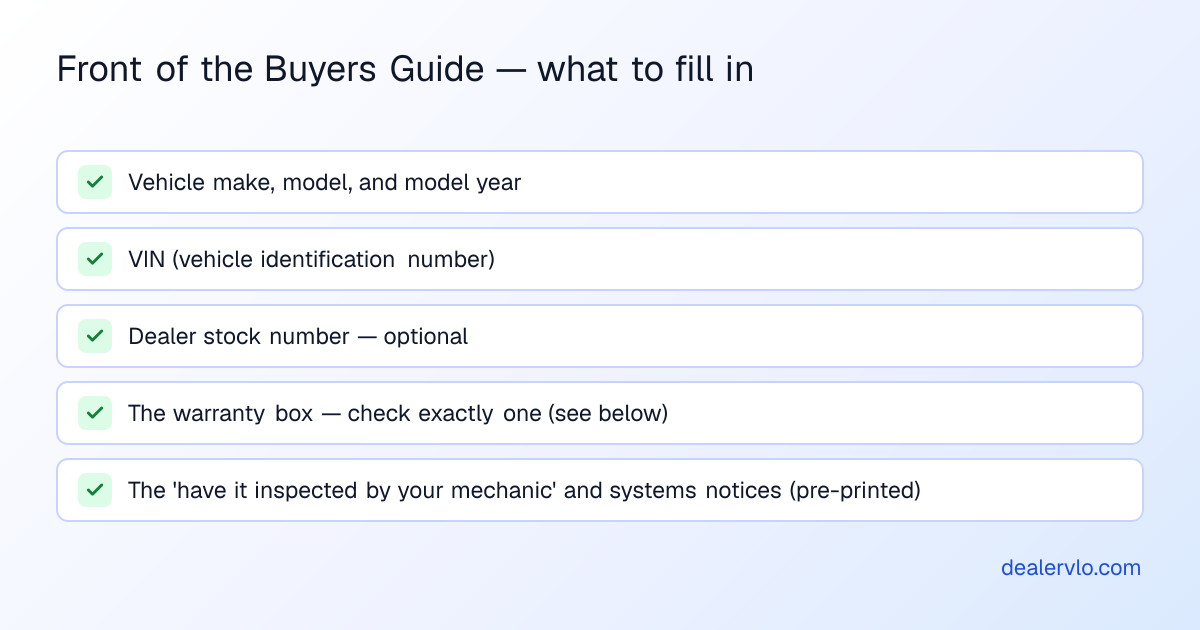
The vehicle line (make, model, model year) and the VIN are the identity of the car — get the VIN right, because it's what ties the Guide to that specific unit. The dealer stock number is optional but worth adding so your Guide matches your inventory. Everything else on the front — "Spoken promises are difficult to enforce," the "ask to have it inspected by your mechanic" line, the list of major systems — is pre-printed language you don't write; you just don't remove it.
If you keep your inventory in a system that already has the VIN and decoded year/make/model, those fields should populate themselves — in DealerVLO the Buyers Guide pulls the vehicle and your dealership details straight from the car, so the only real decision left is the warranty box.
Structure an in-house note — payment, total interest, and what it collects per month — for any weekly, bi-weekly, or monthly term.
Open the BHPH Payment CalculatorThe warranty box — the field that actually matters
This is the one you have to get right on every car, because it's a legal statement about how you're selling it. You check exactly one:
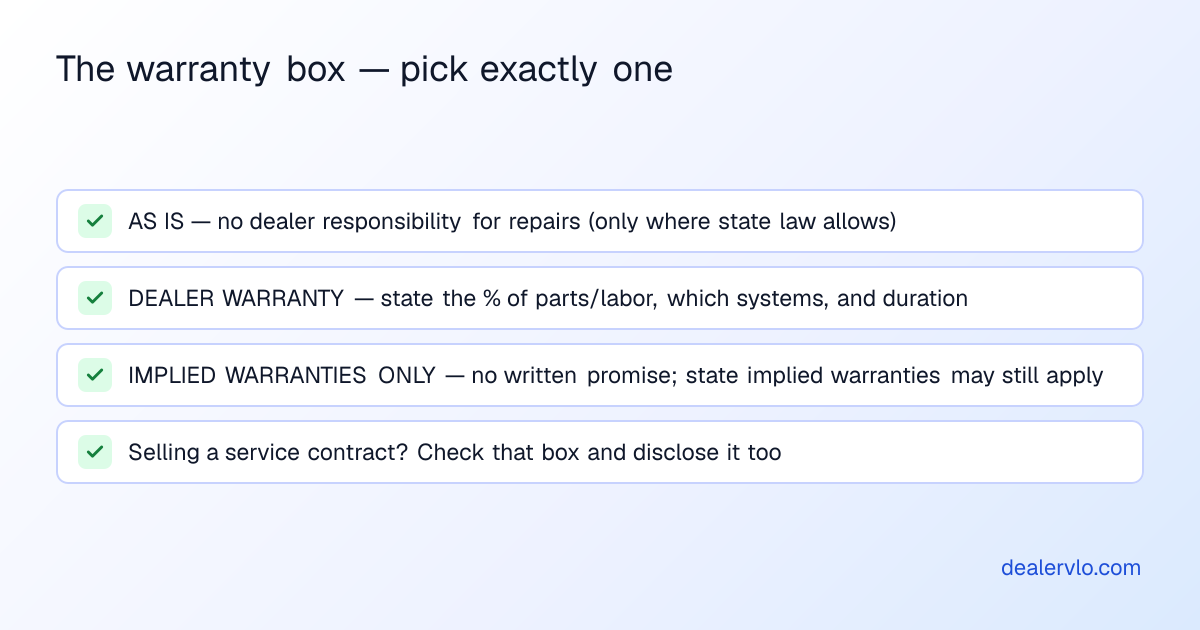
"As Is — No Dealer Warranty" means you take no responsibility for repairs after the sale. It's the common used-lot default — but only where your state allows an as-is sale. A handful of states don't permit it, and in those you'll use "Implied Warranties Only" instead, so confirm which box your state lets you check before you print a stack of them.
"Dealer Warranty" means you're making a written promise, and the Guide has to spell out the terms: what percent of parts and labor you'll cover, which systems, and for how long. Vague warranty language on the Guide is worse than none — it becomes the thing you're held to.
"Implied Warranties Only" means you make no written promises, but your state's implied warranties may still give the buyer rights on serious problems that weren't apparent at sale.
Whatever you choose, if you're offering a service contract, check that box too and be ready to disclose coverage, deductible, price, and exclusions.
The back, and where to hang it
The back of the Guide carries your dealership name and address, the name or position and phone number of whoever handles complaints, and the pre-printed list of major defects to look for. Fill your contact info once and it's the same on every car.
Then display it right — this is where the easy points get lost:
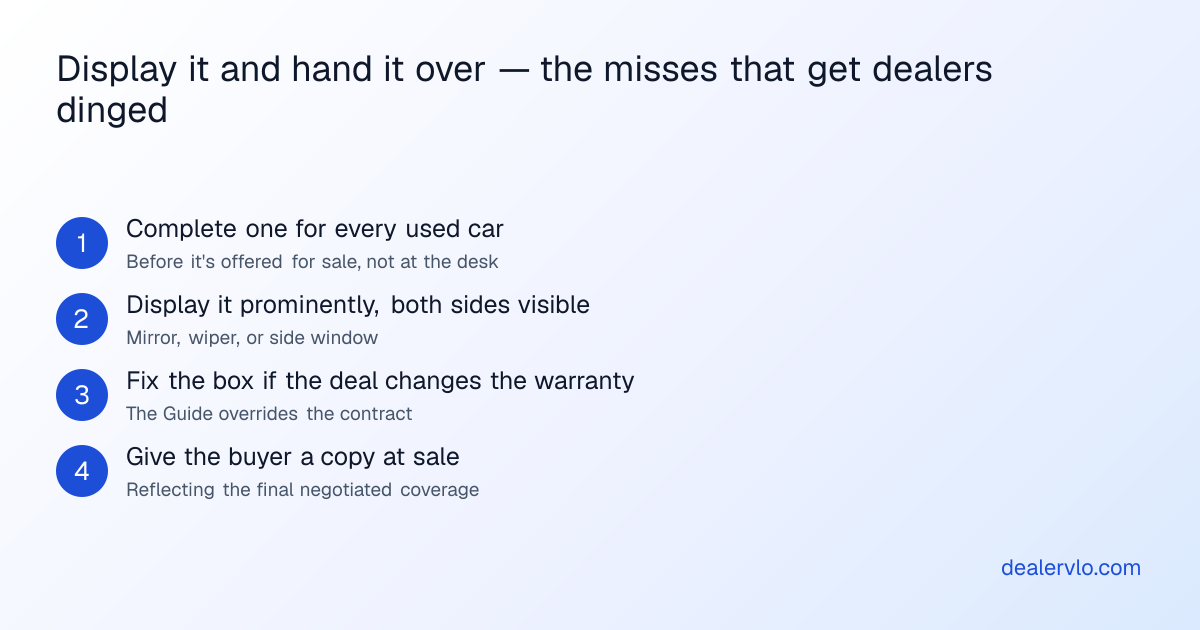
The Guide has to be prominent and conspicuous, with both sides visible — hung from the rear-view mirror, on a side mirror, under a wiper, or on a side window. Not in a binder at the desk, not in the glovebox.
The rule people miss: the Guide beats the contract
Here's the one that costs dealers: you must give the buyer the Guide (or a copy) at sale, and its warranty terms override the sales contract if they conflict. So if a car is stickered "As Is" but you negotiated a 30-day warranty at the desk, the Guide has to be corrected to show that warranty before the buyer signs — otherwise the outdated "As Is" Guide is what governs, and you've either lost the protection you meant to keep or created a contradiction a buyer's attorney will happily point out. Keep the Guide and the deal in sync, and hand over a copy that matches the final terms.
This is the same reason it helps to generate the Guide from the same record as the rest of the deal. DealerVLO produces the Buyers Guide from the car and the deal — VIN, year/make/model, your dealership info, and the warranty selection all pre-filled — the same way it fills your state title and registration forms from the deal, so the sticker and the paperwork tell the same story. For the official window copy, remember the FTC has strict formatting (minimum font sizes, and a Spanish-language version if you conduct the sale in Spanish), so print the official fillable PDF from ftc.gov or use pre-printed stock for the display sticker itself.
Frequently asked questions
Do used car dealers have to display a Buyers Guide?
Yes — the FTC Used Car Rule requires a completed Guide displayed prominently, both sides visible, on nearly every used car offered for sale, before a buyer exists. It applies to any dealer selling six or more used cars in 12 months, in every state.
What goes on the Buyers Guide?
Front: vehicle make/model/year, VIN, optional stock number, and the warranty box. Back: your dealership name and address, a complaint contact and phone, and the major-defects list.
As Is vs Implied Warranties Only?
As Is = no dealer responsibility for post-sale repairs (only where state law allows). Implied Warranties Only = no written promises, but state implied warranties may still apply. A few states ban As-Is sales — confirm yours.
Do I give the buyer a copy?
Yes, at sale, matching the final negotiated warranty — and the Guide overrides the contract if they conflict, so keep them in sync.
Can software fill it out?
DealerVLO pre-fills the vehicle, dealer, and warranty fields from the deal; for the official display sticker, use the FTC's fillable PDF where strict formatting or a Spanish version applies.
Bottom line
The Buyers Guide is easy points: a fill-in-the-blanks federal form that just has to be complete, accurate to how you're selling the car, displayed with both sides visible, and handed to the buyer in sync with the final deal. Get the VIN right, check the correct warranty box for your state, keep the Guide and the contract consistent, and it's a non-issue.
The tedious part is doing it per car, every car, without a VIN typo — which is the part DealerVLO takes off your hands: it generates the Buyers Guide pre-filled from the vehicle and the deal alongside the rest of your federal and 50-state paperwork, for $29/month flat, unlimited users, with a free 14-day trial that a card starts, no charge until day 14. One record, the sticker and the deal jacket in agreement, no hand-copied VINs.