Car Photo Background Removal for Dealers: Tools, Cost, and What's Safe to Change
Car photo background removal for dealers: the four ways to get it done, what a clean cutout gets right, how pricing works, and the edits that cross the line.
Part of the Listings, photos & merchandising guide: Where to list your cars for leads — and how to be on every site at once
Search for car photo background removal and page one is all vendors, each one telling you theirs is the best. Background removal itself isn't hard anymore. Software that lifts a car off a messy lot and drops it on a clean backdrop is everywhere, and much of it is good. The decisions that actually matter for a dealer are different: where the tool sits in your listing routine, whether the cutout holds up on the hard parts like wheels and glass, and which edits turn a clean photo into a misleading one.
I sell used cars off a small lot in Tewksbury, and I built DealerVLO to run it, including a background enhance on inventory photos. This is the buyer's guide I wanted: the four ways dealers get it done, how each is priced, what to check before you publish, and the line you don't cross. Why photos matter at all is in listing photos that sell; this one is about the tool and the edit.
14-day free trial, then $29/mo · Cancel anytime
What car photo background removal actually does (and doesn't)
The process has two steps. First the software finds the car and cuts it out, leaving everything else transparent. Then it puts that cutout on something new: plain white, a dark gradient, or a "virtual studio" with a floor, a shadow, and sometimes a reflection, so the car looks like it was shot in a photo booth.
What it does well: it hides the dumpster, the neighbor's fence, the cars parked behind yours, and the gravel. It makes a lot shot at noon and a lot shot at 4 p.m. look like the same operation.
What it doesn't do: fix the car, or fix the photo. It won't rescue a blurry shot or bad framing, and if one car was shot from the front corner and the next straight on, a matching backdrop just makes the difference more obvious. The shooting routine still matters; that's covered in how to photograph used cars.
In DealerVLO, background removal sits right in the photo manager on each car: pick a photo, choose White, Dark, or Showroom, and DealerVLO makes a new copy with the car on that backdrop. Your original photo stays where it was.
The four ways dealers get background removal done
Every option below can produce a clean photo. They differ in how much of your time they take and how the cost scales.
1. A standalone app or website. You upload photos, it returns cutouts, you download them and upload them again wherever you list. Many have a free tier, often limited to lower resolution or a watermark, and recent phones can lift a subject out of a photo on their own. Good for a few cars a month. The cost is the extra round trip on every photo of every car, and that adds up when you list weekly.
2. Built into your inventory system. The enhance happens where your photos already live, and the result goes out to your website and listing feeds without another download. Fewest steps. The tradeoff is fewer knobs: you get the backdrops the system offers, not a full editor.
3. Photoshop or another manual editor. Total control, and a skilled person can beat any automatic tool on a hard photo. It's also slow, and at a small lot the skilled person is usually you, at 9 p.m.
4. A photographer, a booth, or an editing service. Consistent results and no learning curve, at the highest cost per car, and cars wait on their schedule.
I'm not quoting vendor prices here, because plans change often. Here's how the pricing models work, so you can compare them on your own volume:
- Per-image credits. You pay for each photo processed. Cheap at low volume, and it climbs fast if you edit every angle on every car.
- Monthly subscription. A flat fee, usually with an image allowance. Read what happens when you go over.
- Per rooftop. One price per store, often bundled with other services. Read the contract length.
- Per car or per visit. How photographers and booth services usually charge.
Run it on your volume: cars a month times the photos per car you actually clean up. Often that's the lead shot and a few exterior angles, not all 30. If you're still working out how many photos to shoot, see how many photos a used-car listing needs.
This is the comparison where DealerVLO's answer is simplest. The enhance is part of the flat $29 a month, with no per-photo charge, and there's a generous daily limit per dealership, sized for a small lot's normal listing pace.
The parts that give a bad cutout away
Every tool looks good on a clean white SUV shot from the front corner. The differences show up on the hard parts, and buyers notice them even when they can't say what's wrong.
- Wheels. Open spokes are the hardest part. A weak cutout leaves a smear of the old background in the gaps, or erases part of a spoke.
- Glass. Look through the windows: you should see the new backdrop or the interior, not your lot.
- Thin parts. Mirrors, antennas, roof racks, and wipers get clipped.
- Shadow. A car with no shadow under the tires looks pasted on and floating.
- Edges. Look for a light halo along the roofline and bumpers.
- The set. One car on white, the next on gray, the next raw from the lot. Consistency is what reads as professional.
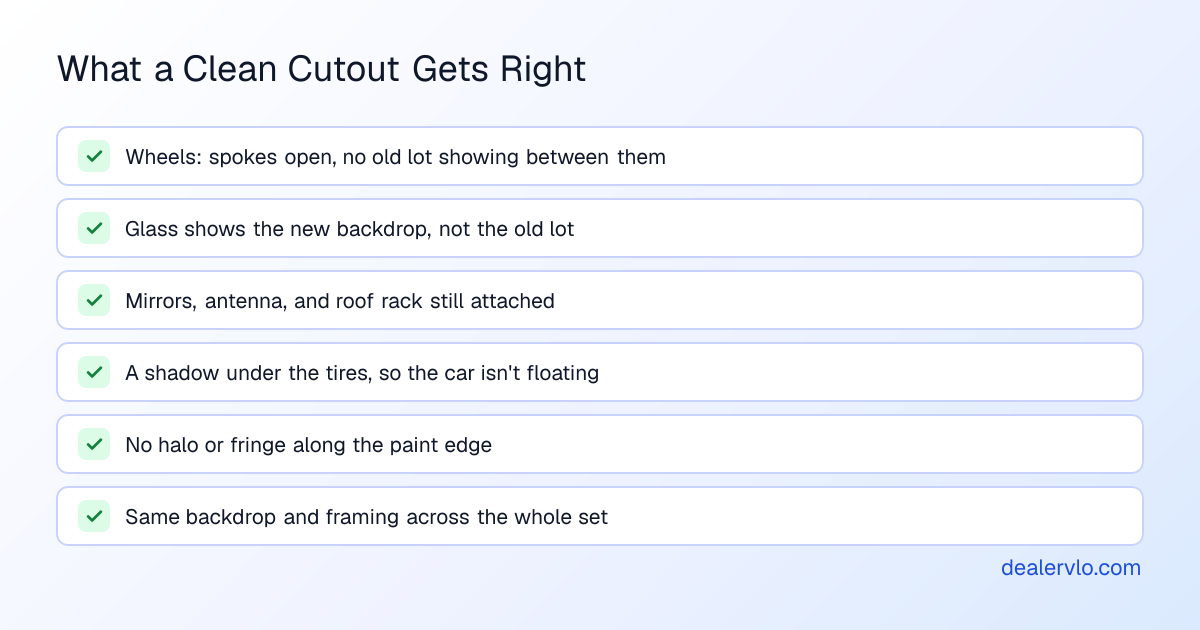
Before you trust any tool, run it on your hardest car (dark paint, open wheels, a roof rack) and zoom to full size on a computer. A cutout that only looks fine as a thumbnail will look bad in a full-screen gallery.
In DealerVLO, the enhanced copy comes back with a soft contact shadow and a floor reflection under the car, so it sits on the backdrop instead of floating. Check it the same way you would any tool's output. If one comes out wrong, delete that copy and keep using the original.
The line you can't cross: change the background, never the car
Changing the background is presentation. Changing the car is misrepresentation. That's the whole rule.
The FTC's basic advertising guidance says claims in advertisements must be truthful, and its Policy Statement on Deception explains that Section 5 of the FTC Act makes deceptive acts or practices unlawful. Under that statement, deception means something likely to mislead a reasonable consumer about something material, meaning it would likely affect their choice. A photo is part of the ad. A white backdrop doesn't mislead anyone about the car. A painted-out dent, wheels the car doesn't have, or a color it isn't are exactly what changes a buyer's decision. I'm not a lawyer, and your state may have its own rules, but the line isn't hard to see.
This matters more now than a few years ago. Generative AI editors, including ChatGPT and the "magic edit" features in photo apps, can change a background from a typed request, but they work by generating new pixels. Depending on the tool and the prompt, the car can come back subtly different: smoother paint, a cleaner bumper, a different wheel design. Nobody has to intend it. You find out when a buyer drives an hour and finds the scratch your listing didn't show, and now everything else in your listing looks suspect.
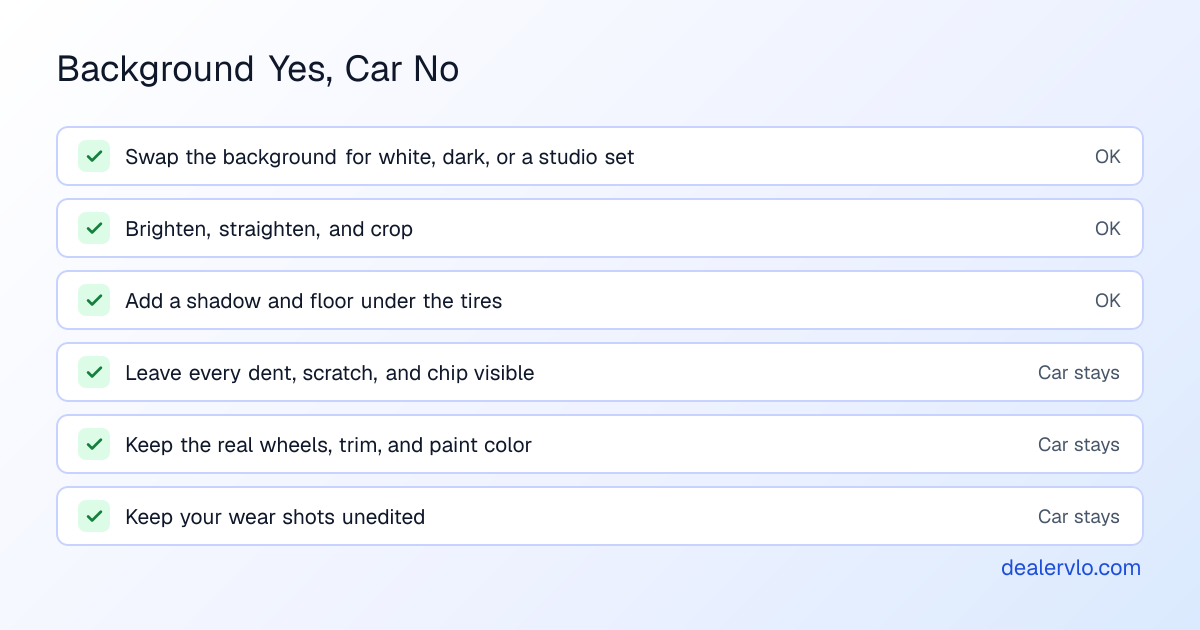
If you use a generative editor at all, compare the result to the original detail by detail before it goes live. The safer habit is a cutout tool that lifts the car out and doesn't redraw it.
That's how DealerVLO's enhance is built. It cuts the car out and puts it on the backdrop without regenerating the car's pixels. The only change that touches the whole picture is a light brightness and color adjustment, the same kind you'd make in any photo app. It can't remove a dent, swap a wheel, or repaint a panel, so the honest line is in the tool, not left to whoever is editing that day.
Where DealerVLO fits
Here's the whole workflow end to end, including the parts DealerVLO doesn't do.
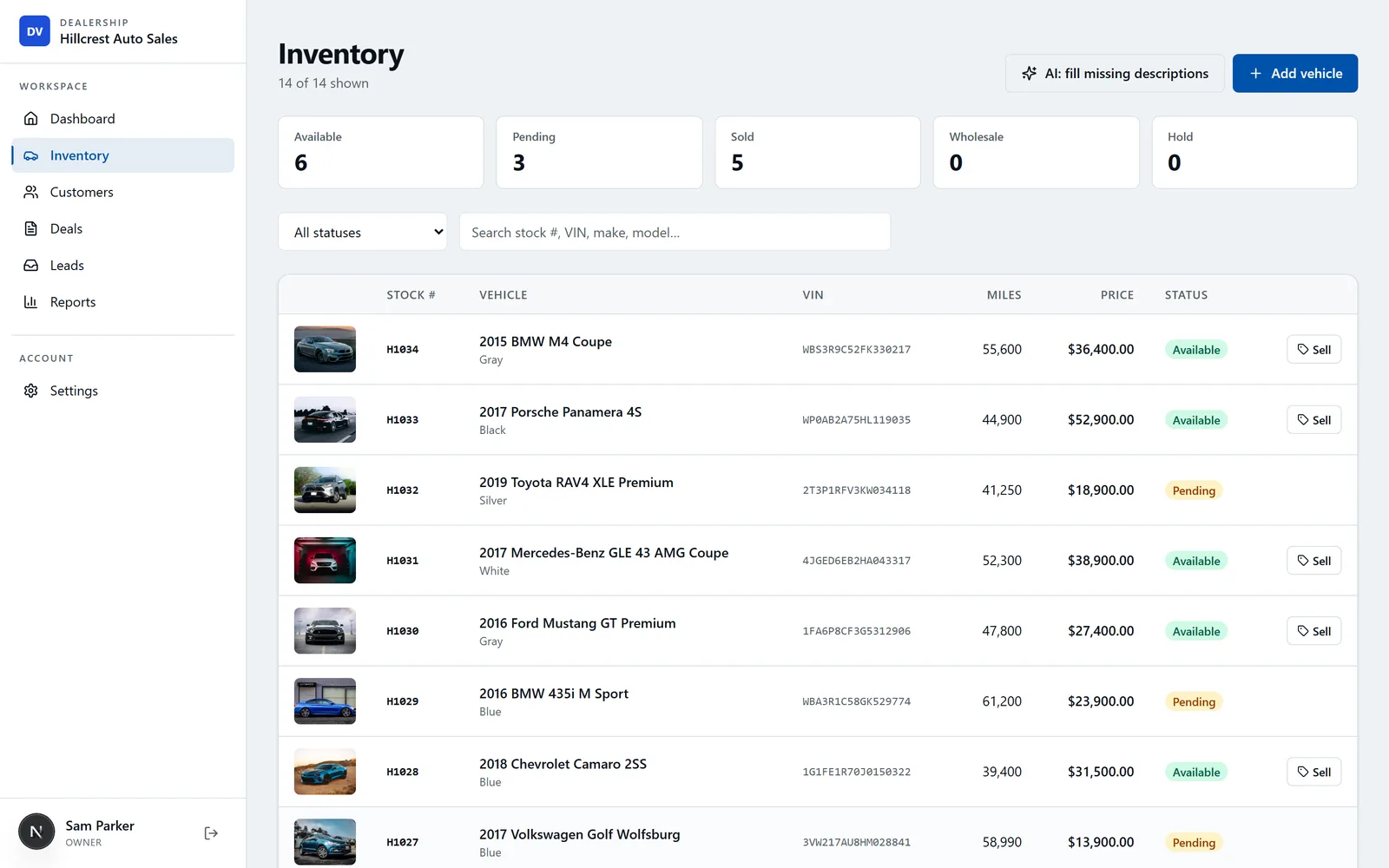
You shoot the car on your phone, the way you already do. You upload the photos to the car in DealerVLO's inventory. On any photo, you can run the AI enhance and pick White, Dark, or Showroom. DealerVLO saves the result as a new photo next to the original and marks it as enhanced. You choose which photo is the primary, and the primary leads the car's photos on your dealer website.
From there the photos go where the car goes. Inventory posts to the included dealer website automatically. Once you enroll with CarGurus, Cars.com, and Autotrader, your listings and photos go out in those feeds (you still pay those sites' own fees). For Facebook Marketplace, where free listings are posted by hand, each car has a "Post to marketplace" kit that bundles all its photos into one download with each field ready to copy. More on that in Facebook Marketplace for car dealers and which listing sites are worth it.
What DealerVLO doesn't do: it doesn't shoot photos for you, it doesn't retouch damage (by design), and it doesn't make 360-degree spins. For a spin, use a separate vendor. If you hire a photographer, upload their photos to the car the same way. And the enhance is optional; honest, well-shot lot photos are fine too.
14-day free trial, then $29/mo · Cancel anytime
How to roll background removal out on your lot
Tools are the easy part. The routine is what makes your inventory page look like one operation.
Pick one backdrop and stick to it. Decide once. Switching every few weeks undoes the consistency.
Shoot for the cutout. Same spot, some space around the car, the whole car in frame including the tires. A cutout can't invent a bumper you cropped off.
Enhance the exterior shots, not everything. The lead photo and main exterior angles benefit most. Interior, odometer, tires, and close-ups of wear stay as shot. Those are the photos that build trust.
Check before you publish. Thirty seconds at full size: wheels, glass, mirrors, shadow. If a cutout is off, use the original for that angle.
Set the lead photo. The clean exterior leads and the honest detail shots follow. Then write the listing to match; writing used-car listing descriptions covers that.
Keep every original. It's your record of what the car looked like.
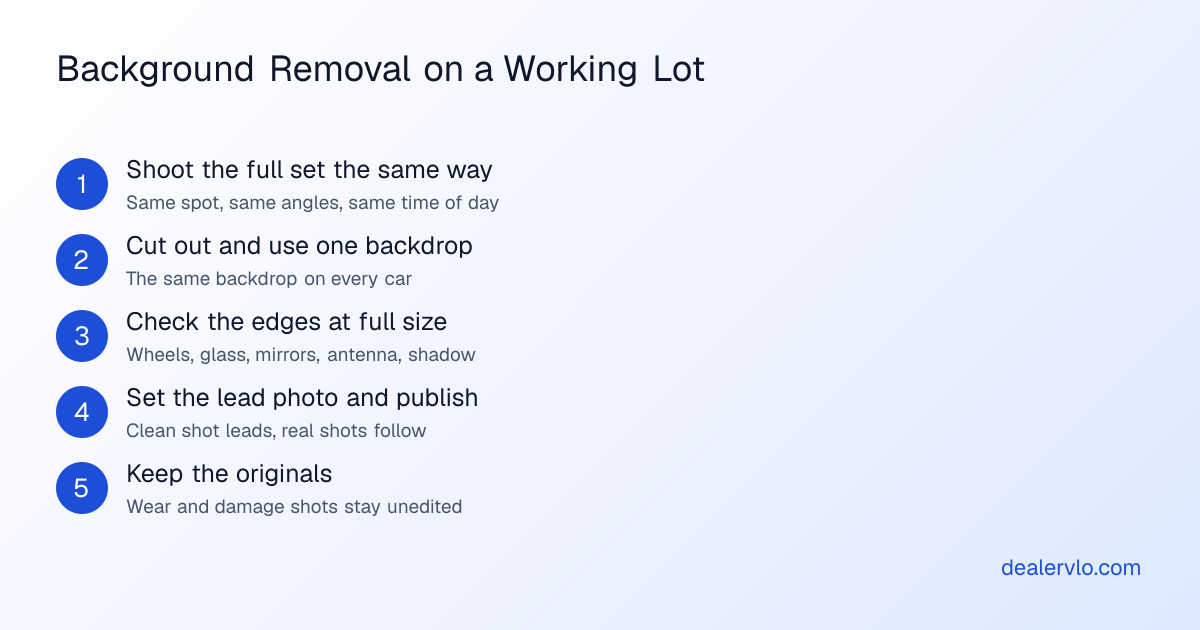
In DealerVLO the last two steps happen on their own. The enhanced copy never replaces the original, so the originals are always kept, and setting the primary is one click on the photo you want to lead. Drag the rest into the order you want them seen.
Frequently asked questions
What is the best photo software for car dealerships?
The one that sits where you already list cars. Compare cutout quality on wheels and glass, consistency across the set, and how many extra steps it adds. A standalone app is fine for a few cars a month; if you list every week, a tool built into your inventory system saves the most time.
How much does car photo background removal cost?
It depends on the pricing model: per-image credits, a monthly subscription with an image allowance, a per-rooftop plan, or a photographer paid per car or per visit. Plans change often, so check each vendor's own pricing page and run it against your real volume. In DealerVLO, background enhance is part of the flat $29 a month with no per-photo charge.
Which AI can replace the background of a car photo?
Two kinds. Cutout tools find the car, lift it out, and put it on a new background without redrawing it. Generative editors repaint the image from a prompt. Both can replace a background. For a car you're selling, the cutout kind is the safer choice because the car in the result is the car you photographed.
Can ChatGPT change the background of a photo?
Yes. ChatGPT and other generative editors can change a background from an uploaded photo and a typed request. But they generate new pixels, so the car can come back subtly different: a badge, a wheel design, a missing scratch. Compare every detail to the real car, or use a cutout tool that doesn't redraw it.
Is it legal to change the background of car listing photos?
I'm not a lawyer, but the FTC's test is whether an ad is likely to mislead a reasonable buyer about something that matters to their decision. A clean background doesn't. Removing a dent, swapping wheels, or changing the paint color does. Change the setting, never the car.
How do you edit car photos professionally?
Shoot every car the same way, cut it out onto one backdrop, and check the edges at full size, especially wheels, glass, and the shadow. Lead with the clean exterior shot, keep the real interior and wear shots behind it, and keep your originals.
Should car photos have a white or dark background?
Either works. Pick one and use it on every car. White reads clean and suits most lots; dark can make light-colored cars stand out. What hurts is mixing them, or mixing studio and raw lot shots in the lead position.
Bottom line
Car photo background removal is cheap and easy now. The choices that matter are where it sits in your routine, whether the cutout holds up on wheels and glass, and whether you stay on the right side of one rule: change the background, never the car. Pick one backdrop, enhance the exterior shots, keep the wear shots real, and keep your originals.
If you want that built into the system where your cars already live, with no per-photo bill, DealerVLO puts each car on a White, Dark, or Showroom backdrop without changing the car, keeps the original, and sends the photos to your website and listing feeds. Try it on your next car.
14-day free trial, then $29/mo · Cancel anytime
Before you authorize the work: see whether a repair earns back its cost plus the holding days it adds.
Open the Recon ROI Calculator