Switching from Carsforsale.com: How to Move Your Inventory, Customers and Deals Without Losing Data
Export your inventory and customers from Carsforsale.com, get your notice terms in writing, and move to a new system without losing data.
Part of the Choosing dealer software guide: The best DMS for independent used-car dealers in 2026 — an honest list from a dealer
Leaving Carsforsale.com isn't complicated, but the order matters: export first, overlap briefly, cancel last. This guide walks through what to pull out before you cancel, what moves into your next system, and how to cut over without losing track of open deals.
14-day free trial, then $29/mo · Cancel anytime
Why dealers leave Carsforsale.com
Carsforsale.com is a listing site with dealer tools bundled in — its core value is getting your cars in front of buyers on its marketplace. As of September 2026, the service runs $99 a month for independent dealers, or $199 and up for dealers with 100+ listings. If your dealer website runs on Carsforsale.com, ask whether your domain stays yours when you leave.
The question to ask is whether the $99 a month is paying for exposure you're already getting elsewhere, and whether the rest of the job (deal paperwork, BHPH payments, recon costs) lives in separate spreadsheets.
Check your agreement before you give notice
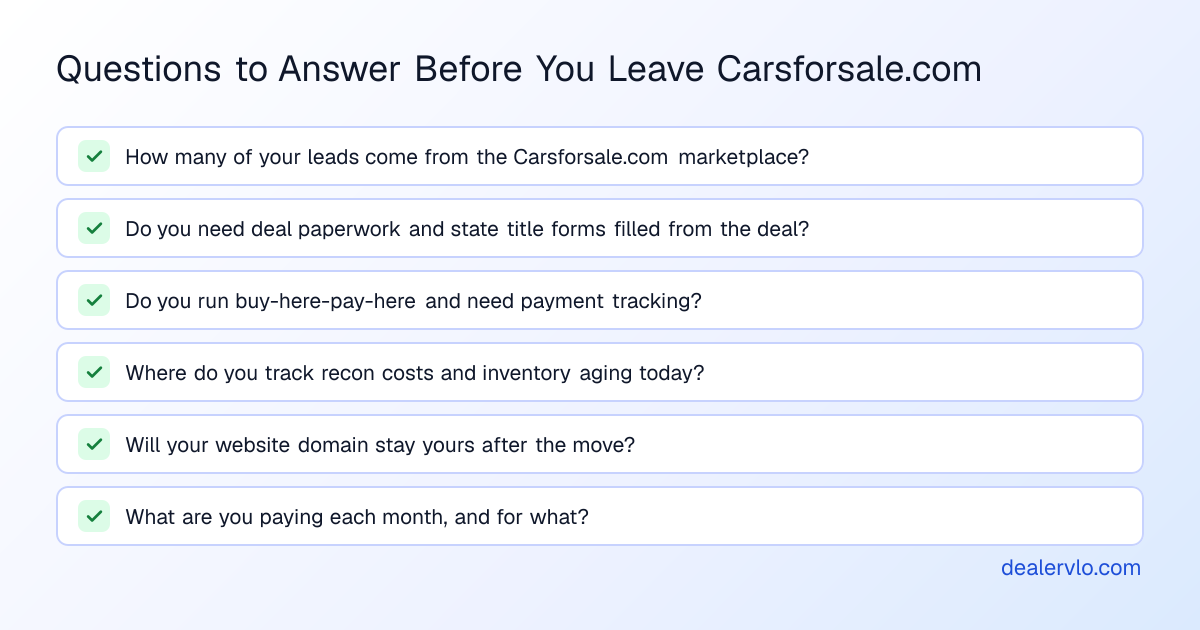
Don't plan the cut-over around anyone's summary of Carsforsale.com's terms, ours included. Your agreement controls. Before you start, check it and get Carsforsale.com support to confirm in writing:
- How much notice it needs, and how you have to send it
- When your billing date falls
- What data you can export, and in what file formats
- How long you keep access to your account after you cancel
Put the notice deadline on your calendar before you export anything.
What data to export from Carsforsale.com (and what format to ask for)
Treat this list as what to request from Carsforsale.com support. Ask for CSV format:
Inventory: VIN, stock number, year, make, model, trim, mileage, asking price, cost basis, date added, photos (as a bulk download with filenames tied to VINs), and any notes.
Customer and lead records: name, email, phone, mailing address, inquiry date, lead source, vehicle of interest, and any notes.
BHPH loan data (if applicable): loan balance, payment schedule, payment history, last payment date, next due date, and any collections notes. This is the data you absolutely cannot lose.
Download everything while your account is active.
What moves into DealerVLO (and what doesn't)
DealerVLO imports two things by CSV under Settings → Import data: inventory (up to 500 rows, duplicate VINs skipped) and customer contacts (up to 500 rows, duplicate emails skipped). The import recognizes common column names automatically.
Inventory: Export your current inventory from Carsforsale.com, clean it so VIN is unique per row, and upload to DealerVLO. You'll re-upload photos separately.
Customers: Format as CSV with columns for name, email, phone, and notes, then upload.
What does NOT import: Past deal records, signed documents, buy-here-pay-here loan balances, and payment histories do not move by CSV. If you have active BHPH accounts, export those records to your own archive before you cancel, or re-key the current loan details into DealerVLO's BHPH payment tracking.
14-day free trial, then $29/mo · Cancel anytime
Running both systems during the transition (and for how long)
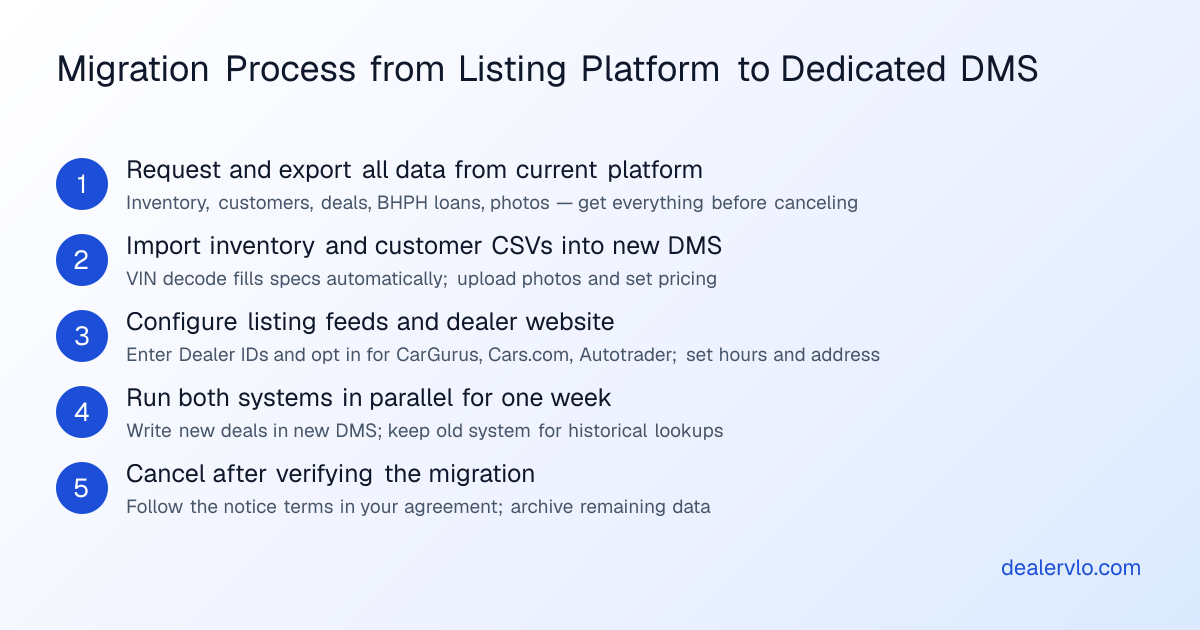
The cleanest migration is a short overlap: you set up DealerVLO, import your data, configure your feeds and website, and run both systems in parallel for about a week while you verify everything moved correctly.
Week before cut-over: Sign up for DealerVLO's 14-day trial, import your inventory CSV, upload photos, add your customer list, and set up your listing feeds. Configure your dealer website.
Cut-over day (a Monday is smart): Opt in to your DealerVLO listing feeds. If you're switching your public-facing website, update your domain's DNS to point to DealerVLO. The first deal you write, write it in DealerVLO — the deal jacket computes the math, and DealerVLO fills your state title and registration paperwork and the FTC Buyers Guide from the same deal data.
First week: Keep Carsforsale.com active (you haven't sent the cancellation notice yet). Any new lead that comes in, log it in DealerVLO. Any car you sell, write the deal in DealerVLO. If a customer calls asking about an old inquiry, you can still look it up in Carsforsale.com.
End of week one: If all your listings are live, your website is working, and you've written at least one or two deals in DealerVLO, send your cancellation notice to Carsforsale.com, following the notice terms you confirmed earlier.
Before your access ends: If Carsforsale.com didn't confirm how long you keep access after the paid period, assume it ends the day billing stops, and download or screenshot anything you didn't export in the first pass.
The overlap may cost you an extra billing cycle on Carsforsale.com, but it's worth it.
The cut-over checklist
Before you cancel Carsforsale.com:
- Export inventory, customers, deal records, BHPH loan data, and lead history (request CSV and PDF archives from support)
- Download all vehicle photos at full resolution
- Save copies of all deal documents, signed buyers guides, title applications, bills of sale, and trade-in paperwork
- Note your billing date and the notice deadline from your agreement
Setting up DealerVLO:
- Sign up for the 14-day free trial at dealervlo.com/signup
- Import your inventory CSV
- Import your customer contact CSV
- Upload vehicle photos to each car
- Add cost basis and recon line items to each car
- Set up your listing feeds: under Settings → Inventory syndication feeds, enter your Dealer ID for CarGurus, Cars.com, and Autotrader and opt in (you enroll with each site and pay its fees)
- Configure your dealer website: hours, address, phone, about-us text, and custom domain
- If you have active BHPH accounts, re-key the loan balances, payment schedules, and next due dates into DealerVLO's payment tracking
First week on DealerVLO:
- Write your first deal in DealerVLO
- Verify your listings appear on CarGurus, Cars.com, Autotrader, and your dealer website
- Work new leads from DealerVLO's lead inbox, which records each lead's source
After everything is live and verified:
- Download or screenshot any remaining data from Carsforsale.com before your access ends
How DealerVLO handles the rest of the job
The move to DealerVLO isn't just swapping one listing tool for another — it's centralizing inventory, deals, paperwork, and customer tracking in one place.
State title paperwork: DealerVLO auto-fills title and registration forms for all 50 states from the deal data. In states that provide an official PDF, DealerVLO fills the state's form directly. In states that use controlled paper forms or a portal, DealerVLO generates a print-ready worksheet with all the deal's values. The FTC Buyers Guide is filled the same way.
Inventory aging and pricing: Every car shows its days on the lot. At 60+ days, the system flags it with an "aging, consider repricing" notice. DealerVLO also offers an AI price suggestion that pulls live comparable listings and suggests a target price for selling in about 30 days.
Buy-here-pay-here payment tracking: If you're running in-house financing, DealerVLO tracks payments on each loan and gives you a collections view of what's past due, what's due this week, and each account's balance.
Website and listing feeds: Your DealerVLO dealer website is included in the $29 a month, and inventory posts to it automatically. DealerVLO also sends one combined feed a day to CarGurus, Cars.com, and Autotrader once you enter your Dealer IDs and opt in; you still pay those sites' own fees. For Meta's paid vehicle ads, there's a Facebook vehicle catalog feed you use in your own Meta ad account.
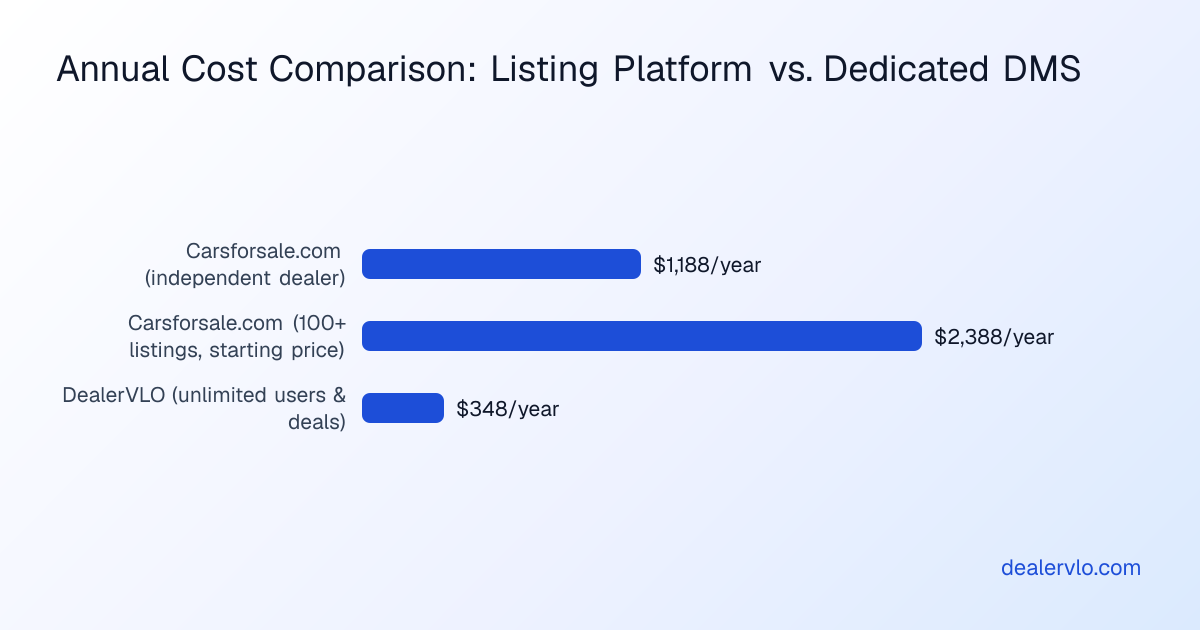
All of that runs $29 a month, flat, with no per-user or per-deal fees. It's $348 a year versus Carsforsale.com's $1,188 a year (at the $99 monthly rate).
14-day free trial, then $29/mo · Cancel anytime
When Carsforsale.com is the better fit
Carsforsale.com is built around getting cars in front of buyers on its marketplace, and if that exposure is driving a meaningful share of your leads — and you're not doing much in-house finance or BHPH work — the $99 a month might be worth it.
If you're a dealer with 100+ listings, Carsforsale.com offers higher-tier plans starting at $199 a month. For a large operation that already has a back-office DMS and just needs another listing channel, paying for the reach makes sense.
But if you're a small independent doing everything — buying, pricing, reconditioning, writing deals, tracking BHPH payments, and filling state title applications by hand — and Carsforsale.com isn't giving you tools that save time on the non-listing parts of the job, you're paying for exposure you might be getting elsewhere.
What the first week on DealerVLO actually looks like
You've imported your inventory, your listings are live, and your first deal walks in. Here's what changes:
Deal math happens live: You enter sale price, trade-in value, payoff, down payment, and finance terms, and DealerVLO calculates totals, trade equity, payment, and front-end and F&I gross as you type.
State paperwork fills itself: The buyer's name, address, VIN, sale price, trade-in, and lienholder go into the deal once. DealerVLO fills the state title and registration paperwork, the FTC Buyers Guide, and any fillable PDF forms you've uploaded from that same data. You print the packet, the customer signs, and you're done.
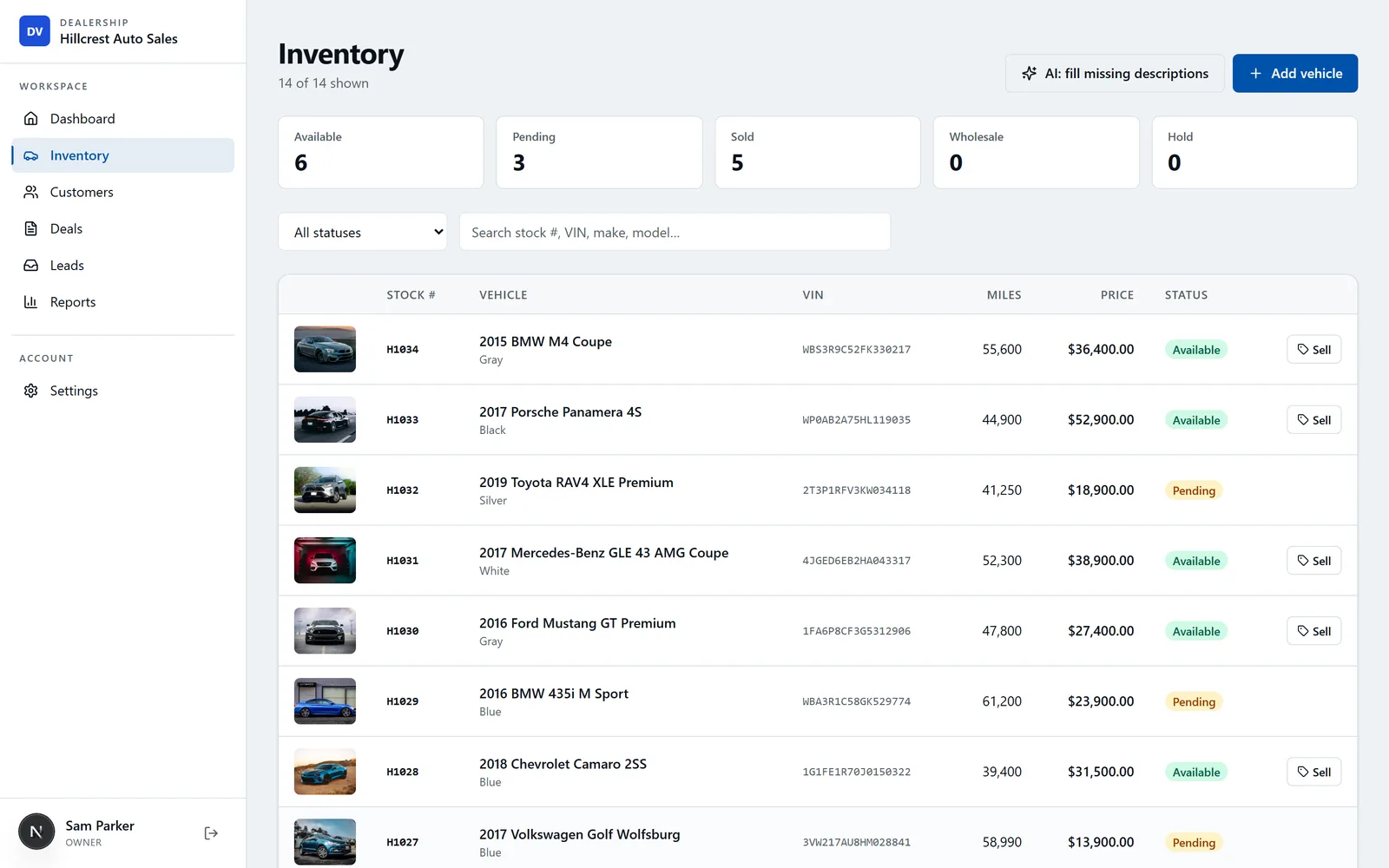
Inventory is in one place: Everything is on the car's page in DealerVLO: cost, recon line items, all-in cost, margin at current asking price, days in inventory, and an aging flag if it's past 60 days.
BHPH payments in one view: Payments you log show up against each loan, and the collections view shows what's past due, what's due next, and the outstanding balance.
The first deal takes longer because you're learning where the buttons are.
The time cost of the migration is real. By our rough estimate, budget a day to export data from Carsforsale.com, half a day to import and clean up inventory in DealerVLO, and another half-day to configure your website and listing feeds. Then about a week of running both systems.
Frequently asked questions
How long does it take to switch from Carsforsale.com to DealerVLO?
By our rough estimate, about a day for the data export and import, and another half-day to set up your website and listing feeds. Then run both systems side by side for about a week to check everything moved, and cancel Carsforsale.com under the notice terms in your agreement.
Can I export my past deal records and BHPH loan history from Carsforsale.com?
Ask Carsforsale.com support in writing what you can export before you cancel, and request past deal records, signed documents, and BHPH loan balances and payment history. DealerVLO does not import past deals or loan history — only inventory and customer contacts import by CSV.
How do I cancel Carsforsale.com without losing data?
Export everything first. Then check your own agreement for the notice period and your billing date, and get Carsforsale.com to confirm in writing how much notice it needs and how long you keep access to your account after the paid period ends.
Does DealerVLO replace Carsforsale.com's listing distribution?
DealerVLO includes a dealer website and sends one combined inventory feed a day to CarGurus, Cars.com, and Autotrader once you enter your Dealer ID for each site and opt in under Settings → Inventory syndication feeds. You still enroll with each listing site and pay its fees, and DealerVLO's feeds go to those three sites, not to the Carsforsale.com marketplace.
How much does it cost to run DealerVLO compared to Carsforsale.com?
As of September 2026, Carsforsale.com charges $99 a month for independent dealers ($1,188 a year). DealerVLO is $29 a month flat ($348 a year), with no per-user or per-deal fees.
Bottom line
By our estimate, switching from Carsforsale.com to DealerVLO takes about two days of migration work plus a week of overlap to verify everything moved. The hard part is making sure you've exported customer records, deal documents, and BHPH loan data before you give notice. Once your inventory and customers are in DealerVLO and you've opted in to the feeds, your cars go to CarGurus, Cars.com, Autotrader, and your dealer website automatically, and every deal you write fills your state's title and registration paperwork and the FTC Buyers Guide from the same data.
14-day free trial, then $29/mo · Cancel anytime