Switching from DealerSocket: How to Move Your Inventory, Customers and Deals Without Losing a Week
A practical migration playbook: what to export from DealerSocket before cancelling, contract terms to check, and the cut-over timeline.
Part of the Choosing dealer software guide: The best DMS for independent used-car dealers in 2026 — an honest list from a dealer
If you're running a small independent lot and you're ready to leave DealerSocket, the biggest question is how to pull off the switch without losing your inventory data, customer records, or a week of selling time.
14-day free trial, then $29/mo · Cancel anytime
Before you cancel: get your contract terms in writing
Your contract controls these terms, so pull it out and confirm the following in writing from your account manager:
- Notice period. How much written notice does your contract require, and by when? Give notice late and you may be locked in for another billing cycle or longer.
- Post-termination data access. How many days after your contract ends do you retain login access? If it's zero, export everything before your last day.
- Data-export fees. Does DealerSocket charge you to export historical data or generate custom reports?
- BHPH loan-data export format. If you run buy-here-pay-here, ask what format DealerSocket provides for loan balances, payment history, and amortization schedules.
What to export from DealerSocket before you cancel
What you can export depends on which DealerSocket product you're using (its DMS for independent dealers is IDMS) and what your contract allows, so confirm the formats with your account manager first.
Inventory
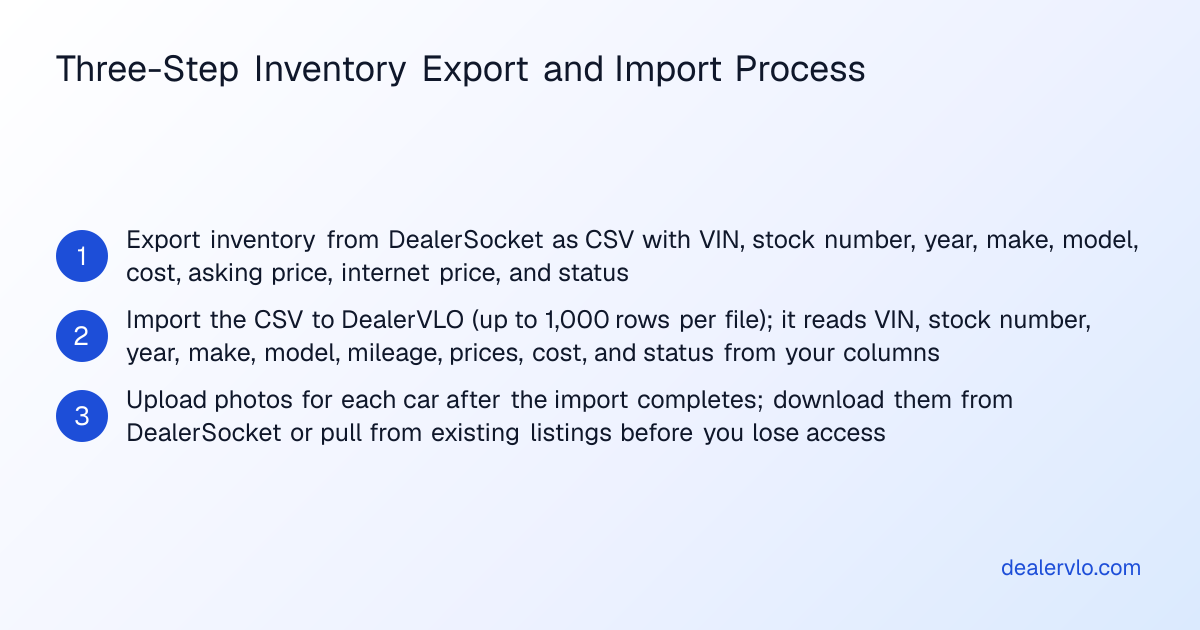
Export every vehicle in your current inventory, sold units from the past 12 months (for reference), and any archived cars. The file should include VIN (17 characters), stock number, year, make, model, trim, body style, exterior and interior color, mileage, transmission, drivetrain, fuel type, your cost, asking price, internet price, date acquired, and status.
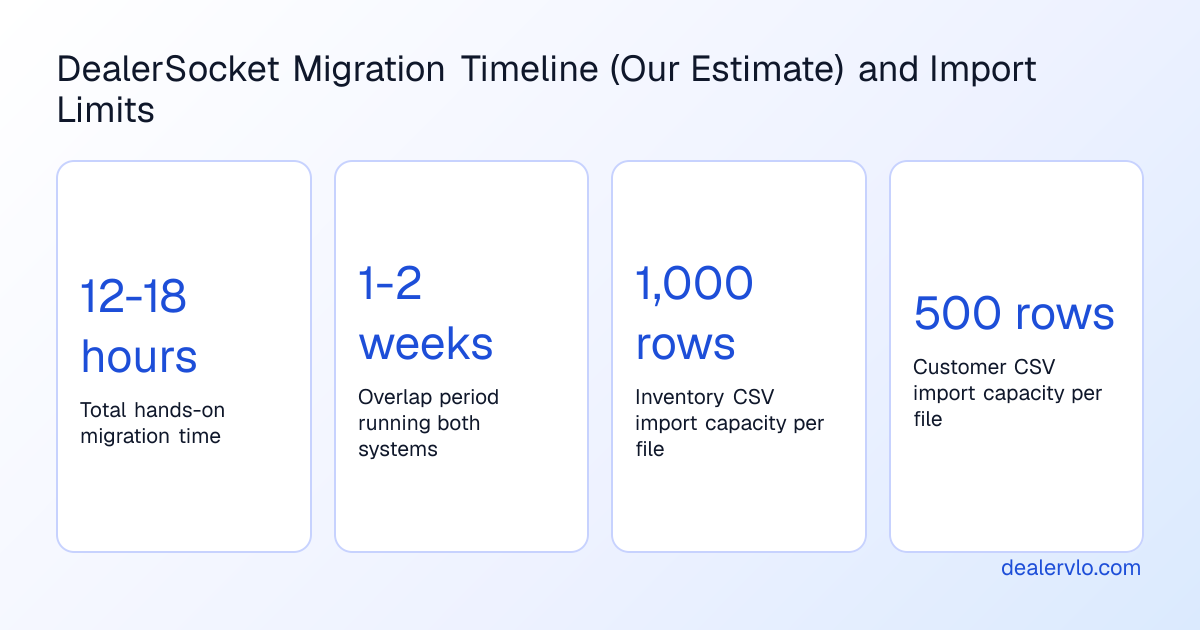
What will import into DealerVLO: DealerVLO's CSV import on the Inventory page accepts up to 1,000 rows per file. Every row needs a valid 17-character VIN. DealerVLO's CSV import does not decode VINs — year, make, model, and the rest come from your export file's columns. The date-acquired column doesn't carry over: imported cars count days on the lot from the import date.
Photos: Photos do not import by CSV. If DealerSocket lets you bulk-download photos organized by VIN or stock number, do it before you lose access. Otherwise, plan to re-shoot or pull photos from existing listings and upload them after your inventory is in.
Customer and lead data
Export every customer contact: buyers, leads, trade-ins, and BHPH accounts. The file should include first and last name, email, phone, mailing address, lead source, date added, and any internal tags or notes.
What will import into DealerVLO: DealerVLO's Settings → Import data page accepts up to 500 rows per file. Customer rows need a first or last name; duplicate email addresses are skipped. If you have more than 500 customers, split the file and import in batches.
Deal history and BHPH loan data
Past deals and BHPH loan balances do not import into DealerVLO by CSV. DealerVLO's import handles inventory and customer contacts only.
If you have closed deals or active buy-here-pay-here loans in DealerSocket, export them and archive separately. For BHPH loans, export the full payment ledger for every active account — loan balance, payment schedule, payment history, and any collections notes. DealerVLO's BHPH module tracks payment schedules for new deals, but it doesn't import historical balances or payment history from another system.
What moves into DealerVLO and what you'll rebuild
| Data type | DealerSocket export | DealerVLO import | What you'll do |
|---|---|---|---|
| Inventory (current stock) | CSV with VIN, year, make, model, cost, price, status | CSV import, up to 1,000 rows | Export from DealerSocket, import to DealerVLO. Upload photos after import. |
| Customer contacts | CSV with name, email, phone, address | CSV import, up to 500 rows per file | Export from DealerSocket, import to DealerVLO in batches if needed. |
| Past deals | PDF or CSV (varies by product) | Does not import | Archive the export in a folder; log into DealerSocket during post-termination window if allowed. |
| BHPH loan balances and payment history | Loan ledger (format varies) | Does not import | Archive the export or migrate to a separate loan-servicing platform. Track new loans in DealerVLO going forward. |
| Photos | Bulk download by VIN or stock number (if supported) | Upload after import | Download photos from DealerSocket or pull from live listings; upload to each car in DealerVLO. |
14-day free trial, then $29/mo · Cancel anytime
Running both systems during the overlap
The safest way to switch is to run DealerSocket and DealerVLO side by side for one or two weeks. This gives you time to confirm the import worked, upload photos, test a deal, and make sure your new website and listings are live before you cut the cord.
During the overlap:
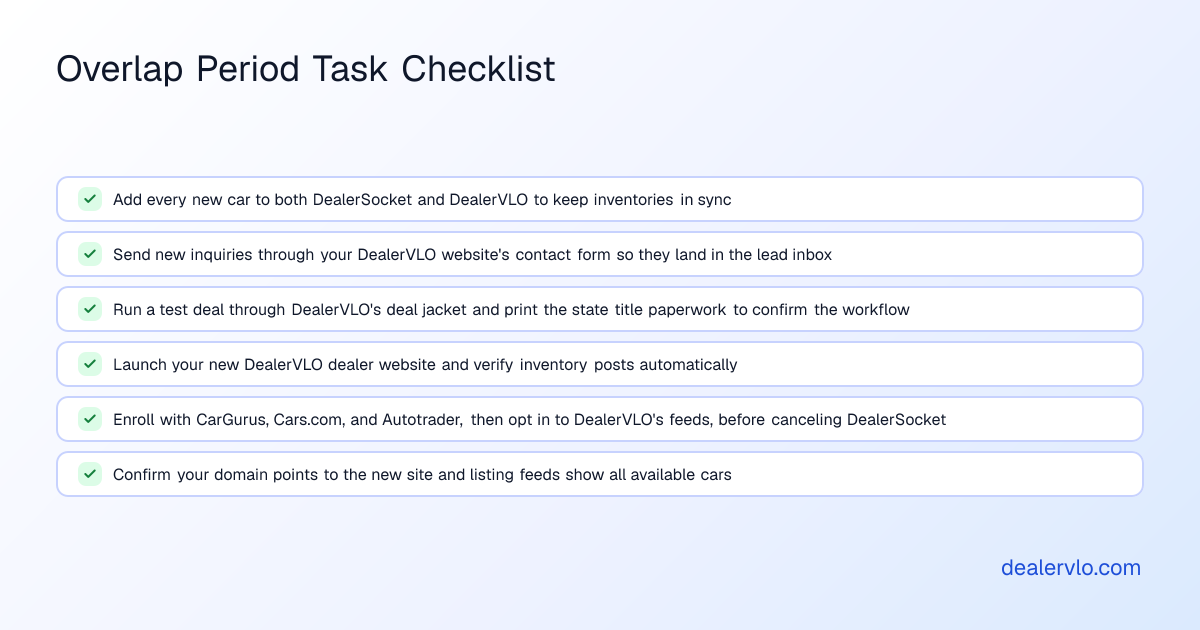
- Add new inventory to both systems. When you buy a car, enter it in DealerSocket and also add it to DealerVLO. This keeps both inventories in sync.
- Write your first deal in DealerVLO. Pick a cash deal or a simple financed sale and run it through DealerVLO's deal jacket. Print the paperwork and check that the state title form fills correctly.
- Turn on your listing feeds. Enroll with CarGurus, Cars.com, and Autotrader, then enter your Dealer ID for each and opt in under Settings → Inventory syndication feeds. DealerVLO sends the three sites one combined feed once a day. Start during the overlap so your cars don't disappear when you cancel DealerSocket.
Cut-over day: your go-live checklist
When you're confident everything works, pick a cut-over day — ideally a Monday or Tuesday. Here's the checklist:
- Confirm your domain points to your new DealerVLO website.
- Verify your listing feeds are active. Log into CarGurus, Cars.com, and Autotrader and confirm your cars are showing up.
- Cancel your DealerSocket subscription. Give written notice per your contract terms.
- Archive your final DealerSocket exports. Download one last copy of your inventory, customers, deals, and BHPH loan data.
The first week on DealerVLO
The first few days on a new system always feel slower than the old one, even when the new one is simpler. Here's what to expect:
- Adding inventory. When you add a car, DealerVLO decodes the VIN to fill in the vehicle details.
- Deal paperwork. DealerVLO's deal jacket computes the totals, trade equity, payment, and gross profit live as you type. When the deal is done, the platform fills your state's title and registration paperwork from the deal: the official state PDF where DealerVLO fills it, or a worksheet of the deal's values where your state uses a portal.
- Sold cars come off. When you complete a deal, the car is marked sold automatically and drops off your dealer website, and off the listing sites with the next daily feed.
What DealerVLO costs and what it includes
DealerVLO is $29 a month, flat. No per-user fees, no per-deal charges, no add-ons for paperwork or listings. Unlimited users, unlimited deals, unlimited state forms.
The $29 includes inventory with VIN decode, photos, and AI photo enhancement; deal jacket with live math; state title and registration paperwork for all 50 states (the official form, or a worksheet of the deal's values where the state uses a portal); a dealer website; listing feeds to CarGurus, Cars.com, and Autotrader (you still pay those sites' own fees); a lead inbox; BHPH payment tracking; and sales reports.
You get a 14-day free trial, and you can cancel any time.
14-day free trial, then $29/mo · Cancel anytime
When DealerSocket is the better fit
DealerSocket's DMS for independent dealers, IDMS, is built for independent and buy-here-pay-here lots, with accounting, collections, and loan servicing in the same system and more than 50 third-party integrations. If you carry a large BHPH portfolio and run its servicing, collections, and books inside IDMS, switching means moving that work somewhere else: DealerVLO's BHPH tracking covers new notes written in DealerVLO, and it doesn't do accounting. In that case, staying may cost less than moving.
DealerVLO does not integrate with QuickBooks or outside accounting software, does not provide floor-plan financing, and does not import past deals or BHPH loan balances.
Alternatives to DealerVLO if you're leaving DealerSocket
If DealerVLO doesn't fit your operation, other independent-dealer platforms worth evaluating include AutoManager, DealerCenter, and Frazer DMS.
Data security and compliance when you migrate
When you switch dealer management systems, you're moving customer names, addresses, phone numbers, and in some cases Social Security numbers and financial data. If your dealership arranges financing, the FTC Safeguards Rule requires a written information security program covering that information, so handle the export files with care.
During the migration:
- Encrypt your export files. Don't send unencrypted customer data through regular email.
- Delete local copies after import. Once your data is in DealerVLO and you've confirmed the import worked, delete the CSV files from your downloads folder.
- Limit who has access. Only the people who need to handle the migration should have login credentials for both systems during the overlap.
In DealerVLO, online credit applications are encrypted, only owners, admins, and finance managers can open them, every view is logged, and they're deleted automatically after 25 months.
How long the switch actually takes
Here's our rough estimate for migrating from DealerSocket to DealerVLO (your numbers will vary with inventory size and how your export comes out):
- Contract review and written confirmation from DealerSocket: 1-2 hours
- Exporting inventory, customers, deals, and BHPH data: 2-4 hours
- Importing inventory and customers into DealerVLO: 30 minutes to 1 hour
- Uploading photos: 3-5 hours for a 30-car inventory
- Testing a deal and printing paperwork: 30 minutes to 1 hour
- Running both systems during the overlap: 1-2 weeks of part-time work
Total hands-on time: 12 to 18 hours spread across two weeks. The biggest variable is photos.
Frequently asked questions
Can I export my entire DealerSocket database when I cancel?
What you can export depends on which DealerSocket product you're using and what your contract allows. Before you give notice, ask DealerSocket in writing what export formats they provide and confirm how long you retain login access after your contract ends.
Does DealerVLO import my past deals and buy-here-pay-here loan balances from DealerSocket?
No. DealerVLO's CSV import handles inventory and customer contacts only. Export your deals and loans before you lose access and archive them separately. DealerVLO's BHPH module tracks payment schedules for new loans originated after you start using the platform.
How long does it take to switch from DealerSocket to DealerVLO?
By our rough estimate, 12 to 18 hours of hands-on work spread across two weeks. That covers exporting data, importing inventory and customers, uploading photos, testing a deal, and running both systems in parallel for one or two weeks.
Do I need to keep paying for listing sites like CarGurus and Autotrader when I switch to DealerVLO?
Yes. Once you've enrolled with each site, enter your Dealer ID and opt in under Settings → Inventory syndication feeds, and DealerVLO sends CarGurus, Cars.com, and Autotrader one combined inventory feed once a day. You still pay those sites' own fees; DealerVLO just saves you re-entering every car.
Bottom line
By our estimate, switching from DealerSocket to DealerVLO takes about two weeks of part-time work, most of it uploading photos and learning the new workflow. Inventory and customer contacts move by CSV; past deals and BHPH loan data stay archived separately. Get your contract terms in writing from DealerSocket before you give notice. Once you're live, DealerVLO handles inventory, deals, paperwork, your website, and listings for $29 a month.
14-day free trial, then $29/mo · Cancel anytime
Paste a VIN, the buyer, and the price — see the title & registration form filled in for 50 states, free, no signup.
Open the State Form Auto-Fill