Switching from Dealer Car Search: How to Move Your Inventory, Customers and Deals Without Losing a Week
Step-by-step migration playbook for leaving Dealer Car Search: what to export, what moves by CSV, contract terms to check, and how to cut over.
Part of the Choosing dealer software guide: The best DMS for independent used-car dealers in 2026 — an honest list from a dealer
If you're running on Dealer Car Search and thinking about switching to DealerVLO, plan time to export and check your data, import and confirm it, and run a short overlap where both platforms are live.
14-day free trial, then $29/mo · Cancel anytime
Check your contract terms before you start
Your agreement controls the contract length, notice period, fees and how long you keep access to your data. Before you request data or notify Dealer Car Search you're leaving, confirm in writing:
- Notice period: how many days' advance notice your contract requires.
- Early termination fees: whether there's a penalty if you're canceling mid-contract.
- Data export fees: whether there's a charge to receive your records, and in what format.
What you can export from Dealer Car Search (and what format to expect)
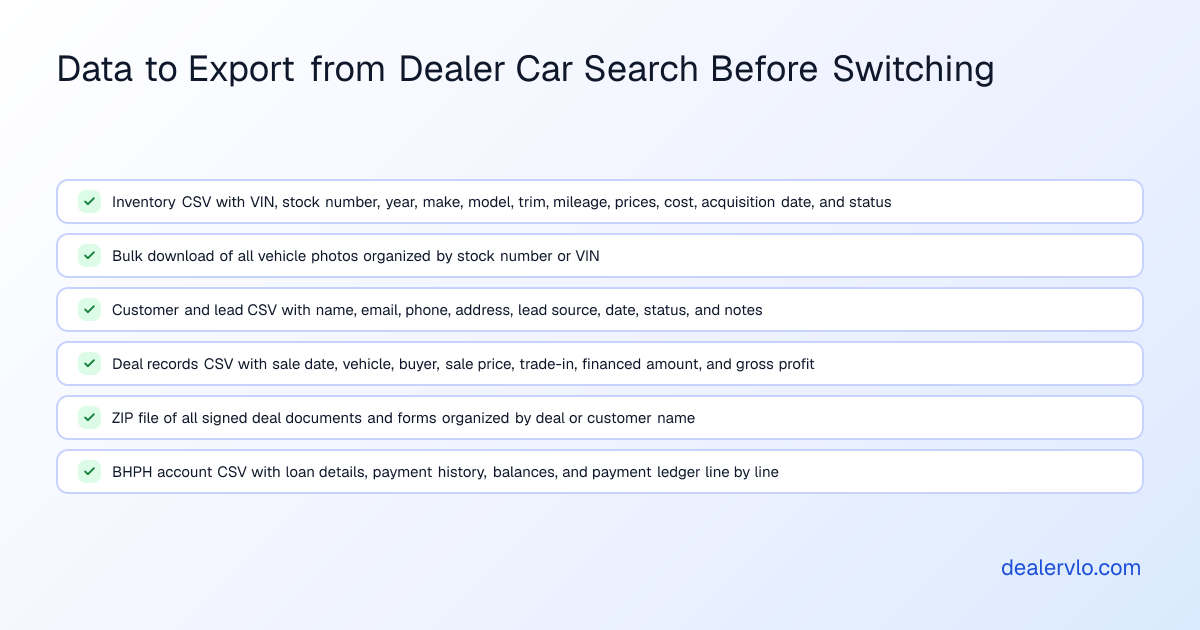
Ask Dealer Car Search which records it can export and in what format. Here's what you should request:
Inventory
Request in writing: A full inventory export in CSV format with at minimum VIN, stock number, year, make, model, trim, mileage, asking price, internet price, cost, acquisition date, and status. Also request a bulk download link or ZIP file of all vehicle photos, organized by stock number or VIN.
Customer and lead data
Request in writing: A CSV export of all customer and lead records with first name, last name, email, phone, address, lead source, lead date, and status.
Deal records and documents
Request in writing: A CSV of all completed deals with sale date, stock number or VIN, customer name, sale price, and gross profit, plus a ZIP of all signed deal documents.
BHPH loan balances and payment history
Request in writing: A CSV export of all active and paid-off BHPH accounts with customer name, vehicle (VIN and stock number), original loan amount, term, payment amount, outstanding balance, and payment history line by line.
DealerVLO does not import past deals, deal documents, or BHPH loan balances and payment history — only inventory and customer CSVs import.
What moves into DealerVLO by CSV import
DealerVLO accepts CSV imports for inventory and customer contacts.
Inventory import
"Import CSV" on the Inventory page:
- Up to 1,000 rows per file.
- Every row needs a valid 17-character VIN.
- Reads stock number, year, make, model, trim, mileage, asking price, internet price, cost, and status from the file's columns.
An imported car counts days in inventory from the import date. Photos do not import via CSV. Once your inventory is in, you'll upload photos for each car through the DealerVLO interface.
Customer and lead import
Settings → Import data handles customer records:
- Up to 500 rows per file.
- Every row needs a first or last name; duplicate email addresses are skipped.
- Reads email, phone, and address from the file's columns.
14-day free trial, then $29/mo · Cancel anytime
What stays in an archive (and why that's fine)
Because DealerVLO does not import past deals, deal documents, or BHPH loan balances and payment history, you'll keep those as a read-only archive in cloud storage or on your computer.
Running both systems during the overlap (and how long that lasts)
Plan to run both Dealer Car Search and DealerVLO for a few days while you move your listing feeds and website over and close out any deals already in progress. The day ranges below are our rough estimate.
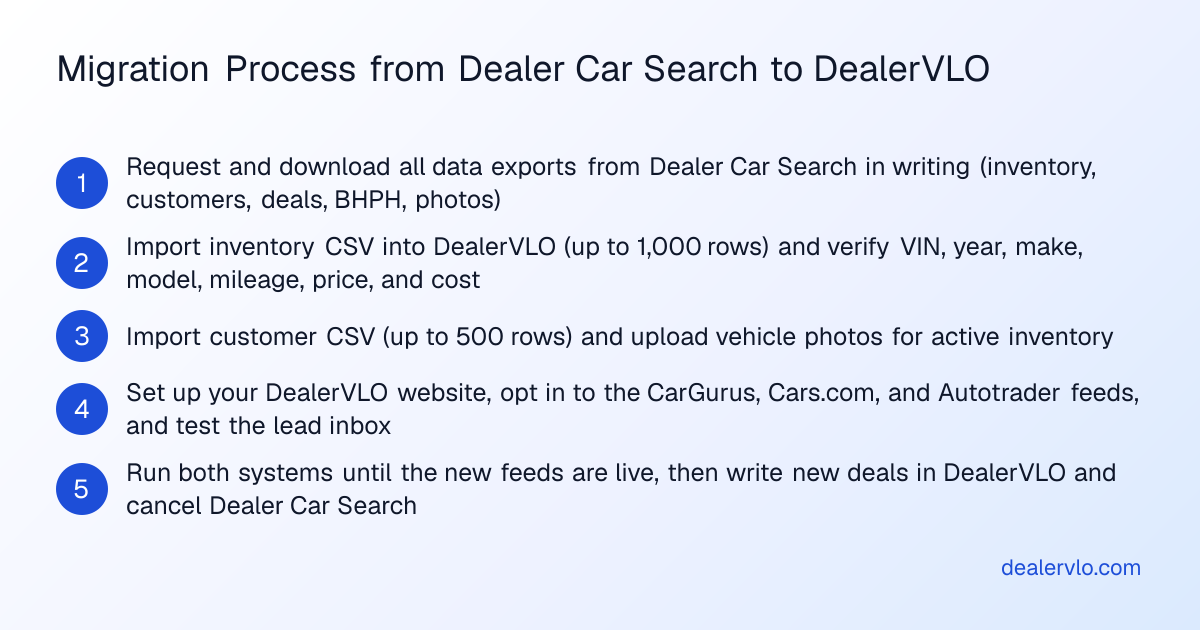
Days 1–2: Import and verify
- Import your inventory CSV into DealerVLO and spot-check a handful of cars: VIN, year, make, model, mileage, price, and cost should all match your Dealer Car Search records.
- Import your customer CSV and confirm email addresses and phone numbers came through.
- Upload photos for your active inventory.
Days 3–4: Redirect feeds and test your website
- Turn on DealerVLO's listing feeds: enroll with CarGurus, Cars.com, and Autotrader, then enter your Dealer ID for each under Settings → Syndication feeds and opt in. DealerVLO sends the three sites one combined feed once a day. Once your cars show up from the new feed, ask each site to stop the Dealer Car Search feed.
- Set up your DealerVLO dealer website: add your dealership name, address, phone, hours, logo, and any custom text. Your inventory posts to the site automatically.
- Test a few vehicle pages, submit a test lead, and confirm it lands in your DealerVLO lead inbox.
Days 5–7: Write new deals in DealerVLO and close the old system
- Any deal you start from this point forward, write it in DealerVLO: the deal jacket computes totals, trade equity, payment, and gross live as you fill it in.
- Any deal that's already in progress in Dealer Car Search and just needs signatures or final paperwork, finish it there.
- Once all your feeds are live and you have no open deals left in Dealer Car Search, cancel per the notice terms in your contract.
The first week on DealerVLO (and what changes)
What changes in the first week:
Inventory and listings just work
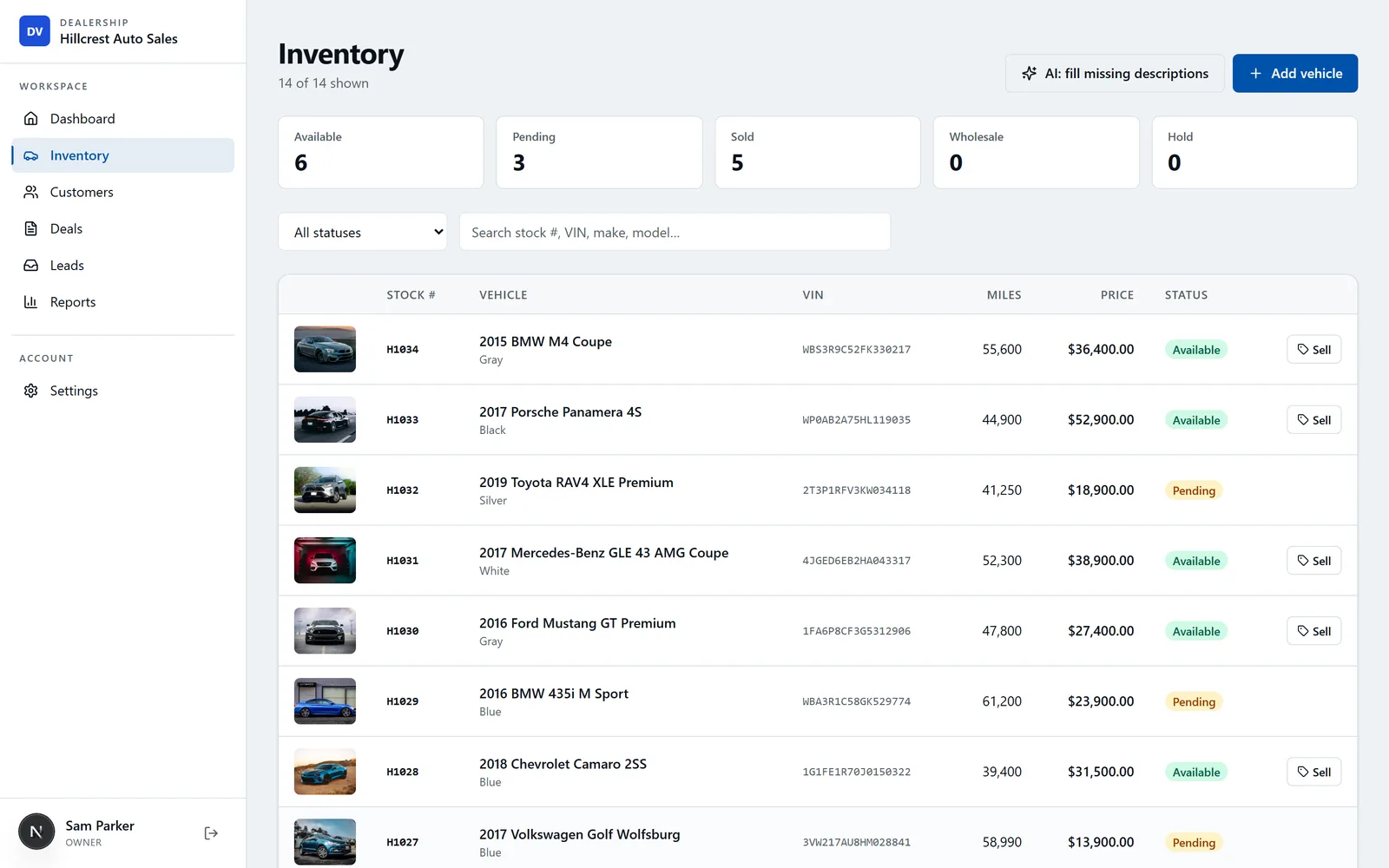
In DealerVLO, inventory posts to your dealer website automatically. A car marked sold drops off the website right away and off the listing sites with the next daily feed. Each car page carries Car structured data, and the site carries your dealership's name, address, phone, and hours as AutoDealer structured data.
Deal paperwork fills from the deal, once
DealerVLO fills the deal math and the state forms from the deal as you type — totals update live, and when you're ready to print, the title application and the FTC Buyers Guide are already filled.
Pricing and aging visibility from day one
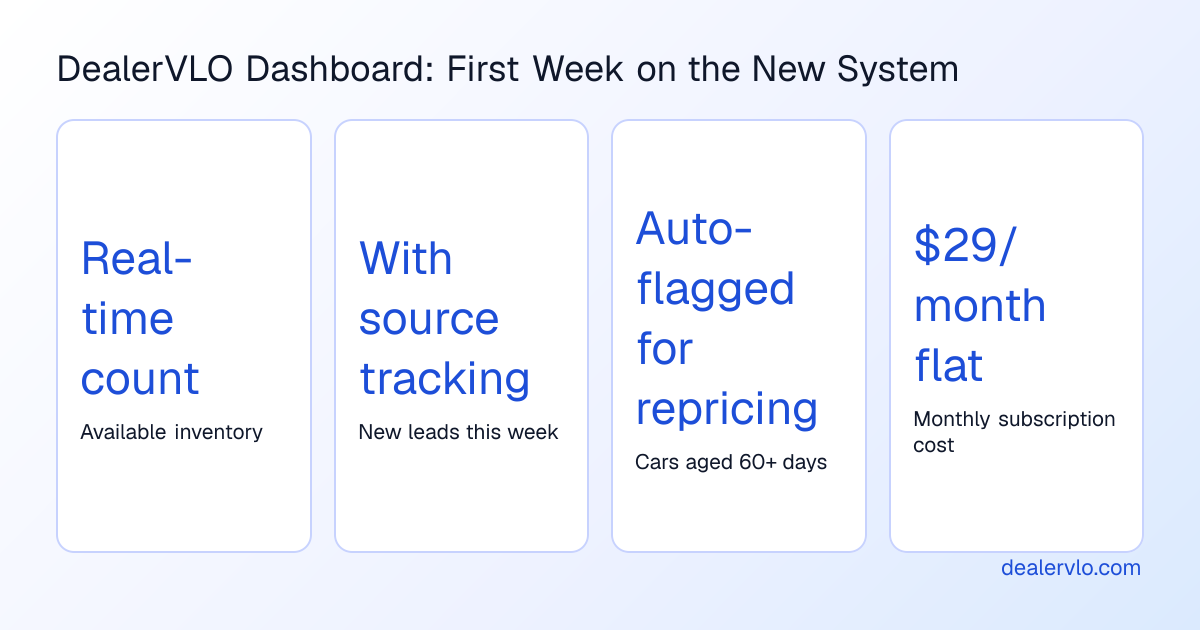
DealerVLO shows days in inventory on every car, flags units aged 60+ days, and gives you a dashboard count of how many cars are sitting past that threshold.
When Dealer Car Search is the better fit
Dealer Car Search might still be the right platform if:
- You mainly use Dealer Car Search for your website and inventory marketing, and it's working for you: if you don't need deal paperwork, BHPH tracking, and inventory in the same system, there's less to gain from switching.
- Your website is tied into another DMS you plan to keep: DealerVLO doesn't sync with outside DMS or accounting software, and it doesn't import existing BHPH loan balances or payment history.
Cut-over checklist (print this)
Before you notify Dealer Car Search
- Pull your contract and confirm in writing: notice period, early termination fees, data export fees, and post-cancellation access timeline.
- Request in writing: inventory CSV (with VIN, stock number, year, make, model, trim, mileage, prices, cost, acquisition date, status), bulk photo download, customer and lead CSV, deal records CSV, deal document PDFs, and BHPH account CSV.
- Download and save all exports to a dedicated migration folder.
Import into DealerVLO
- Sign up for your 14-day free trial and create your dealership account.
- Import inventory CSV using the "Import CSV" tool on the Inventory page. Verify a sample of cars.
- Import customer CSV via Settings → Import data. Spot-check email addresses and phone numbers.
- Upload photos for active inventory.
Set up your DealerVLO website and feeds
- Add dealership name, address, phone, hours, logo, and custom text in Settings.
- Enroll with CarGurus, Cars.com, and Autotrader, then enter your Dealer ID for each and opt in under Settings → Syndication feeds.
- Set your default doc fee in Settings.
- Test: view a few car pages, submit a test lead, confirm it lands in your lead inbox.
Run both systems during overlap
- Monitor listing feeds: once the first daily feed has gone out, confirm your cars appear on CarGurus, Cars.com, and Autotrader, then ask each site to stop the Dealer Car Search feed.
- Write any new deals in DealerVLO; finish any in-progress deals in Dealer Car Search.
- Update your Google My Business profile, Facebook page, and any paid ads to point to your new DealerVLO website URL.
Close out Dealer Car Search
- Once all feeds are live, your website is pointing to DealerVLO, and you have no open deals in Dealer Car Search, submit your cancellation notice per your contract terms.
- Archive all exported CSVs and PDFs in a clearly labeled folder.
First week on DealerVLO
- Add any users who need access — unlimited users at no extra charge.
- Run your first deal end to end: enter the deal, review the computed totals and gross, print or e-sign the state title forms and FTC Buyers Guide, mark the car sold.
- Check your dashboard daily: new leads, active deals, cars without prices or photos, and units aged 60+ days all show in the "Needs attention" list.
14-day free trial, then $29/mo · Cancel anytime
What the move actually costs in time and money
Time (our rough estimate):
- Requesting and downloading exports: 1–2 hours.
- Importing inventory and customers and spot-checking the data: 2–3 hours.
- Uploading photos for active inventory: roughly 2 hours for a 30-car lot.
- Setting up your DealerVLO website and feeds: 1–2 hours.
Money: DealerVLO is $29/month, flat, unlimited users. Your 14-day free trial starts the day you sign up.
Frequently asked questions
Can I export my inventory and customer data from Dealer Car Search before I cancel?
Ask Dealer Car Search in writing what it can export and in what format, and request your inventory, customer, deal, and BHPH data before you cancel.
What data actually moves into DealerVLO from Dealer Car Search?
DealerVLO imports inventory and customer contacts by CSV — up to 1,000 inventory rows and up to 500 customer rows per file. Past deals, deal documents, and BHPH loan balances do not import.
How long does it take to switch from Dealer Car Search to DealerVLO?
By our rough estimate, about a week if you work on it an hour or two a day, or two to three days if you block out longer sessions. Your inventory size and how your exports come out make the biggest difference.
Does DealerVLO import my BHPH loan balances and payment history from Dealer Car Search?
No — DealerVLO does not import past deals or BHPH loan balances. You'll export your BHPH account data from Dealer Car Search as a CSV and keep it in your archive. After cutover, any new BHPH contracts will track in DealerVLO's payment tracking.
Will my listing feeds go down when I switch from Dealer Car Search to DealerVLO?
Not if you time the overlap correctly. Once you're enrolled with CarGurus, Cars.com, and Autotrader, enter your Dealer ID for each under Settings → Syndication feeds and opt in while your Dealer Car Search feeds are still live. DealerVLO sends the three sites one combined feed once a day, so allow at least a day before you ask each site to stop the old feed.
Bottom line
By our estimate, switching from Dealer Car Search to DealerVLO is about a week-long project: request your exports in writing, import the inventory and customer CSVs into DealerVLO, upload your photos, redirect your listing feeds, and run both systems for a few days while you wrap up open deals. Once you're live, inventory posts to your website on its own, and state forms fill from the deal the first time you type it in.
14-day free trial, then $29/mo · Cancel anytime
Paste a VIN, the buyer, and the price — see the title & registration form filled in for 50 states, free, no signup.
Open the State Form Auto-Fill