Running a Used Car Lot From Your Phone: What Dealer Software Should Let You Do on Mobile
A mobile checklist for dealer software: which lot jobs need to work on your phone, which are fine at a desk, and how to test it on a trial.
Part of the Choosing dealer software guide: The best car dealership software in 2026: 14 DMS options for independent lots, with real prices
Switching from another DMS? Compare DealerVLO to DealerCenter, Frazer, or Lot Wizard, or see what DealerVLO's car dealer management software includes.
If you run a small lot, you're not at a desk most of the day — you're on the lot walking a trade-in, at the auction, or at a customer's kitchen table going over numbers. The real question for dealer software mobile use isn't "does it have an app," it's which specific jobs have to work with your thumb on a phone screen, standing outside, sometimes in the rain, and which ones are fine to leave for when you're back at the desk.
This post is a buyer-stage checklist for exactly that. Not a review of scanner mechanics (that's covered in our VIN and license scanner guide) and not about selling to someone who never sets foot on your lot (that's remote car sales). This is about the in-person workflow — the jobs you do standing in front of the car and the buyer.
Full disclosure: I run a used-car lot in Tewksbury, Massachusetts, and I built DealerVLO to run it, so weigh what I say about it accordingly. This is the list I'd hold any system to, mine included.
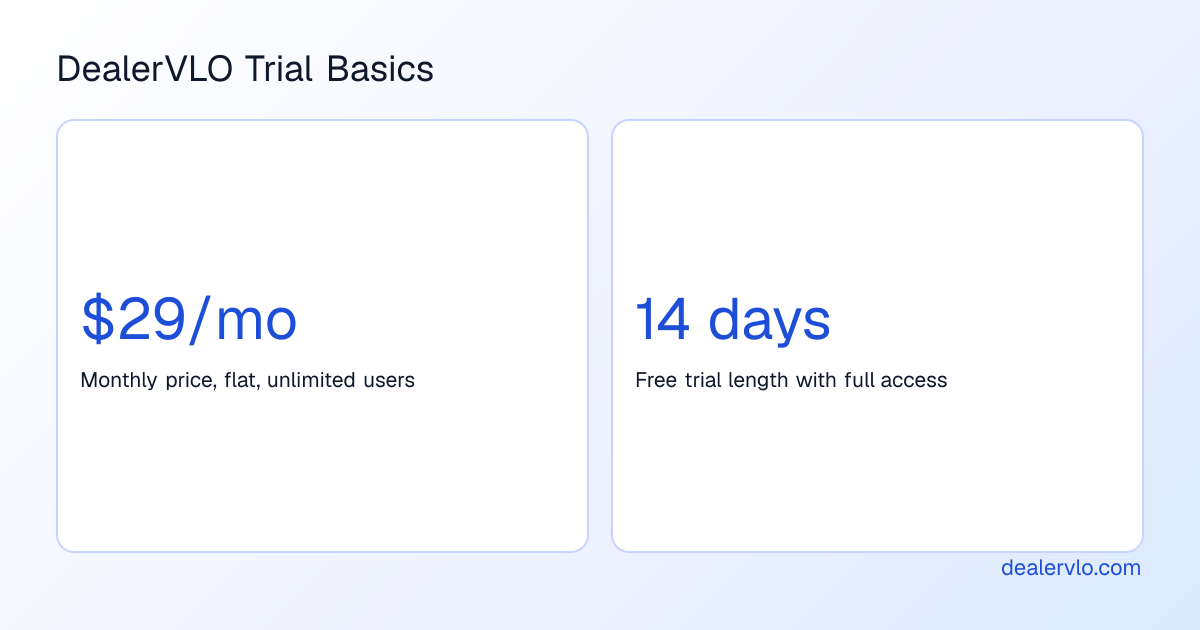
14-day free trial, then $29/mo · Cancel anytime
The jobs that actually have to work on a phone
Not every feature of a DMS needs a mobile-friendly version. Some things only ever happen at a desk anyway. But a handful of jobs happen exactly when you're not at a desk, and if your software makes you wait until you get back to the office to do them, you lose time, you lose the sale, or you forget details while they're still fresh.
Here's the short list of jobs that genuinely need to work one-handed, standing on asphalt:
- Add a car from the VIN. You're looking at the car right now. If adding it means writing the VIN on a sticky note and typing it in later, you've already lost the chance to shoot photos while the light and the car's condition are both good.
- Shoot and attach photos. Same logic — you have the car in front of you once. If photos go on a separate camera roll and get uploaded "later," later often means never, or means the wrong photos.
- Price it, or adjust the price. You just found out what a comp is doing, or you just finished reconditioning and want it live tonight, not tomorrow morning.
- Answer a lead. A text or email comes in while you're mid-walk with another customer. You need to see who it is and what car they're asking about without digging for a laptop.
- Check a deal's status. A customer calls asking if their paperwork is ready. You should be able to glance at that from wherever you're standing.
- Get a signature. Especially if you're meeting a buyer somewhere other than your lot, or they're sitting in your office while you're walking a trade-in outside.
Everything else — month-end numbers, your P&L, the sales leaderboard, CSV exports — is fine to handle at a desk. Nobody needs their profit-and-loss statement standing in the gravel. Save the screen real estate and the patience for the jobs above.
If I had to pick only three, it's the VIN, the photos and the price. Those are the ones that go stale fastest once you walk away from the car, and they're the ones that decide whether it's listed tonight or sometime next week.
Adding a car from the VIN, without going back to a desk
The slowest part of adding inventory used to be typing. Year, make, model, trim, engine, body style — all of it copied by hand from a window sticker or a title. On a phone, typing that much is worse than slow; it's a thumb cramp waiting to happen.
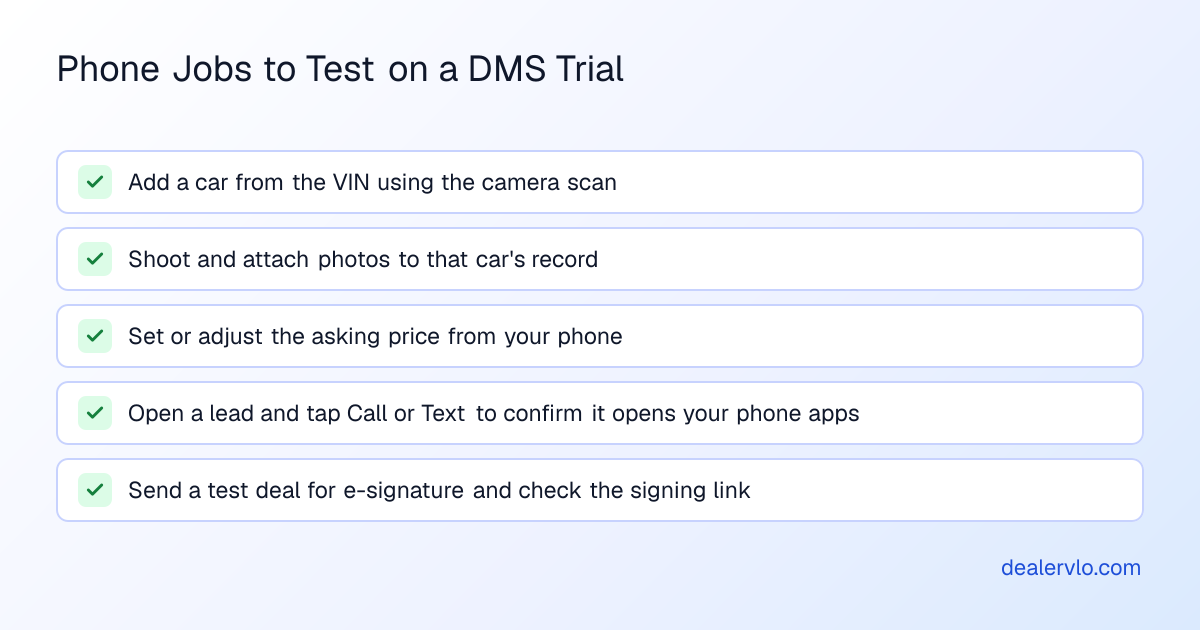
In DealerVLO, there are a few ways to get a car into inventory, and only one of them really belongs on a phone on the lot. One at a time, you paste or scan the VIN and the year/make/model/specs fill in from NHTSA's own decode — no retyping the spec sheet. The "Scan VIN" option on the Add vehicle screen reads the barcode on the door-jamb label with your phone's camera right in the browser, so you point, it reads, and the decode runs. (For the mechanics of how that barcode read actually works, and what it does with a driver's license too, see the VIN and license scanner guide — this post isn't going to re-explain the scan itself.)
The other paths — uploading a CSV of many cars at once from the Inventory page, or through the import tool under Settings — are desk jobs. They're built for bulk onboarding, migrating a spreadsheet of inventory over from another system, not for the one car you just bought off a trade-in walk-around. Save those for when you're setting up the account, not for a single new unit standing in front of you.
Decode any VIN free — year, make, model, trim, engine — straight from NHTSA.
Open the VIN DecoderNative app vs. browser — what you're actually trading off
Dealers sometimes ask whether a DMS has a "real app," meaning something you download from an app store. It's a fair question, because an app-store icon on your home screen feels more permanent than a bookmark.
DealerVLO doesn't have an app-store app. It runs in your phone's browser — nothing to install, no update to approve, no separate app to keep logged in. You get a tool that works the same whether you're on an iPhone, an Android, or the desktop at your office, with no install step standing between you and adding a car. For a small lot, one less thing to manage is usually worth more than an icon on a home screen.
Speaking as the person who has to keep it working on my own lot as well as everyone else's, I'd rather open a bookmark than chase app updates on every phone the lot uses.
If you're evaluating software in general — not just the mobile piece — our guide to choosing dealer management software for a small lot walks through the bigger picture, and the roundup of DMS options with real prices is a useful starting point before you commit to a trial.
Working a lead from the lot, not from the office
A lead doesn't wait for you to get back to a desk. Someone texts about a car while you're walking a trade appraisal with a different customer. If your CRM lives only on a desktop, you either ignore the lead until later or you stop what you're doing to go find a computer.
DealerVLO's lead inbox records each lead's source — phone, walk-in, Facebook, listing site, or other — along with notes and a follow-up date, and the Email, Call and Text buttons just open your phone's own email, phone, and text apps. That's the part that matters on mobile: you don't need a separate messaging system bolted onto the DMS, you need the DMS to hand off to the apps already on your phone. You also get a daily follow-up email flagging what's due, so you're not relying on memory to know who you promised to call back.
One thing worth knowing going in: leads from listing sites aren't pulled in automatically. When one lands in your email from a listing site, you type it into the lead inbox yourself with the source set to "Listing site" — it's a manual add, not a feed.
14-day free trial, then $29/mo · Cancel anytime
Getting a signature without a desk in the room
This is where the gap between "has a mobile site" and "actually usable on mobile" shows up fastest. A lot of paperwork tools render fine on a phone screen but fall apart the moment two people need to sign.
In DealerVLO, each signer — buyer, co-buyer, dealer — can be emailed their own signing link, so the buyer doesn't have to be huddled next to you looking at your phone, and you don't have to hand your phone to a stranger. If you're meeting someone at their house to go over numbers, or they're in the office while you're outside with the trade, each person signs from their own device on their own time.
E-signatures are generally recognized as legally valid in the U.S. under federal and state law, so this kind of remote signing — each signer getting their own link rather than passing one device around — is a workable option rather than a novelty. It's a separate step from the state paperwork itself: DealerVLO fills your state's title and registration paperwork straight from the deal for all 50 states, so the VIN, the buyer's name, and the deal numbers don't get retyped into a separate form once the deal itself is already built, and you send the filled documents out for signature as its own step.
14-day free trial, then $29/mo · Cancel anytime
If you want a deeper look at what a deal jacket should and shouldn't include before you commit to one DMS over another, the deal jacket software guide breaks down what dealers actually need versus what's nice-to-have.
What's genuinely fine to leave for the desk
Not everything belongs on mobile, and a DMS that tries to cram month-end reporting into a phone screen usually does neither job well. Your sales report — units sold, front and back-end gross, the salesperson leaderboard — reads better on a bigger screen where you can actually see the columns. Same with your profit and loss statement: overhead by category, cost of cars sold, gross profit. These are review tasks, not in-the-moment tasks. You're not going to restructure your overhead categories standing at the auction.
CSV exports of inventory, customers, or deals fall in the same bucket — useful, but not something you're reaching for mid-walk-around. Treat the desk-side jobs as desk-side jobs and don't let a vendor's marketing convince you that "mobile-first" means moving your entire back office onto a 6-inch screen.
For a broader comparison of how much different DMS options cost and what the pricing models actually mean for a one-location lot, see how much does dealer management software cost.
How to test the mobile side during a trial
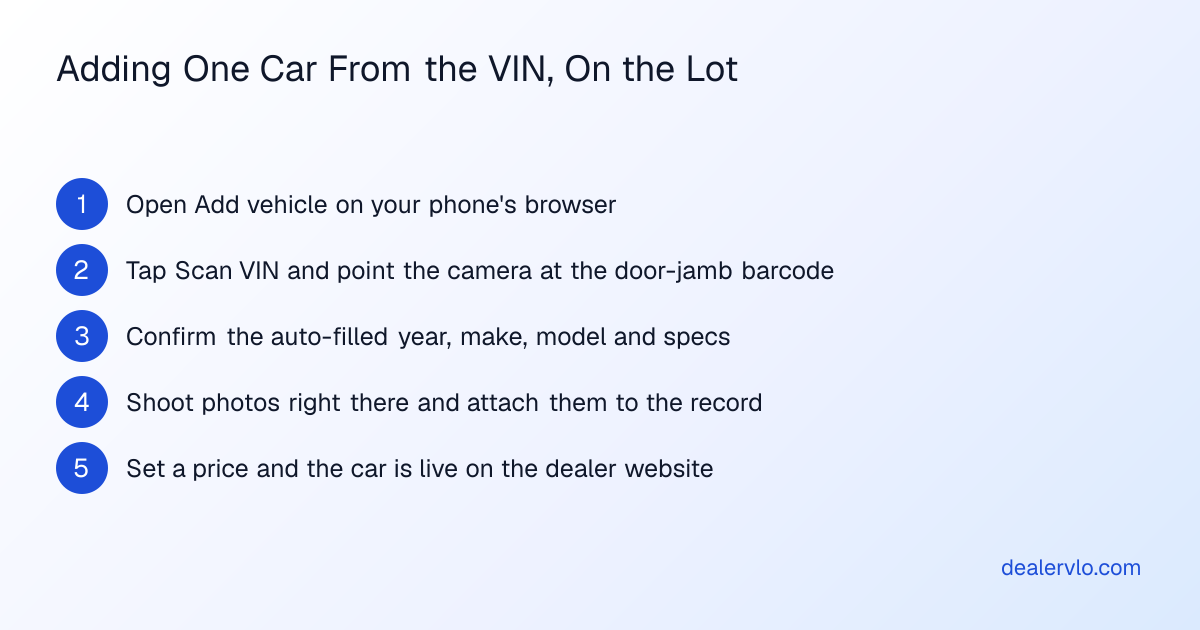
Don't take a vendor's word for what works on a phone. Test it yourself, one-handed, standing on the lot, during the free trial — before you've committed a dollar to it. Here's the order that mirrors how a real day on the lot actually goes:
- Walk up to an actual car and add it from the VIN using your phone's camera, not by typing.
- Shoot a few photos right there and confirm they attach to that car's record.
- Set or adjust the asking price from your phone and confirm it's reflected without needing a desktop.
- Open the lead inbox, find a test lead, and tap the Call or Text button to make sure it actually opens your phone's own apps.
- Build a quick test deal and send it for signature, then check that the signing link actually works on a second phone or device.
If any one of those steps forces you back to a laptop, you've learned something important before you're locked into a contract. DealerVLO's trial runs 14 days with full access, so there's time to run every one of these on a real car on your actual lot, not a demo video.
If you're comparing a handful of systems side by side, the cost of switching dealer software guide covers what a migration actually costs in time and setup — worth reading before you assume switching is free just because a trial is. And the main used car dealer software page has the fuller feature rundown if the mobile piece is just one column on your checklist.
Frequently asked questions
Does dealer software need a native app to work well on mobile?
Not necessarily. DealerVLO runs entirely in your phone's browser rather than through an app-store download, which means there's nothing to install or update — you open it the same way on a phone, tablet, or desktop. For a small lot, one less app to manage is often the simpler option.
Can I add a car to inventory just from a VIN on my phone?
Yes. Paste or scan the VIN and the year, make, model, and specs fill in from NHTSA's own decode automatically. On DealerVLO specifically, the "Scan VIN" option on the Add vehicle screen reads the door-jamb barcode with your phone's camera right in the browser, so you don't have to type a 17-character VIN with your thumbs.
Is bulk CSV import a mobile job or a desk job?
It's a desk job. Uploading a CSV of many cars at once is built for onboarding a batch of inventory from a spreadsheet, not for adding the single car you just bought at the auction or off a trade-in. Use the one-at-a-time VIN scan for that car in front of you, and save CSV import for bulk migrations at a desk.
How do e-signatures work when I'm not standing next to the buyer?
Each signer — buyer, co-buyer, and dealer — gets emailed their own signing link, so nobody has to huddle around one phone screen. That matters when you're meeting a customer at their house, or when you're outside with a trade while the buyer is in your office finishing paperwork on their own device.
What dealer tasks are fine to leave until I'm back at a desk?
Month-end reporting, your profit and loss statement, and the sales leaderboard are review tasks that read better on a larger screen and don't need to happen in the moment. CSV exports of inventory, customers, or deals fall in the same category — useful, but not urgent enough to need a phone.
Does a DMS automatically pull in leads from other listing sites?
Not with DealerVLO, and it's worth confirming this with any system you're evaluating. Leads from outside listing sites land in your email, and you add them to the lead inbox yourself with the source marked "Listing site," along with a follow-up date so it shows up on your daily due list.
Bottom line
The mobile test for dealer software isn't whether it has an app icon — it's whether you can add a car, price it, answer a lead, and get a signature standing on your own lot without going back to a desk. Test those exact jobs during a free trial, on a real car, before you commit to anything. I built DealerVLO to pass that test on my own lot, but you shouldn't take my word for it any more than a vendor's. Run the same five jobs on its trial and see how it holds up on yours.
14-day free trial, then $29/mo · Cancel anytime