Is Your Dealership Website Blocking ChatGPT? How to Check Your robots.txt for AI Crawlers
Your dealership website may be blocking ChatGPT, Perplexity and Bing's AI crawlers without you knowing. Check robots.txt in five minutes, and what to fix.
Part of the Marketing, leads & your website guide: Used Car Dealer Marketing: What a Small Lot Should Do First — and What to Skip
Your dealership website might be invisible to ChatGPT, and nobody at your store would ever know. The reason is boring. A one-line rule in a text file called robots.txt can tell AI crawlers to stay out, and a lot of dealership websites have one their owners never asked for.
This post shows you how to check whether your dealership website is blocking ChatGPT and the other AI crawlers, in about five minutes and without a web developer. It also covers which bots actually matter (some only collect content for training, and blocking those is fine), the firewall setting robots.txt won't show you, and what to send your website provider if something is wrong.
14-day free trial, then $29/mo · Cancel anytime
Why this matters for a used-car lot now
Shoppers have started asking chatbots the questions they used to type into Google: "who has a clean used Tacoma near me under $25,000," "which used car lots in Lowell have good reviews." When an AI tool answers with a list of dealers and cars, it's drawing on pages its crawlers were allowed to read.
If your site blocks those crawlers, you're not in the running. You don't rank low; you're simply not there. And because nothing breaks, nobody at the store notices. Google traffic looks normal, the phone still rings, and the AI channel quietly goes to the lot down the street.
I wrote a longer piece on how to get your dealership recommended by ChatGPT covering business data, reviews and content. All of that is wasted if the crawler can't get through the front door, so check this first.
What robots.txt is (in plain English)
Every website can publish a small public text file at yoursite.com/robots.txt. Well-behaved crawlers read it before anything else. It's a list of rules: which bot, and which parts of the site it may or may not visit.
A rule that blocks OpenAI's search crawler from your whole site looks like this:
User-agent: OAI-SearchBot
Disallow: /
And this one blocks every crawler that isn't named somewhere else in the file:
User-agent: *
Disallow: /
Two things trip people up. First, a bot follows the block that names it, and only falls back to the User-agent: * block when it isn't named anywhere. So a file can welcome Googlebot by name and still shut out every AI crawler through the star block. Second, robots.txt is a request, not a lock. The big AI companies say their crawlers honor it, but some user-triggered fetchers don't. More on that below.
If your website runs on DealerVLO, this file is written for you. It has a single rule that allows every crawler, plus a line pointing them to your sitemap, and nobody at the store has to edit it.
The AI crawlers that matter, and the ones you can block
This is the part most "block AI bots" advice gets wrong for a business that wants customers. AI companies run separate crawlers for separate jobs, and you can treat them differently.
Search-side crawlers decide whether you can show up in AI answers. Block these and you're out:
- OAI-SearchBot: OpenAI says it's used "to surface websites in search results in ChatGPT's search features" (OpenAI's crawler documentation).
- Bingbot: builds Bing's index, which Microsoft Copilot answers from. Microsoft also made Bing the default search experience inside ChatGPT back in 2023 (Bing's announcement).
- PerplexityBot: Perplexity says it's "designed to surface and link websites in search results on Perplexity" and is not used to train models (Perplexity's crawler docs).
- Claude-SearchBot: Anthropic's crawler for indexing content for Claude's search results (Anthropic's crawler article).
- Googlebot: Google Search, which is where AI Overviews appear.
Training crawlers only collect content for building models. Blocking these is a legitimate choice and doesn't keep you out of AI search:
- GPTBot (OpenAI). OpenAI says the settings are independent: a site can allow OAI-SearchBot "in order to appear in search results while disallowing GPTBot."
- ClaudeBot (Anthropic).
- Google-Extended (Gemini training). Google says it "does not impact a site's inclusion in Google Search nor is it used as a ranking signal" (Google's crawler overview).
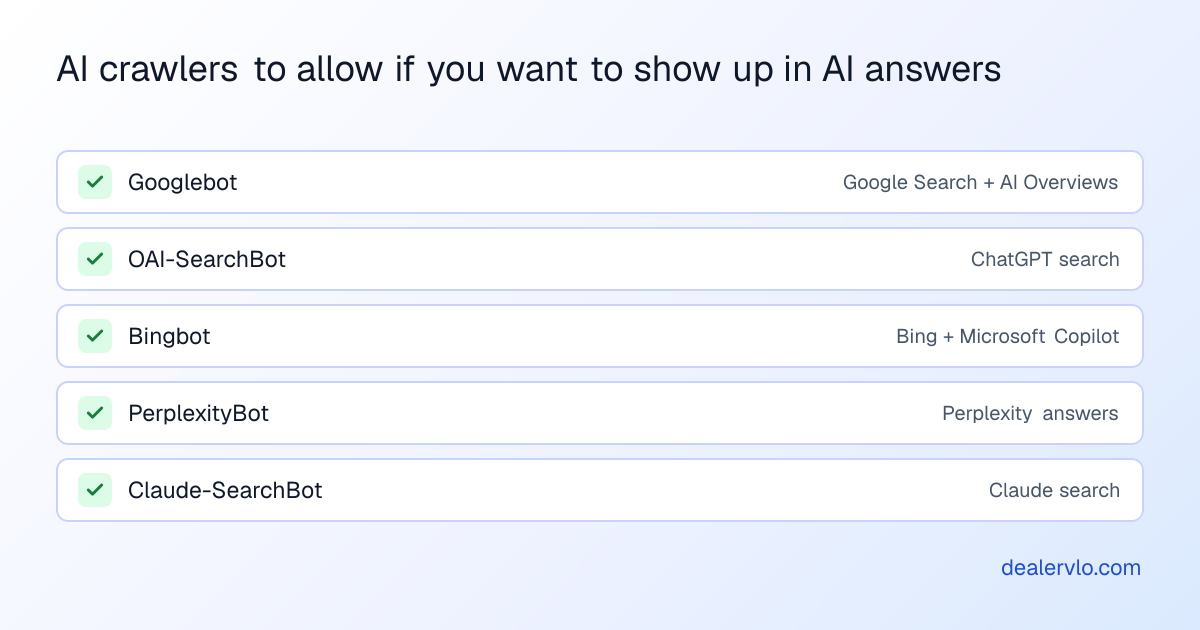
My take as a dealer: I want every search-side crawler in. Whether you let your car descriptions train a model is a values call, and it doesn't cost you leads either way.
On DealerVLO, the dealer websites we host don't block any of these. Each site's robots.txt allows every crawler and points them to a sitemap of the cars in stock, so a dealer never has to think about this file at all.
How to check your dealership website in five minutes
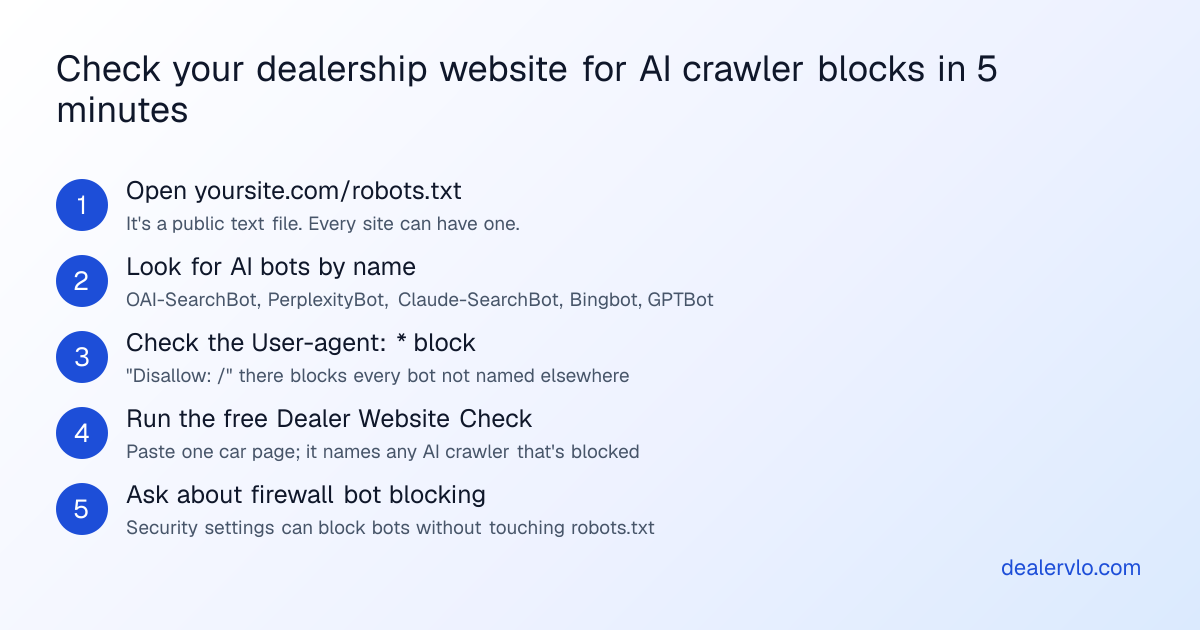
- Open the file. Type your domain followed by
/robots.txtinto a browser. If you get a "page not found," there's no file, and nothing is blocked by robots.txt. - Search the page for the bot names. Use Ctrl+F (Cmd+F on a Mac) for
OAI-SearchBot,PerplexityBot,Claude-SearchBot,bingbotandGPTBot. If one appears withDisallow: /beneath it, that bot is blocked from the whole site. - Read the star block. Find
User-agent: *. If it's followed byDisallow: /, every bot that isn't named elsewhere is blocked, and that usually includes the AI crawlers. - Check a car page, not just the home page. A rule like
Disallow: /inventory/can block every car page while leaving the home page open. That's the worst version, because the cars are what shoppers ask about. - Ask about the firewall. Covered in the next section.
If reading robots rules isn't how you want to spend your morning, our free Dealer Website Check does steps 1 through 4 for you. Paste the address of one car page and it tells you, by name, whether any AI search crawler or training crawler is blocked from that page, alongside the Google checks, structured data, sitemap, phone link and mobile speed.
Paste one car page: see its mobile speed against Google's published lines, and whether shoppers can find and reach you.
Open the Dealer Website CheckThe block robots.txt won't show you: firewall bot settings
robots.txt is only half the story. Security and hosting services can turn bots away at the door, before the crawler ever reads robots.txt. Your file can say "welcome" while the firewall says "no."
The best-known example: on July 1, 2025, Cloudflare announced it was changing its default to block AI crawlers unless they pay for content. Plenty of small-business sites sit behind Cloudflare without the owner knowing, often because a web designer set it up years ago.
You can't see a firewall rule from the outside with a simple check, and our tool says so rather than guessing. The fix is one question to whoever runs your website: "Is any firewall, bot-protection or security setting blocking AI crawlers like OAI-SearchBot, PerplexityBot or Claude-SearchBot?" If they use Cloudflare, it's a toggle in their dashboard.
We ran this test on our own dealer websites. When we requested a DealerVLO dealer site as OAI-SearchBot, GPTBot, PerplexityBot and ClaudeBot on October 2, 2026, each one got the page normally. There's no AI-bot firewall rule for a DealerVLO dealer to find and switch off.
14-day free trial, then $29/mo · Cancel anytime
What to fix, and who fixes it
Most dealership websites come from a website provider, so the fix is usually an email, not a weekend project. Send them the list below. The answers tell you whether you have an AI visibility problem.
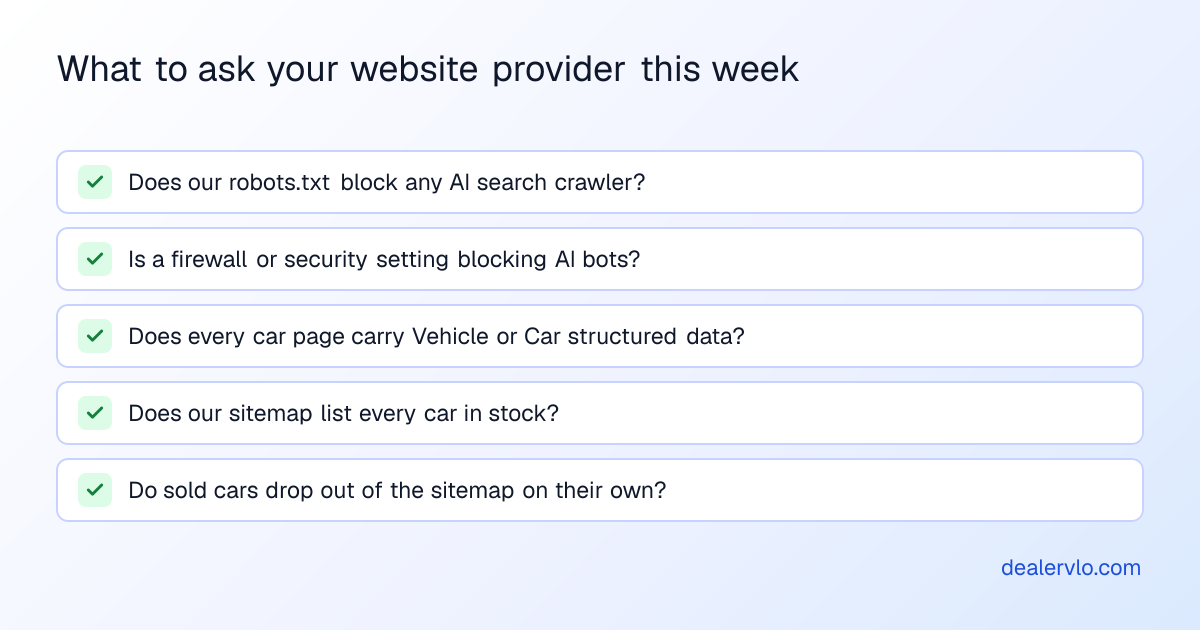
If they need the exact rules, this is a robots.txt that welcomes the search-side AI crawlers while opting out of model training:
User-agent: GPTBot
Disallow: /

User-agent: ClaudeBot
Disallow: /

User-agent: Google-Extended
Disallow: /

User-agent: *
Allow: /

Sitemap: https://yoursite.com/sitemap.xml
Every crawler not named (OAI-SearchBot, Bingbot, PerplexityBot, Claude-SearchBot, Googlebot) falls through to the star block and is allowed. Leave the first three blocks out if you're fine with training too.
After the change, give it a day. OpenAI says it can take about 24 hours from a robots.txt update for its search systems to adjust. Then run the check again.
Unblocked is step one, not the finish line
Being crawlable makes you eligible. It doesn't make you the answer. Once the crawlers can get in, they need something worth reading:
- Car pages a machine can parse. Price, mileage, VIN, year, make and model as text on the page, plus Vehicle or Car structured data. A price baked into an image is invisible to a crawler.
- A sitemap that matches your lot. Every car in stock listed, sold cars gone. A sitemap full of sold units sends crawlers to dead pages.
- Business data that agrees everywhere. Same name, address, phone and hours on your site, your Google Business Profile and the listing sites. The local SEO guide for used-car dealers covers this.
- Reviews. AI answers lean on them when choosing which dealers to name. See how to get more Google reviews.
The first two are where most dealer websites fall down, and they're the two DealerVLO does on its own. Every car you add gets a page with its price, mileage and VIN as text and Car structured data behind it, and the sitemap updates as cars sell. The last two are yours: DealerVLO puts the same dealership name, address, phone and hours in your site's structured data, but keeping your Google Business Profile matching and asking for reviews is work for you and your team.
Where DealerVLO fits
I built DealerVLO for my own lot, and the website piece was built for this problem: a small dealer shouldn't need to know what robots.txt is to be findable.
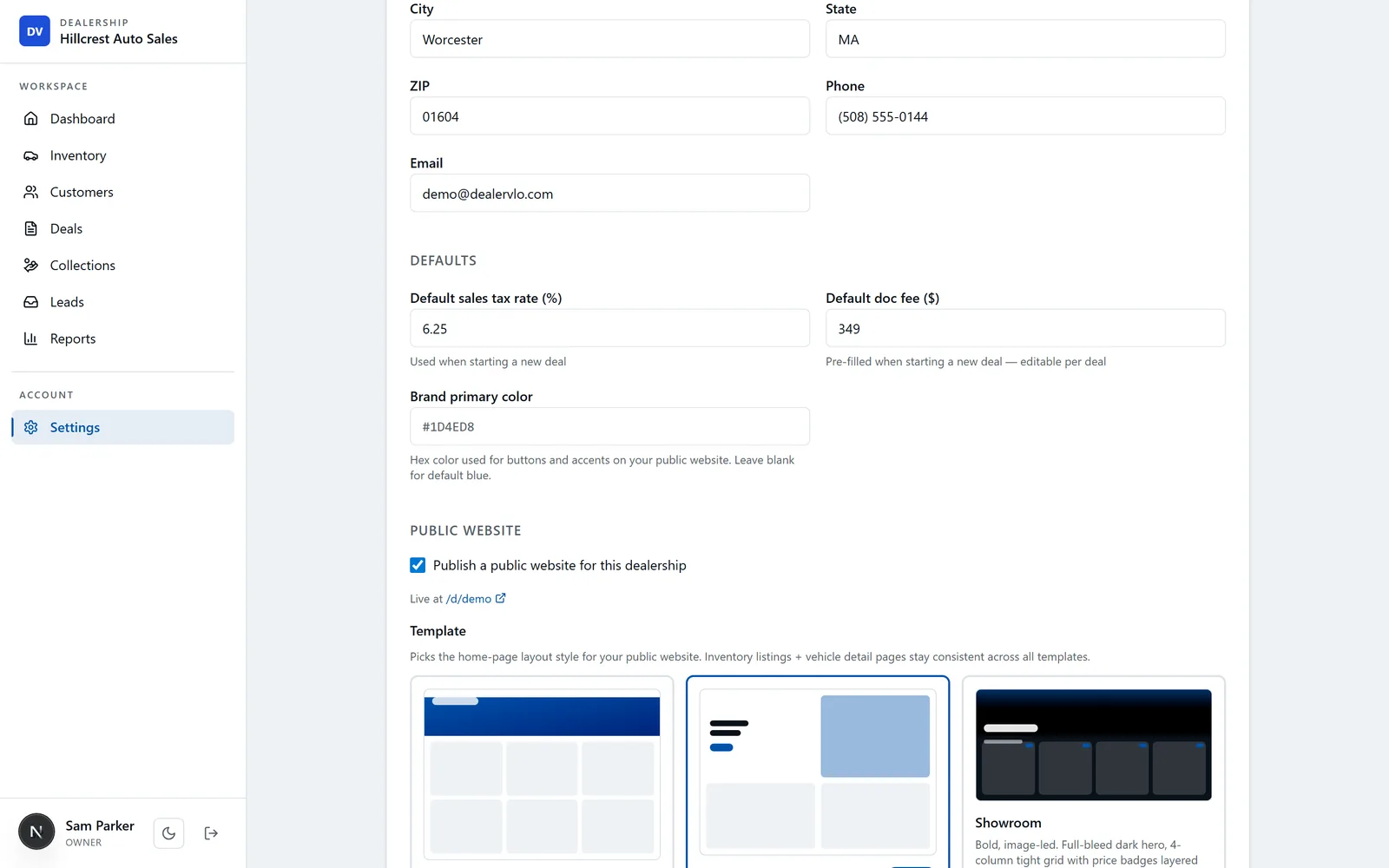
Here's what the website included with DealerVLO does on its own:
- Doesn't block crawlers. Each dealer site's robots.txt allows search engines and AI crawlers alike, and points them to the site's sitemap.
- Keeps the sitemap honest. The sitemap lists your home page, inventory page and every available car. When a car sells or you hide it from the website, it drops out, so crawlers aren't sent to dead pages.
- Marks up every car. Each car page carries Car structured data with the VIN, mileage, price and specs, and the site carries your dealership's name, address, phone and hours as AutoDealer data. That's the format search engines and AI tools read.
- Publishes inventory automatically. Add a car in DealerVLO (paste the VIN and it decodes the vehicle) and it's on your website, priced, with photos, without anyone touching the site.
What it doesn't do: it can't make an AI tool recommend you. That still comes down to reviews, consistent business data and being the lot people talk about. And if you keep your current website instead of using ours, the robots.txt and firewall checks above are yours or your provider's to handle. Run the free check either way.
It's $29 a month for the whole system, website included, with unlimited users.
Frequently asked questions
How do I know if my website is blocking ChatGPT?
Open yoursite.com/robots.txt in a browser. Look for a block that names OAI-SearchBot or GPTBot with "Disallow: /" under it, or a "User-agent: *" block with "Disallow: /". OAI-SearchBot is the one that decides whether your pages can appear in ChatGPT search. A firewall setting can also block AI bots without showing up in robots.txt, so ask your website provider about that too. DealerVLO's free Dealer Website Check reads robots.txt for you and names any AI crawler it blocks.
What is GPTBot, and should a car dealer block it?
GPTBot is OpenAI's crawler for collecting content that may be used to train its models. OpenAI says its settings are independent: you can block GPTBot and still allow OAI-SearchBot, which is the crawler for ChatGPT search results. Blocking GPTBot is a reasonable choice; blocking OAI-SearchBot keeps your cars out of ChatGPT search.
Does blocking Google-Extended hurt my Google rankings?
No. Google says Google-Extended does not affect a site's inclusion in Google Search and is not a ranking signal. It controls whether Google can use your content to train Gemini models. Google Search, including its AI Overviews, is governed by your Googlebot rules.
Which AI crawlers should a dealership allow?
If you want your cars and your store to show up in AI answers, allow the search-side crawlers: OAI-SearchBot (ChatGPT search), Bingbot (Bing and Microsoft Copilot), PerplexityBot (Perplexity), Claude-SearchBot (Claude search), and of course Googlebot. The training crawlers (GPTBot, ClaudeBot, Google-Extended) are your call.
Why would my website block AI bots if I never asked it to?
Usually a setting someone else turned on: a website platform's default robots.txt, an SEO plugin, or a security service. Cloudflare, for example, changed its default on July 1, 2025 to block AI crawlers unless a site owner allows them. Nobody at the store has to touch anything for the block to happen.
How long does it take for ChatGPT to see my site after I unblock it?
OpenAI says it can take about 24 hours after a robots.txt change for its search systems to adjust. Being crawlable makes you eligible; whether you get cited still depends on your business data, reviews and content.
Bottom line
Five minutes with robots.txt tells you whether you're even in the running for AI search. Check a car page, not just the home page, ask your provider about firewall bot blocking, and allow the search-side crawlers even if you opt out of training.
If you'd rather never think about it again, DealerVLO's included website handles crawlers, sitemaps and car markup on its own, and your inventory publishes to it the moment you add a car. Try it on your own lot for 14 days.
14-day free trial, then $29/mo · Cancel anytime