Dealer accounting software: what a used-car lot's books need, and the options compared
What dealer accounting software has to handle for a used-car lot, the three ways small lots set it up, and what each DMS includes for accounting, priced.
Part of the Choosing dealer software guide: The best car dealership software in 2026: 14 DMS options for independent lots, with real prices
Switching from another DMS? Compare DealerVLO to DealerCenter, Frazer, or Lot Wizard, or see what DealerVLO's car dealer management software includes.
Most small lots end up with two sets of numbers: what the DMS says you made on each car, and what the accountant's books say you made for the year. When they don't match, it's usually because a transport bill, a recon invoice or a floor-plan curtailment got booked somewhere other than the car it belonged to.
"Dealer accounting software" covers a few different things, from a full ledger built into your DMS to QuickBooks with a careful export. This post covers what a used-car lot's books actually have to handle, the three setups independent dealers use, what each DMS includes for accounting (priced, from the vendors' own pages), and what to hand your accountant every month. I run a lot in Tewksbury, Massachusetts and built DealerVLO, which is not a general ledger, so I'll be clear about where it fits and where it doesn't. None of this is tax advice; how each item is booked is your accountant's call.
The short answer
For most independent lots, the important part isn't which ledger you use. It's whether every car's cost and every deal's money get recorded once, against the right car, and reach the books without retyping. If you want the ledger inside the DMS, Frazer includes a full accounting suite and DealerCenter sells one as a $99-a-month module. If your accountant already works in QuickBooks or Xero, a DMS that tracks per-car cost and gross and exports clean sales and tax data is often all you need.
What makes dealer books different
A used-car lot looks like a simple retail business until you try to book it in generic software. These are the six places it usually goes wrong:
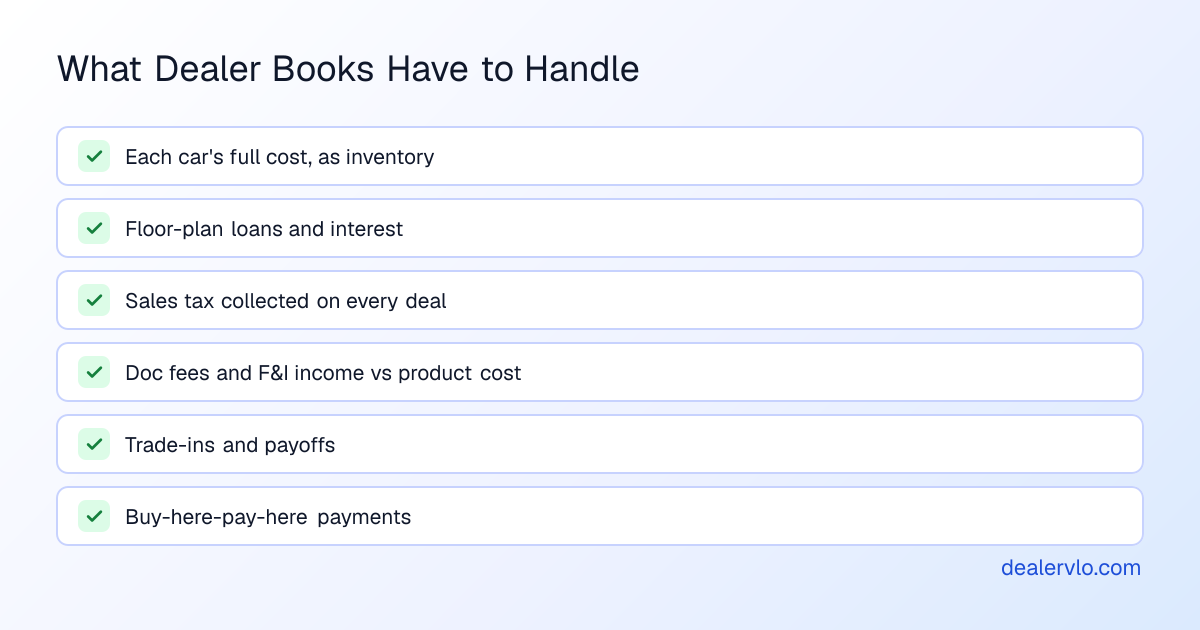
Each car is its own piece of inventory. Its cost isn't just what you paid at the lane. It's the buy fee, transport, the detail, tires, the key you had cut. If those bills go into a general "repairs" expense account instead of onto the car, you overstate the gross on every car you sell and understate your expenses, or the reverse, and you can't tell which cars actually made money. (More on that in the true cost of a car on your lot.)
Floor plan is a loan, not just an expense. Each financed car has a balance owed to the lender, plus interest and curtailments while it sits. The books need to show both the debt and the interest, and the cars on the floor-plan statement should all still be on your lot.
Sales tax is collected on every deal. The money isn't yours; it's held for the state. Your books need to know what was collected per deal, net of trade credit where your state allows it, and when it was remitted.
Doc fees and F&I. Doc fees are income. Service contracts and GAP usually mean income on the deal and a cost you owe the product provider. Booking only the net, or only the gross, makes your F&I look better or worse than it is.
Trade-ins and payoffs. A trade comes in at an allowance, you may owe a payoff to the buyer's lender, and the trade becomes a new car in inventory at a cost. Three entries, one deal.
Buy-here-pay-here. If you carry your own paper, you have notes receivable, payments coming in on a schedule, and late or charged-off accounts. That's lender bookkeeping on top of dealer bookkeeping.
The three ways independent lots set this up
1. Accounting built into the DMS. The deal, the car and the ledger live in one system, so nothing has to be exported. The tradeoff is that your books are tied to your DMS, and leaving later means moving financial history, not just inventory.
2. DMS plus QuickBooks or Xero. Your accountant works in software they already know, and the DMS feeds it, through a live integration, an export file, or someone typing totals in. Cheaper to start, but someone has to keep the two in agreement. Our post on which DMS platforms actually connect to QuickBooks goes vendor by vendor on how each link really works.
3. DMS reports plus an outside accountant. The DMS tracks per-car cost, gross and overhead and produces a P&L and a sales and tax export; the accountant keeps the formal books in whatever they use. This is how a lot of one- and two-person lots run, and it's the setup DealerVLO is built for.
What each DMS includes for accounting
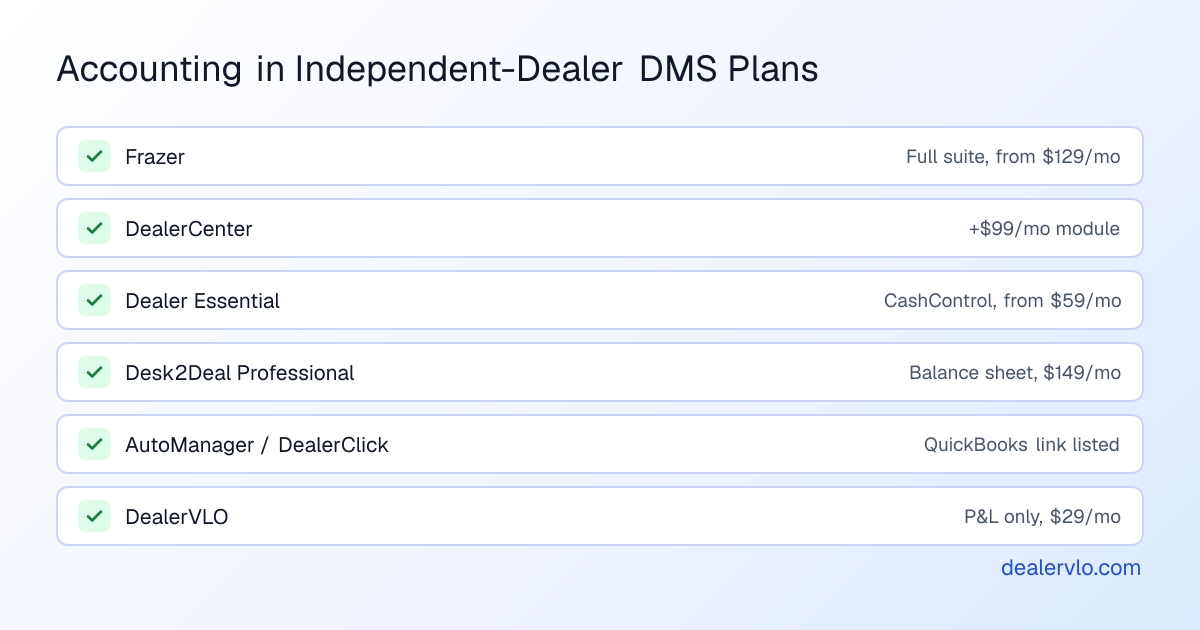
Here's what the main independent-dealer systems list for accounting on their own pricing pages. Frazer's and DealerCenter's were re-checked on November 3, 2026; the others are as of the date in each of our pricing breakdowns.
| System | What's listed for accounting | Price as listed |
|---|---|---|
| Frazer | "Full Accounting Suite" in both plans | Desktop $129/mo; Hosted from $199/mo (Nov 3, 2026) |
| DealerCenter | "Integrated Accounting" module: automated posting of journal entries to your G/L; QuickBooks integration also listed | $99/mo module on top of the $99/mo DMS (Nov 3, 2026) |
| Dealer Essential | Base plan includes CashControl (expenses and accounting) and automated tax reports | From $59/mo by inventory size (Oct 18, 2026) |
| Desk2Deal | Professional plan adds a balance sheet and AR aging; feature table lists QuickBooks sync | Professional $149/mo (Oct 7, 2026) |
| AutoManager | QuickBooks Online and Desktop integration, footnoted (may be an optional module) | Starting prices; confirm (Sep 24, 2026) |
| DealerClick | QuickBooks integration listed | Confirm with DealerClick (Oct 18, 2026) |
| DealerVLO | Per-car cost and gross, overhead by category, P&L, sales and tax CSV export. No general ledger, no balance sheet, no QuickBooks connection | $29/mo flat |
Vendors change what's in each plan. Get the accounting piece in your written quote, and ask the questions further down before you rely on it.
14-day free trial, then $29/mo · Cancel anytime
Where DealerVLO fits, and where it stops
DealerVLO handles the part of dealer accounting that happens on the lot. Every car has an acquisition cost, and recon, auction fees, transport or anything else you spend on it goes on as its own line with a vendor and a cost, rolling into that car's all-in cost. Every deal computes front-end and F&I gross from that cost. Overhead goes in as one-time or recurring expenses by category (rent, payroll, floor plan, advertising, insurance and more), and the P&L shows revenue, cost of cars sold, gross profit, operating expenses and what's left.
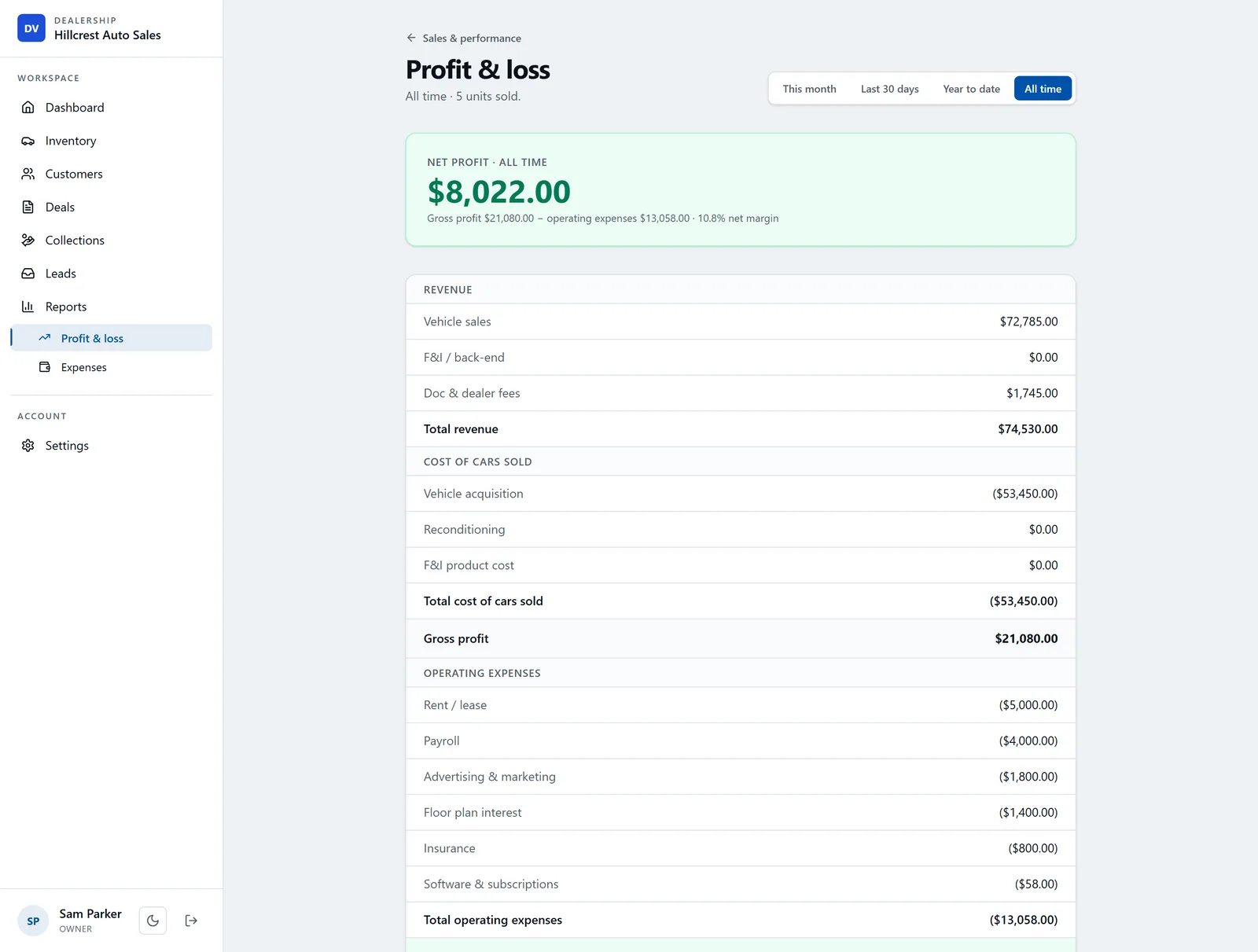
For your accountant, the Reports page's "Export sales & tax (CSV)" downloads one row per deal for the period: sale price, trade allowance, tax rate and sales tax, and doc, title, registration and inspection fees. If you carry your own notes, buy-here-pay-here payments are tracked per deal with a collections view.
Where it stops: DealerVLO is not a general ledger. There's no balance sheet, no bank reconciliation, no accounts payable, and it doesn't connect to QuickBooks or any other accounting software. It records floor-plan interest as overhead on the P&L, not as a per-car cost or a loan balance. If you want your books kept inside your DMS, Frazer or DealerCenter's accounting module is the better fit. If your accountant keeps the books and you want to know what each car made, DealerVLO plus their software is a clean split.
Estimate your daily floor-plan carrying cost per unit.
Open the Floor Plan CalculatorWhat to hand your accountant each month
Whichever setup you use, the month goes smoother when the accountant gets the same package every time.
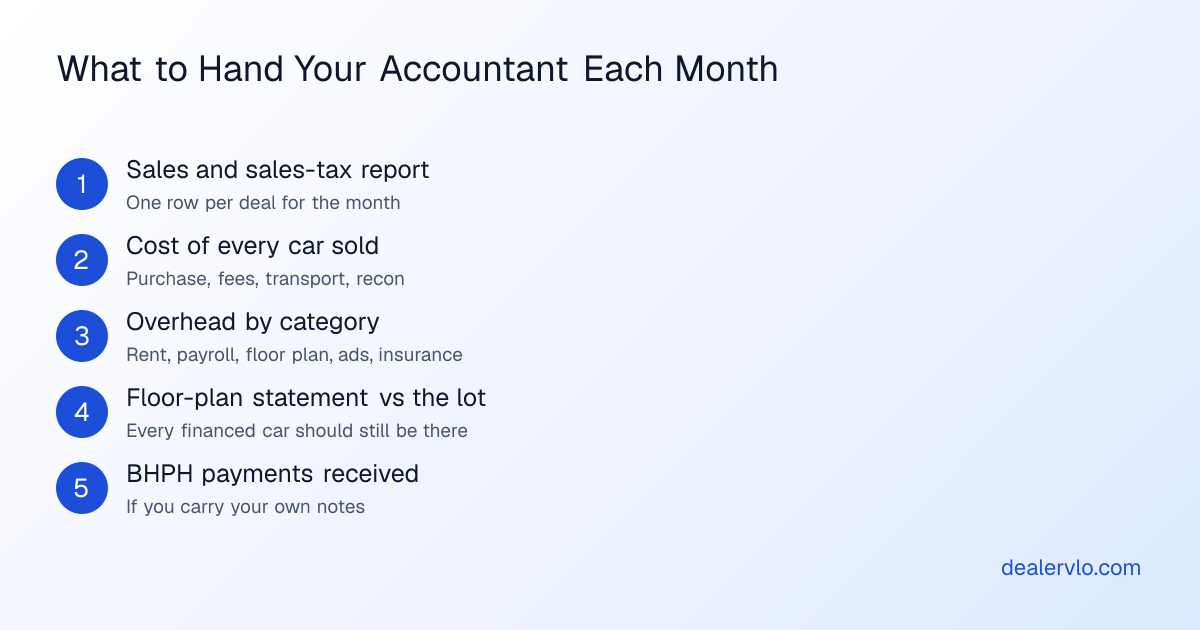
The one that catches problems is the floor-plan statement next to your inventory list. A car on the statement that isn't on your lot is either sold and unpaid (an SOT problem with your lender) or a mistake in someone's records, and both are cheaper to catch this month than next. For the full monthly routine on the operations side, see the month-end close checklist.
Questions to ask before you pick
- Does it post journal entries, export a file, or neither? "QuickBooks integration" can mean a live sync, a file you import, or a report you retype.
- What does my accountant want? Ask them before you buy. Some will happily take a CSV and keep their own books; some want access to the ledger.
- Who reconciles, and how often? If the DMS and the books disagree, someone has to find out why.
- Where does recon land? On the car, or in an expense account? It decides whether your per-car gross is real.
- What happens to my financial history if I leave? Built-in ledgers are the hardest thing to move. Read DMS contract red flags before you sign.
14-day free trial, then $29/mo · Cancel anytime
Frequently asked questions
What is the best accounting software for a used car dealer?
It depends on how your books are kept. If you want the ledger inside your DMS, Frazer includes a full accounting suite in its plans and DealerCenter sells an Integrated Accounting module for $99 a month. If your accountant already works in QuickBooks or Xero, pick a DMS that tracks each car's cost and exports clean sales and tax data, and let the accountant keep the ledger. Either way, the test is whether every car's cost and every deal's money land in the books without retyping.
Can I use QuickBooks for a car dealership?
Yes. Many independent lots keep their books in QuickBooks or Xero. What QuickBooks doesn't do on its own is track each car's cost, recon and gross, or produce your deal paperwork, so you still need a DMS (or a careful spreadsheet) for that, and someone has to get the totals into QuickBooks, either through an integration, an export file, or by hand.
Do I need a DMS with built-in accounting?
Not usually, for a small independent lot. Built-in accounting makes sense when you want one system for everything and you're comfortable keeping your books there long term. If you have an outside accountant who prefers their own software, a DMS that tracks per-car costs, gross and overhead and exports sales and tax data is often enough, and it keeps you from paying for a ledger nobody uses.
What does dealer accounting need to track that regular accounting doesn't?
Each car as its own piece of inventory with its own cost (purchase, auction fees, transport, recon), floor-plan loans and interest, sales tax collected on each deal, doc fees and F&I product income and cost, trade-ins and payoffs, and buy-here-pay-here payments if you finance. A generic setup can hold all of that, but only if someone records it car by car. Ask your accountant how they want each one booked.
Does DealerVLO have accounting?
DealerVLO tracks each car's acquisition cost and recon and other cost lines, computes gross on every deal, records overhead by category, and produces a profit and loss statement. It exports a sales and tax CSV for your accountant. It is not a general ledger: there's no balance sheet, and it doesn't connect to QuickBooks or other accounting software.
Bottom line
Dealer accounting software isn't one product. It's a decision about where your books live and how the numbers get there. Pick the setup your accountant can work with, make sure every dollar you spend on a car lands on that car, and hand over the same package every month. The ledger matters less than the habit.
If you want to see what each of your cars actually made, start a free 14-day DealerVLO trial at dealervlo.com/signup and put your next month's cars through it.