What the CarGurus Badge Script Does on Your Dealer Site, and How to Check It
The CarGurus Deal Rating badge is a live script with a contact-form option. What CarGurus's docs say each script does, and how to check your own site.
Part of the Listings, photos & merchandising guide: Where to list your cars for leads — and how to be on every site at once
Switching from another DMS? Compare DealerVLO to DealerCenter, Frazer, or Lot Wizard, or see what DealerVLO's car dealer management software includes.
There might be a little "Great Deal" or "Good Price" badge next to the cars on your website: the CarGurus Deal Rating badge. Dealers have argued for years about whether that badge is just a trust signal or a way for CarGurus to get between you and your own shopper. Before you keep it or rip it out, it's worth knowing what the code actually does.
I run a used-car lot in Tewksbury, Massachusetts, and I built DealerVLO to run it. I'm not going to tell you the badge steals your leads, because I can't source that. What I can do is walk you through what CarGurus's own docs say each of its scripts does, where the "stealing leads" complaint came from, and the ten-minute check that tells you what's running on your site today.
What the badge actually is, per CarGurus's install docs
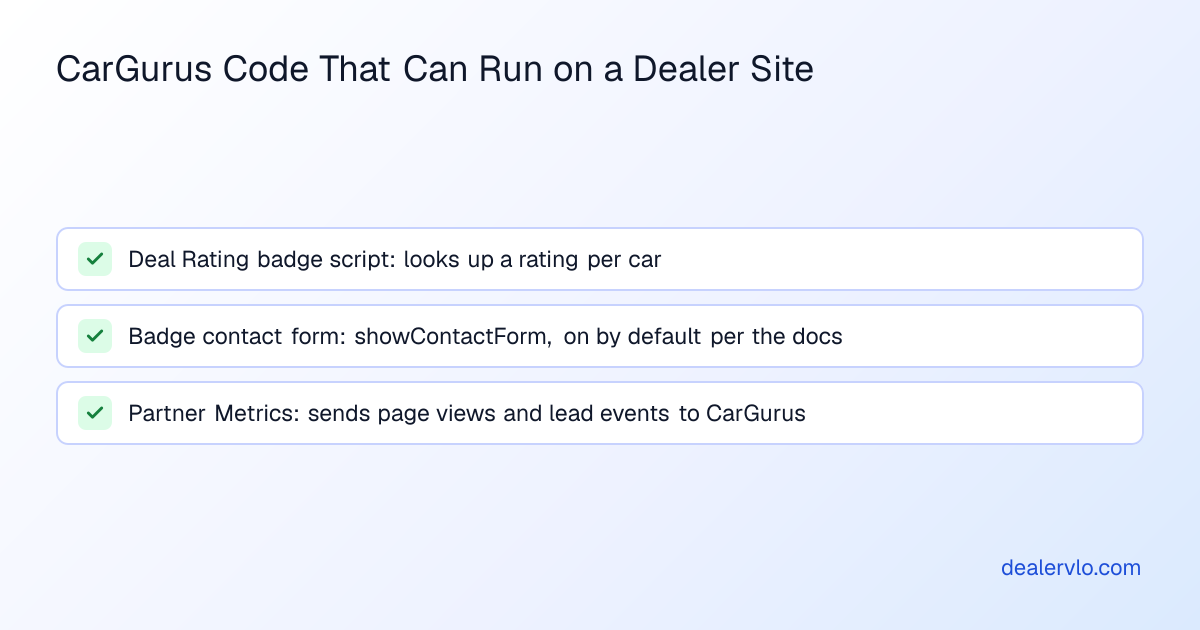
The badge isn't an image file you drop in once. CarGurus's Deal Rating Badge install docs describe a JavaScript SDK that loads from CarGurus's own servers. You put a placeholder tag on each car with its VIN and price. On every page load, the script looks each car up and swaps in a badge if the rating meets the minimum you set. By default, that minimum is Good Price.
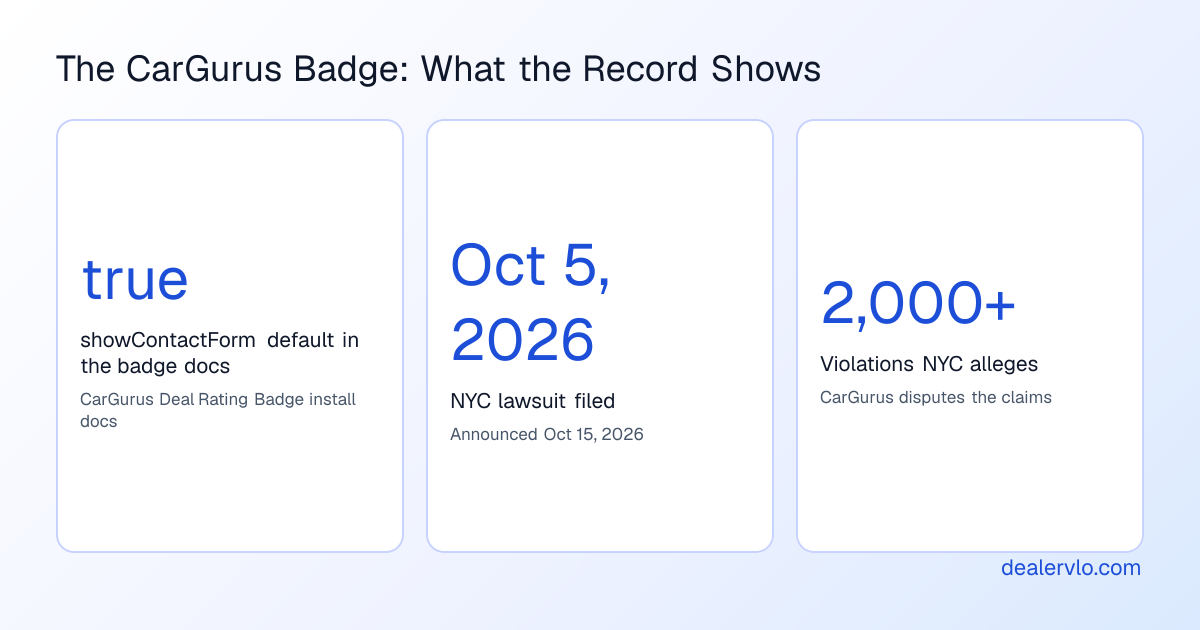
The part dealers miss is in the same page's options table. There's a setting called showContactForm, and its default is true. CarGurus describes it as showing a contact form "so the consumer can submit their information to the dealer," and the quick-start panel says the form appears when a shopper clicks the badge, on desktop only.
So the honest answer to "does the badge come with a lead form?" is yes, as an option that's switched on unless you or your website provider turned it off. What the docs don't say is where those submissions go, how they're tagged, or what the shopper sees afterward. That gap is exactly why you check your own site instead of trusting anyone's summary, including mine.
Partner Metrics is a different script, and it's tracking, not a form
CarGurus has a second script called Partner Metrics. It's separate from the badge, and it's easy to mix the two up.
Partner Metrics is a site-wide visitor-tracking snippet. Per CarGurus's page, it tracks which pages load and what actions visitors take, and it sends events such as Search, Details and Lead (fired when a user submits a lead) back to CarGurus. The install page tells dealers to install it on all pages and on lead forms embedded in an iframe. It also says that by placing the code, you authorize CarGurus to use your website visitor data to optimize digital advertising.
That's worth understanding before you paste it in: you're sending CarGurus what visitors do on your site, including when they submit a lead. But nothing in the docs says Partner Metrics shows a form, collects the lead's details, or sends the lead anywhere but where your form already sends it. It's measurement, not lead capture, and I'd treat it as a data-sharing decision rather than a lead-diversion one.
Where the "CarGurus is stealing leads" complaint comes from
Most of the "stealing leads" talk traces back to a DealerRefresh forum thread started on February 17, 2020. The original poster claimed the badge was really a lead form. He said a lead submitted through it landed in the dealer's CRM tagged as a CarGurus lead, even though the shopper started on the dealer's own website. He also said shoppers then got CarGurus emails pointing them to similar cars, including competitors' listings.
Those were one dealer's claims, and the video he pointed to as proof isn't something I can check. But CarGurus answered in the thread, and that answer is the useful part. In a statement from CarGurus's Jeremy Sacco, quoted in the thread on February 18, 2020, the company said: "We removed the contact forms from the Deal Rating Badges today." The statement also said "those shoppers should not have been getting our marketing emails." It added that the badges only appeared on desktop and only caused the problem if they were set up to include a link to a contact form. On scale, it said "there were 63 leads submitted on those forms last week" across thousands of dealers.
Separately, a dealer in the same thread relayed a reply from a CarGurus sales manager saying the page shoppers saw after submitting a lead showed links to other similar vehicles in the area.
Several dealers replied the same day that the real problem was dealers adding a button without understanding what it did, and that's the lesson I'd keep. Two things are true at once. CarGurus said in 2020 that it pulled the contact forms. And its install docs today still list a contact-form option that defaults to on. I can't tell you which one describes your site, and neither can a forum thread from 2020. Your own browser can.
14-day free trial, then $29/mo · Cancel anytime
How to check what's running on your site
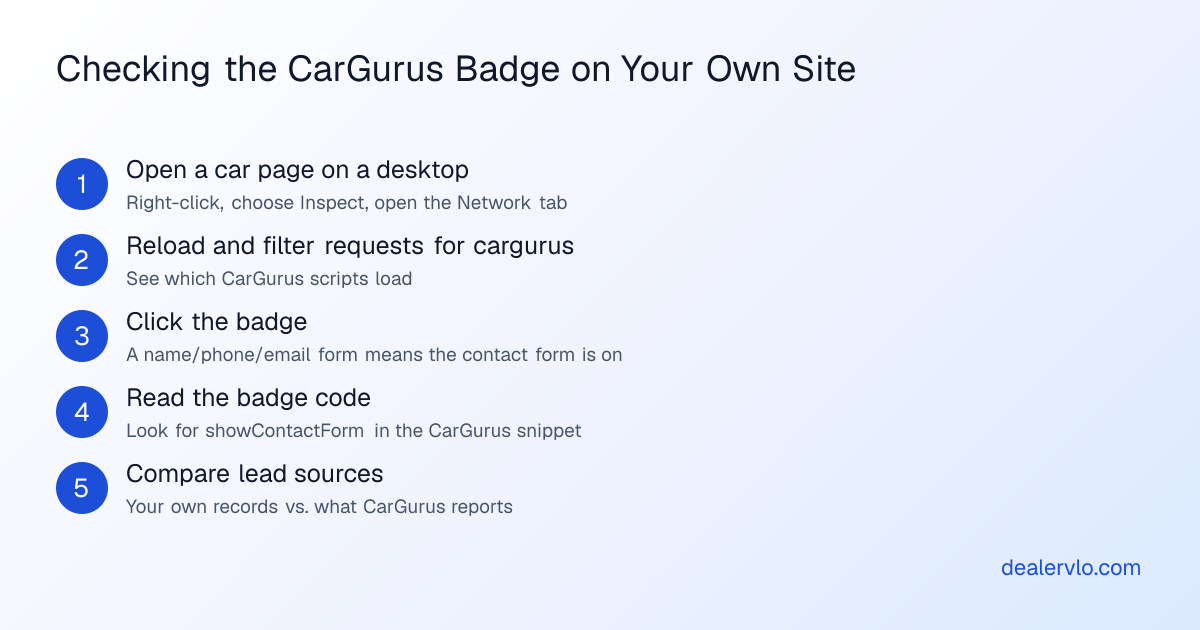
You don't need a developer for this. CarGurus's own Partner Metrics page uses the same starting point for troubleshooting: "Open the developer tools for your browser and go to the Network tab." Do this on a desktop computer, because the badge's contact form is desktop-only.
- Open one of your car pages in Chrome or Edge, right-click anywhere, and choose "Inspect."
- Click the Network tab, then reload the page.
- Type "cargurus" in the filter box. A request for
dealratingbadge.jsmeans the badge script is loading. Other CarGurus requests firing on every page are likely Partner Metrics. - Click the badge on a car and watch what happens. If a form asking for name, phone or email opens, the contact form is on. Write down what happens after you submit a test with your own details, and where that lead shows up.
- Find the badge code in your site's footer or template (or ask your website provider for it) and look for
showContactForm. If it's missing, the docs say it defaults totrue. Setting it tofalseis the documented way to turn the form off. - Check your lead records. Look for leads credited to CarGurus where the customer tells you they found the car on your website. That's the symptom the 2020 thread described, and it's the one thing you can verify on your own data.
If your website provider installed the badge for you, ask them two plain questions: which CarGurus scripts are on my site, and is the badge contact form on or off? If they can't answer, that tells you something too.
Who controls the badge on your site
Even with the form off, the badge isn't really yours. CarGurus's Dealer Pricing Policy says CarGurus may permit a badge on a dealer's site "subject to CarGurus sole discretion and prior approval." It says a badge must be requested directly from CarGurus "in advance of each time the badge is displayed," meaning every time a page that could show one loads. It must be displayed "only in the exact form provided by CarGurus." And CarGurus "may terminate the Deal Rating Badges Service or may revoke any dealer's right to use the Service or any Deal Rating Badge at any time in its sole discretion."
That's normal for a vendor widget, but it's a different relationship from your own photos or your own contact form. It's CarGurus code on your domain, calling CarGurus every page load, that CarGurus can switch off whenever it wants.
The Deal Rating itself is under legal scrutiny in 2026
Apart from the lead question, the rating the badge displays is being challenged. New York City's Department of Consumer and Worker Protection filed a lawsuit against CarGurus in New York State Supreme Court, New York County, on October 5, 2026 (the summons and complaint carry that filing stamp). The city announced the suit on October 15, 2026. The release says CarGurus is "charged with deceiving customers by advertising falsely reduced prices as 'Good Deals' or 'Great Deals,'" while "hiding hundreds or thousands of dollars in additional fees." It gives a June 2026 example: a 2018 Honda shown as $2,212 below market value, where the mandatory fees meant the buyer would pay $1,473 above market. The city alleges more than 2,000 violations of its Consumer Protection Law. CarGurus has said it rejects the claims and will defend itself.
For context, CarGurus told dealers on June 24, 2026 that starting July 14, used listings without disclosed fees would be labeled "No Rating" and move lower in search results. At the end of July, the company said more than 90% of used inventory from subscribing dealers included disclosed fees. That's CarGurus's own figure, not an audit.
None of this is about lead diversion. But it's the same badge, and it's a reminder that a rating sitting on your page reads like your endorsement to a shopper. If you show it, make sure the price behind it is your real price with your fees disclosed. If you're deciding whether to chase a better rating at all, I covered that separately in CarGurus Deal Ratings and pricing for dealers.
Keep your own record of where leads come from
The audit above only matters if you can tell your website leads apart from your listing-site leads afterward. Plenty of small lots can't, because leads land in a shared inbox or on a sticky note. The lead source tracking guide goes deeper on this, but the short version is to record the source when the lead arrives, not weeks later from memory.
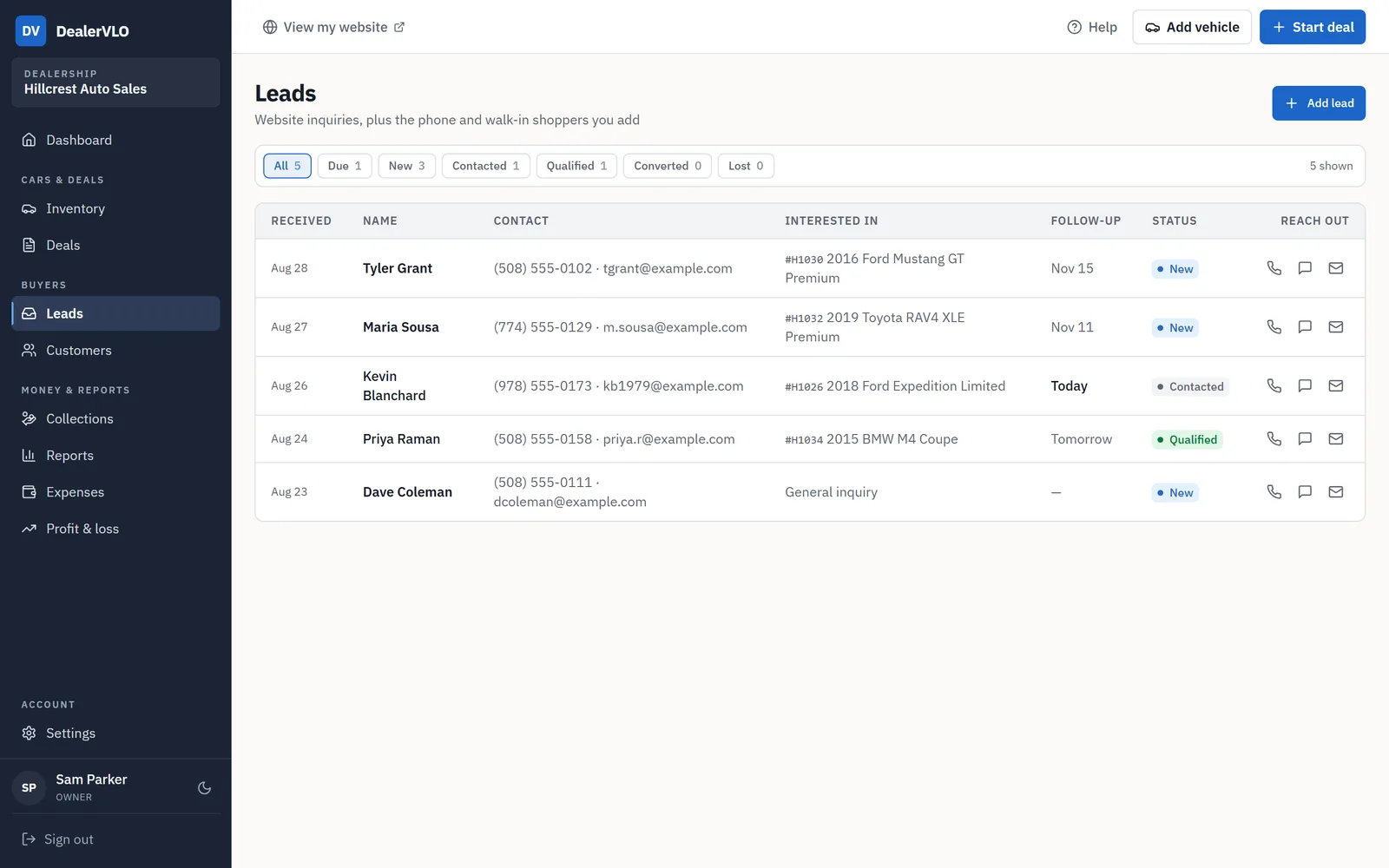
In DealerVLO, every lead in the built-in CRM carries its source. Leads from your DealerVLO website come in tagged with the form they came through: vehicle inquiry, contact, financing or credit application. Leads from listing sites aren't imported automatically. When a CarGurus shopper calls or emails, you add the lead by hand and pick its source (Phone, Walk-in, Facebook, Listing site or Other). That won't tell you what a badge on some other website did with a click. It does give you your own record to hold up against each listing site's dashboard.
The DealerVLO website also doesn't run third-party scripts you didn't choose. You can't paste custom scripts into it, so there's no CarGurus badge or Partner Metrics code on those pages. The only optional tracker is a Meta Pixel, and only if you add your own Pixel ID. Your cars still reach CarGurus, Cars.com, Autotrader and Carfax.com through listing feeds included in the $29 a month. You keep your own CarGurus account and whatever you pay CarGurus.
If you're weighing whether CarGurus is worth paying for at all, run the worth-it math with your own numbers or see the CarGurus vs. Autotrader vs. Cars.com comparison. For the wider view of where to list, start with the guide to car listing sites for dealers.
14-day free trial, then $29/mo · Cancel anytime
Frequently asked questions
Does the CarGurus badge capture leads from my website?
It can show a contact form. CarGurus's badge install docs list a showContactForm option, set to true by default, that shows a contact form when a desktop shopper clicks the badge so they can send their information to the dealer. The docs don't say where that form's submissions go or how they're tagged. In February 2020 a CarGurus statement quoted on a dealer forum said the company had removed the contact forms from the badges, so whether you see one today depends on your install. Click your own badge on a desktop and look.
How do I tell what the CarGurus badge does on my site?
Open one of your car pages on a desktop computer in Chrome, right-click and choose Inspect, open the Network tab, reload, and type cargurus in the filter box to see what loads from CarGurus. Then click the badge and note what happens: a form with name, phone and email fields means the contact form is on. Finally, find the badge code in your site and check whether it sets showContactForm.
Is the CarGurus Partner Metrics script a lead form?
No. Partner Metrics is a separate CarGurus tracking script that sends page loads and visitor actions, such as searches, vehicle detail views and lead submissions, back to CarGurus. Its install page says that by placing it you authorize CarGurus to use website visitor data to optimize digital advertising. CarGurus tells dealers to install it on every page and on lead forms embedded in an iframe, but nothing in the docs says it collects or redirects the lead itself.
Who controls the badge on my site?
CarGurus does. Its Dealer Pricing Policy says a badge must be requested from CarGurus every time a page that could show one loads, must be displayed only in the exact form CarGurus provides, and can be revoked by CarGurus at any time in its sole discretion.
Is the CarGurus Deal Rating itself under scrutiny?
Yes. New York City's Department of Consumer and Worker Protection filed a lawsuit against CarGurus in New York State Supreme Court, New York County, on October 5, 2026, and announced it on October 15, 2026. The city alleges more than 2,000 violations of its Consumer Protection Law over Good Deal and Great Deal labels on listings with mandatory fees. CarGurus says it rejects the claims and will defend itself.
Can I track where my leads come from instead of guessing?
Yes, and that's the durable fix. Record each lead's source as it comes in (your website form, a phone call, a walk-in, or a listing site), then compare that record with what each listing site's dashboard says it sent you.
Bottom line
The CarGurus badge is a CarGurus-controlled script, and its install docs include a contact form that's on by default. CarGurus said in 2020 that it removed those forms, and nobody outside CarGurus can tell you how the form behaves on your site today. Partner Metrics is a different script that shares your visitor data with CarGurus; it isn't a lead form. Spend ten minutes in your browser's Network tab, click your own badge, read the snippet, and decide on what you find. Then keep your own record of where every lead came from, so the next time a listing site takes credit for a customer, you can check.
If you want a dealer website and a lead inbox that tags each lead's real source, start your free 14-day DealerVLO trial at /signup.
Paste one car page: see its mobile speed against Google's published lines, and whether shoppers can find and reach you.
Open the Dealer Website Check