Does Dealertrack DMS Have Desking? What Independent Dealers Actually Use Instead
Does Dealertrack DMS have desking? Here's what's actually built in, what isn't, and how dealers desk deals before pushing to Dealertrack.
Part of the Choosing dealer software guide: The best car dealership software in 2026: 14 DMS options for independent lots, with real prices
Switching from another DMS? Compare DealerVLO to DealerCenter, Frazer, or Lot Wizard, or see what DealerVLO's car dealer management software includes.
If you've been searching "does Dealertrack have desking" and coming up with half-answers, you're not missing something obvious — the answer really is split across three different products, and Dealertrack's own sales literature tells you to desk somewhere else and push the deal in. That's the short version. The longer version is worth understanding before you decide whether to keep patching around it or move your deal math somewhere it actually lives.
This post walks through what light desking exists inside the core Dealertrack DMS, what Dealertrack uniFI and Salesmaker actually are, how dealers are pushing deals in from a CRM instead, and what it looks like to just desk and close in one place rather than bouncing between logins.
14-day free trial, then $29/mo · Cancel anytime
The short answer: yes and no
Dealertrack's own DMS marketing materials point dealers toward pushing customer and deal data from a CRM or desking solution into the DMS, with the integration moving data in real time to cut down on redundant entry (Dealertrack DMS Insider Insights eBook). That's a vendor telling its own customers, in writing, that the DMS is built to receive a finished deal from elsewhere — not to be the place you build the pencil.
That lines up with what dealers say on industry forums. A dealer posting on DealerRefresh in 2022 asked almost exactly this question — what do Dealertrack dealers use to desk deals now that DealMaker is gone — and a forum admin relaying feedback from a Dealertrack-using dealer said their shop does all its desking in the CRM and pushes deal data to Dealertrack, while noting the DMS itself does have "some light desking capabilities" (DealerRefresh forum thread). Another dealer in the same thread pointed out Dealertrack has been steering users toward desking through Dealertrack uniFI's F&I portal instead, which syncs back and forth with the DMS (same thread).
So: a dealertrack dms desking tool exists in a narrow sense, but it's not one unified screen inside the core DMS that most dealers rely on day to day. It's split across an F&I platform (uniFI/Salesmaker) and whatever CRM desking tool is pushing data in. If you're trying to understand DMS options broadly before deciding what to do about this, the DMS software explainer is a good starting point on what these systems are supposed to do in the first place.
Worth being precise here: this isn't "Dealertrack DMS has zero desking." The sourced, accurate position is that light desking exists in the core product per dealer testimony, a full desking engine exists adjacent to it as a separate F&I platform, and Dealertrack's own literature recommends CRM-based desking pushed in — not a flat "no desking" claim.
Why DealMaker's sunset left a gap
Part of the confusion traces back to Dealertrack sunsetting its older DealMaker desking tool — the DealerRefresh poster referenced this directly when asking what replaced it (DealerRefresh thread). The exact date that happened isn't confirmed by anything beyond forum hearsay, so treat "when" as fuzzy — but the practical effect is clear: dealers who built habits around DealMaker found themselves without a direct DMS-native replacement, and had to either adopt uniFI or lean harder on whatever CRM desking tool they already had.
If you're in the middle of that transition — or thinking about leaving Dealertrack altogether — the switching from Dealertrack guide covers what to export and how to plan the cutover, and Dealertrack DMS pricing, explained is useful if cost is part of why you're reconsidering.
What Dealertrack uniFI and Salesmaker actually are
This is where most of the confusion lives, because "Dealertrack uniFI" and "Dealertrack DMS" sound like the same product and aren't.
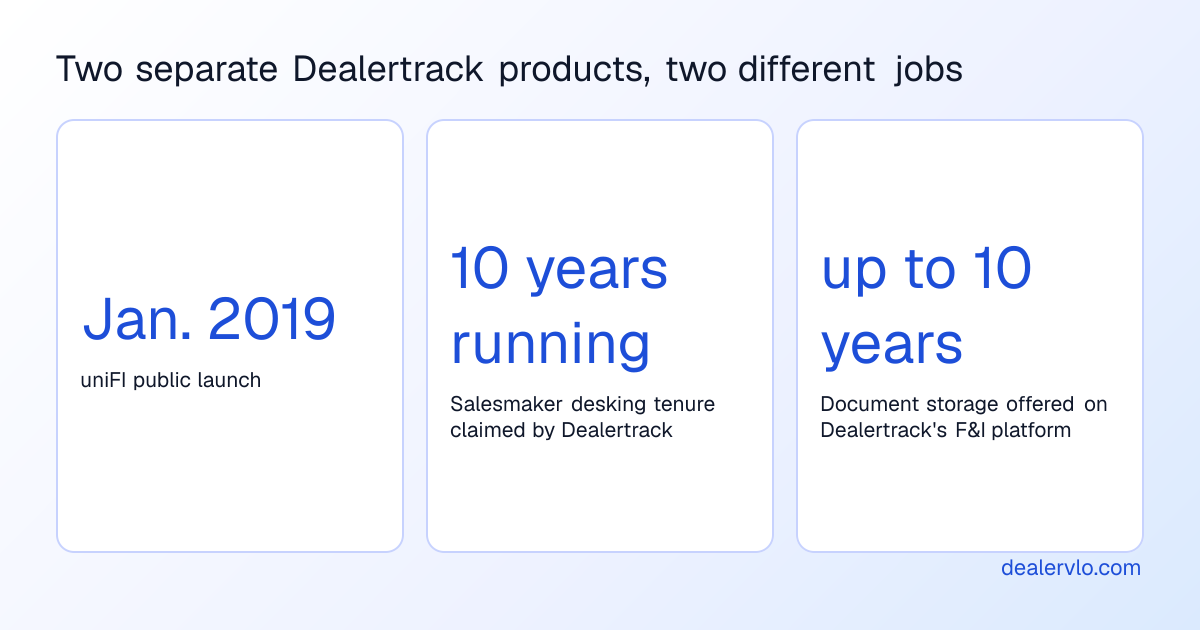
uniFI is Dealertrack's F&I software platform — it launched publicly via a January 2019 press release aimed at streamlining the car-buying process for consumers, dealers, lenders and warranty providers (PRNewswire, Jan. 2019). Official Dealertrack materials describe a "Deal Calculator and Desking" feature inside uniFI that lets dealership staff desk a deal with fewer clicks, add aftermarket products, and calculate taxes and fees through an integrated calculator (Dealertrack uniFI NADA release sheet).
Under the hood, that desking engine is an older product called Salesmaker. A separate Dealertrack F&I platform eBook brands Salesmaker as "a 10 year in a row award-winning desking solution" (Dealertrack Platform Brochure).
The nuance that matters for your day-to-day: uniFI is a separate F&I/credit/compliance portal with its own login that syncs with the DMS — it is not a screen living inside your core Dealertrack DMS interface. That separate-login reality is exactly what independent dealers notice and get frustrated by.
There's also a second, distinct product confusingly also called "Dealertrack Desking" — sometimes referenced as "deskit" — offered through a partnership with DealerCorp going back to at least 2016, aimed more at a collaborative real-time deal-structuring experience with the customer present (Canadian Auto Dealer, March 2016). VinSolutions' own integration documentation refers to it as "Dealertrack Desking (deskit) powered by DealerCorp" (VinSolutions integration doc) — language confirming it's a third-party-built module, not something Dealertrack's own engineers built into the DMS core. Whether that product is still active under that name today isn't something recent documentation confirms, so don't assume it's current.
How dealers actually desk before pushing to Dealertrack
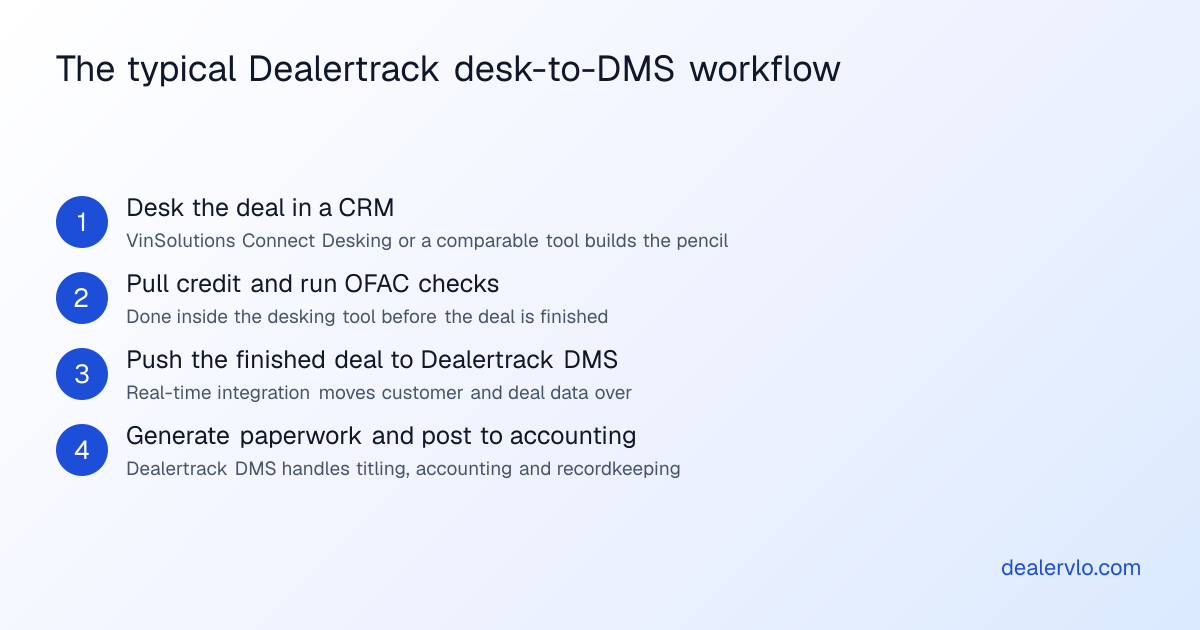
The clearest documented pattern is: desk the deal in a CRM, then push the finished numbers into Dealertrack DMS for titling, accounting and paperwork. VinSolutions' Connect Desking product page states this directly — it lets dealers build proposals, compare payment scenarios with real-time rates and incentives, and push the completed deal to the DMS, with the explicit goal of closing deals faster and pulling credit reports and OFAC checks without leaving the customer conversation (VinSolutions Connect Desking).
This same pattern shows up with other DMS platforms too. VinSolutions announced integrating its desking tool with the Autosoft DMS back in 2015, pulling Autosoft data into the CRM database so dealers desking a deal weren't double-entering (Yahoo Finance / VinSolutions release, 2015). A VinSolutions Connect CRM brochure lists Dealertrack as one of several DMS platforms this push supports, alongside Reynolds, ADP, AutoMate and AutoSoft (Dealer.com VinSolutions Connect CRM brochure). Because VinSolutions and Dealertrack share the same parent company, that same brochure notes Dealertrack DMS users can push and share data with Connect CRM without extra integration fees (same brochure).
So if you're asking how to desk deals without Dealertrack's core screens doing the heavy lifting, the honest answer from the vendor ecosystem itself is: you desk in a CRM (VinSolutions Connect or something comparable) and treat Dealertrack as the back-end system of record. Vendors describe this as faster deal structuring, but those specific percentage claims come from internal, unaudited vendor time trials — worth treating as marketing color rather than a number you can bank on.
Why that split workflow is the actual pain point
Here's the part that doesn't show up in vendor brochures: every hop between systems is a place where a number gets re-typed, a trade payoff gets copied wrong, or a deal sits half-finished in one system while the paperwork gets built in another. On a small lot, that's not a hypothetical — it's real time lost per deal re-entering the same buyer and vehicle info into a second screen.
This is the exact problem a one-login deal jacket is built to avoid. A lot of small, independent dealers never had a separate desking tool to begin with — they ran deal math on a spreadsheet or on paper alongside whatever DMS printed the forms, which has the same root issue as the Dealertrack split: the deal math and the paperwork living in different places, with someone retyping numbers between them.
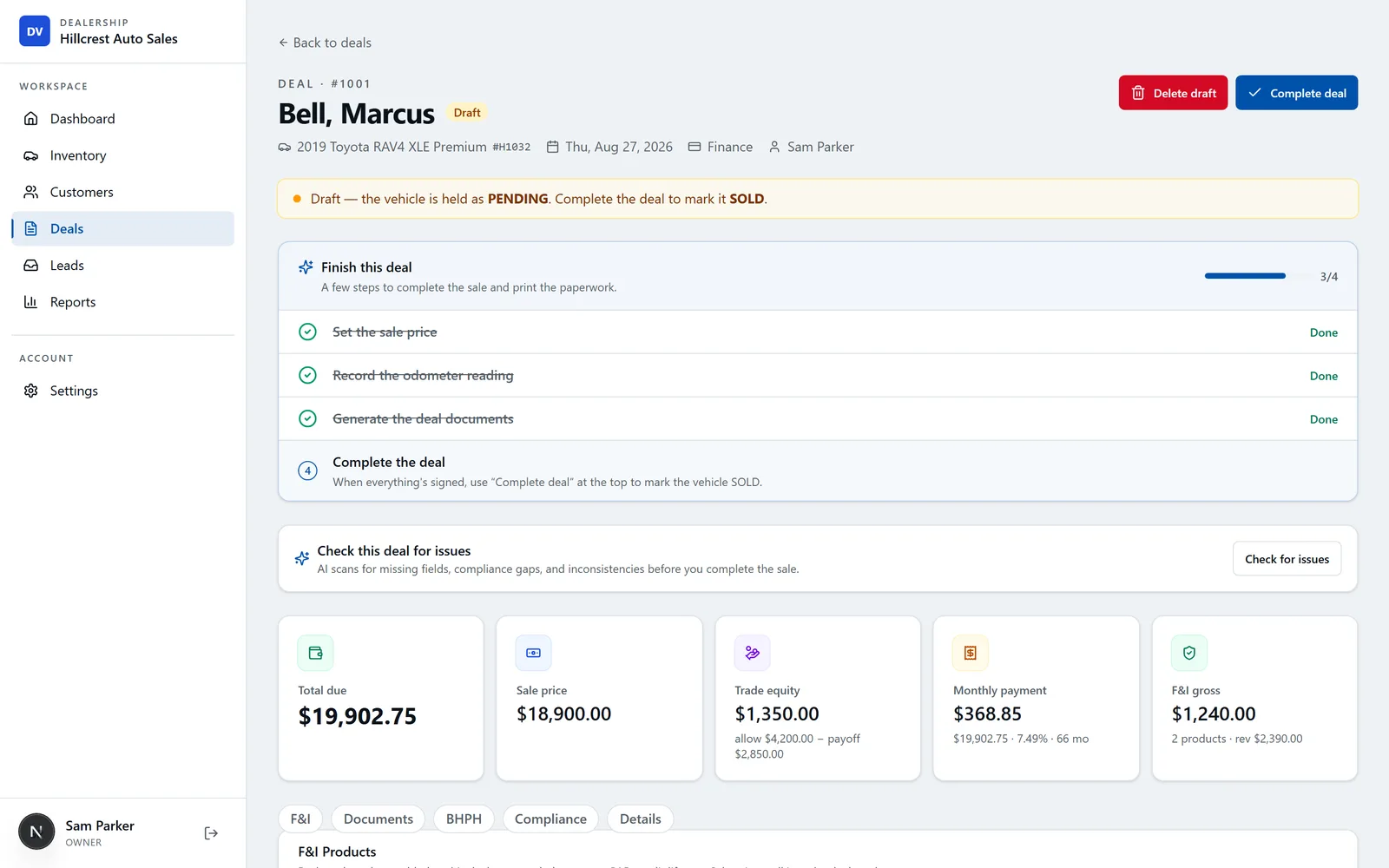
In DealerVLO, the deal jacket computes the math live — totals, trade equity, payment, front-end and F&I gross — in the same screen where the paperwork gets generated, so there's no separate desking login to sync back. If you want to see what the deal screen itself looks like day to day, the screenshot below shows totals and trade math updating as you build the deal, not after you push it somewhere else.
14-day free trial, then $29/mo · Cancel anytime
Trade payoffs and negative equity: where split systems get risky
One place a desk-then-push workflow creates real exposure is the trade-in. If the trade's payoff and allowance live in your CRM's desking tool but the final contract prints from the DMS, a stale payoff figure or a missed update can slip through. A trade-in with negative equity needs that shortfall carried correctly onto both the bill of sale and the retail installment contract, as its own line — not buried in the vehicle price.
In DealerVLO, the trade-in on a deal records the allowance, the payoff owed, the lienholder, the loan account number, and the date the quoted payoff is good through, plus the per-diem rate for reference only (it isn't used in any calculation). When payoff exceeds allowance, the deal shows the negative equity and adds it to the amount due automatically, and both the bill of sale and the retail installment contract print it as its own line — no re-entry, no second system to keep in sync. If you're comparing how different DMS platforms handle this kind of deal math before committing to one, the best DMS for independent used-car dealers roundup is a reasonable place to see the field side by side.
Independent-lot alternatives that build desking into the DMS itself
Not every DMS built for independent used-car dealers follows the desk-elsewhere pattern. Some are built so the desking screen is a native part of the core product rather than an adjacent F&I platform. DealerClick, for example, describes its desking screen as showing vehicle cost, trade allowance, down payment and financing terms together with gross profit calculated in real time, so a salesperson sees deal profitability before the customer does (DealerClick product page). Frazer's own site lists desking as part of its DMS offering for independent used-car dealers, though whether it's a standalone module or folded into the core product, and exact pricing for either platform, isn't something this research confirmed — check their sites directly before comparing dollar figures.
That's the broader pattern worth noticing: platforms built from the ground up for independent lots (rather than franchise stores running separate F&I compliance portals) tend to treat the deal screen as one thing, not two synced systems. If you're sizing up what a DMS should cost either way, the dealer software cost breakdown walks through flat-fee versus per-user pricing models you'll run into.
Build the whole deal — price, tax on the right base, doc, title, minus trade and down — into the out-the-door number and the monthly payment.
Open the Out-the-Door Price CalculatorWhat to check before you commit to a desking workflow
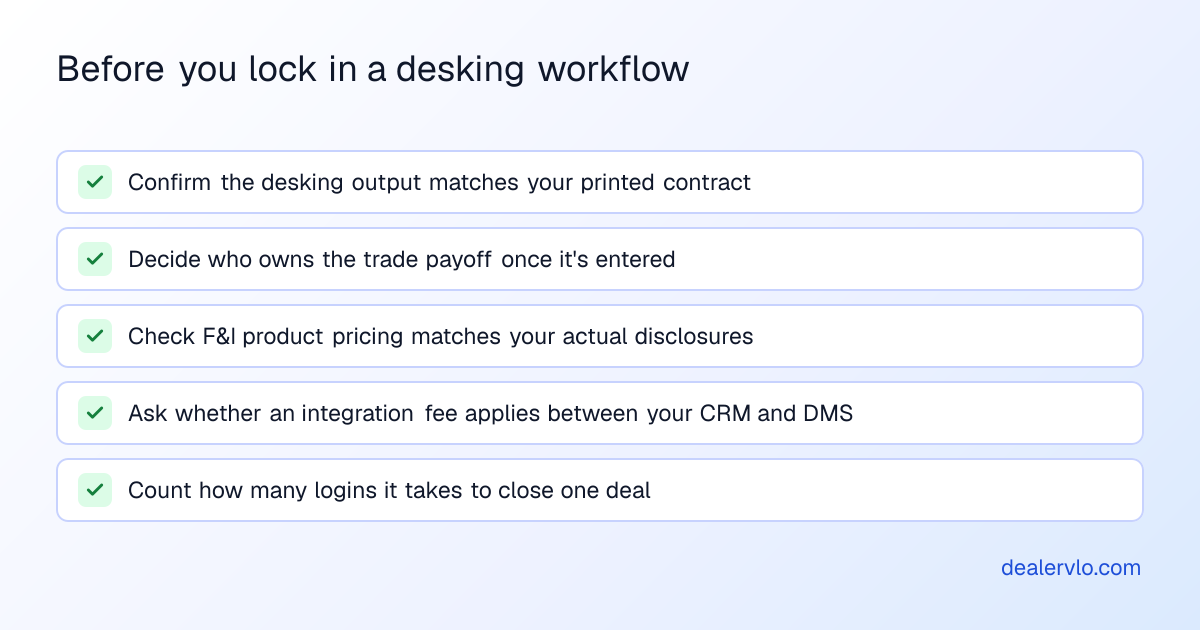
Whether you stick with Dealertrack and a CRM push, move to uniFI, or switch DMS platforms entirely, a few things are worth verifying before you lock in a process:
- Does the desking tool's output match what prints on your contract? A number that looks right on a desking screen but doesn't match the bill of sale is worse than no desking tool at all.
- Who owns the trade payoff once it's entered? If it lives in a CRM separate from your DMS, confirm there's one source of truth before closing day.
- What happens to F&I product pricing and warranty language? Confirm the desking tool's output matches your actual contract disclosures, not a generic template.
- Is there a real integration fee, or does your DMS family (like Cox-owned products) waive it? Worth asking directly — don't assume.
- How many logins does closing a single deal actually require? Count them. That number is a decent proxy for how much time you're losing per car.
Compliance recordkeeping: a feature, not a mandate
Dealertrack's own F&I platform materials tie the desking/deal-jacket workflow to compliance recordkeeping, saying the next-generation platform makes staying compliant "easier than ever" with a simplified workflow and a central place to access customer information, and that documents are stored digitally for up to 10 years (Dealertrack Platform Brochure). That's a vendor describing what its platform offers — not a legally mandated retention period, so don't treat it as a compliance deadline you're required to hit. Confirm your actual document-retention obligations with your state's dealer licensing authority rather than a vendor brochure. This isn't legal advice — check your state's current rules with your DMV or licensing board before you set a retention policy.
DealerVLO's deal compliance checklist works the same way — it's a place to record that an OFAC screen or Red Flags review was done on a deal, not an automated screening service. It's a step the dealer completes, which keeps the record in the same file as the deal itself rather than a separate compliance portal.
Days on the lot still matter while you sort this out
None of this desking discussion changes the basic math of running a lot: cars that sit too long cost money every day they're unsold. Whatever desking workflow you land on, keep an eye on aging inventory separately — a dealer whose F&I process is dialed in but whose 70-day-old units are still priced like they're fresh is solving the wrong problem. DealerVLO's dashboard shows a count of cars sitting 60+ days as part of its "Needs attention" list, so you see it without having to run a separate aging report — though it's on the dealer to decide what to do about each one; DealerVLO doesn't reprice a car or send an alert on its own.
14-day free trial, then $29/mo · Cancel anytime
Frequently asked questions
Does Dealertrack DMS have desking built in?
Dealertrack's own DMS marketing tells dealers to desk in a CRM or desking solution and push the finished deal data into the DMS, and dealer testimony on industry forums describes only "light desking capabilities" inside the core DMS itself. Full desking functionality — branded Salesmaker — lives in Dealertrack uniFI, a separate F&I platform with its own login that syncs back to the DMS.
What is Dealertrack uniFI, and is it the same as the DMS?
No — uniFI is Dealertrack's F&I software platform, launched in 2019, aimed at streamlining financing, credit applications, and deal structuring between dealers, lenders and warranty providers. It's a separate portal that syncs with the core Dealertrack DMS rather than a screen built into the DMS itself.
What happened to Dealertrack DealMaker?
Dealertrack sunset its older DealMaker desking tool, and dealer forum discussion points to that gap as the reason many Dealertrack users were left asking what to use for desking instead. The exact sunset date isn't documented in any official Dealertrack announcement found in this research, so treat specific dates with caution.
How do dealers desk deals without relying on Dealertrack's own screens?
The documented, vendor-confirmed pattern is desking in a CRM — VinSolutions Connect Desking is the clearest example — and then pushing the completed deal into Dealertrack DMS for titling, accounting, and paperwork. The same CRM-to-DMS push pattern has existed with other DMS platforms like Autosoft for years.
Are there DMS platforms where desking is built in natively instead of pushed from a CRM?
Yes — some DMS platforms aimed at independent used-car dealers build the desking screen directly into the core product. DealerClick, for example, shows vehicle cost, trade allowance, down payment and financing terms with gross profit calculated live on one screen, rather than requiring a separate F&I portal or CRM push.
Does switching away from a split CRM/DMS desking workflow actually save time?
Every hand-off between a desking tool and a DMS is a place where numbers get re-typed or a trade payoff goes stale, so consolidating into one system removes those re-entry points. The actual time saved varies by how many logins and re-entries your current workflow requires — count them for your own deals before assuming a specific savings number.
Bottom line
Dealertrack DMS has some light desking built in, per dealer testimony, but the vendor's own literature points you toward a CRM or its uniFI/Salesmaker F&I platform to do the real deal-structuring work, then push the finished numbers back into the DMS. A similar split shows up with other DMS platforms, like Autosoft's past CRM-push pattern — but it does mean more logins, more re-entry points, and more places a trade payoff or F&I figure can drift between systems. If you're tired of juggling that split, a DMS built for independent lots that keeps desking and paperwork in one place is worth a look.
14-day free trial, then $29/mo · Cancel anytime