DealerCenter reviews: what dealers actually say, and what a 4.9 leaves out
DealerCenter rates 4.9 on Capterra. Here's what dealers praise, what they complain about, and what to check before you sign, from a dealer who runs a rival DMS.
Part of the Choosing dealer software guide: The best car dealership software in 2026: 14 DMS options for independent lots, with real prices
Switching from another DMS? Compare DealerVLO to DealerCenter, Frazer, or Lot Wizard, or see what DealerVLO's car dealer management software includes.
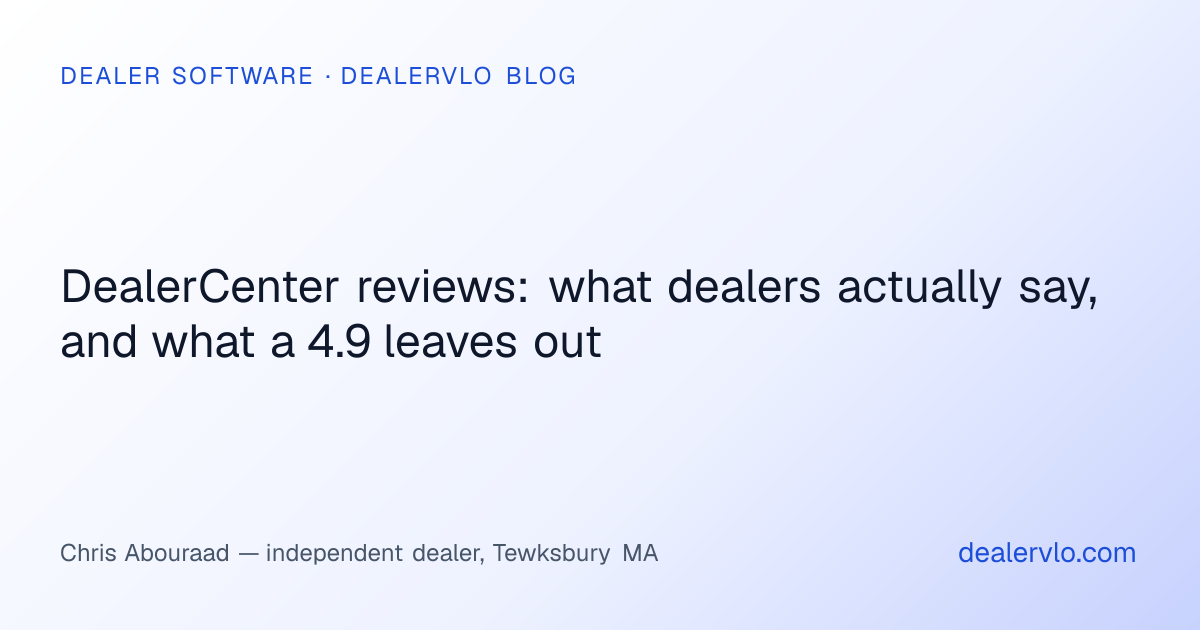
DealerCenter has more reviews than almost any DMS sold to independent dealers, and most of them are glowing. That's useful, but a 4.9-star average doesn't tell you much when you're trying to decide whether it fits your lot. What helps is reading the reviews for the patterns: what keeps coming up, good and bad, and how old the complaints are.
I read through DealerCenter's reviews on Capterra (most helpful and lowest rated), SelectHub's summary, and the long-running DealerRefresh forum thread on it. Below is what dealers actually say, what to make of the rating, and what to check before you sign. Full disclosure: I run a used-car lot in Tewksbury, Massachusetts and built DealerVLO, a competing DMS, so weigh my comparison sections with that in mind. The review findings are theirs, linked so you can read them yourself.
The short answer
DealerCenter is well liked, especially by small independent lots that want one cloud system for inventory, deals, credit and lenders. The praise is consistent: it's all in one place, it's easy to learn, and the account reps answer. The complaints are consistent too: the bill grows as you add modules, the mobile app can lag on the lot, the included website looks dated, and complex problems can be hard to escalate.
The numbers, and how to read them
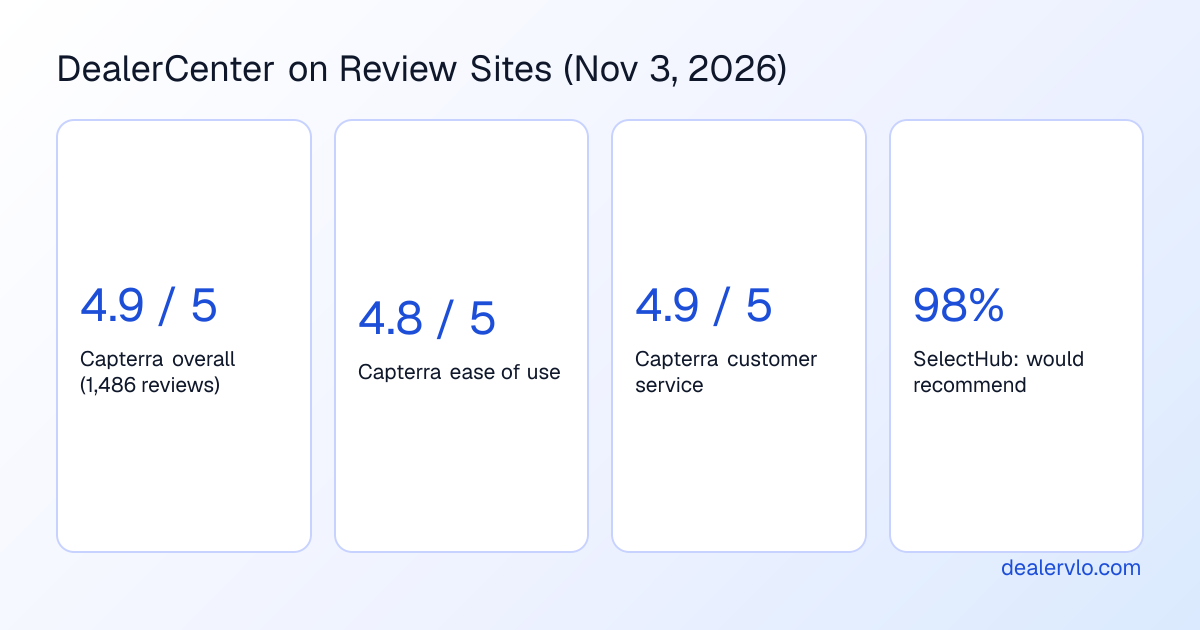
As of November 3, 2026, DealerCenter's Capterra page shows 4.9 out of 5 from 1,486 reviews, with 4.8 for ease of use and 4.9 for customer service. SelectHub summarizes 1,521 reviews from two review sites and reports that 98% of users would recommend it.
Two things to keep in mind. First, review counts this high usually mean the vendor asks customers for reviews, which is normal and not a knock on the product. You can see it in the dates: eight of the 25 reviews Capterra showed first under "most helpful" were dated December 3, 2024. Those reviews are real, but a batch posted together after a request tends to run more positive than reviews a dealer writes unprompted.
Second, a lot of the five-star reviews are short and about one person: "my rep is great." That's worth knowing (support matters), but it doesn't tell you how the system handles your deals. The three- and four-star reviews are where the detail is, so that's where I spent most of my time.
What dealers praise
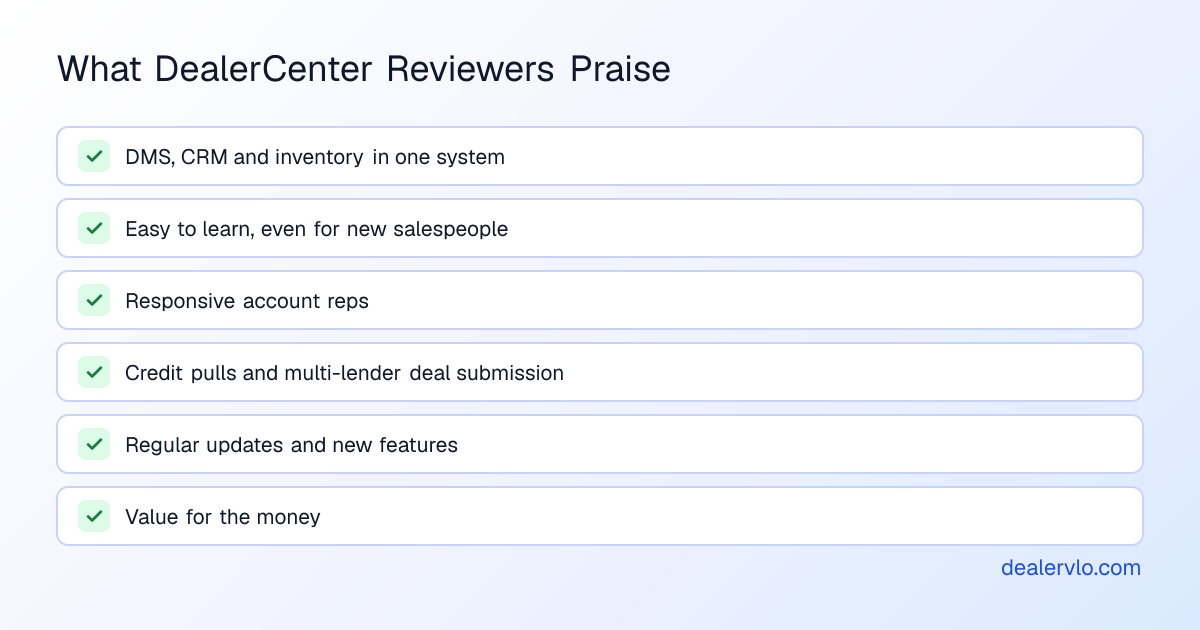
Everything in one system. This is the most common theme. Dealers coming from a patchwork of tools like having the DMS, CRM, inventory, credit and website under one login. One manager said it replaced a "fragmented setup," and an owner who came from Wayne Reaves said they wouldn't go back.
Easy to learn. Reviewers regularly say new salespeople pick it up fast. A Frazer convert on DealerRefresh made the same point in 2023: his salespeople got productive quickly.
The account reps. Many reviews name their rep. Small lots in particular say they get treated like a big customer.
Credit and lenders. DealerCenter's DMS includes access to RouteOne, Dealertrack and CUDL plus eFax deal submission to lenders (per its pricing page), and reviewers like pulling credit while they enter the customer. For a lot that sends a lot of paper to banks and credit unions, that's a real strength.
Value, and steady updates. Plenty of reviewers call it good value for what's included and like that new features keep coming, such as an AI sales agent for leads and payment-taking for BHPH.
What dealers complain about
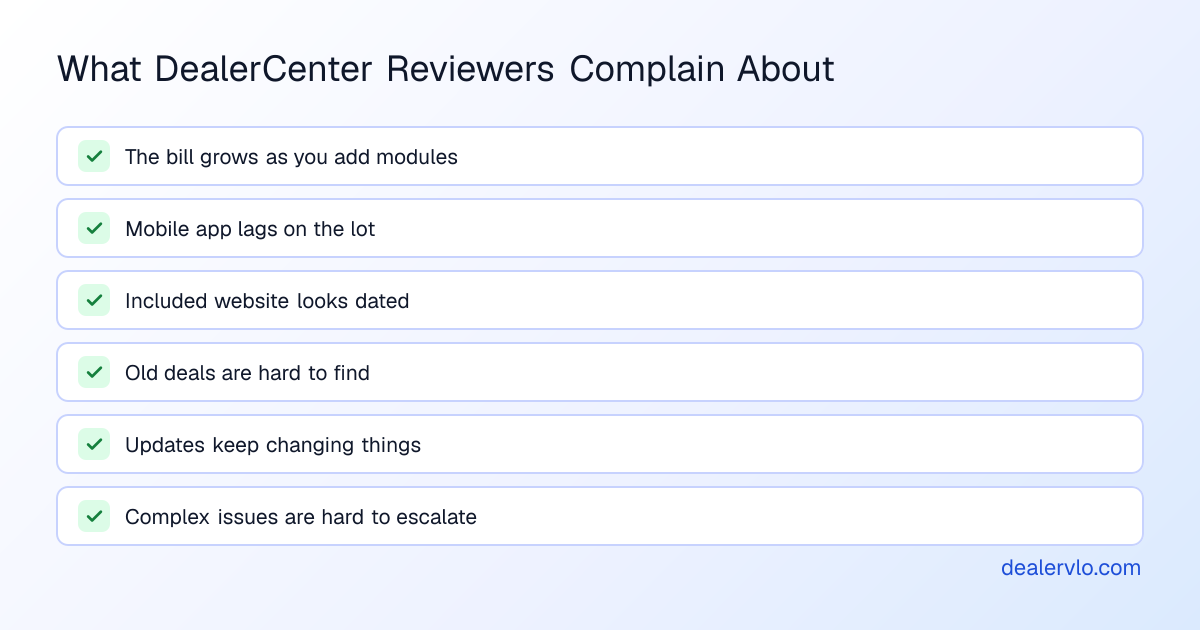
The bill grows. Several reviewers mention cost creeping up. One office manager wrote that pricing gets expensive "as you add more license for the team." Note that DealerCenter's pricing page says its products include unlimited users, so that reviewer may be describing modules or an older plan. Either way, the pattern is the same: the base DMS is affordable, and the total depends on how many add-ons you turn on. Our DealerCenter pricing breakdown lists every module.
The mobile app on the lot. The same reviewer said the app can be slow when you're scanning a VIN or uploading photos, and another said some tasks still need a desktop.
The included website. One otherwise happy manager said the inventory website looks like it was made in the early 2000s. Another reviewer loved the templates, so look at live sites yourself.
Finding old deals. At least two reviewers said looking up past deals is a pain.
Updates that move things. A three-star dealer principal said each update makes it "less and less user friendly" and slower. A longtime five-star owner said there are a lot of changes but you get used to them.
Escalation. A finance manager had a buyback dispute and couldn't reach a supervisor. A CFO who's happy overall still listed slow support responses on some issues and features released before they worked properly. One reviewer mentioned overseas tech support as sometimes challenging.
Billing and cancellation (older reviews). The two lowest reviews on Capterra, from May 2020 and January 2021, both describe being charged after asking to cancel. They're old and they're two out of almost 1,500, but they're the reason I'd get cancellation terms in writing with any vendor.
Integrations and exports (forum, older). In a 2018 DealerRefresh thread, a commenter who works with dealers said DealerCenter was hard to integrate with and export data from, and a dealer who'd used it for about five years agreed. A 2023 post in the same thread said it lacks many integrations. A 2024 Capterra reviewer said the opposite ("easy integrations"), so treat this as something to test, not a verdict.
14-day free trial, then $29/mo · Cancel anytime
What the reviews don't tell you
Review sites are good at mood and bad at specifics. A few things almost no DealerCenter review covers, and that you should check yourself:
- Your state's paperwork. DealerCenter includes a free forms library. Ask which of your state's title and registration forms fill from the deal and which you complete by hand.
- Who sees your deal data. DealerCenter is run by Nowcom, which sits in the same family of companies as Westlake Financial, a preferred lender on the platform. A DealerRefresh poster who uses DealerCenter happily noted that Westlake can see his deals and said it doesn't bother him. Decide whether it bothers you.
- The exit. Few reviewers have left, so few describe it. Read our DMS contract red flags and test the export during setup, not when you're leaving.
Where DealerCenter is the better fit
Being straight about this: if you submit a lot of deals to outside lenders and want RouteOne, Dealertrack and CUDL inside the DMS, DealerCenter does that and DealerVLO doesn't. Same if you want a full general ledger (its accounting module), a CRM with tasks, reminders and an AI agent that contacts new leads, or credit pulls and soft-pull prequalification in the system. Those are real reasons reviewers love it.
Where DealerVLO is the better fit
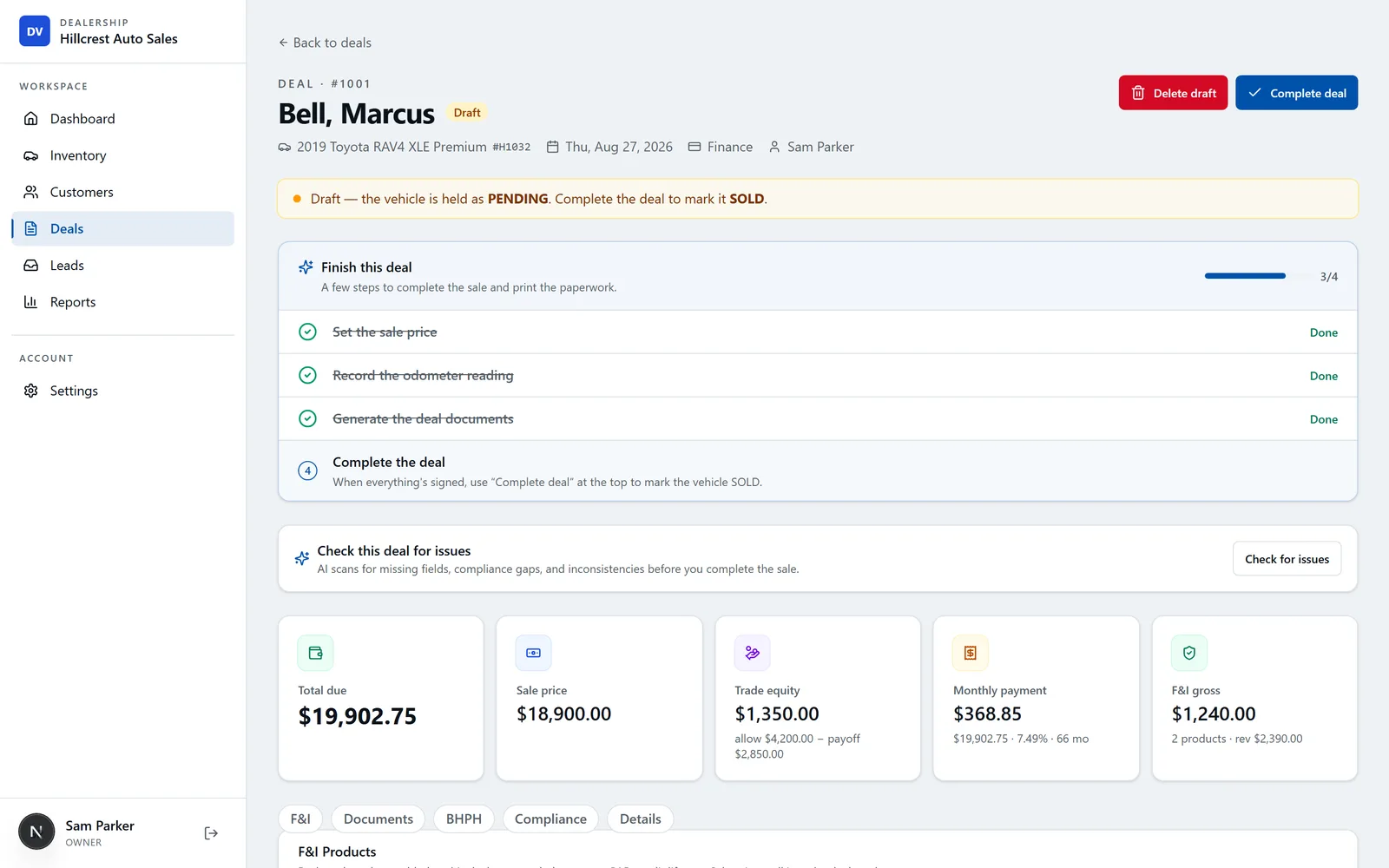
DealerVLO is $29 a month flat with unlimited users, no setup fee and no contract, and it doesn't split the lot's everyday jobs into modules. The dealer website, listing feeds to CarGurus, Cars.com and Autotrader, buy-here-pay-here tracking, per-car recon costs and a P&L are all in that price. Your state's title and registration paperwork fills from the deal for all 50 states (the official form where the state publishes one, a print-ready worksheet where it doesn't), and buyers can e-sign in person or from a link.
It runs in a browser, so on the lot you scan the VIN from your phone's camera with nothing to install, and inventory, customer and sales data export to CSV any time.
What it doesn't do: it doesn't text or call customers, connect to QuickBooks, pull credit or submit deals to lenders. If those are the core of how you sell, DealerCenter's modules will matter more to you than the price difference. If you're also weighing other systems, see DealerCenter alternatives and the DealerCenter vs. Frazer vs. DealerVLO comparison.
Before you sign with DealerCenter (or anyone)
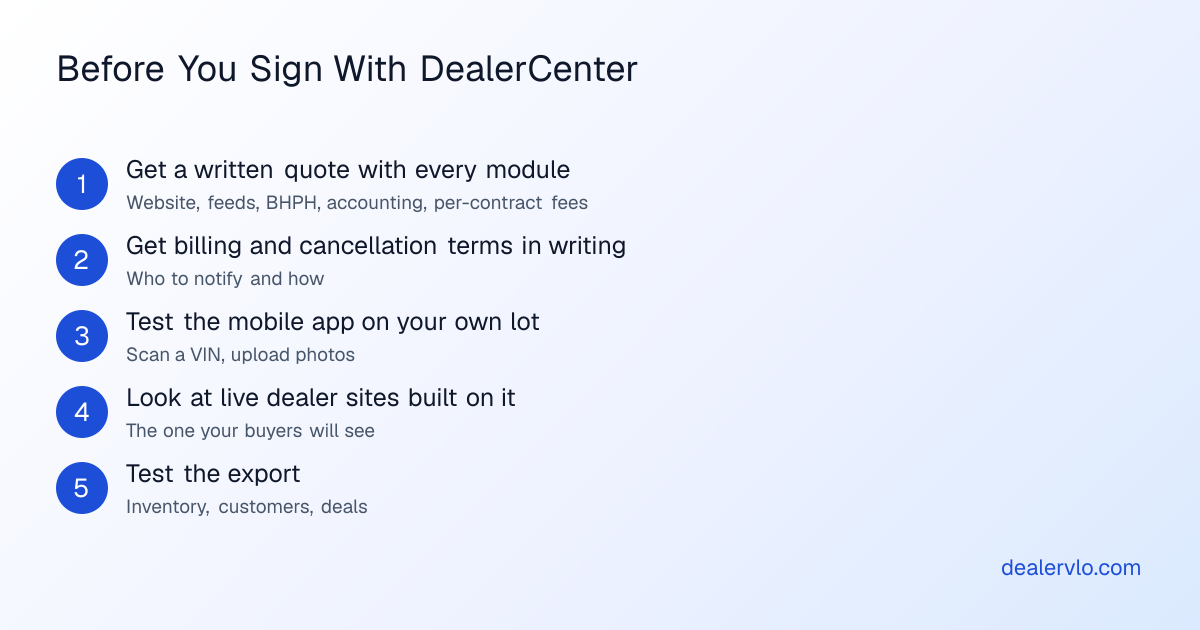
Every complaint above is something you can check before you commit. Get the full quote in writing, with every module and per-contract fee you'll use. Get the cancellation process in writing. Take the app out on your lot and scan a few cars. Look at three or four live dealer sites built on it. And export something during setup to see what you get. If you're already on DealerCenter and thinking about leaving, switching from DealerCenter walks through the export and cut-over.
14-day free trial, then $29/mo · Cancel anytime
Frequently asked questions
Is DealerCenter a good DMS?
Most reviewers think so. As of November 3, 2026, DealerCenter rates 4.9 out of 5 on Capterra across 1,486 reviews, and SelectHub reports 98% of users would recommend it. Dealers praise the all-in-one setup, ease of use and support reps. The recurring complaints are cost as modules add up, a slow mobile app, a dated-looking website, trouble finding old deals, and slower support on complex issues.
What do dealers complain about with DealerCenter?
In the Capterra reviews I read, the repeated complaints were: the bill grows as you add modules, the mobile app can lag when scanning VINs or uploading photos on the lot, the included website looks dated, old deals are hard to find, frequent updates change things you were used to, and complex issues can be hard to escalate. Two older one-star reviews (2020 and 2021) describe billing and cancellation disputes.
How much does DealerCenter cost?
DealerCenter's pricing page listed the DMS at $99 a month with unlimited users when we checked on October 7, 2026. The website, listing feeds, BHPH, accounting and other tools are separate monthly modules, so a lot with a website, feeds and BHPH was at $298 a month at list price. Confirm your quote with DealerCenter, since vendors change prices.
Who owns DealerCenter?
DealerCenter is run by Nowcom, which is part of Don Hankey's group of companies alongside Westlake Financial, and Westlake is a preferred lender on the platform. One dealer on the DealerRefresh forum mentioned the Westlake connection when describing why he was comfortable with DealerCenter anyway. If lender relationships matter to you, ask how your deal data is used.
Is DealerCenter better than Frazer?
Several Capterra reviewers say they moved from Frazer to DealerCenter and prefer it, mostly for being cloud-based and all-in-one. On the DealerRefresh forum, opinions in an older thread went both ways: some dealers preferred Frazer's support and built-in accounting. It depends on whether you want a desktop system with accounting included or a cloud system with add-on modules.
Bottom line
DealerCenter earns most of its reviews. It's a capable all-in-one system with strong lender connections and reps people like. The fair criticism is about cost as modules stack up, a few rough edges on mobile and the website, and what happens when a problem goes past your rep. Read the three- and four-star reviews, get the quote and cancellation terms in writing, and test it on your own lot.
If you want to see how a flat-priced alternative handles the same lot, start a free 14-day DealerVLO trial at dealervlo.com/signup and run a few real deals through it.