# VIN Scanner App for Dealers: Scan VINs and Licenses, No App
> A VIN scanner for dealers doesn't need to be an app. How to scan the VIN barcode and a driver's license from your phone's browser, and what a scan won't check.
- Source: https://www.dealervlo.com/blog/vin-and-license-scanner-for-dealers
- Published: 2026-10-08
- Updated: 2026-10-08
- Author: Chris Abouraad
- Tags: inventory, software, operations
---
A dealer trying DealerVLO asked us for a mobile app that scans VINs and driver's licenses. Fair ask. On my lot in Tewksbury, the two things I type most often are a 17-character VIN and a customer's license, and those are exactly where the typos start. One wrong character in a VIN follows the car into the title application, the listings and the feeds. One misspelled name or wrong zip on the buyer bounces paperwork.
So we built scanning, but not as a separate app. This post covers where VIN typos actually cost you, where the VIN barcode sits on a car, whether you need an app at all, what the barcode on a license holds, and the part people skip: what a scan does not check.
Scan VINs and licenses from your phone in DealerVLO: start your 14-day free trial
## Where VIN typos actually hurt
A typo in a VIN is quiet at first. The car still sits on the lot. The trouble shows up later, in three places.
**The title application.** The VIN on your title paperwork has to match the car and the title you're carrying. Swap a B for an 8 and the registry can send it back while your customer waits on plates.
**The Buyers Guide and the deal documents.** The VIN prints on the Buyers Guide, the bill of sale and the contract. If it's wrong in your system, it's wrong on every one of those, and you're reprinting and re-signing.
**Listings and feeds.** A wrong VIN decodes to the wrong car, or to nothing. Then the year, trim and specs on your website and listing sites are off, and a shopper who runs the VIN gets a different vehicle than the one in your photos.
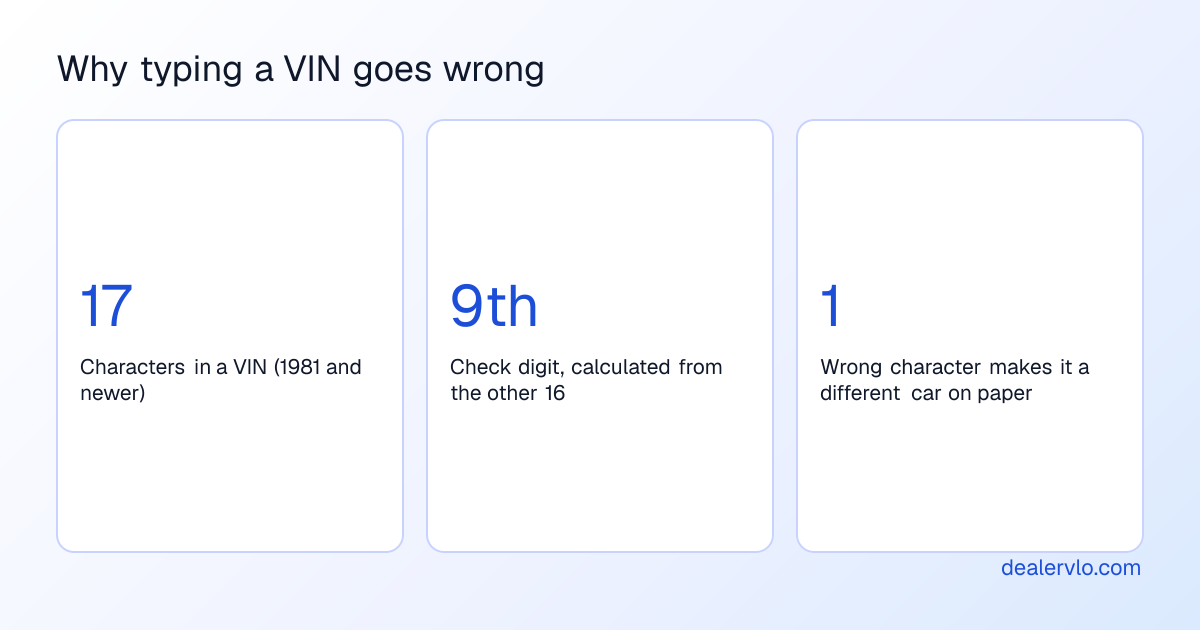
The fix is the same one I wrote about in [VIN auto-decoding](/blog/vin-auto-decoding-used-car-inventory): get the VIN in once, correctly, and reuse it everywhere. In DealerVLO, the VIN you enter on the Add vehicle screen is the one the Buyers Guide, the deal paperwork, the dealer website and the listing feeds all read from. Nobody retypes it, so there's no second copy to get wrong. Scanning just removes the first chance for a typo, at the very start of [intake](/blog/vehicle-intake-process-used-car-dealers).
## Where the VIN barcode is on a car
On most cars, the barcode you want is on the sticker in the driver's door jamb, near the printed VIN. It's usually a Code 39 barcode, the plain one-row kind. Some newer labels use a square Data Matrix or QR code instead. On some vehicles there's also a VIN barcode on a label you can see through the windshield near the lower corner. Where it sits varies by manufacturer and year, so check the jamb first.
A few things to know before you rely on it:
- **Some door-jamb barcodes add a leading "I"** before the 17 characters. A good scanner drops it. A generic barcode app may not, and you'll paste an 18-character "VIN."
- **Stickers get damaged.** Faded, scratched or painted-over jamb labels won't scan. A door replaced after a collision may carry a sticker for a different car, or none. That's worth noticing on its own.
- **When there's no barcode, type it carefully** from the dash plate at the base of the windshield. The ninth character is a check digit calculated from the other sixteen, so a single mistyped character usually makes the VIN fail that check. Then read the decode back against the car: if a Camry decodes as a Silverado, you typed it wrong.
If you just want to see what a VIN decodes to before you buy, the free tool below does it in the browser, no signup.
## Do you need a VIN scanner app?
There are three ways to scan VINs today, each with its own trade-off.
**Dedicated scanner and appraisal apps.** These are the names that come up when you search this: AutoNiq, Carbly, Laser Appraiser and others. They're paid tools built for appraising, where the scan is the first step of pulling book values and market data. If you appraise all day at the auction, that might be worth it, and I covered how to think about them in [AI car appraisal tools](/blog/ai-car-appraisal-tools). But they're separate from your DMS. When you buy the car, you still copy the data over.
**Generic barcode reader apps.** Free, and they'll read the jamb barcode fine. All you get is text. You copy it, switch apps, paste it into your system, and hope the leading "I" didn't come along.
**Scanning built into the DMS, in the browser.** The scan lands in the record where the car is going to live, so there's no copy step. That's the approach we took. In DealerVLO, you tap **Scan VIN** on the Add vehicle screen, point the phone at the jamb sticker, and the VIN fills in and runs the NHTSA decode. It works in the phone's browser, or on a computer with a camera, with nothing to install.
The live camera needs the browser's permission to use the camera. If it won't open, or the light is bad, tap **Use a photo instead**, take a picture of the barcode, and it reads that. Decoding runs on the device.
## Scanning the driver's license
Flip a US driver's license over and there's a wide, dense barcode on the back. That's a PDF417 barcode, and under the AAMVA standard it carries the same information printed on the front, in a form a phone can read.
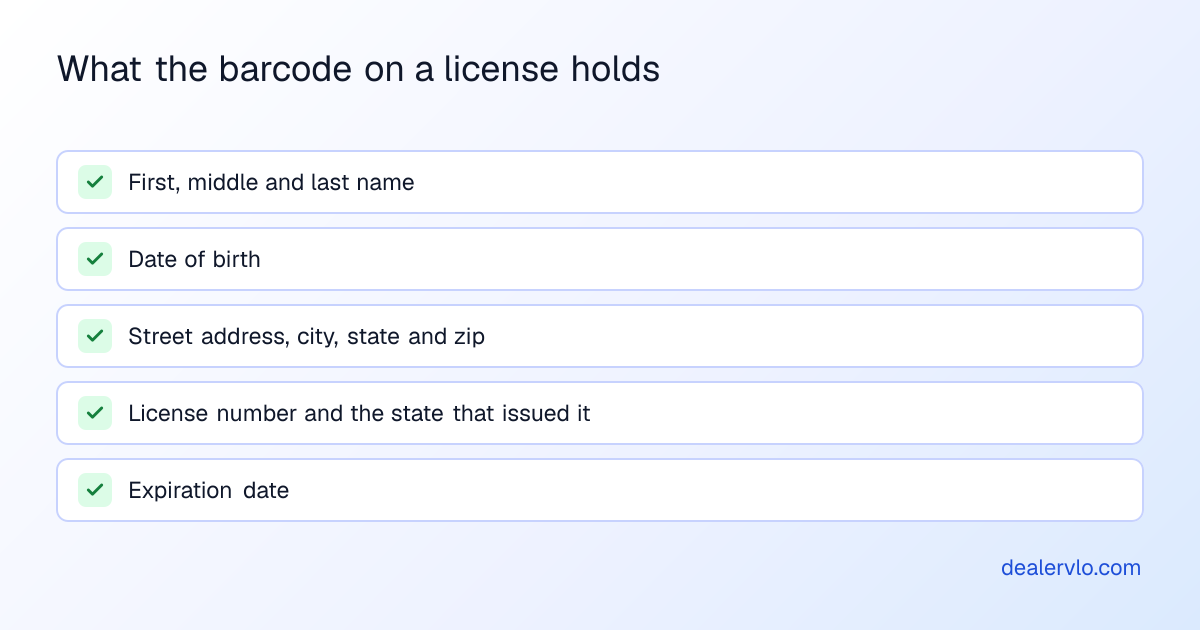
That's the right source for your buyer's information, for the same reason the VIN barcode is the right source for the car. The name and address on the license are what the title paperwork expects. Typing "Jon" for "John" or the old apartment number for the new one is how a title application comes back.
In DealerVLO, **Scan driver's license** sits on the Add customer screen and on the quick-add customer form inside a deal. It fills first, middle and last name, date of birth, address (both lines, city, state, zip) and license number, then tells you: "Filled from the license. Check the details, add phone and email, then save." If the license has expired, it warns you to ask for a current license or ID before you sell.
On privacy: the cleanest rule is don't keep license images you don't need. A license photo sitting in a camera roll or an email thread is a bigger risk than the fields in a customer record. DealerVLO reads the license on the device and never uploads the image. Only the fields you save are stored. Some states also have their own rules on how a business may use data read from a license, so if you're not sure about yours, ask whoever handles your compliance.
Stop retyping customers' licenses at the desk: scan them in DealerVLO, free for 14 days
## What scanning does not do
This part matters, because a scan feels official and it isn't.
A license scan reads whatever data is encoded in the barcode. It does **not**:
- **Verify the ID is real.** A fake license can carry a perfectly readable barcode.
- **Confirm the person matches.** You still look at the photo and the customer.
- **Screen OFAC.** You still run your OFAC check the way you do now.
- **Run your Red Flags review.** If you arrange financing, your identity theft program still applies.
- **Pull credit.** That goes through your lender or credit bureau process, not the scanner.
Paid ID-verification services exist for dealers who want authentication on top of data capture. DealerVLO isn't one of them, and I'd rather say that plainly than let a scan stand in for an ID check.
What DealerVLO does have is a deal compliance checklist, where you record that the OFAC screen and the Red Flags review were done for that deal. It's a checklist you complete, not a screening service. Keep the record of those checks with the rest of the [deal jacket](/blog/used-car-deal-jacket-checklist).
## A scan-to-paperwork workflow
Here's how it runs on a real car, from the lot to the signed deal.
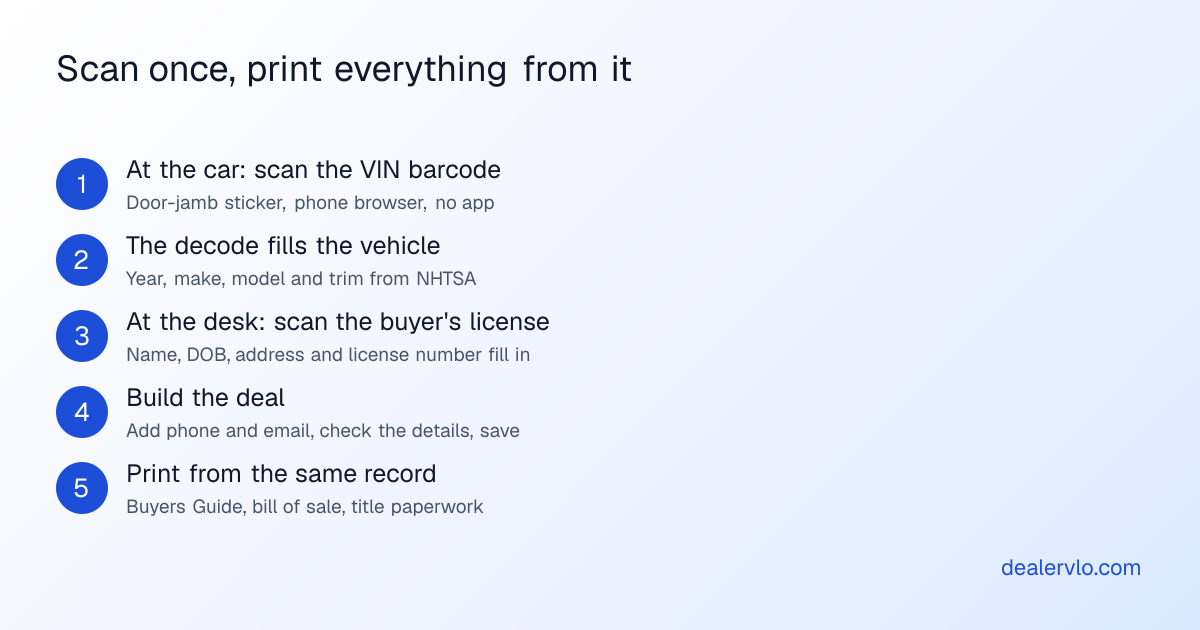
At the car, open Add vehicle on your phone and scan the jamb sticker. The decode fills the year, make, model and trim. Check it against the car, add your price, and save. If you're still deciding whether to buy, run the VIN through the free decoder first, the way I describe in the [auction buying guide](/blog/dealer-auction-buying-guide).
At the desk, when the buyer is ready, scan their license into the deal's quick-add customer form. Check the fields against the card, add a phone number and email, and save. Then the paperwork prints from the same records: the [FTC Buyers Guide](/blog/how-to-fill-out-ftc-buyers-guide), the bill of sale, and the state title and registration paperwork DealerVLO fills from the deal. The VIN and the buyer's name were each entered once, by a camera, and every document reads them from there.
## Where DealerVLO fits, and where it doesn't yet
What you get today: **Scan VIN** on the Add vehicle screen reads the VIN barcode on the door-jamb label and runs the NHTSA decode. **Scan driver's license** on Add customer and the deal's quick-add form fills the buyer's details and warns on an expired license. Both offer **Use a photo instead**, both read on the device, and both run in the browser like the rest of DealerVLO, on the same $29-a-month plan.
What it doesn't do yet:
- **Scanning isn't on the edit-vehicle or edit-customer screens yet.** It's for adding a new car or a new customer.
- **No ID verification, OFAC screening or credit pulls.** See the section above.
- **The live camera needs permission.** If the browser blocks the camera, the photo fallback is the way in.
## Frequently asked questions
### Is there a free VIN scanner app for dealers?
Generic barcode apps are free and will read the jamb barcode, but you still copy the text into your system. The paid apps dealers know are mostly appraisal tools. In DealerVLO, scanning is built into the browser app at no extra cost on the $29-a-month plan, with a 14-day free trial.
### Where is the VIN barcode on a car?
Usually on the driver's door-jamb sticker. Some vehicles also have one on a label visible through the windshield near the lower corner. It varies by make and year; with no barcode, type the VIN from the dash plate carefully.
### Can you scan a driver's license with your phone?
Yes. The PDF417 barcode on the back of a US license holds the name, date of birth, address, license number and expiration date under the AAMVA standard, and a phone camera can read it. DealerVLO does it in the phone's browser.
### Does scanning a driver's license verify it's real?
No. It reads the data in the barcode. You still check the photo against the customer, run your Red Flags and OFAC routine, and pull credit through your own process.
### Is it safe to scan customers' licenses?
The bigger question is what you keep. Don't store license images you don't need, and check your state's rules on license data. DealerVLO reads the license on the device and never uploads the image.
### Does DealerVLO have a mobile app?
No app-store app. DealerVLO runs in the phone's browser, scanning included. If the camera won't open, use a photo of the barcode instead.
## Bottom line
You don't need a separate VIN scanner app. You need the VIN and the buyer's details to go in once, correctly, in the system your paperwork prints from. Scan the jamb sticker, scan the license, check what filled in, and let every document read from that. Just don't mistake a scan for an ID check: the person, the OFAC screen and the Red Flags review are still on you.
If you want to try that on your next car and your next buyer, start a free 14-day DealerVLO trial.
Get VINs and buyer details in right the first time with DealerVLO: start your 14-day free trial
---
## FAQ
### Is there a free VIN scanner app for dealers?
Generic barcode reader apps are free and will read the VIN barcode on a door-jamb sticker, but they only hand you the text, so you still copy it into your inventory system. The paid scanner apps dealers know are mostly appraisal tools that scan as part of a bigger appraisal job. In DealerVLO, VIN and driver's license scanning is built into the browser app at no extra cost on the $29-a-month plan, and you can try it free for 14 days.
### Where is the VIN barcode on a car?
On most cars, look at the sticker on the driver's door jamb, where a barcode usually sits near the printed VIN. Some vehicles also carry a VIN barcode on a label you can see through the windshield near the lower corner. It varies by manufacturer and year, and older cars or replaced doors may have no readable barcode at all. When there's no barcode, read the VIN off the dash plate and type it carefully.
### Can you scan a driver's license with your phone?
Yes. US driver's licenses carry a PDF417 barcode on the back, laid out under the AAMVA standard, that holds the holder's name, date of birth, address, license number and expiration date. A phone camera can read it. In DealerVLO, Scan driver's license on the Add customer screen and the deal's quick-add customer form reads that barcode in the phone's browser and fills the customer's details.
### Does scanning a driver's license verify it's real?
No. A scan reads whatever data is encoded in the barcode. It doesn't tell you the card is genuine, that the person in front of you is the person on it, or that they're cleared to buy. You still compare the photo to the customer, run your Red Flags routine and your OFAC check, and pull credit through your own lender process.
### Is it safe to scan customers' licenses?
Scanning is a faster way to type what you'd copy off the card anyway. The bigger privacy question is what you keep. Don't store license images you don't need, keep the data you do save inside a system with access controls, and check your own state's rules on using data read from a license. In DealerVLO the license is read on the device and the image is never uploaded; only the fields you save are stored.
### Does DealerVLO have a mobile app?
There's no app to download from an app store. DealerVLO runs in a web browser, so on a phone you open it in the phone's browser and the whole system is there, VIN and license scanning included. The live camera needs the browser's camera permission; if the camera won't open, you can use a photo of the barcode instead.