# Switching from Dealertrack DMS: what to export, what to keep, and how to cut over
> Leaving Dealertrack DMS? What to export first, why you can keep Dealertrack's F&I network for lender deals, and a two-week cut-over plan for a used lot.
- Source: https://www.dealervlo.com/blog/switching-from-dealertrack
- Published: 2026-11-01
- Updated: 2026-11-01
- Author: Chris Abouraad
- Tags: dealer software, migration, dealertrack, dms
---
Most independent dealers who talk about "Dealertrack" mean the F&I network: the place you send credit applications and pull back an approval. Fewer run the Dealertrack DMS itself, which is a full Cox Automotive system with sales, F&I, accounting, parts and service. If you're one of them and you run a used lot without a shop, you may be paying for a system built around departments you don't have.
This is the switching playbook: what to get from Dealertrack before you give notice, what moves into a new DMS and what doesn't, why you probably don't have to give up Dealertrack for lender deals, and a two-week cut-over that doesn't stall a deal.
*Everything below about Dealertrack comes from [Dealertrack's DMS page](https://us.dealertrack.com/dms/), which I re-read on November 1, 2026, including the raw page code. Dealertrack doesn't publish prices or contract terms; confirm everything with them. Full disclosure: I run a used-car lot and built DealerVLO, a competing DMS, so weigh my comparison sections with that in mind.*
See what a used lot's DMS looks like without the service and parts modules: try DealerVLO free for 14 days
## Split the DMS from the F&I network first
This is the decision that makes the rest easy. Dealertrack sells two things that get lumped together:
- **The DMS**, which runs your deals, inventory, accounting, parts and service.
- **The F&I network**, which sends credit applications to lenders and handles electronic contracting.
Plenty of independent lots use the F&I side with a different DMS, or with none. Before anything else, ask Dealertrack in writing whether your F&I account is tied to the DMS agreement or stands on its own. If it stands on its own, leaving the DMS doesn't change how you get a deal bought.
That matters with DealerVLO because DealerVLO doesn't talk to lenders. It doesn't send applications or pull credit. You keep submitting through Dealertrack, RouteOne or the lender's portal, and when the approval comes back you enter the rate and term on DealerVLO's deal jacket, which works out the payment, the totals and your front-end and F&I gross. I run my own lot that way.
## Get the contract answers in writing
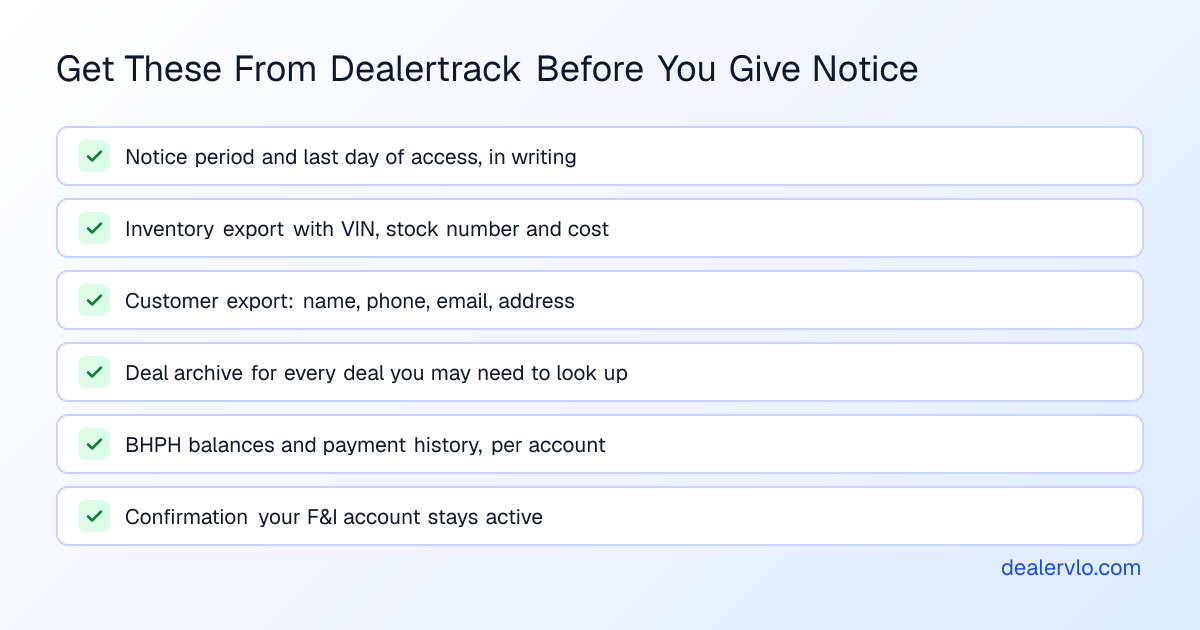
Dealertrack's DMS page lists "no long-term contracting" as a benefit, which is good news if you're leaving. But the page doesn't define it: there's no term length, renewal rule or notice period on it. Your signed agreement controls. Email Dealertrack, rather than calling, and ask:
- **What's my notice period, and from what date does it count?**
- **What's the last day my login will work?**
- **What can I export, in what format, and is there a fee?**
- **Is my F&I network account separate from the DMS agreement?**
The page also says, in Dealertrack's words, "We don't hold your data hostage." Hold them to it, politely, in the same email.
## What moves, and what stays behind
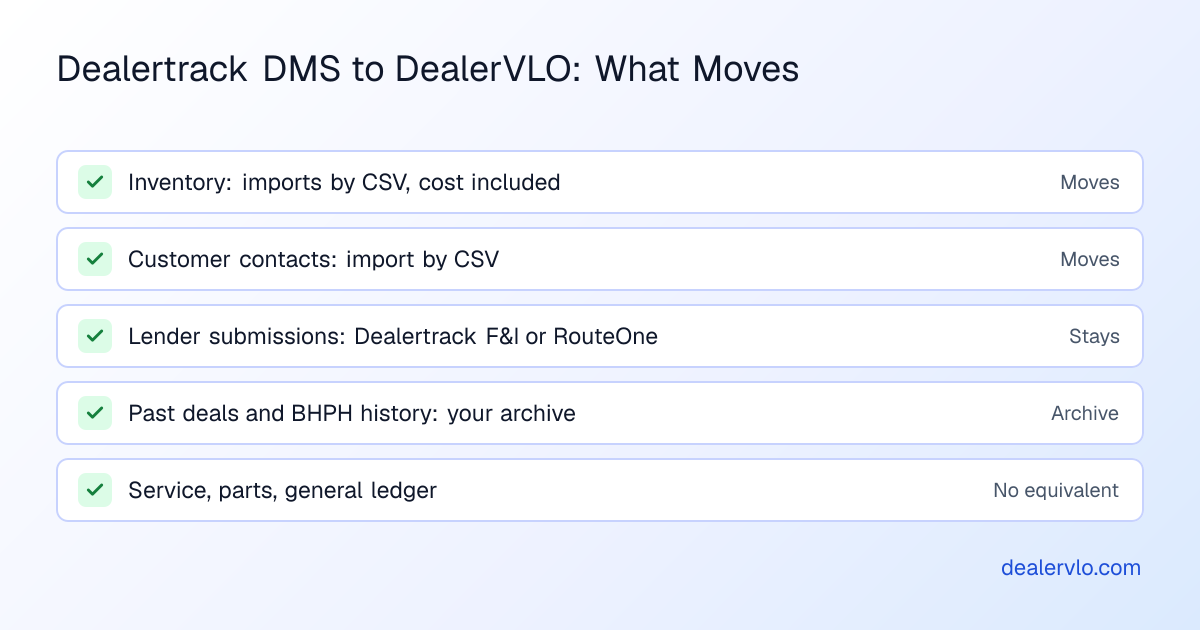
### Inventory: moves, with cost
Export your inventory as CSV or Excel with at least VIN, stock number, year, make, model, mileage, asking price, cost and status. In DealerVLO, **Add many cars at once** on the Inventory page takes up to 1,000 rows per file, reads cost and the other details from your columns, and skips VINs already in inventory. It doesn't decode VINs during the import, so make sure year, make and model are in the export. Two things don't carry over: photos (upload them once the cars are in) and each car's original acquired date, since days on the lot count from the import date.
### Customers: move
Export names, phone numbers, emails and addresses. DealerVLO's **Settings → Import data** takes up to 500 customers per file and skips duplicate emails, so split a big list into a few files.
### Past deals and BHPH ledgers: archive them
DealerVLO doesn't import past deals, deal documents, or buy-here-pay-here balances and payment histories from another system. Nobody's DMS imports those cleanly, so plan on an archive: a deal list with buyer, VIN, sale date and amounts, and for every open BHPH account, the current balance and the full payment history. You'll need those for payoff quotes and any dispute.
If you carry BHPH notes, ask Dealertrack how long you can keep read-only access, and plan where the old notes get collected until they pay off. New BHPH deals go in DealerVLO: turning BHPH on for a deal builds the payment schedule from the amount financed, term, payment frequency and first payment date, and payments are tracked from there in a collections view.
Import your inventory with cost and run a test deal in DealerVLO, free for 14 days
## What you're giving up, honestly
Dealertrack DMS does things DealerVLO doesn't, and if you need them, don't switch:
- **Service and parts.** If you run a service lane or a parts counter, DealerVLO has no module for either.
- **Accounting.** DealerVLO has a P&L that subtracts your real overhead (rent, payroll, floor plan, advertising) from your gross. It has no general ledger and doesn't connect to QuickBooks.
- **Multiple rooftops.** DealerVLO is one dealership per account.
- **Lender submission inside the DMS.** As above, you'd keep that on Dealertrack's F&I network or RouteOne.
If none of those describe your lot, here's what you'd be running instead.
## What $29 a month covers in DealerVLO
I built DealerVLO to run my own lot in Tewksbury, Massachusetts, and it still does. One flat plan, in a browser, for unlimited users:
- **Deals:** a deal jacket that computes totals, trade equity, payment and front-end and F&I gross as you type, with trade payoff details and negative equity printed on the bill of sale and contract.
- **Paperwork:** the FTC Buyers Guide and your state's title and registration paperwork for all 50 states, filled from the deal (the state's own PDF where DealerVLO fills it, or a print-ready worksheet where your state uses a portal), with e-signatures.
- **Inventory:** VIN decode, photos, reconditioning and other costs line by line so every car shows its all-in cost and margin, and days on the lot with a flag at 60.
- **Website and feeds:** a dealer website that publishes your inventory, plus a daily listing feed to CarGurus, Cars.com and Autotrader (each site's own fees still apply).
- **Money:** BHPH payment tracking with a collections view, a sales report with front- and back-end gross, and a P&L.
Dealertrack doesn't publish a DMS price, so I can't put the two side by side. [Dealertrack DMS pricing, explained](/blog/dealertrack-pricing-explained) lists what to get priced in a quote, and [what switching dealer software really costs](/blog/total-cost-switching-dealer-software) covers the time cost of any move.
## A two-week cut-over
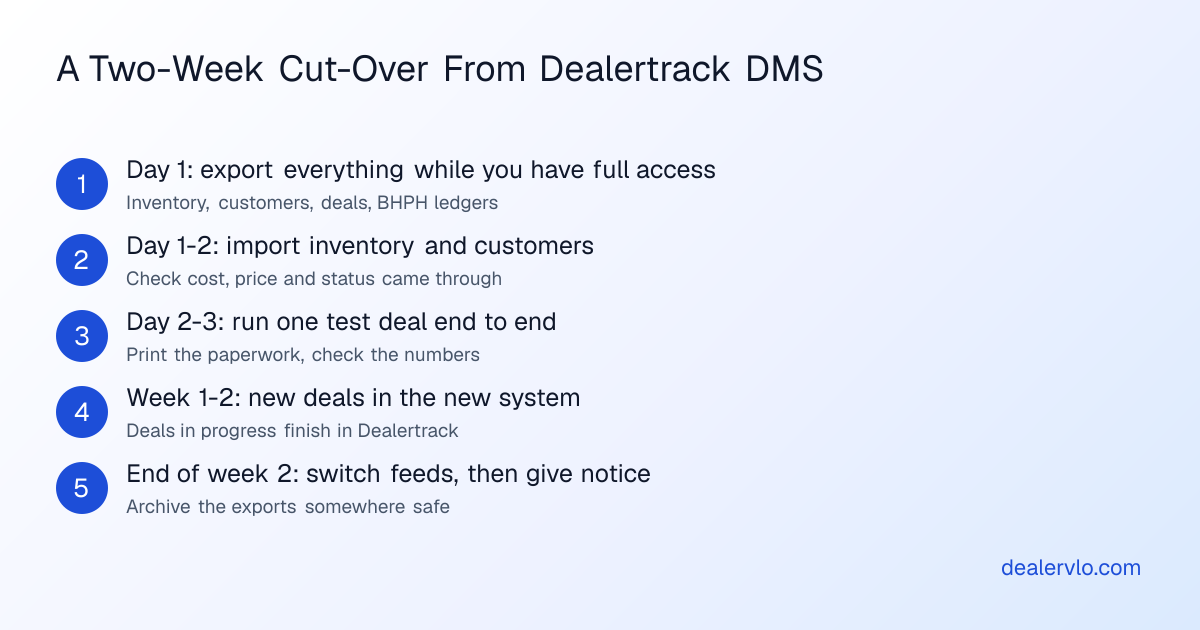
Run both systems for a week or two so no deal gets stuck between them.
1. **Day 1: export everything** while you still have full access: inventory, customers, the deal archive, BHPH balances and payment history, and any documents you keep in the system.
2. **Day 1 to 2: import** inventory and customers into DealerVLO. Spot-check a dozen cars for cost, price and status.
3. **Day 2 to 3: run one test deal end to end.** Enter a buyer, a car and a trade, print the Buyers Guide and your state's paperwork, and check every number against what Dealertrack would have shown.
4. **Weeks 1 and 2: new deals go in DealerVLO.** Deals already in progress finish in Dealertrack. Keep submitting to lenders exactly as you do now.
5. **End of week 2: switch the listing feeds.** Enter your Dealer ID for each site under **Settings → List my cars on other sites**; DealerVLO sends the feed itself once a day. Once your cars show up from the new feed, ask each site to stop the old one.
6. **Then give notice**, and archive the exports somewhere you'll find them in two years.
The first few deals on any new system are slower while you learn where things are. [Moving to a DMS without an onboarding call](/blog/dealer-software-csv-import-no-onboarding) walks through the CSV side in more detail, and the [FTC Safeguards Rule guide](/blog/ftc-safeguards-rule-used-car-dealer-data) covers what to ask any vendor about customer data you leave behind.
For the feature-by-feature view, see [DealerVLO vs. Dealertrack](/vs/dealertrack), and [CDK vs. Dealertrack](/blog/cdk-vs-dealertrack) if you're weighing the other enterprise option.
Keep Dealertrack for lender deals and run the rest of the lot on DealerVLO: start your 14-day trial
## Frequently asked questions
### Can I leave Dealertrack DMS and still submit deals through Dealertrack?
Usually, yes. Dealertrack's DMS and its F&I network (credit applications to lenders, electronic contracting) are separate products, and many independent dealers use the F&I side without the DMS. Confirm with Dealertrack that your F&I account isn't tied to the DMS agreement. DealerVLO doesn't send credit applications or pull credit, so you keep submitting through Dealertrack, RouteOne or the lender's portal, then enter the approved rate and term on DealerVLO's deal jacket.
### How much notice do I need to give to cancel Dealertrack DMS?
Dealertrack doesn't publish its DMS contract terms. Its DMS page says it offers no long-term contracting, but it doesn't state a term length, renewal rule or notice period, so your signed agreement controls. Ask Dealertrack in writing for the notice period and the last day your access will work.
### Will Dealertrack give me my data when I leave?
Dealertrack's DMS page says, in its own words, "We don't hold your data hostage." It doesn't publish an export procedure, formats or fees, so ask in writing which reports and files you can export, in what format, and whether there's a charge. Pull inventory and customer lists as CSV or Excel while your login still works.
### Can DealerVLO import my deal history from Dealertrack?
No. DealerVLO imports inventory (up to 1,000 cars per file, cost included) and customer contacts (up to 500 per file) by CSV. It does not import past deals, deal documents, or buy-here-pay-here loan balances and payment history from another system. Export those from Dealertrack and keep them archived for reference.
### What will I lose moving from Dealertrack DMS to DealerVLO?
If you run a service lane or a parts counter, those modules, because DealerVLO has neither. You also lose full dealership accounting: DealerVLO has a P&L with your real overhead but no general ledger, and it doesn't connect to QuickBooks. And it's one rooftop per account. For a used lot without a shop, DealerVLO covers the deal, the paperwork, the website and listing feeds, BHPH tracking and the reports for $29 a month.
### What does DealerVLO include for $29 a month?
A full dealer management system on one plan: unlimited users and any inventory size; a deal jacket with live deal math; the FTC Buyers Guide and state title and registration paperwork for all 50 states filled from each deal; e-signatures; inventory with VIN decoding, per-car reconditioning costs and aging; a dealer website with listing feeds to CarGurus, Cars.com and Autotrader; buy-here-pay-here tracking; and sales, aging and profit-and-loss reports. It runs in a browser, with no setup fee and no contract.
## Bottom line
Leaving Dealertrack DMS is mostly a data job: get the notice period and the export answers in writing, pull inventory, customers, deals and BHPH ledgers while your login works, and keep the F&I network if that's how you get deals bought. If you run a shop, Dealertrack's service, parts and accounting are real reasons to stay.
If you run a used lot and want the deal, your state's paperwork, a website and listing feeds at a price you can read today, DealerVLO is $29 a month, month to month. Bring your inventory export and run a real deal through it.
Bring your Dealertrack inventory export and start a free 14-day DealerVLO trial
---
## FAQ
### Can I leave Dealertrack DMS and still submit deals through Dealertrack?
Usually, yes. Dealertrack's DMS and its F&I network (credit applications to lenders, electronic contracting) are separate products, and many independent dealers use the F&I side without the DMS. Confirm with Dealertrack that your F&I account isn't tied to the DMS agreement. DealerVLO doesn't send credit applications or pull credit, so you keep submitting through Dealertrack, RouteOne or the lender's portal, then enter the approved rate and term on DealerVLO's deal jacket.
### How much notice do I need to give to cancel Dealertrack DMS?
Dealertrack doesn't publish its DMS contract terms. Its DMS page says it offers no long-term contracting, but it doesn't state a term length, renewal rule or notice period, so your signed agreement controls. Ask Dealertrack in writing for the notice period and the last day your access will work.
### Will Dealertrack give me my data when I leave?
Dealertrack's DMS page says, in its own words, 'We don't hold your data hostage.' It doesn't publish an export procedure, formats or fees, so ask in writing which reports and files you can export, in what format, and whether there's a charge. Pull inventory and customer lists as CSV or Excel while your login still works.
### Can DealerVLO import my deal history from Dealertrack?
No. DealerVLO imports inventory (up to 1,000 cars per file, cost included) and customer contacts (up to 500 per file) by CSV. It does not import past deals, deal documents, or buy-here-pay-here loan balances and payment history from another system. Export those from Dealertrack and keep them archived for reference.
### What will I lose moving from Dealertrack DMS to DealerVLO?
If you run a service lane or a parts counter, those modules, because DealerVLO has neither. You also lose full dealership accounting: DealerVLO has a P&L with your real overhead but no general ledger, and it doesn't connect to QuickBooks. And it's one rooftop per account. For a used lot without a shop, DealerVLO covers the deal, the paperwork, the website and listing feeds, BHPH tracking and the reports for $29 a month.
### What does DealerVLO include for $29 a month?
A full dealer management system on one plan: unlimited users and any inventory size; a deal jacket with live deal math; the FTC Buyers Guide and state title and registration paperwork for all 50 states filled from each deal; e-signatures; inventory with VIN decoding, per-car reconditioning costs and aging; a dealer website with listing feeds to CarGurus, Cars.com and Autotrader; buy-here-pay-here tracking; and sales, aging and profit-and-loss reports. It runs in a browser, with no setup fee and no contract.