# Which Independent-Dealer DMS Platforms Actually Integrate With QuickBooks and Lender Networks
> Which independent-dealer DMS platforms actually sync to QuickBooks and connect to RouteOne or Dealertrack for lenders — what's confirmed vs. forum talk.
- Source: https://www.dealervlo.com/blog/dms-quickbooks-lender-integration
- Published: 2026-10-21
- Updated: 2026-10-21
- Author: Chris Abouraad
- Tags: DMS software, QuickBooks integration, lender integration, dealer management system, F&I
---
A dealer shopping DMS platforms eventually asks the same two questions in a row: does this thing talk to QuickBooks without me re-typing every deal, and does it plug into the lenders I actually submit to? Those two questions show up together constantly on dealer forums, and the honest answer is that almost no independent-lot DMS does both cleanly — you're usually trading one convenience for a gap somewhere else.
This post walks through what's actually confirmed about DMS-to-QuickBooks integration, what RouteOne and Dealertrack really are (they're not DMS platforms, even though people talk about them like one), and which systems genuinely connect to lender networks versus which ones just say they do. It also covers where a small lot's gross and overhead can live if you decide not to chase any of this and keep things simple.
Keep vehicle cost and deal gross in one place without a QuickBooks export step: start your 14-day free trial
## The question as dealers actually ask it
A new Connecticut dealer laid this out plainly on DealerRefresh: they were comparing a DMS that bundled lender options against a cheaper DMS-and-website package with no lender integration at all, and asked a version of "is it even necessary to connect lenders to the DMS directly, or can I just handle that separately?" It's a good question because the two pieces — accounting and lending — get sold together but aren't actually the same feature.
The responses on that thread converged on one mechanism worth understanding before you shop: for lender connections, the real infrastructure is RouteOne or Dealertrack. A DMS either plugs into one of those networks or it doesn't, and if it doesn't, you're keying each lender's portal by hand. One responder noted that DealerCenter has a QuickBooks interface but that in their own experience the numbers never quite matched and there were recurring posting errors — a useful reminder that a vendor listing an integration and that integration working cleanly day to day are two different claims. Treat forum accounts like this as one dealer's lived experience, not a verified spec sheet, but they're worth more than a feature-list bullet point because someone actually used it.
## Two different accounting models, and why it matters which one you're in
A dealership accounting guide from WickedFile frames this well: a franchise store selling new Fords or Toyotas has to produce a financial statement in the manufacturer's required format, and that single requirement pushes most franchise stores toward a DMS with full native accounting built in. An independent used-car lot has no such requirement, which is exactly why a lot of independents get along fine on QuickBooks or Xero instead of paying for a DMS that includes a full accounting module they don't need.
That gives you two structurally different setups to choose between:
**Native DMS accounting** — the books live inside the same system that runs sales, inventory, and F&I. Platforms like Dealertrack, CDK Drive, Reynolds, PBS Systems, Autosoft, Tekion, Frazer, and DealerCenter all fall into this bucket to varying degrees. Nothing gets exported because nothing needs to move — vehicle cost and the deal never separate. The tradeoff is you're tied to that DMS for your books too, and leaving later means migrating financial history, not just inventory.
**Standalone accounting (QuickBooks/Xero)** — your books live in general accounting software, and either the DMS exports data into it or someone keys it in by hand. Cheaper to start, and your accountant already knows the software, but you're trusting an export/import process (or a person) to keep two systems in agreement.
| Model | Where books live | Upside | Tradeoff |
| --- | --- | --- | --- |
| Native DMS accounting | Inside the DMS (Dealertrack, CDK, Reynolds, PBS, Tekion, Frazer, DealerCenter) | One data core, nothing to export | Locked into the DMS for accounting too |
| Standalone (QuickBooks/Xero) | Separate accounting software | Familiar to most accountants, often cheaper | Relies on export/import or manual entry staying accurate |
| No formal DMS accounting link | Spreadsheet + bank statements | Zero integration risk | You build the P&L yourself, period by period |
If you're still deciding which column you want to live in, the [how to choose dealer management software](/blog/how-to-choose-dealer-management-software) guide walks through the broader decision before you narrow it down to accounting specifically.
## What's actually confirmed about QuickBooks, vendor by vendor
Here's where it's worth separating marketing language from what each vendor states on their own site.
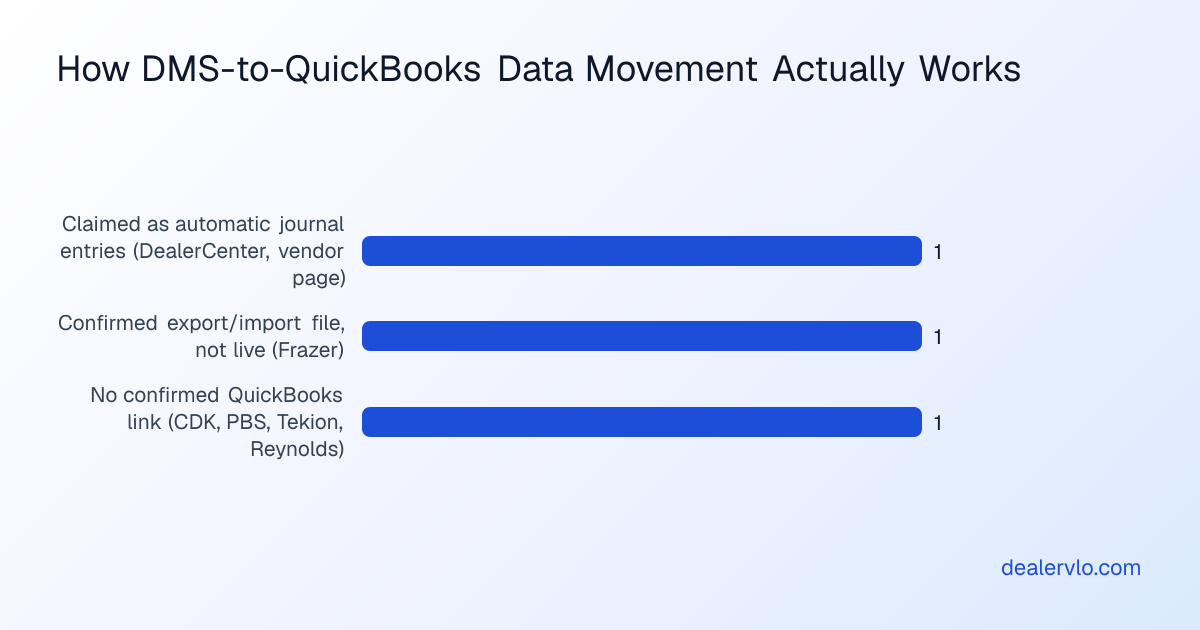
**Frazer.** Frazer's own site is explicit that its built-in accounting system is designed for used-car dealerships, but because some bookkeepers are more comfortable in QuickBooks, Frazer can export its accounting data into a file QuickBooks can import. The important detail is in Frazer's own help manual: this is **not a live sync**. Data moves via an export file, and changing something in Frazer does not automatically or instantly update QuickBooks — you run the export, then import it. Frazer confirms compatibility with QuickBooks Pro, Premier, and QuickBooks Online, but explicitly says QuickBooks Simple Start can't import the file at all. Frazer markets this as a "QuickBooks Transfer" feature, which is accurate language for what it is: a transfer, not a connection.
**DealerCenter.** DealerCenter's own feature pages describe a QuickBooks integration that's compatible with QuickBooks Online specifically — there's no stated Desktop compatibility on their own page — and say it automatically converts DealerCenter transactions into journal entries. That's a more automated claim than Frazer's export file. But weigh it against the forum account above: a named, experienced responder reported real-world posting errors and numbers that didn't reconcile. Vendor pages describe the intended behavior; actual reconciliation experience can differ, and that's worth confirming for yourself with a trial month before you commit your books to it.
**CDK Drive, PBS Systems, Tekion, Reynolds.** These are positioned, per the WickedFile framing above, as native-accounting platforms where QuickBooks is largely beside the point — you're not supposed to need it. Claims that CDK or PBS connect to QuickBooks through a specific third-party connector product show up on directory and aggregator sites, but none of that is confirmed on the vendors' own pages, so treat any such claim as unverified rather than something to plan around.
A lot of small lots don't need the native-accounting column at all. DealerVLO is built around the second question most of these dealers actually have — can I see my gross and my overhead without a second system — rather than trying to be a general ledger.
If your lot runs on a flat-fee system instead and you're weighing whether a built-in accounting module is worth paying for at all, the [dealer software cost](/blog/dealer-software-cost-flat-fee-vs-per-user) breakdown is useful context on what you're actually paying extra for in each pricing model.
## Lender networks: RouteOne and Dealertrack aren't a DMS feature, they're the plumbing
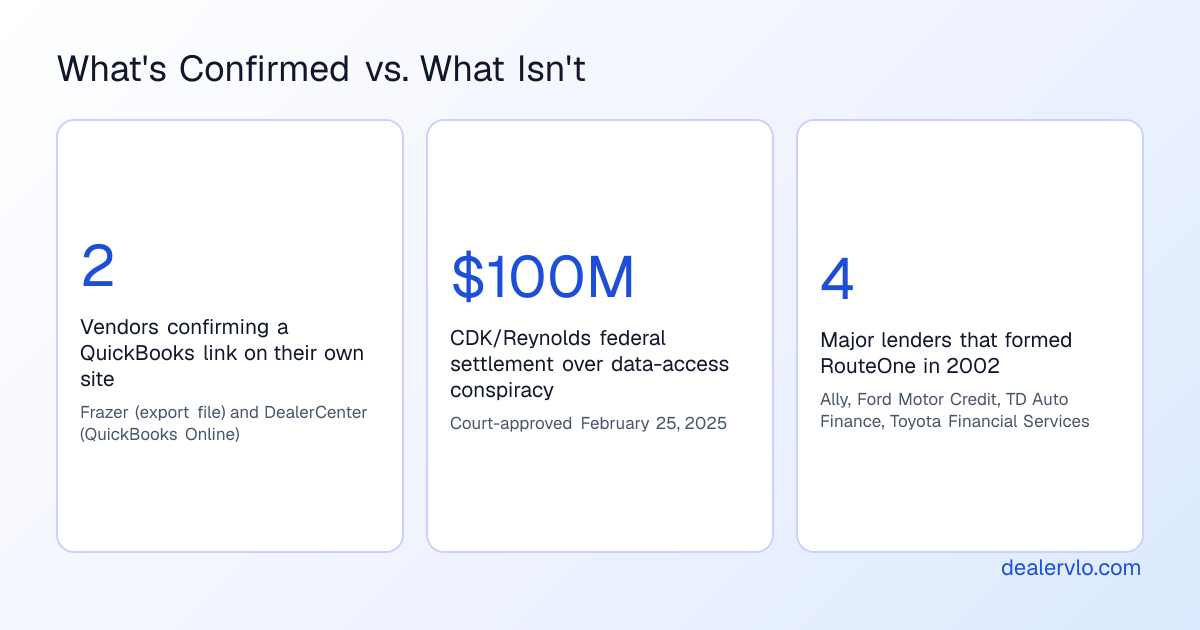
This is the part that confuses people new to the category. RouteOne and Dealertrack aren't competing DMS platforms (though Dealertrack is also sold separately as a DMS product) — they're credit-application and F&I networks that sit behind a DMS. RouteOne, for instance, was formed by a group of major lenders (Ally Financial, Ford Motor Credit, TD Auto Finance, and Toyota Financial Services) specifically to standardize how a dealer submits a credit application to multiple lenders at once, with products covering credit apps, eContracting, and compliance.
What that means practically: when a DMS "integrates with RouteOne or Dealertrack," it means you fill out the credit application once inside the DMS, and it routes that same application out to however many lenders you've connected, instead of you logging into each lender's own portal and re-entering the buyer's information every time. A Capital One consumer explainer puts the buyer's-side version of this well — dealers without in-house financing typically send the application to their lender of choice, and some dealers run a "shotgun" approach, sending the same application to several lenders at once before presenting the best offer back to the customer.
**DealerCenter's own confirmed lender integration** is the clearest example in this category: their feature pages state dealers can submit credit applications and get decisions through both RouteOne and Dealertrack directly inside DealerCenter, plus instant decisions from Westlake Financial and Western Funding. Trade press backs this up — Auto Remarketing reported the RouteOne integration lets a DealerCenter user enter a credit application once and send it to any of RouteOne's finance sources with one click, quoting RouteOne's then-CEO on the time savings from not double-keying. Worth knowing separately: DealerCenter is owned by Westlake, so if Westlake is your main or only lender, that affiliation is a real advantage — a longtime user on DealerRefresh noted their dealership sends deals to RouteOne, CUDL, and Dealertrack from inside DealerCenter and wasn't bothered that Westlake can see all of their deal data, since Westlake works well for them.
**Frazer's lender side** is thinner by comparison. Frazer's own pages name integrations like AutoPay, 700Credit, and auction/listing partners, but nothing on Frazer's own site confirms a RouteOne or Dealertrack lender-network connection. A third-party listing site mentions Dealertrack among Frazer's integrations, but since that's not Frazer's own claim, don't plan around it.
Keep every deal's F&I math and documents in one place without chasing a lender-network add-on: try DealerVLO free for 14 days
## Why "just connect it" is harder than it sounds with the big incumbents
It's worth knowing this isn't a new or small problem. In 2017, a federal judge granted a preliminary injunction against CDK Global and Reynolds and Reynolds after finding sufficient evidence of what the ruling called a per se illegal horizontal conspiracy between the two companies to divide the data-integration market and block outside vendors from accessing dealer data. CDK later agreed to a settlement — reported at $100 million plus administration costs — covering dealers who did business with CDK across roughly an 11-year window, with a court approving that payout in early 2025. That's a federal enforcement outcome, not a rumor, and it's part of why the big enterprise DMS platforms have a real, documented history of friction around letting other software (including accounting tools) get at dealer data cleanly. It's also part of why smaller, QuickBooks-friendly platforms market openness as a selling point — being easy to export from is a genuine differentiator in this industry, not just a marketing line.
## Where DealerVLO fits, and where it draws the line
DealerVLO doesn't connect to QuickBooks, Xero, or any outside accounting software, and it doesn't connect to RouteOne, Dealertrack, or any lender network — so it's worth being straight about that rather than implying otherwise. What it does instead is keep the deal math and the shop's numbers together without a second file to reconcile. The Reports page pulls deal data into a sales report with front- and back-end gross per deal, and a P&L for the period that shows revenue, cost of cars sold, gross profit, and overhead by category — you pick the period from four fixed presets (this month, last 30 days, year to date, or all time; there's no custom date range). Because it's reading the same deals and the same per-car costs that are already in the system, there's no export step just to see where the lot stands.
If your lot's books genuinely need to live in QuickBooks because that's what your accountant uses, you'd export the sales and tax data from DealerVLO's Reports page as a CSV — one row per deal with sale price, trade allowance, tax, and fees — and hand that to your bookkeeper, the same manual-step pattern Frazer's own export works on. It's not a live sync either way; nobody independent in this category has confirmed one. What DealerVLO skips is the accounting software entirely for day-to-day gross tracking, which is a real option for a small lot that doesn't need an OEM-formatted statement and doesn't want to pay for or manage a second system just to see its own numbers.
On lenders, the honest advice is the same as the forum thread above: if you're shotgunning applications to multiple lenders regularly, a RouteOne or Dealertrack connection genuinely saves re-keying, and that's worth paying for through whichever DMS offers it directly. DealerVLO's lead inbox shows each lead's status and source, including leads that came from the website's financing or credit application forms, with Email and Call buttons that open your own email app and phone so you can follow up fast. Its optional online credit application collects the applicant's details, address and housing history, employer and income, down payment and trade-in information — it does not collect a Social Security number or driver's license number, so you'd still get the SSN in person or by phone before pulling credit. Either way, actually submitting that application out to a lender's network is a manual step you handle yourself; DealerVLO doesn't send applications to lenders or pull credit.
For dealers weighing whether they even need a lender-network connection yet versus structuring the deal first, the [deal structuring calculator](/tools/deal-structuring-calculator) works backward from a target monthly payment to the highest price you can structure before you're talking to a lender at all — useful before you decide how many lender relationships are worth maintaining.
## How to actually evaluate this when you're shopping
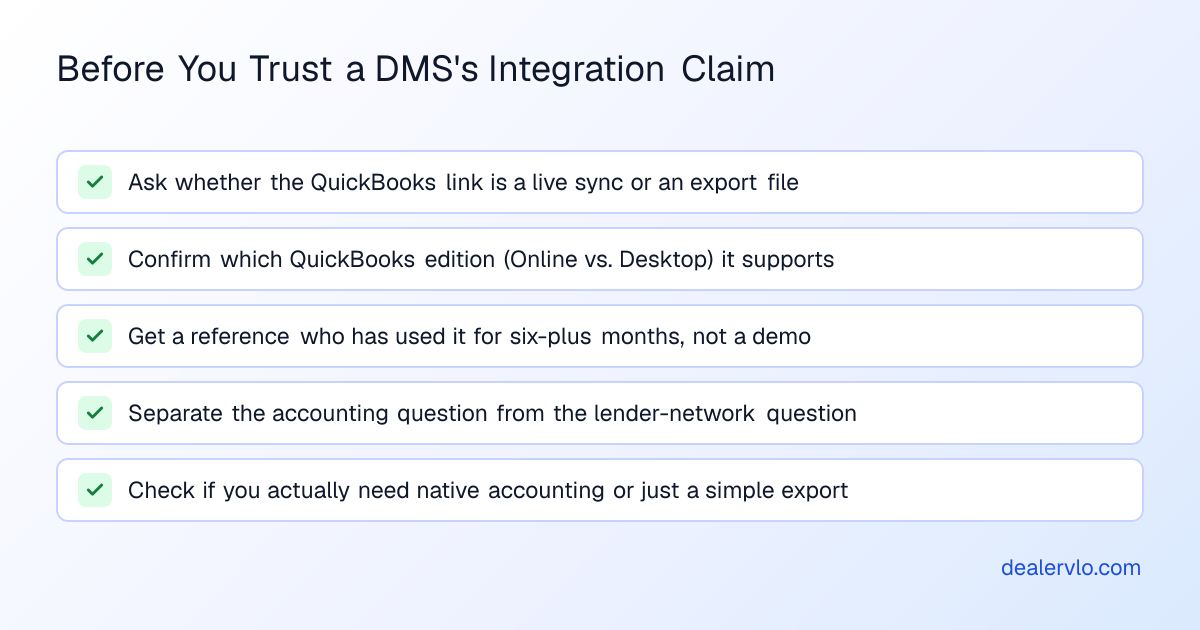
Don't take an integration claim at face value from a feature list — a few concrete things to check before you sign anything:
1. **Ask if it's a live sync or an export file.** Frazer's own documentation is clear that its QuickBooks link is an export/import, not instant. If a sales rep says "integrates with QuickBooks," ask them to define exactly what that means and how often data moves.
2. **Confirm which QuickBooks edition it supports.** DealerCenter's own page states QuickBooks Online compatibility specifically — not Desktop. If your bookkeeper is on Desktop, that gap matters.
3. **Ask for a reference who's used the integration for at least six months**, not a demo. Reconciliation problems tend to surface after a few months of real volume, not in a sales demo.
4. **Separate the accounting question from the lender question.** They're sold together but they're not the same feature, and a DMS can be strong on one and weak on the other.
5. **Check if you even need native accounting at all.** If you're not producing an OEM-formatted statement, a simpler flat-fee DMS plus your own CSV exports to a bookkeeper may cost and complicate less than a full accounting module you'll barely touch.
If you're comparing specific platforms on price before you get this deep into features, the pricing breakdowns for [DealerClick](/blog/dealerclick-pricing-explained) and [DealerSocket](/blog/dealersocket-pricing-explained) are a useful starting point, and the [best DMS for independent used-car dealers](/blog/best-dms-independent-used-car-dealers) guide rounds up the broader field. If you're currently on one system and thinking about moving, [DMS contract red flags](/blog/dms-contract-red-flags) is worth reading before you sign a new one — accounting and lender data are exactly the kind of thing that gets stuck behind an exit fee.
## Frequently asked questions
### Does any independent-dealer DMS sync live with QuickBooks?
Not based on what's confirmed by the vendors themselves. Frazer's own help documentation states its QuickBooks link is an export/import file, not a live sync — changes in Frazer don't instantly show up in QuickBooks. DealerCenter's own page describes converting transactions into journal entries for QuickBooks Online, which is more automated language, but there's no vendor confirmation it's instantaneous either, and a forum account from an actual user reported reconciliation problems.
### What's the difference between RouteOne and Dealertrack?
Both are F&I networks that let a dealer submit one credit application and route it to multiple lenders instead of re-entering data in each lender's own portal. RouteOne was formed by a group of major auto lenders specifically for this purpose; Dealertrack performs a similar function and is also sold separately as a full DMS product by Cox Automotive. Most DMS platforms that connect to lenders plug into one or both of these networks rather than building direct lender connections themselves.
### Does DealerCenter interface with QuickBooks and lender networks?
DealerCenter's own feature pages state a QuickBooks Online integration that converts transactions into journal entries, plus the ability to submit credit applications through both RouteOne and Dealertrack with instant decisions from Westlake Financial and Western Funding. DealerCenter is owned by Westlake, which is an advantage if Westlake is a primary lender for you, though it also means Westlake can see your deal data through that affiliation.
### Do I need a DMS with native accounting, or is QuickBooks enough for a small lot?
It depends mainly on whether you have to produce a manufacturer-formatted financial statement — a requirement that applies to franchise stores, not independents. Many independent lots run comfortably on QuickBooks or Xero fed by exported data, which avoids paying for a full accounting module built for dealership-specific reporting you may not need.
### Is it worth paying more for a DMS just to get lender-network integration?
If you regularly submit applications to several lenders per deal, a built-in RouteOne or Dealertrack connection saves real re-keying time and is a legitimate reason to pay more. If you mostly work with one or two lenders you already have a relationship with, logging into their portal directly may cost you less time overall than the cost difference between DMS tiers.
### Can I move my DMS's sales data into QuickBooks myself without a built-in integration?
Yes — most platforms that don't have a formal QuickBooks connection still let you export deal and sales data as a CSV for a bookkeeper to enter or import manually. It's the same end result as a vendor's "export" feature, just without the DMS branding on the file.
## Bottom line
There's no independent-lot DMS confirmed to run a true live sync to QuickBooks, and only DealerCenter has a vendor-stated, direct connection to both major lender networks — with a real-world reliability caveat attached from an actual user. Most small lots end up deciding one of two ways: pay for native accounting and a lender network built into a bigger DMS, or keep things simple with a flat-fee system that tracks gross and overhead cleanly and export to a bookkeeper or lender portal by hand when you need to. DealerVLO is built for the second path — one place to see what each deal and each car actually made, without a second system to reconcile against. See what that looks like on your own numbers.
Run your next deal's gross and paperwork through DealerVLO: start your free 14-day trial
---
## FAQ
### Does any independent-dealer DMS sync live with QuickBooks?
Not based on what's confirmed by the vendors themselves. Frazer's own help documentation states its QuickBooks link is an export/import file, not a live sync — changes in Frazer don't instantly show up in QuickBooks. DealerCenter's own page describes converting transactions into journal entries for QuickBooks Online, which is more automated language, but there's no vendor confirmation it's instantaneous either, and a forum account from an actual user reported reconciliation problems.
### What's the difference between RouteOne and Dealertrack?
Both are F&I networks that let a dealer submit one credit application and route it to multiple lenders instead of re-entering data in each lender's own portal. RouteOne was formed by a group of major auto lenders specifically for this purpose; Dealertrack performs a similar function and is also sold separately as a full DMS product by Cox Automotive. Most DMS platforms that connect to lenders plug into one or both of these networks rather than building direct lender connections themselves.
### Does DealerCenter interface with QuickBooks and lender networks?
DealerCenter's own feature pages state a QuickBooks Online integration that converts transactions into journal entries, plus the ability to submit credit applications through both RouteOne and Dealertrack with instant decisions from Westlake Financial and Western Funding. DealerCenter is owned by Westlake, which is an advantage if Westlake is a primary lender for you, though it also means Westlake can see your deal data through that affiliation.
### Do I need a DMS with native accounting, or is QuickBooks enough for a small lot?
It depends mainly on whether you have to produce a manufacturer-formatted financial statement — a requirement that applies to franchise stores, not independents. Many independent lots run comfortably on QuickBooks or Xero fed by exported data, which avoids paying for a full accounting module built for dealership-specific reporting you may not need.
### Is it worth paying more for a DMS just to get lender-network integration?
If you regularly submit applications to several lenders per deal, a built-in RouteOne or Dealertrack connection saves real re-keying time and is a legitimate reason to pay more. If you mostly work with one or two lenders you already have a relationship with, logging into their portal directly may cost you less time overall than the cost difference between DMS tiers.
### Can I move my DMS's sales data into QuickBooks myself without a built-in integration?
Yes — most platforms that don't have a formal QuickBooks connection still let you export deal and sales data as a CSV for a bookkeeper to enter or import manually. It's the same end result as a vendor's "export" feature, just without the DMS branding on the file.