# Audit Your Dealer Website in 10 Minutes: Three Free Checks Most Dealers Have Never Run
> Test your car dealer website in ten minutes with three free checks: mobile speed, whether Google has your cars, and whether your lead form reaches you.
- Source: https://www.dealervlo.com/blog/dealer-website-audit-10-minutes
- Published: 2026-09-29
- Updated: 2026-09-29
- Author: Chris Abouraad
- Tags: website, marketing, leads, audit
---
## You've never seen the three numbers that matter
Most independent dealers know what their website looks like on the office computer. Very few have looked at how it behaves on a customer's phone, whether Google even knows their cars are there, or what happens when someone submits the contact form. Not because it's hard. Nobody tells you where to look.
This is the shortest audit I know that gives you numbers you almost certainly don't have today. It takes about ten minutes and costs nothing. The typing involved: one web address, one search, and one test message.
I've written separately about [whether you need a website at all](/blog/do-car-dealers-need-a-website) and [what one costs](/blog/dealer-website-cost). This is for the dealer who already has one and wants to know if it's working.
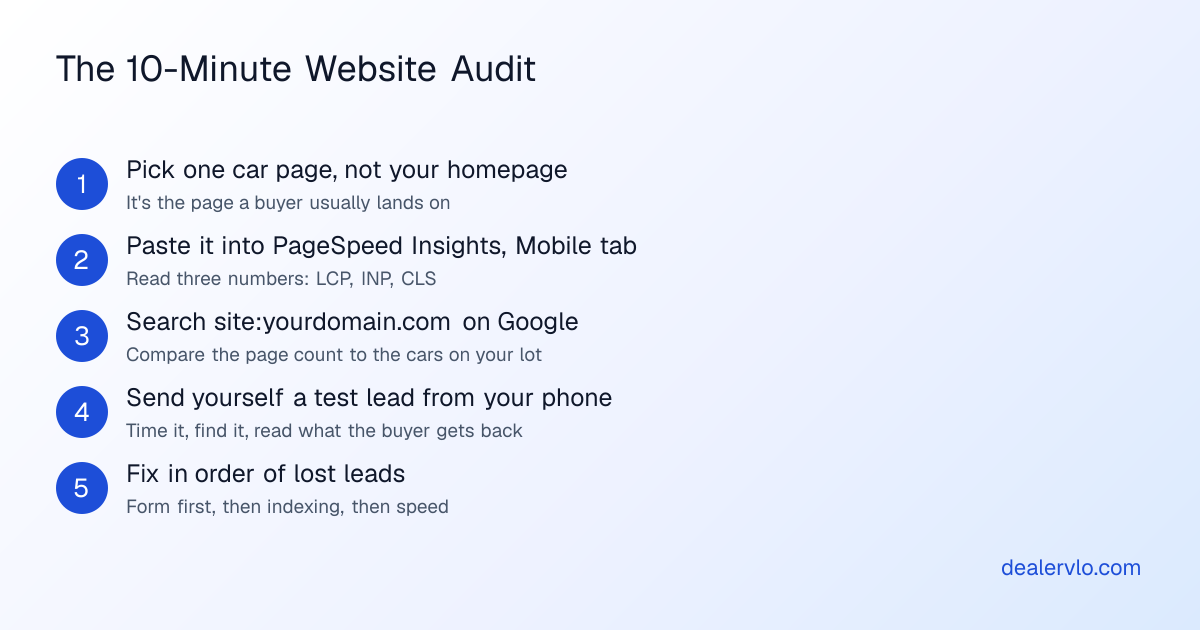
## Start with a car page, not your homepage
Test a single car's page. Buyers who find you through a Google search or a listing site often land on a car page rather than your homepage, and the car page is the one with the heavy photos and the contact form. It's also where a problem costs you a specific deal.
Pick a car you listed in the last week. Copy its address. You'll use it in checks one and three.
## Check 1: Is it fast on a phone?
Go to Google's [PageSpeed Insights](https://pagespeed.web.dev/), paste the car page's address, and press Analyze. Then make sure you're looking at the **Mobile** tab.
There are two blocks of results, and the difference matters:
- **Real users (top).** Data from actual Chrome visitors over the last 28 days. This is the one to trust, but Google notes it may not exist for a page that's new or gets few visits, and a small lot's car pages can fall short.
- **Lab test (below).** A simulated mid-range phone on a mobile network. It's not your customers, but it's a consistent yardstick you can retest.
Read three numbers, and ignore the big colored score circle for now. It's a summary. The three numbers are what you can act on:
| Measure | What it means | Google's "good" line |
|---|---|---|
| LCP | How long until the main content (usually the top photo) appears | 2.5 seconds or less |
| INP | How fast the page reacts when someone taps | 200 milliseconds or less |
| CLS | How much the page jumps around while it loads | 0.1 or less |
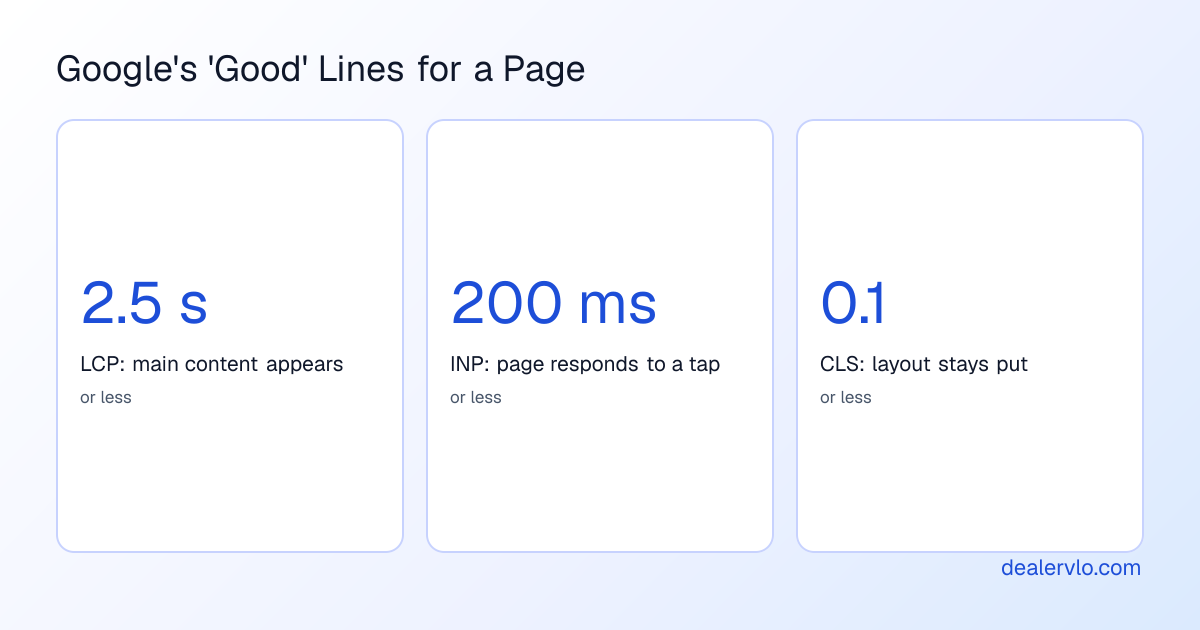
Those lines are Google's published thresholds, not mine. If you're over on LCP, the first suspect on a car page is almost always the photos, and PageSpeed's "opportunities" list will say so if it's the culprit. I'd look at how big the images are before anything else. [How many photos a listing needs](/blog/how-many-photos-used-car-listing) and [how to shoot them](/blog/how-to-photograph-used-cars-dealer) cover the photo side.
A caution: don't chase a perfect score. You're checking for "bad," not "flawless." A page that clears the good lines is done; go on to the next check.
## Check 2: Does Google actually have your cars?
This is the check that surprises people. A car nobody can find on Google isn't getting search traffic, no matter how good the page looks.
Search this on Google, with your own domain:
`site:yourdomain.com`
The results show pages from your site that Google has indexed, with a rough count near the top. Two things to compare:
1. **The rough count against your lot.** If you have 30 cars and Google shows a handful of pages, your inventory isn't getting picked up. Treat the count as a rough signal, not an exact figure.
2. **One specific car.** Search `site:yourdomain.com` plus the year and model of a car you listed last week. Does its page appear?
If the car isn't there, it's not always broken. A brand-new page can take time to show up. But if cars you listed weeks ago are missing, or cars you sold weeks ago are still showing, that's worth knowing.
For the exact answer instead of a rough one, set up [Google Search Console](https://search.google.com/search-console) (free, and you'll need to verify you own the domain). Its page-indexing report shows what Google has and why it skipped others, and over time it shows the searches that lead people to you. That's data your website will never volunteer on its own.
On a DealerVLO site, inventory posts to your website automatically, so a new car gets its own page without retyping it. Whether Google has picked those pages up is exactly what this check tells you, and I'd run it on any site, ours included.
Put your inventory on a dealer website that updates itself: start your 14-day DealerVLO trial
## Check 3: Does your contact form reach you?
This is the one I'd never skip. Your form can look perfect and still send its messages nowhere you'd notice. You can't know without testing it.
Grab your phone, open the car page, and fill out the contact form the way a buyer would. Use your own name so you'll recognize it. Then track four things:
1. **Did it submit?** Or did it error out, hang, or make you fill it in twice?
2. **How long until it reached you?** Note the actual minutes.
3. **Where did it land?** Inbox, spam folder, or nowhere.
4. **What does the buyer get back?** If you gave a second email address to play the buyer, look at what arrived.
The reason this matters is speed. In my experience the dealer who answers first has the edge, which is why [how fast you respond](/blog/converting-online-leads-to-appointments) matters so much, and a lead that sits unseen for hours is already losing ground. And knowing [where each lead came from](/blog/car-dealership-lead-source-tracking) only helps if the lead gets to you at all.
On a DealerVLO site, a submitted lead is saved in your lead inbox with its source, emailed to the dealership's address, and, when the buyer gave an email, the buyer gets an automatic confirmation. Send the test and see it for yourself. Don't take my word for it.
## The 30-second thumb test (no tools)
One more check, and it needs no tool at all. Open the same car page on your phone. Don't zoom. Look only at what's on the first screen.
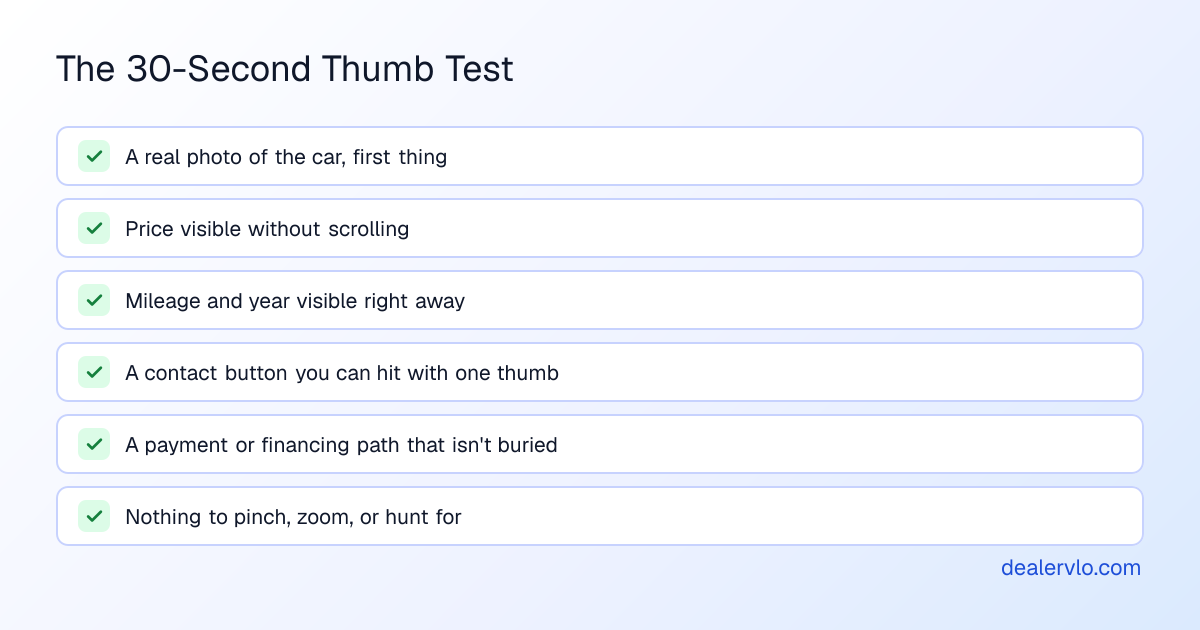
If you can't tell the price, the mileage, and how to reach you without hunting, neither can a buyer standing in a parking lot. On a DealerVLO vehicle page with a price, there's a monthly payment estimate (clearly labeled as an estimate) and a button through to your Financing page, so the payment question has a home. You can switch that Financing page off in Settings if you'd rather not have it.
## What to fix first
If two checks turn up problems, fix them in this order, by how many leads each can cost you:
1. **The form doesn't reach you.** Fix today. Every day it's broken is lost leads you'll never see.
2. **Your cars aren't showing up on Google.** Fix this week. It's an invisible traffic problem.
3. **Speed and layout.** Fix after. It's real, but it makes good pages a little worse, where the first two make some pages useless.
Then put a monthly reminder in your calendar and run all three again. It's five minutes once you know where to look, and it's the difference between a website that's working and one you're only assuming works. If your [Google Business Profile](/blog/google-business-profile-used-car-dealers) points at the site, it's worth the same look.
Run these three checks on a DealerVLO site: start your 14-day free trial
## Frequently asked questions
### How do I check if my car dealer website is any good?
Run three free checks on a car page (not your homepage). Paste the car page's URL into Google's PageSpeed Insights and read the mobile numbers. Search site:yourdomain.com on Google to see how many of your pages it knows about. Then submit a test lead through your own contact form and time how long it takes to reach you. Together they take about ten minutes and cost nothing.
### What speed should a dealer website page load in?
Google publishes "good" lines for three measures it calls Core Web Vitals: Largest Contentful Paint (when the main content shows up) at 2.5 seconds or less, Interaction to Next Paint (how fast the page responds to a tap) at 200 milliseconds or less, and Cumulative Layout Shift (how much the page jumps around while loading) at 0.1 or less. PageSpeed Insights shows all three for your page.
### Why does PageSpeed Insights say there's no real-user data for my site?
The real-user section comes from Chrome usage data over the last 28 days. Google says a page may not have enough of it if it was recently published or has too few visits, and a small lot's car pages can fall short. When that happens, use the lab numbers lower on the report. They come from a simulated mid-range phone on a mobile network, so treat them as directional rather than exact.
### How can I tell if Google has indexed my inventory pages?
The quick way is to search site:yourdomain.com on Google and compare the rough page count to the number of cars you have, then search for a specific car by year and model with the same site: prefix. The exact way is Google Search Console, which is free once you verify you own the site and has a report on which pages are indexed and why others aren't.
### How often should a small dealer audit their website?
Run all three checks once now, then repeat them monthly or after any change to the site, a template, or how you post inventory. It's five minutes once you know where to look, and the lead-form test is the one worth repeating most, because a form that quietly stops reaching you costs deals you never see.
## Bottom line
You don't need an agency to audit a dealer website. You need a car page's address, one Google search, and one test message. Those three checks tell you whether the site is fast enough, whether Google can find your cars, and whether your leads actually arrive, and most dealers have never seen any of them.
If you'd like a site that publishes your inventory automatically and drops every lead in one inbox, start the free trial at [/signup](/signup).
---
## FAQ
### How do I check if my car dealer website is any good?
Run three free checks on a car page (not your homepage). Paste the car page's URL into Google's PageSpeed Insights and read the mobile numbers. Search site:yourdomain.com on Google to see how many of your pages it knows about. Then submit a test lead through your own contact form and time how long it takes to reach you. Together they take about ten minutes and cost nothing.
### What speed should a dealer website page load in?
Google publishes 'good' lines for three measures it calls Core Web Vitals: Largest Contentful Paint (when the main content shows up) at 2.5 seconds or less, Interaction to Next Paint (how fast the page responds to a tap) at 200 milliseconds or less, and Cumulative Layout Shift (how much the page jumps around while loading) at 0.1 or less. PageSpeed Insights shows all three for your page.
### Why does PageSpeed Insights say there's no real-user data for my site?
The real-user section comes from Chrome usage data over the last 28 days. Google says a page may not have enough of it if it was recently published or has too few visits, and a small lot's car pages can fall short. When that happens, use the lab numbers lower on the report. They come from a simulated mid-range phone on a mobile network, so treat them as directional rather than exact.
### How can I tell if Google has indexed my inventory pages?
The quick way is to search site:yourdomain.com on Google and compare the rough page count to the number of cars you have, then search for a specific car by year and model with the same site: prefix. The exact way is Google Search Console, which is free once you verify you own the site and has a report on which pages are indexed and why others aren't.
### How often should a small dealer audit their website?
Run all three checks once now, then repeat them monthly or after any change to the site, a template, or how you post inventory. It's five minutes once you know where to look, and the lead-form test is the one worth repeating most, because a form that quietly stops reaching you costs deals you never see.