# Car dealer inventory management software: what it should track, from auction to sold
> What inventory management software should track for a used-car lot (cost, recon, price, age, photos, listings), what to ask vendors, and what it costs.
- Source: https://www.dealervlo.com/blog/car-dealer-inventory-management-software
- Published: 2026-09-30
- Updated: 2026-09-30
- Author: Chris Abouraad
- Tags: dealer software, inventory, pricing
---
Every used car on your lot is cash sitting in the sun. The job of inventory management software isn't to make a nice list of cars. It's to tell you, for every unit, what you really have in it, what it's listed at, and how long it's been eating your money. A lot that can't answer those three questions in ten seconds is guessing at its gross.
This post covers what car dealer inventory management software should track for an independent used-car lot, the questions that separate the good systems from the expensive ones, and what it costs. *Full disclosure: I run a used-car lot in Tewksbury, Massachusetts, and I built DealerVLO, the system my lot runs on. Weigh my take accordingly. Competitor prices are as listed on each vendor's pricing page in September 2026, with dates below.*
## What inventory software should track, from auction to sold
A car moves through five stages between the auction lane and the buyer's driveway. Good inventory software follows it through all of them, so nobody re-types the car at each step.
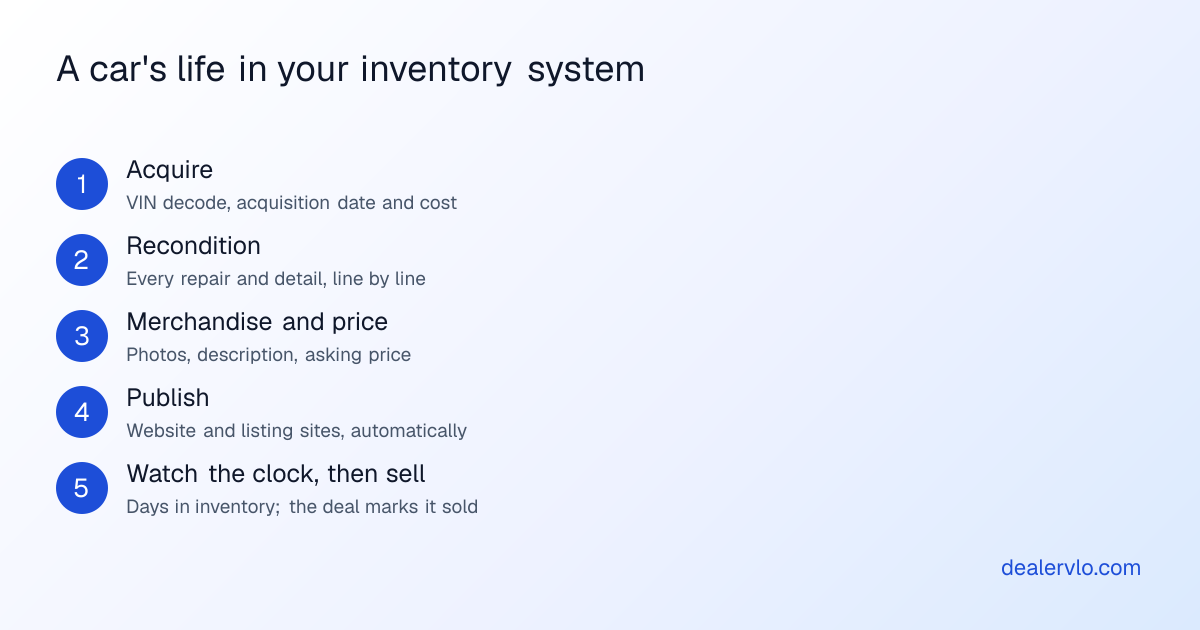
**1. Acquire.** The car goes in on the day you buy it, with the acquisition date and what you paid. The VIN should decode the year, make, model, trim and specs, so you're not typing them (and not mistyping them onto a title application later).
In DealerVLO you paste the VIN and the year, make, model, trim, engine, drivetrain and more fill in from NHTSA data. My post on [VIN auto-decoding](/blog/vin-auto-decoding-used-car-inventory) explains why that matters more than it sounds.
**2. Recondition.** This is where most lots lose track of their money. Tires, a detail, brakes, a windshield: if recon lives on receipts in a drawer, your "gross" is fiction. Every expense should land on the car it was spent on.
DealerVLO tracks recon line by line on each car, and the total rolls into the car's all-in cost and margin. My posts on [budgeting reconditioning](/blog/used-car-reconditioning-cost-budget) and [average recon cost by vehicle type](/blog/average-reconditioning-cost-by-vehicle-type-2026) cover what to expect.
**3. Merchandise and price.** Photos, a description, and a price. The software should keep both an asking price and an internet price if you run them differently, and it should help you price against the market, not just store the number you picked.
DealerVLO stores photos with each car (with an optional AI enhance that puts the car on a clean backdrop without altering the car itself), and an AI price suggestion shows a price range from live comparable listings plus a target price for selling in about 30 days.
**4. Publish.** The car should show up on your website and the listing sites without anyone re-entering it. When it sells, it should come down.
In DealerVLO, inventory posts to your dealer website automatically, and feeds go to CarGurus, Cars.com and Autotrader once you enroll with each (you still pay those sites' own fees). There's also a Facebook vehicle catalog feed for Meta's paid inventory ads, and a per-car kit for posting to Facebook Marketplace by hand.
**5. Watch the clock, then sell.** Days in inventory on every car, and a way to see the whole lot by age. Then, when it sells, the car flows into the deal, so the deal knows the cost and the margin.
Every car in DealerVLO shows its days in inventory. Cars at 60 days or more get an "aging, consider repricing" flag, the dashboard counts them, and the aging report buckets the lot into 0–30, 31–60, 61–90 and 90+ days. When you complete a deal, the car is marked sold.
Put your inventory into DealerVLO and see each car's real margin, free for 14 days
## The numbers each car record has to answer
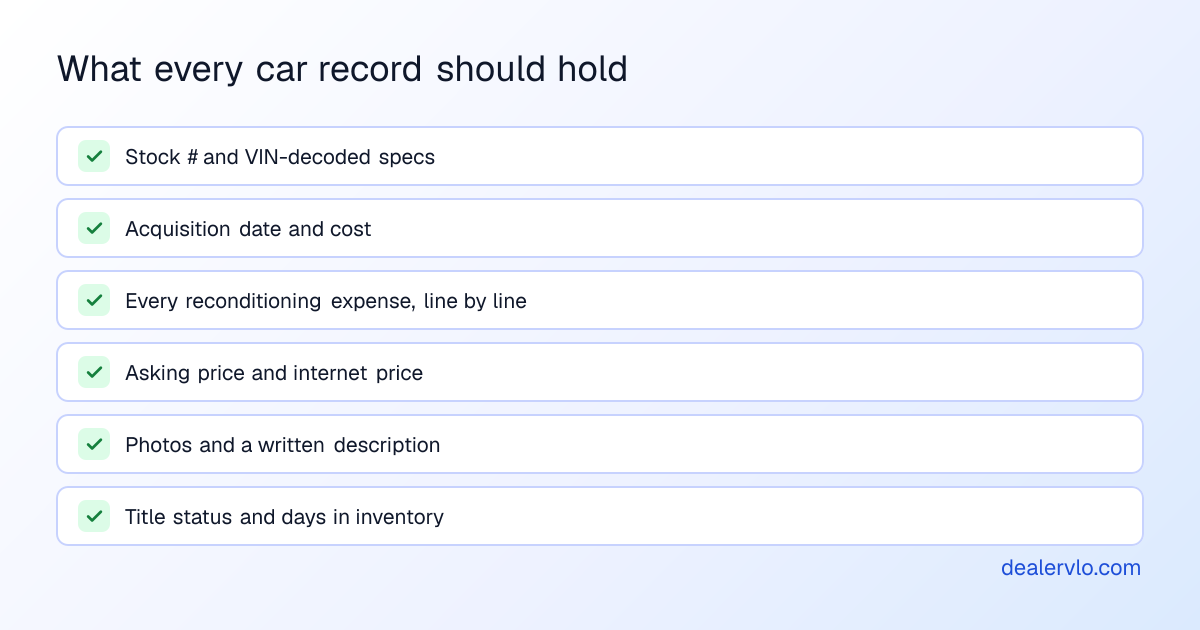
The record matters because of the math it lets you do. Here's an illustrative example (your numbers will differ): you buy a car for $7,500, pay a $300 buyer fee and $150 transport, and put $650 of recon into it. Your all-in cost is $7,500 + $300 + $150 + $650 = **$8,600**. List it at $10,995 and your front-end room is $2,395 *before* the cost of holding it. If the recon lived in a drawer, you'd think you had $3,045.
Then time does its work. Every week the car sits, your floor plan interest, insurance and lot space keep running. That's why days in inventory belongs on the same record as cost. The [holding cost calculator](/tools/holding-cost-calculator) puts a number on it for your lot, and my [inventory turn rate](/blog/inventory-turn-rate-used-car-dealers) post covers how fast the lot as a whole should turn.
Two more fields people forget:
- **Status beyond "available" and "sold."** A car can be pending a deal, on hold for a customer, or going to wholesale. DealerVLO tracks all five (available, pending, hold, wholesale, sold) so the lot count you see is the lot you can actually sell.
- **Title status.** In hand, pending, or still with a lienholder. You don't want to discover a missing title at delivery.
## What inventory software costs
For an independent lot, inventory management almost always comes inside a dealer management system. The differences are in what's included and what's capped. As listed on each vendor's pricing page:
| Software | Price | Inventory notes | Checked |
|---|---|---|---|
| **DealerVLO** | **$29 / month** | **No inventory cap; recon per car, aging report, website and feeds included** | — |
| [Desk2Deal](https://desk2deal.com/pricing) Starter | $79 / month | **50-car inventory cap** on Starter (10 on Free) | Sept 30, 2026 |
| AutoManager DeskManager | from $88 / month | Website (WebManager) is a separate product, from $70 | Sept 24, 2026 |
| [DealerCenter](https://www.dealercenter.com/pricing/) | $99 / month | "Full Inventory Management" in the DMS; Reconditioning is a $99 module; KBB, Black Book and MMR are $64 each | Sept 30, 2026 |
| [Lot Wizard](https://lotwizard.com/pricing/) Pro | from $99 / month (1 user) | Website and feeds in packages from $209 | Sept 30, 2026 |
| [Frazer](https://www.frazer.com/frazer-pricing) Desktop | $129 / month | Inventory management in the plan; website is a partner product | Sept 30, 2026 |
Two things to notice. An **inventory cap** is fine until a good auction week. Then you're upgrading mid-month. And **recon tracking as a paid module** means the feature that tells you your real gross costs extra on some systems. On DealerVLO, both are in the $29.
For the full price picture with websites and listing feeds included, see my [cheapest DMS comparison](/blog/cheapest-dms-for-used-car-dealers).
## Questions to ask before you pick one
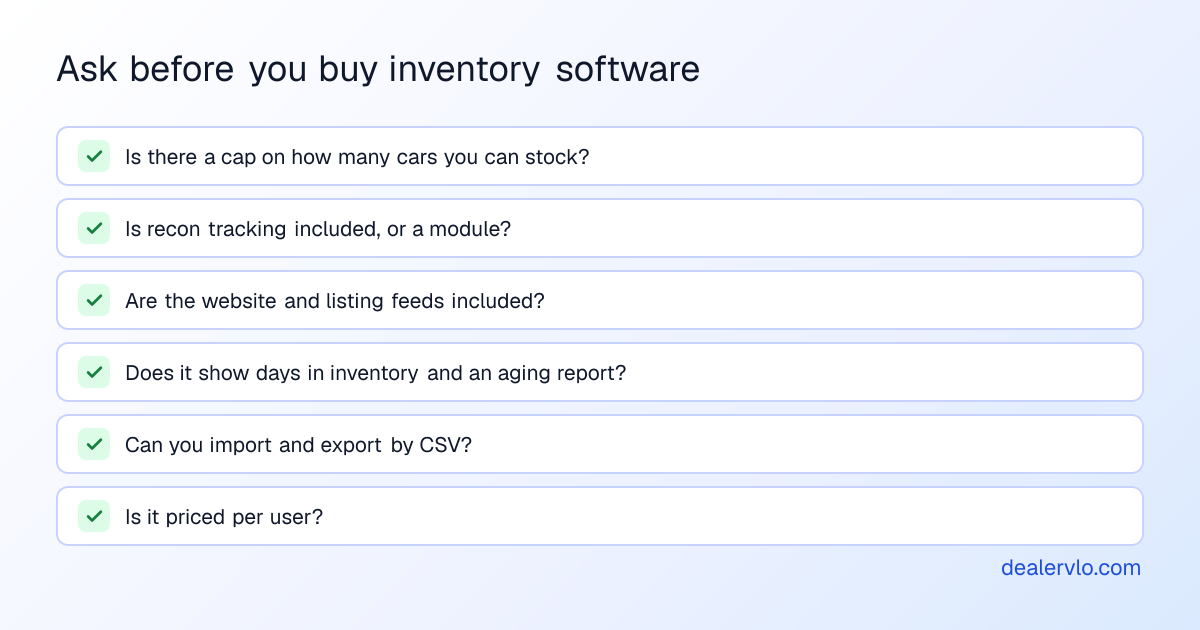
- **Is there a cap on how many cars you can stock?** Look at the price at your busiest month, not your average one.
- **Is recon tracking included, or a module?** If recon isn't on the car, your gross numbers are wrong.
- **Are the website and listing feeds included?** Inventory you can't publish is half the job.
- **Does it show days in inventory and an aging report?** And will it flag aged units, or do you have to go looking?
- **Can you import and export by CSV?** Getting your current cars in on day one, and your data out if you ever leave. DealerVLO imports inventory by CSV (duplicate VINs are skipped, up to 500 rows per file, common column names recognized automatically) and exports it too.
- **Is it priced per user?** Your title clerk and your detail guy both need to mark things done.
Then test it with real cars: add three of your units by VIN, put a recon bill on one, change a price, and see how long it takes for the change to show on your website.
## Where DealerVLO fits, and where it doesn't
DealerVLO is built for the independent lot running roughly 10 to 50 cars where the owner is also the buyer, the recon manager and the pricing desk. On one $29 plan with unlimited users, inventory, recon, pricing, aging, the website, listing feeds, the deal jacket and the P&L share the same car record.
What it doesn't do, so you know going in: it won't mark prices down automatically or send aging alerts. It flags cars at 60 days and shows the aging report, and you make the call. My [aging and markdown strategy](/blog/inventory-aging-markdown-strategy) post has the routine I use. It also doesn't post to Facebook Marketplace automatically (Meta ended dealer feeds to Marketplace, so free listings go up by hand), and it doesn't include book-value subscriptions like KBB or Black Book. If you're running a spreadsheet today, [when to switch from a spreadsheet to a DMS](/blog/when-to-switch-from-spreadsheet-to-dms) covers the tipping point. The [used-car dealer software](/used-car-dealer-software) page has the full rundown.
Import your current inventory into DealerVLO by CSV, free for 14 days
## Frequently asked questions
### What is car dealer inventory management software?
It's the system that tracks every vehicle on a dealer's lot from the day it's bought to the day it's sold: the VIN and specs, what you paid, what you spent reconditioning it, the asking price, photos, title status, and how many days it has been in stock. Good inventory software also pushes each car to your website and listing sites, and hands the car straight to the deal when it sells. For an independent lot it's usually part of the dealer management system, not a separate product.
### What should a used-car dealer track for each car in inventory?
At minimum: stock number, VIN and decoded specs, acquisition date and cost, every reconditioning expense, asking and internet price, photos, title status, current status (available, pending, on hold, wholesale, sold), and days in inventory. Cost plus recon gives you the all-in number your gross is measured against, and days in inventory tells you which cars are costing you money to keep.
### How much does dealer inventory management software cost?
Inventory management is usually included in a DMS plan. As listed on each vendor's pricing page in September 2026: DealerCenter's $99-a-month DMS includes full inventory management, with reconditioning as a $99 module; Frazer's $129 Desktop plan includes inventory management; Lot Wizard Pro starts at $99; Desk2Deal Starter is $79 with a 50-car inventory cap; AutoManager's DeskManager starts at $88. DealerVLO is $29 a month flat with no inventory cap and recon tracking, the website and listing feeds included.
### Can I just use a spreadsheet for inventory?
For a handful of cars, yes. A spreadsheet breaks when more than one person updates it, when you need recon costs per car, when you want days in inventory without doing date math, and when the same car has to appear on your website and listing sites. Most lots outgrow it somewhere past a couple dozen cars or the second person on the lot.
### What does DealerVLO include for $29 a month?
Everything, on one plan with unlimited users: inventory with VIN decode, photos and optional AI photo enhance, per-car reconditioning cost and margin, days in inventory with a 60-day aging flag and an aging report, an AI price suggestion from live comparable listings, CSV import, a dealer website that publishes your cars automatically, listing feeds to CarGurus, Cars.com and Autotrader once you enroll with each, the deal jacket with your state's title paperwork, BHPH tracking, and a sales report and P&L. There's a 14-day free trial.
## Bottom line
Inventory management software earns its keep when every car's record answers three questions on sight: what you have in it (cost plus recon), what it's listed at, and how long it's been sitting. Pick a system that tracks recon on the car, shows days in inventory, publishes to your website and listing sites, and doesn't cap your stock or charge per user. DealerVLO does all of that for $29 a month flat, in the same system as your deals and paperwork.
Want to see your own lot in it? [Start a free 14-day DealerVLO trial](/signup), import your inventory by CSV, and check each car's real margin.
---
## FAQ
### What is car dealer inventory management software?
It's the system that tracks every vehicle on a dealer's lot from the day it's bought to the day it's sold: the VIN and specs, what you paid, what you spent reconditioning it, the asking price, photos, title status, and how many days it has been in stock. Good inventory software also pushes each car to your website and listing sites, and hands the car straight to the deal when it sells. For an independent lot it's usually part of the dealer management system, not a separate product.
### What should a used-car dealer track for each car in inventory?
At minimum: stock number, VIN and decoded specs, acquisition date and cost, every reconditioning expense, asking and internet price, photos, title status, current status (available, pending, on hold, wholesale, sold), and days in inventory. Cost plus recon gives you the all-in number your gross is measured against, and days in inventory tells you which cars are costing you money to keep.
### How much does dealer inventory management software cost?
Inventory management is usually included in a DMS plan. As listed on each vendor's pricing page in September 2026: DealerCenter's $99-a-month DMS includes full inventory management, with reconditioning as a $99 module; Frazer's $129 Desktop plan includes inventory management; Lot Wizard Pro starts at $99; Desk2Deal Starter is $79 with a 50-car inventory cap; AutoManager's DeskManager starts at $88. DealerVLO is $29 a month flat with no inventory cap and recon tracking, the website and listing feeds included.
### Can I just use a spreadsheet for inventory?
For a handful of cars, yes. A spreadsheet breaks when more than one person updates it, when you need recon costs per car, when you want days in inventory without doing date math, and when the same car has to appear on your website and listing sites. Most lots outgrow it somewhere past a couple dozen cars or the second person on the lot.
### What does DealerVLO include for $29 a month?
Everything, on one plan with unlimited users: inventory with VIN decode, photos and optional AI photo enhance, per-car reconditioning cost and margin, days in inventory with a 60-day aging flag and an aging report, an AI price suggestion from live comparable listings, CSV import, a dealer website that publishes your cars automatically, listing feeds to CarGurus, Cars.com and Autotrader once you enroll with each, the deal jacket with your state's title paperwork, BHPH tracking, and a sales report and P&L. There's a 14-day free trial.